
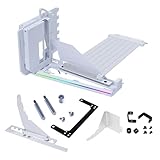
- Top Pick: Lian Li ATX PC Case 4 Slots Vertical GPU Kit (VG4v4 White)
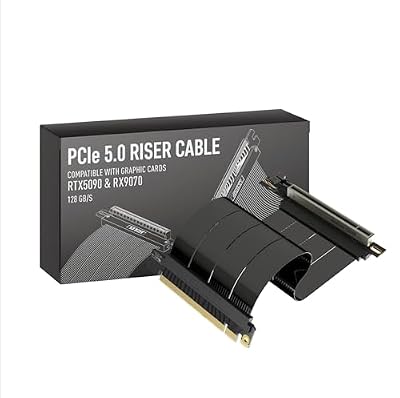
- Best Value: LINKUP PCIE 5.0 Riser Cable | for Vertical GPU Mount | Right Angle | Graphics Card GPU Ready | Usable with PCIe 4.0 & RX 9070/ RTX5090 | 20cm (Total Length: 24cm)
- Premium Choice: GIGABYTE Radeon RX 9070 XT Gaming OC 16G Graphics Card, PCIe 5.0, 16GB GDDR6, GV-R9070XTGAMING OC-16GD Video Card
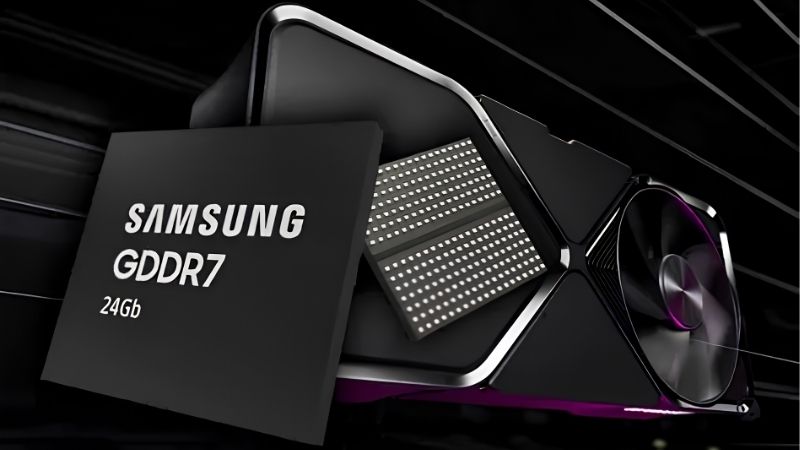
What is a PCIe 5.0 GPU is a question that pops up the moment you start comparing modern motherboards and graphics cards. In simple terms, a PCIe 5.0 GPU is a graphics card that uses the fifth generation of the PCI Express interface, the slot that connects your card to the rest of the system. PCIe 5.0 doubles the available bandwidth over PCIe 4.0, but whether that extra speed actually helps your games is a more nuanced story than the marketing suggests. This guide explains how the interface works, when it matters, and how to decide whether a PCIe 5.0 GPU is worth prioritizing for your next build.
Understanding What a PCIe 5.0 GPU Is
Before deciding if you need it, you should know what the PCIe interface does and what changing its generation actually means. PCIe is the data link between your graphics card and the processor, and each generation roughly doubles the bandwidth of the one before.
As an Amazon Associate we earn from qualifying purchases at no extra cost to you.


How the PCIe Interface Works
PCI Express connects your GPU to the CPU and the rest of the system through a series of lanes. A graphics card typically uses 16 lanes, and the total bandwidth depends on how many lanes are used and which generation they run at.
Each new generation doubles the data rate per lane. PCIe 4.0 already offered substantial bandwidth, and PCIe 5.0 doubles it again, giving a full 16-lane card an enormous amount of theoretical throughput.
This bandwidth covers everything the GPU sends to and from the system, from loading assets to communicating results. The question is whether games actually use all of it, which is where the nuance begins.
PCIe 5.0 vs PCIe 4.0 for Graphics
On paper, PCIe 5.0 doubles the bandwidth of PCIe 4.0. In real gaming, however, current graphics cards rarely saturate even a PCIe 4.0 connection at full 16 lanes, so the practical difference is often small.
Tests repeatedly show that most modern GPUs lose only a tiny fraction of performance when moved from PCIe 5.0 to PCIe 4.0. The extra bandwidth is there as headroom rather than as a guaranteed frame-rate boost.
That said, the headroom can matter in specific cases, such as cards that use fewer lanes or future GPUs that demand more bandwidth as games and engines evolve.
Backward and Forward Compatibility
One of the best things about PCIe is its compatibility. A PCIe 5.0 GPU works in a PCIe 4.0 or even 3.0 slot, and a PCIe 4.0 card works in a PCIe 5.0 slot, simply running at the lower common speed.
This means you are never locked out by the interface generation. You can pair a new card with an older board, or an older card with a new board, and everything still functions correctly.
The practical upshot is reassuring for upgraders. If you buy a PCIe 5.0 graphics card today but keep a PCIe 4.0 motherboard, the card simply runs at PCIe 4.0 speeds, with a performance difference that is usually too small to notice in games. That flexibility lets you upgrade your GPU and motherboard on separate timelines and budgets, rather than being forced to replace both at once just to satisfy the interface generation.
Why PCIe 5.0 Matters for Your Build
The interface generation affects more than just graphics, so let us look at where it genuinely counts. For most gamers the impact on frames is modest, but there are real scenarios where PCIe 5.0 earns its place, and knowing them helps you tell marketing hype apart from a benefit you will actually use.
Gaming Performance and PCIe 5.0
For pure gaming on a full 16-lane connection, PCIe 5.0 rarely delivers a noticeable frame-rate increase over PCIe 4.0. The bottleneck in games is almost always the GPU itself, not the slot feeding it.
So if your only goal is gaming, you should not pay a premium for PCIe 5.0 support alone. Your money is better spent on a faster GPU tier, more VRAM, or a better monitor.
The interface becomes a tiebreaker rather than a deciding factor, useful to have but rarely the reason to choose one card or board over another for games.
The Pros and Cons of a PCIe 5.0 GPU
Choosing a PCIe 5.0 GPU has clear upsides and a few caveats worth understanding before you spend.
Pros:
- Double the bandwidth of PCIe 4.0, providing future headroom.
- Fully backward and forward compatible with other PCIe generations.
- Helpful for cards that use fewer lanes, where bandwidth per lane matters more.
Cons:
- Little to no gaming benefit today on a full 16-lane connection.
- Often tied to pricier motherboards and platforms.
- The advertised speed can imply a benefit most gamers will not actually feel.
The balanced takeaway is that PCIe 5.0 is genuinely good technology whose benefit depends entirely on how you use your PC. For data-heavy and lane-limited scenarios it is a real upgrade, while for mainstream gaming it is mostly insurance for the future. Knowing which camp you fall into prevents both the mistake of paying a premium for unused bandwidth and the opposite error of dismissing a feature that some workloads truly need.
When PCIe 5.0 Genuinely Helps
PCIe 5.0 shows its value in specific situations rather than across the board. Cards that connect with only eight lanes benefit more, since PCIe 5.0 gives each lane double the bandwidth of PCIe 4.0.
It also helps with very fast PCIe 5.0 storage, where the same platform feeds high-speed drives, and in professional or data-heavy workloads that move large amounts of information between the GPU and system.
For these users, PCIe 5.0 is a meaningful upgrade. For mainstream gamers, it is a nice bonus that rarely changes the experience on its own.
How to Decide if You Need a PCIe 5.0 GPU
With the facts in hand, the goal is to make a sensible choice rather than chase a spec for its own sake. Whether PCIe 5.0 belongs on your priority list depends entirely on how you use your PC, so the final step is simply to be honest about your own workload.
Matching the Interface to Your Use Case
Start by identifying your workload. If you are a pure gamer on a 16-lane card, treat PCIe 5.0 as a minor bonus and focus your budget on the GPU itself. The slot will not hold you back.
If you work with PCIe 5.0 storage, run lane-limited cards, or handle heavy professional data, the interface deserves more weight in your decision and may justify a newer platform.
A quick self-check makes this easy. Ask whether your most demanding tasks move large amounts of data between the GPU, CPU, and storage. If they do, PCIe 5.0 can pay off; if your PC mostly plays games on a full 16-lane card, it will not change much. Letting your actual workload, rather than the spec sheet, decide how much the interface matters is the surest way to spend wisely on your build.
Building With Future Headroom in Mind
Even if PCIe 5.0 does little for you today, it can offer peace of mind for a long-lived build. Choosing a platform with PCIe 5.0 means your system is ready for future cards and drives that may use the extra bandwidth.
The key is not to overpay for it. If PCIe 5.0 comes naturally with the platform you want, enjoy the headroom, but do not stretch your budget chasing a feature your current parts will not exercise.
There is a sensible middle ground here. Many modern platforms include PCIe 5.0 as standard, so you often get the future headroom without paying a specific premium for it. In those cases, accepting it as a bonus is perfectly reasonable. The mistake to avoid is choosing a more expensive board purely for PCIe 5.0 while sacrificing budget you could have put toward a faster GPU, which would do far more for your real performance today.
Choosing the Right GPU and Platform
The smartest approach is to pick the GPU that delivers the performance you need, then choose a platform that fits your broader plans, with PCIe 5.0 as a welcome extra rather than the goal.
To make that easier, compare current graphics cards and their verified prices through the links on this page, focusing first on raw performance for your resolution. A quick check now helps you spend on what truly moves your frame rate rather than on a spec you may never tap.
A simple buying order keeps your priorities straight. Decide on the GPU performance tier your resolution and games demand, confirm it has enough VRAM, and only then look at the platform and its interface generation. With that sequence, PCIe 5.0 lands naturally as a bonus on a capable build rather than steering you toward an expensive board at the expense of the graphics power that actually determines how your games feel.
See More:
Final Thoughts on a PCIe 5.0 GPU
To wrap up, a PCIe 5.0 GPU uses the latest version of the PCI Express interface, doubling the bandwidth of PCIe 4.0 while staying fully compatible with older slots. Understanding what is a PCIe 5.0 GPU shows why the extra speed is mostly future headroom for gamers, why it genuinely helps lane-limited cards and data-heavy workloads, and why it should rarely be the deciding factor for a gaming build. Prioritize raw GPU performance for your resolution, treat PCIe 5.0 as a helpful bonus, and you will spend your budget where it actually counts. Make the interface a tiebreaker rather than a target, and your next build will be both well-rounded and genuinely ready for whatever the coming years bring. That balance, not any single spec, is what makes a system feel fast for years.
Top-Rated Picks



| Product | Brand | Rating | Reviews | Price |
|---|---|---|---|---|
| ARCTIC MX-4 (4 g) – Premium Performance Thermal Paste… | ARCTIC | ★ 4.8 | 104k | $4.99 |
| ARCTIC MX-4 (incl. Spatula, 4 g) – Premium Performanc… | ARCTIC | ★ 4.8 | 71.9k | under $10 |
| Crucial 8GB DDR4 RAM 3200MHz (PC4-25600), Downclockab… | Crucial | ★ 4.8 | 62.8k | under $80 |
| AMD Ryzen 5 5600X 6-core, 12-thread unlocked desktop … | — | ★ 4.8 | 30.2k | under $200 |
| NVIDIA Shield Remote; Voice Search, Motion-Activated,… | — | ★ 4.7 | 10.6k | under $30 |
Frequently Asked Questions
How much bandwidth does PCIe 5.0 provide?
PCIe 5.0 doubles PCIe 4.0 to roughly 64GB/s across sixteen lanes in each direction, or about 32GB/s on an x8 connection. That headroom lets vendors use fewer lanes without losing performance, which is why several mainstream cards now ship with x8 interfaces while still matching full-width PCIe 4.0 bandwidth.
Will a PCIe 5.0 card work in a PCIe 4.0 or 3.0 slot?
Yes. PCI Express is backward and forward compatible, so the link simply negotiates down to the slower standard. The performance loss is usually under three percent for cards with plenty of VRAM. Cards with only 8GB suffer more on older slots because they transfer data across the bus more often.
Do I need a new motherboard and CPU?
Only if you want the full link speed. PCIe 5.0 graphics slots require a recent AMD or Intel platform with the lanes wired from the processor. Since the real world gain is small for most gaming, upgrading a whole platform purely for PCIe 5.0 graphics bandwidth is rarely worthwhile.
Does PCIe 5.0 relate to the 12V-2×6 power connector?
They arrived together but are separate specifications. The 12V-2×6 connector, the revised version of 12VHPWR, delivers up to 600 watts through a single cable. Ensure it is fully seated until the latch clicks, avoid tight bends near the connector, and use the native cable supplied with your power supply.
Does using an x8 card in an older slot hurt?
It can. A PCIe 5.0 x8 card in a PCIe 3.0 slot effectively runs at PCIe 3.0 x8, which is a quarter of its designed bandwidth. On low-VRAM models that causes noticeable stuttering in texture heavy games. Check the lane count in the specifications before pairing with an older board.
Ready to decide? Our #1 pick for 2026 is the ARCTIC MX-4 (4 g) – Premium Performance Thermal Paste….
Live price & availability on Amazon.










Write Your Review
No reviews yet. Be the first to share your experience!