
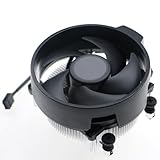
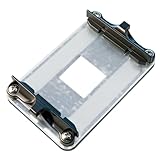
- Top Pick: AMD Wraith Stealth Socket AM4 4-Pin Connector CPU Cooler with Aluminum Heatsink & 3.93-Inch Fan (Slim)
- Best Value: Ryzen5 Cooler Wraith Stealth CPU Cooler Fan with Socket AM4/AM5 Cooler Compatible with AMD CPU Cooler for Ryzen5 Ryzen3 8600X 8500X 5500X 3500X 3600X Cooler
- Premium Choice: Wraith Stealth AM4 AM5 Socket Fan CPU Cooler with Aluminum Heatsink Compatible with AMD CPU Cooler for Ryzen 3/5/7 9600 9500F 8700F 8600G 8500G 8400F 8300G ETC
Best AM4 socket CPU for gaming questions usually come from someone holding a working board and wondering how far it can still be pushed. The socket accepts four processor generations, but only Ryzen 5000 makes sense as an upgrade target today.
As an Amazon Associate we earn from qualifying purchases at no extra cost to you.



As an Amazon Associate we earn from qualifying purchases at no extra cost to you.
By Ryan Cole, PC hardware writer at NVIDIA Review.
How to Pick the Best AM4 Socket CPU for Gaming
AM4 spans Ryzen 1000 through 5000 across a decade of chipsets, so compatibility is the first hurdle rather than performance. Four checks narrow the best AM4 socket CPU for gaming down to chips worth fitting today.
Confirm Your Board Will Take a Ryzen 5000 Chip
Every B450, X470, B550 and X570 board supports Ryzen 5000 with the right firmware, and many A320 boards do not. Update the BIOS before removing your current processor, since doing it afterwards requires a compatible chip.
BIOS Flashback solves the problem entirely by writing firmware from a USB stick with no processor installed. If your board lacks it and you have no spare AM4 chip, plan the update sequence carefully before ordering anything.
Cache Separates Gaming Performance More Than Clocks
The X3D chips carry 96 MB of L3 cache against 32 MB on standard eight-core parts. That larger pool keeps game data closer to the cores, which lifts minimum frame rates noticeably in simulation-heavy and open-world titles.
This is why clock speed rankings mislead on this platform. A 5700X3D boosts lower than a 5800X yet outperforms it in most games, so cache should carry more weight than frequency in your comparison.
Decide Whether You Need Integrated Graphics
Most Ryzen 5000 desktop chips have no integrated graphics and require a discrete card. The G-suffix models include a capable iGPU, which matters if the machine needs to boot without a card or serves as a backup display path.
The trade-off is real though. G-series chips carry less L3 cache and use a different silicon layout, so they trail equivalent non-G models in gaming performance when paired with a discrete graphics card.
Check Cooling Before You Upgrade
Moving from a 65W chip to a 105W processor is a meaningful thermal step. The 5800X3D in particular concentrates heat because its stacked cache sits above the compute die, which raises temperatures without indicating a fault.
AM4 mounting is consistent across the socket, so most existing coolers carry over without new brackets. A basic stock cooler should still be replaced with a decent tower model when moving up a power tier.
Case airflow matters alongside the cooler itself. A well-cooled processor in a chassis with a single rear exhaust fan still runs warmer than the same chip behind two front intakes, so plan both together.
Top Picks: Best AM4 Socket CPU for Gaming in 2026
The best AM4 socket CPU for gaming depends on your board tier and budget, so these six span budget six-core chips to the platform’s fastest gaming processor. Specifications come from AMD documentation; availability on a retired platform varies considerably.
| Processor | Cores / Threads | Max Boost | L3 Cache | TDP |
|---|---|---|---|---|
| Ryzen 7 5800X3D | 8 / 16 | 4.5 GHz | 96 MB | 105W |
| Ryzen 7 5700X3D | 8 / 16 | 4.1 GHz | 96 MB | 105W |
| Ryzen 9 5900X | 12 / 24 | 4.8 GHz | 64 MB | 105W |
| Ryzen 7 5700X | 8 / 16 | 4.6 GHz | 32 MB | 65W |
| Ryzen 5 5600X | 6 / 12 | 4.6 GHz | 32 MB | 65W |
| Ryzen 5 5600G | 6 / 12 | 4.4 GHz | 16 MB | 65W |
Ryzen 7 5800X3D
This remains the fastest gaming processor the socket ever received. Eight cores and sixteen threads combine with 96 MB of L3 cache and a 4.5 GHz boost inside a 105W envelope, and it drops into any B450 or B550 board with updated firmware.
For anyone keeping an AM4 machine several more years it is the clear endpoint. The drawbacks are a locked multiplier with no overclocking headroom and a tendency to run warm, so pair it with a capable tower cooler.
Ryzen 7 5700X3D
The 5700X3D delivers most of the same gaming experience for less money. It shares the eight cores, sixteen threads and 96 MB cache pool of the 5800X3D while trading a lower 4.1 GHz boost ceiling for a lower price.
In games the gap between the two is modest because cache does the heavy lifting. The limitation is the same locked design plus reduced clocks, which shows more in single-threaded applications than in actual gameplay.
Ryzen 9 5900X
Twelve cores and twenty-four threads make sense if the machine also renders or compiles. The 5900X boosts to 4.8 GHz with 64 MB of L3 cache split across two core complexes, at a 105W TDP.
For pure gaming it generally trails the X3D chips despite higher clocks, because the cache is divided rather than unified. It also demands solid VRM cooling, so pair it with a mid-tier or better B550 board.
Ryzen 7 5700X
This is the balanced non-X3D option and an easy upgrade from any older six-core chip. Eight cores and sixteen threads boost to 4.6 GHz within a 65W TDP, which keeps temperatures low and works with almost any board.
It suits a 1440p build paired with a mid-range graphics card well. The compromise is the 32 MB cache pool, which leaves minimum frame rates less consistent than an X3D chip in demanding open-world titles.
Ryzen 5 5600X
Six cores and twelve threads at 4.6 GHz remain entirely adequate for gaming, and the 65W TDP means it runs cool on a modest cooler. It also ships with a bundled cooler that handles stock operation acceptably.
Paired with a mid-range card at 1080p it rarely becomes the limiting factor. The honest limit is longevity, since six cores leave less headroom for future titles than an eight-core chip with a larger cache pool.
It is also the easiest upgrade to justify on a B450 board with modest power delivery. At 65W it places almost no demand on the VRM, which keeps older boards entirely viable rather than marginal.
Ryzen 5 5600G
The 5600G is the choice when integrated graphics matter. Six cores and twelve threads with a capable iGPU let the machine run without a discrete card, which suits a backup system or a build waiting on a graphics purchase.
It handles light gaming at 1080p without a card at all. The trade-offs are significant for a gaming build though: only 16 MB of L3 cache and PCIe 3.0 support, both of which cost performance with a discrete card fitted.
Where AM4 Sits in the 2026 Market
Three market conditions determine whether one more AM4 upgrade makes sense or whether the money belongs on a newer platform.
AM4 Is Finished, but AM5 Costs More to Enter
AMD confirmed at Computex 2026 that AM5 will accept new processors through the end of 2029, making it the stronger long-term platform. Moving there means buying a board, a processor and DDR5 memory in one purchase.
If you already own DDR4 and an AM4 cooler, a 5700X3D upgrade costs a fraction of that while delivering a large jump over a Ryzen 2000 or 3000 chip. That remains the strongest practical case for staying put.
DDR4 Ownership Has Become an Advantage
DRAM contract pricing climbed steeply through 2026, with further increases forecast into the fourth quarter and no meaningful new manufacturing capacity expected before late 2027. DDR5 kits absorbed most of that rise.
A working 32 GB DDR4 kit is therefore worth more to your budget than it was a year ago. That shifts the break-even point clearly in favour of one final AM4 processor upgrade rather than a full platform migration.
Nothing New Launches Before CES 2027
Zen 6 desktop processors and Intel Nova Lake have both moved to CES in January 2027, so waiting for the next generation means a long delay with nothing arriving in between to reconsider.
That removes the usual reason to hold off. If your current chip is limiting frame rates today, upgrading now buys a better experience for a year or more before an AM5 migration becomes the sensible next step.
Frequently Asked Questions
These questions come up most often from people planning a final AM4 processor upgrade.
Compatibility and cooling account for most of them, which is unsurprising on a platform this old.
Which is the best AM4 socket CPU for gaming on a budget?
The Ryzen 5 5600X offers strong value at the lower end, while the 5700X3D is the better buy if the budget stretches. Its much larger cache pool delivers a bigger gaming improvement than any clock speed increase would.
Will a Ryzen 5000 chip work on my B450 board?
Yes, with a BIOS update. Every B450 board received firmware adding Ryzen 5000 support, but you need a compatible older processor or BIOS Flashback to apply it before the new chip will post.
Do I need to reinstall Windows after a CPU upgrade?
Not usually when staying on the same socket and board. Windows handles a processor swap without reinstallation, though updating chipset drivers afterwards is worth doing to ensure the correct power plan is applied.
Is a 5900X better than a 5800X3D for gaming?
Generally no. The 5900X has more cores and higher clocks, but its cache is split between two core complexes. For games specifically the 5800X3D’s unified 96 MB pool produces higher and more consistent frame rates.
See More:
- Best MSI motherboard
- Best motherboard processor combo for gaming
- Best B550 motherboard
- Best CPU for streaming
- What is the best AM4 CPU for gaming
Final Thoughts
The best AM4 socket CPU for gaming comes down to cache first and budget second. The 5800X3D and 5700X3D lead clearly for frame rates, the 5600X and 5700X cover value builds, and the 5900X only makes sense when productivity matters alongside gaming on a board with proper VRM cooling.











Write Your Review
No reviews yet. Be the first to share your experience!