
- Top Pick: ASUS PRIME B360M-A (300 Series) Intel LGA-1151 mATX Motherboard with Aura Sync RGB header, DDR4 2666MHz, M.2 support, HDMI, Intel Optane memory ready, SATA 6Gbps and USB 3.1 Gen 2
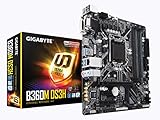
- Best Value: GIGABYTE B360M DS3H (LGA1151/Intel/Micro ATX/USB 3.1 Gen 1 (USB3.0) Type A/DDR4/Motherboard)
- Premium Choice: ASUS Prime Z390-P LGA1151 (Intel 8th and 9th Gen) ATX Motherboard for Cryptocurrency Mining(BTC) with Above 4G Decoding, 6xPCIe Slot and USB 3.1 Gen2
Best LG1151 motherboard searches almost always mean LGA 1151, Intel’s socket for 6th through 9th Gen Core processors. This guide covers the compact end of that platform, where Micro-ATX and Mini-ITX boards make more sense than full ATX for a small rebuild.
As an Amazon Associate we earn from qualifying purchases at no extra cost to you.



As an Amazon Associate we earn from qualifying purchases at no extra cost to you.
By Ryan Cole, PC hardware writer at NVIDIA Review.
How to Choose the Best LG1151 Motherboard for a Small Build
Compact boards trade expansion for footprint, and the compromises differ sharply between Micro-ATX and Mini-ITX. Four checks decide which format and chipset make the best LG1151 motherboard for the parts you already own.
Check Which Socket Revision Your CPU Needs
The socket name covers two electrically incompatible revisions. Boards with 100 and 200-series chipsets accept only 6th and 7th Gen chips, while 300-series boards accept 8th and 9th Gen. The physical fit is identical, which is why this catches people out.
No BIOS update crosses that divide. If your processor is an i5-9400F or i7-8700, a 300-series board such as Z390, B365 or B360 is the only option, regardless of how similar an older listing appears.
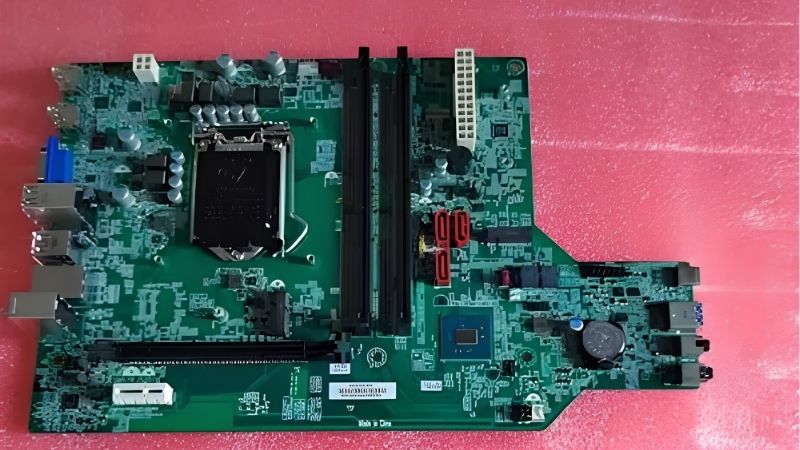
Compact boards make this harder to verify, because chipset markings are often hidden beneath heatsinks or shrouds. Read the product specification rather than relying on photographs, which frequently show a different revision entirely.
Micro-ATX or Mini-ITX Changes What You Give Up
Micro-ATX usually keeps four DIMM slots and adds one or two PCIe slots below the graphics card, which is enough for a sound card or a capture device. It fits most mid-tower cases as well as dedicated compact ones.
Mini-ITX drops to two DIMM slots and a single expansion slot. Memory capacity is rarely a problem with two 16 GB modules, but you lose any option to add expansion cards later, so decide that before choosing the format.
Cooler and Graphics Clearance Matter More Here
On small boards the socket sits close to the DIMM slots, the VRM heatsink and the rear I/O shroud. Large dual-tower air coolers frequently overhang the first memory slot, which forces low-profile modules or a different cooler entirely.
Graphics card length is the other constraint, set by the case rather than the board. Check both before ordering, because a compact build that requires returning a cooler or a card is the most common small-form-factor frustration.
Power supply format matters as well. Many compact cases require SFX rather than standard ATX units, and that decision interacts with cable routing around a small board where clearance behind the tray is already minimal.
Accept the Storage and Networking Ceiling
Expect PCIe 3.0 throughout, one or two M.2 sockets and gigabit Ethernet on most models. A modern Gen4 NVMe drive works but runs at roughly half its rated throughput, which affects file transfers more than gaming.
Mini-ITX boards often include Wi-Fi as standard because there is no room for an expansion card. On Micro-ATX it varies, and adding wireless later costs one of the few slots the board actually gives you.
Front panel headers deserve a check too. Compact cases frequently expose USB-C on the front, and boards from this generation rarely provide the internal header needed, which leaves that port permanently unused.
Top Picks: Best LG1151 Motherboard Options for Compact Builds
The best LG1151 motherboard for a small build depends on your CPU generation and how much expansion you need, so these six span Micro-ATX and Mini-ITX across both socket revisions. Specifications come from manufacturer sheets; stock is now largely retail remainder and used.
| Model | Chipset | Form Factor | CPU Generations | Wireless |
|---|---|---|---|---|
| ASUS ROG Strix Z390-I Gaming | Z390 | Mini-ITX | 8th and 9th Gen | Wi-Fi 5 |
| MSI MPG Z390I Gaming Edge AC | Z390 | Mini-ITX | 8th and 9th Gen | Wi-Fi 5 |
| Gigabyte Z390 M Gaming | Z390 | Micro-ATX | 8th and 9th Gen | None |
| ASRock Z390M Pro4 | Z390 | Micro-ATX | 8th and 9th Gen | None |
| MSI B360M MORTAR | B360 | Micro-ATX | 8th and 9th Gen | None |
| ASUS Prime B365M-A | B365 | Micro-ATX | 8th and 9th Gen | None |
ASUS ROG Strix Z390-I Gaming
This remains the strongest Mini-ITX board on the platform. It combines a substantial VRM for its size with two DDR4 slots, two M.2 sockets in a stacked arrangement, integrated Wi-Fi 5 and a heatsink design that suits a restricted case.
It handles an i7-9700K in a small chassis, which few boards this size manage. The drawbacks are price on the used market, where it holds value strongly, and stacked M.2 mounting that makes drive changes fiddly after assembly.
MSI MPG Z390I Gaming Edge AC
MSI’s Mini-ITX option is the main alternative and covers similar ground. Two DDR4 slots, two M.2 sockets, integrated Wi-Fi 5 and a competent power delivery for its footprint make it a viable base for a compact 8th or 9th Gen build.
Its layout leaves slightly more breathing room around the socket than some competitors. The reservations are VRM temperatures under a sustained eight-core load in a poorly ventilated case, and rear I/O that is necessarily limited.
Gigabyte Z390 M Gaming
For Micro-ATX with overclocking support, this is a sensible choice. Four DDR4 slots, two M.2 sockets, a reinforced graphics slot and adequate VRM heatsinking cover a mid-tier i7 in a compact case comfortably.
Keeping four memory slots at this size is genuinely useful for later capacity increases. The compromises are the absence of wireless, gigabit networking and a power delivery better matched to six-core chips than a 9900K.
ASRock Z390M Pro4
Pro4 is the value Micro-ATX entry into Z390 and keeps the features that justify the chipset. Four DDR4 slots, memory overclocking, two M.2 sockets and six SATA ports make it well equipped for its price bracket.
Six SATA ports on a small board is unusually generous for bulk storage. The limitations are modest VRM cooling, no onboard wireless and an audio implementation clearly below the gaming-branded boards above it.
MSI B360M MORTAR
When the processor is locked, B360 removes cost without removing much capability. This board provides four DDR4 slots, an M.2 socket, solid build quality for its class and a layout that works well in tight cases.
For an i5-9400F or i3 build it is entirely sufficient. The limitations are no CPU or memory overclocking, a single M.2 socket, and memory speed capped by the chipset rather than by what your modules can actually do.
ASUS Prime B365M-A
Prime B365M-A is the plain, functional option for getting an 8th or 9th Gen chip running in a small case. Four DDR4 slots, an M.2 socket and straightforward connectivity cover an office machine or a light gaming build.
ASUS BIOS conventions make it easy to work with for a first build. The drawbacks are minimal VRM heatsinking, no overclocking of any kind, and rear I/O that runs out quickly once a headset and controller are connected.
Where Compact LGA 1151 Builds Sit in 2026
Two market conditions determine whether rebuilding a small system on this platform is worthwhile or whether the budget belongs elsewhere.
Reusing DDR4 Is the Main Argument
DRAM contract pricing rose steeply through 2026, with further increases forecast into the fourth quarter and no significant new manufacturing capacity expected before late 2027. DDR5 kits absorbed most of that increase.
If you already own DDR4 modules and a compatible processor, replacing only a failed compact board is far cheaper than a platform migration. That is especially true in small-form-factor builds where the case may not fit modern boards anyway.
Small Boards Command a Premium on the Used Market
Mini-ITX boards were produced in smaller volumes than ATX models and are now correspondingly scarce. Strix and Gaming Edge listings frequently exceed what an equivalent full-size board costs, purely on availability grounds.
Set a ceiling before shopping. If a used Mini-ITX board approaches the price of a current entry-level board and processor, the modern platform is the better decision even accounting for new memory.
No New Hardware Arrives Before CES 2027
Zen 6 processors and Intel Nova Lake have both moved to CES in January 2027, so anyone waiting for the next generation faces a long delay with nothing launching in between to reconsider.
For an existing LGA 1151 owner that is mildly reassuring. Keeping a compact machine running for another year while component prices settle is a defensible plan rather than simply putting off a decision.
Frequently Asked Questions
These questions come up most often from people rebuilding a compact system on this socket.
Is LG1151 the same as LGA 1151?
Yes. LG1151 is a common shorthand and occasional mistyping of LGA 1151, Intel’s socket for 6th through 9th Gen Core processors. Listings using either spelling refer to the same physical socket and the same two revisions.
Does the best LG1151 motherboard need Z-series?
Only if your processor is unlocked and you plan to overclock or tune memory. For locked chips, B360 and B365 boards deliver identical stock performance at a lower price, which suits compact budget builds well.
Will a large air cooler fit on Mini-ITX?
Often not without compromise. Many dual-tower coolers overhang the first DIMM slot or exceed case height limits. A 240 mm AIO or a compact tower cooler is usually the tidier solution in a small chassis.
Can these boards run four memory modules?
Micro-ATX models generally can, while Mini-ITX boards are limited to two. Two 16 GB modules reach 32 GB without difficulty, which remains more than sufficient for gaming on processors of this generation.
Final Thoughts
The best LG1151 motherboard for a compact build depends on your socket revision, then on whether you need the expansion Micro-ATX provides. The Strix Z390-I remains the strongest Mini-ITX option for eight-core chips, while B360 and B365 Micro-ATX boards cover locked processors at a far lower cost.











Write Your Review
No reviews yet. Be the first to share your experience!