
- Top Pick: OnePro Cloud Handheld Portable Remote Play Gaming Console, For Xbox Cloud Gaming, NVIDIA GeForce NOW, Playstation, PC, Long-Battery Life, 7" 1080P Touchscreen, Lightweight Retro Game Handheld – 64G
- Best Value: Enstixsm Upgraded for Luna Controller with Back Paddles,Turbo,Wireless Fire TV Game Controllers for PC,GeForce NOW,Firestick,Replacement for Luna Gamepad with ALPS Joystick,No Drift Stick, Blue
- Premium Choice: Enstixsm Upgraded for Luna Controller with Back Paddles,Turbo,Wireless Fire TV Game Controllers for PC,GeForce NOW,Firestick,Replacement for Luna Gamepad with ALPS Joystick,No Drift Stick, Blue and Red (Blue and Red)
GeForce NOW price is the first thing anyone weighing cloud gaming wants pinned down, and in 2026 the answer comes with more nuance than a single number. The service lets you stream PC games from powerful remote servers to almost any device, but between tiers, a new playtime cap and overage fees, the real cost depends heavily on how you play. This review breaks down every tier, the hidden costs, and whether subscribing is smarter than buying a graphics card as hardware prices keep climbing.


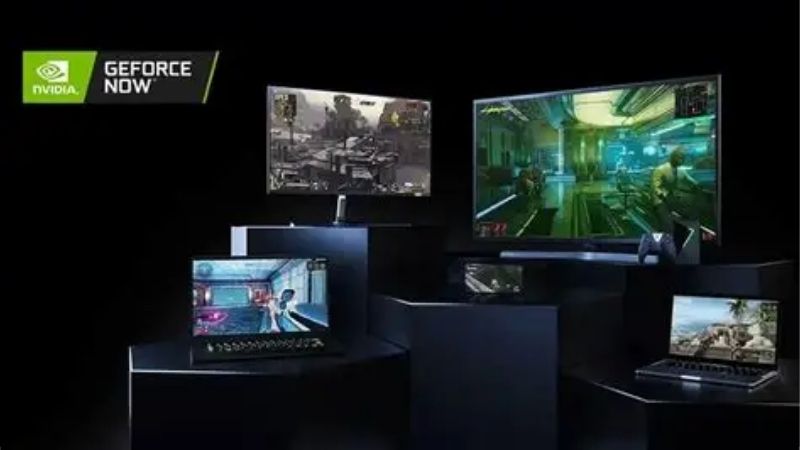
GeForce NOW Price 2026: Every Tier and What It Costs
The structure is simple on the surface, three tiers, but the details around playtime and billing decide what you actually pay. Getting a clear picture of each tier and its limits is the foundation for judging whether the service is good value for your habits, so it is worth laying the numbers out plainly before doing any math.
As an Amazon Associate we earn from qualifying purchases at no extra cost to you.





Free, Performance and Ultimate Tiers Explained
There are three membership levels, and they scale sharply in both capability and cost. The table below lays out the core differences at a glance.
| Tier | Price | Key features |
|---|---|---|
| Free | $0 | 1-hour sessions, up to 1080p, 2,000+ games, ad-supported, queues |
| Performance | under $10 / month or under $100 / year | Up to 1440p, 4,500+ games, up to 6-hour sessions, priority access, RTX ray tracing |
| Ultimate | under $20 / month or under $200 / year | RTX 5080-class rigs, up to 5K and 360 fps, 8-hour sessions, DLSS 4, first priority |
The Free tier is best treated as a trial to test your connection, while Performance suits most 1440p gamers and Ultimate targets those who want flagship-level performance without owning the hardware. The jump from Performance to Ultimate is really about ceiling: Performance covers mainstream 1440p play comfortably, whereas Ultimate unlocks the highest resolutions, frame rates and the newest server hardware, so the right tier depends less on your budget than on the screen and refresh rate you are actually driving.
The 100-Hour Cap and Overage Fees
The most important 2026 change is a 100-hour monthly playtime cap that now applies to all paid members. For the roughly nine in ten players who game a few hours at a time, this ceiling is unlikely to ever be reached, so the base price is the real price.
Heavier players need to do the math, though. Once you pass 100 hours, you buy more time in 15-hour blocks, priced at $2.99 on Performance and under $10 on Ultimate, and up to 15 unused hours carry over to the next month. Someone playing several hours every day can see their effective monthly bill climb well beyond the headline figure. As a rough guide, gaming around three hours a day stays inside the base allowance, but pushing to four hours or more starts triggering overage blocks, and at that level the tidy monthly price you signed up for is no longer the price you actually pay, which is the trap heavy players most need to watch.
This shifts the service from a flat rate toward a usage-based model, which matters most for the most dedicated gamers rather than casual players.
Annual Plans and How to Save
Paying annually is the clearest way to lower the effective monthly cost, since the yearly figure works out cheaper than twelve separate monthly payments. Nvidia also runs periodic sales that cut annual plans significantly for a limited time, so timing a signup around a promotion is the simplest saving there is.
The practical advice is to start Free to confirm the experience works on your setup, then commit to an annual plan on the tier that matches your target resolution once you know you will use it. That approach avoids paying monthly for a service you are still evaluating.
Is the GeForce NOW Price Worth It? The Real Math
A subscription only makes sense against the alternative, and for most people that alternative is buying a graphics card. In 2026 that comparison has tilted in interesting ways, because the cost of owning hardware has moved sharply, and the value of renting performance shifts with it. This is where the decision gets genuinely interesting rather than obvious.
Cloud Gaming Versus Buying a GPU
The long-standing knock on cloud gaming is that subscriptions add up. Over two to three years, an Ultimate membership can total more than the price of a capable graphics card that you would own outright, with no monthly fee, no hour cap and no dependence on your internet.
What has changed is the other side of that ledger. Prices on graphics cards and PC components have climbed steeply, driven in large part by AI workloads competing for the same memory supply that gaming hardware needs. That squeeze has pushed the cost of building or upgrading a gaming PC to painful levels, and cards frequently sell well above their intended prices.
Against that backdrop, GeForce NOW becomes a genuine end-around to expensive hardware. For someone who cannot or does not want to spend heavily on a GPU right now, streaming access to flagship-class performance for a predictable monthly fee is a rational way to keep playing while prices stay high, especially since the relief of new memory supply is still years away. Industry timelines point to new memory production only coming fully online around 2027 to 2028, which means the hardware that would make a self-built PC affordable again is not arriving soon, and a subscription that sidesteps that wait entirely looks more sensible in 2026 than it did when cards were cheap.
What You Still Need: Network, Devices and Games
The price only tells half the story, because cloud gaming has hard requirements of its own. The single biggest factor in whether it feels great or frustrating is your internet: a fast, stable, low-latency connection is essential, and a wired connection or a strong modern router makes a dramatic difference.
You also need to already own the games you want to stream, since the service runs your existing library rather than providing games. And while it works on an enormous range of devices, from laptops to phones to streaming sticks, you will want a decent controller for comfortable play on the go. These are real, practical costs to factor in alongside the subscription itself. It is worth being blunt about the network point in particular: if your connection is slow or unstable, no membership tier will fix the experience, because the performance lives on a distant server and has to travel to your screen. Testing the free tier over your normal home network first is the single best way to know whether cloud gaming will work for you at all.
GeForce NOW Pros and Cons
Setting the strengths against the drawbacks makes the value judgment clearer for your own situation.
| Pros | Cons |
|---|---|
| Flagship-class performance with no hardware to buy | Ongoing cost adds up over several years |
| Predictable monthly price as GPU prices soar | 100-hour cap and overage fees for heavy players |
| Plays on almost any device, anywhere | Requires fast, stable, low-latency internet |
| No upgrades, downloads or maintenance | You must already own the games you stream |
In short, it is excellent value for players without a strong PC and questionable for heavy gamers who would be better served owning hardware over the long run.
Getting the Most From Your GeForce NOW Subscription
Whether or not the subscription is right for you, a little preparation makes the experience far better and the spend go further. The service rewards the right setup, and the right buyer profile, so a few practical steps turn a decent value into a genuinely great one and steer the wrong buyers toward a smarter choice.
Gear That Makes Cloud Gaming Better
Because everything hinges on your connection, the highest-impact upgrade is usually networking. A quality wired connection, a modern router or a mesh system dramatically reduces the latency and dropouts that ruin cloud gaming, and it is often the difference between the service feeling responsive and feeling laggy.
A good controller is the second worthwhile addition, since cloud gaming shines on couches, laptops and phones where a comfortable controller matters most. If you plan to play on a TV, a compact streaming device can turn any screen into a gaming display. You can find well-reviewed controllers, routers and streaming devices that pair perfectly with the service through the links on this page. Spending a little on the right network gear up front tends to pay for itself immediately in a smoother, lag-free experience, and it is almost always a better first investment than jumping to a higher subscription tier your connection cannot yet do justice.
Who Should Subscribe Versus Buy Hardware
Subscribe if you lack a gaming PC, want to play on the go, or simply do not want to spend heavily on a graphics card while prices are inflated. For students, casual players and anyone with a capable laptop but no dedicated GPU, the value is strong and the barrier to entry is low.
Lean toward owning hardware if you game many hours every day, want guaranteed performance with no caps or network dependence, and can absorb the higher up-front cost. For that committed player, a card you own pays off over several years despite the steep 2026 prices. The dividing line is roughly your play volume and your patience with the market: light and mobile players win with a subscription, while heavy daily gamers who plan to keep playing for years still come out ahead owning hardware, even at today’s inflated prices, provided they can absorb the up-front hit.
See More:
Final Take and How to Start
The smartest way to begin is to try the Free tier first, confirm your connection handles it, then choose an annual plan on the tier that matches your screen. That path lets you judge the real experience before committing a cent beyond the trial.
If you decide it fits, pairing the subscription with the right network gear and controller is what turns a good price into a great experience. You can compare the accessories that get the most from cloud gaming through the links here and set yourself up before you subscribe.
Ultimately, the GeForce NOW price is best judged against how you play and what the alternative costs you. In 2026, with graphics card and component prices climbing and real relief still years off, a predictable subscription that streams flagship-class performance to any device is a genuinely compelling option for players who do not want to overpay for hardware. Try it free, buy annually on the right tier, and add the network gear that makes it sing, and it can be one of the best-value ways to game this year.
Frequently Asked Questions
What do the different GeForce NOW tiers cost?
The service is structured around a limited free tier, a mid Performance tier around ten dollars monthly, and an Ultimate tier around twenty dollars monthly. Higher tiers unlock longer sessions, priority queueing, higher resolutions and frame rates, and access to more powerful server hardware. Six month bundles reduce the effective monthly rate compared with rolling payments.
What hardware does the Ultimate tier actually give me?
Ultimate places you on the highest specification server class NVIDIA offers, currently built around its latest generation GPU silicon, with support for high refresh streaming, ultrawide resolutions and ray tracing with DLSS enabled. In practice it delivers an experience close to a high end gaming PC, provided your connection and latency are up to the task.
Is there a monthly playtime limit?
NVIDIA introduced a monthly session hour allowance on paid tiers, with additional hours purchasable and unused capacity handled according to the current policy. This changed the value calculation for heavy users, so check the current allowance against your realistic weekly play time before committing to a longer subscription term.
Do I have to buy games again to stream them?
No, and that is a key distinction from other cloud services. GeForce NOW streams games you already own on Steam, Epic, Ubisoft Connect, GOG and other supported stores, provided the publisher has opted in. The catch is that not every title in your library is supported, so check the compatibility list first.
What internet connection do I need?
NVIDIA recommends at least 15Mbps for 720p and 25Mbps for 1080p, with substantially more for 4K on the top tier. Latency matters more than raw bandwidth, so a wired Ethernet connection or Wi-Fi 6 on a 5GHz band gives a far better experience than a fast but congested connection with variable ping.
Ready to decide? Our #1 pick for 2026 is the Tier.
Live price & availability on Amazon.











Write Your Review
No reviews yet. Be the first to share your experience!