
- Top Pick: ASUS TUF Gaming GeForce RTX™ 5080 16GB GDDR7 OC Edition Graphics Card
- Best Value: GIGABYTE GeForce RTX 5080 Gaming OC 16G Graphics Card, WINDFORCE Cooling System, 16GB 256-bit GDDR7, GV-N5080GAMING OC-16GD Video Card
- Premium Choice: ASUS Prime GeForce RTX 5070 12GB GDDR7 OC Edition Gaming Graphics Card
NVIDIA graphics powers the majority of gaming and creator PCs sold today, but the badge stretches from modest laptop chips to 32GB flagships, and the value varies wildly across the range. The current GeForce RTX line pairs a modern architecture with GDDR7 memory, hardware ray tracing and the DLSS 4 feature set, yet buying well means matching the right card to your resolution and budget rather than chasing the name. This review explains what NVIDIA graphics actually deliver in 2026, how they perform across resolutions, what real owners praise and complain about, and whether a card is worth its price at today’s market rates.
What NVIDIA Graphics Offer in 2026
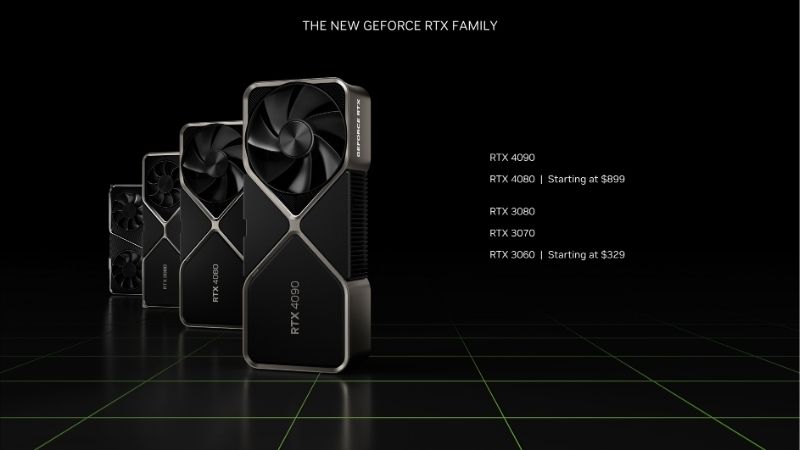
Before comparing prices, it helps to understand what you are buying. An NVIDIA graphics card is defined less by raw clock speed than by its dedicated ray tracing and AI hardware, and by the software stack built on top. This section covers what the term really means, the shape of the current lineup, and the features that separate a modern card from an older one.
As an Amazon Associate we earn from qualifying purchases at no extra cost to you.




What “NVIDIA Graphics” Actually Means
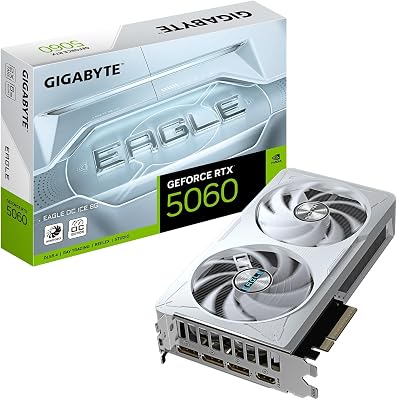
NVIDIA graphics today almost always means a discrete GeForce RTX card, the successor line to the older GTX series. Unlike integrated graphics built into a CPU, a discrete card has its own processor and dedicated VRAM, which is what makes serious gaming and creative work possible.
The RTX designation matters because it signals dedicated RT cores for ray tracing and tensor cores for AI features. These are the hardware blocks that enable DLSS upscaling and Frame Generation, and they are the core reason a modern NVIDIA card feels a generation ahead of a card that lacks them.
In practical terms, when you shop for NVIDIA graphics you are choosing a tier within the RTX range, and that tier decides your resolution ceiling far more than the brand does.
The Current RTX Lineup at a Glance
The RTX 50 range spans mainstream to flagship, and the specification gaps are wide. The table below shows the key members so you can see where each sits before matching one to your needs.
| Card | VRAM | Board power | Best for |
|---|---|---|---|
| RTX 5090 | 32GB GDDR7 | ~575W | 4K high-refresh, creators |
| RTX 5080 | 16GB GDDR7 | ~360W | 4K gaming |
| RTX 5070 Ti | 16GB GDDR7 | ~300W | 1440p to 4K |
| RTX 5070 | 12GB GDDR7 | ~250W | 1440p |
| RTX 5060 | 8GB GDDR7 | ~145W | 1080p |
Notice how VRAM and power scale with tier. The 8GB on the entry card and 12GB on the RTX 5070 are the specs most likely to feel limiting at higher resolutions as games grow more demanding.
DLSS 4 and Ray Tracing: The Experimental Edge
DLSS 4 is the strongest reason to choose NVIDIA graphics right now. Its transformer-based upscaling model reconstructs a lower internal resolution into a clean, near-native image, reclaiming frames without the blur older upscalers produced.
Multi Frame Generation, exclusive to the RTX 50 series, goes further by inserting AI-generated frames to multiply on-screen smoothness in supported titles. Ray Reconstruction sharpens ray-traced scenes by replacing traditional denoisers with an AI model.
The payoff is that even a mid-tier NVIDIA card can hit frame-rate targets its raw silicon would miss, which is exactly why the feature set defines value here as much as the core count.
NVIDIA Graphics Review: Performance and Owner Feedback
Specs set expectations, but real performance and owner sentiment decide satisfaction. This section covers how NVIDIA graphics cards perform across resolutions and distills what buyers consistently praise and criticize once a card is installed, based on the pattern of high-star and low-star reviews these products accumulate.
Gaming Performance Across Resolutions
At 1080p, even the entry RTX 5060 delivers high frame rates in most modern games, and DLSS 4 pushes it further. This is the resolution where the cheapest NVIDIA graphics make the most sense.
At 1440p, the RTX 5070 and 5070 Ti shine, holding high refresh rates in demanding titles with upscaling enabled. At 4K, the picture separates: the RTX 5080 drives high-refresh 4K comfortably, while only the RTX 5090 rarely needs help. The 8GB and 12GB cards start to limit texture settings well before their raw power runs out at these resolutions.
This is the single most useful thing to internalize when shopping: match the card to your monitor, not to the biggest number you can afford. A 1080p player is well served by a 5060 or 5070, a 1440p player by a 5070 Ti, and only 4K genuinely justifies a 5080 or 5090. Overbuying for a low-resolution screen wastes money you could spend elsewhere in the build.
With ray tracing switched on, the gap between tiers widens, since heavier lighting leans hard on both the RT hardware and the VRAM buffer.
What Owners Praise (4-5 Star Reviews)
The most common praise is that DLSS 4 transforms the experience. Owners repeatedly report frame rates that feel far higher than the raw specs suggest, with image quality that holds up in motion. For many buyers, that feature alone justifies choosing GeForce.
Cooling and noise draw frequent praise on current models, with owners noting quiet operation under load. Mature NVIDIA drivers and broad game support also come up often, with buyers valuing a setup that mostly just works out of the box.
The software extras earn quiet appreciation too. Features like the NVIDIA App overlay, driver-level optimization and broad support in creative applications mean the card keeps paying off outside of games, which owners cite as a reason they stick with the brand across upgrades.
Common Complaints (2-3 Star Reviews)
Price dominates the criticism. Even satisfied owners note that NVIDIA graphics, especially the higher tiers, cost more than they would like, and that real-world prices often sit above official figures.
Practical gripes recur too. Some owners report coil whine on individual units, flagship cards being too large for smaller cases, and the 12V-2×6 power connector needing careful, fully seated installation. Occasional launch-window driver issues appear as well, usually fixed by a later update.
On the cheaper cards, the recurring complaint is VRAM. The 8GB buffer on the entry model draws consistent criticism from buyers who hit its limit at high textures, a fair warning for anyone considering the lowest tier for anything beyond 1080p.
Should You Buy an NVIDIA Graphics Card in 2026?
Whether a card earns its price depends on your resolution, your existing system and the state of the market. This section weighs the honest pros and cons, the practical setup requirements owners flag most, and the pricing reality of 2026 so you can decide with clear expectations.
Pros and Cons of NVIDIA Graphics
The pros are substantial: hardware ray tracing, the full DLSS 4 stack with Multi Frame Generation, GDDR7 memory on current cards, mature drivers and strong resale value. For gaming plus creative or AI work, the NVIDIA ecosystem is the most complete option available.
The cons are equally real: a price premium over competing brands, heavy power draw and large size at the top tiers, and thin 8GB to 12GB VRAM buffers on the cheaper cards. Value hinges on picking the right tier rather than the cheapest card wearing the badge.
Balanced out, NVIDIA graphics lead on features, but only the right card at the right price is a genuinely good buy.
The deciding question is honest self-assessment. If you play at 1080p and never touch ray tracing, you are paying for features you will not use, and a cheaper card or a competitor may serve you better. If you value DLSS 4, ray tracing and a mature ecosystem, the premium starts to look like money well spent.
Compatibility, Power, and Drivers
Before buying, confirm the practical fit. Check that your power supply meets the card’s wattage with headroom and has the correct connector, since higher-tier cards use the 12V-2×6 standard that must be fully seated to be safe.
Physical size matters too. Flagship cards are long and thick, so measure your case clearance and airflow first. On older platforms, an aging CPU can bottleneck a powerful GPU, which often makes a mid-tier card the smarter buy than a flagship.
Finally, install the latest NVIDIA drivers immediately after setup. Several early stability complaints trace back to launch-window driver quirks that a later update resolves, so a clean driver install is part of getting the advertised experience.
GPU Prices in 2026 and When to Buy
Price is the deciding factor for most buyers, so it helps to know where the market sits. The steep climb of late 2025 has cooled, and prices are no longer spiking week to week. Some hardware makers, Framework among them, have reported a stretch of relative stability, while cautioning that conditions can still swing. The panic-buying window has passed, but a meaningful discount is not around the corner.
The relief that would push prices down further is still out on the horizon. New memory supply is opening up, with OEMs able to source DDR5 from Chinese suppliers such as CXMT, and Micron building two new fabs in Idaho. The catch is timing, since those plants are not expected to run until 2027 to 2028. Prices have flattened rather than fallen, and genuine relief is a year or two away.
For a buyer, the practical read is that waiting rarely pays unless you can hold out well into 2027. If you need NVIDIA graphics now, buying at today’s flattened prices is reasonable, and putting your money toward a well-specified card protects you better than saving a little on a thin-VRAM model you may outgrow. Always check the current price before you commit, since these cards move constantly.
See More:
Final Verdict: Are NVIDIA Graphics Worth It?
Taken as a whole, NVIDIA graphics in 2026 remain the most feature-complete way to game and create on PC, thanks to ray tracing and the DLSS 4 toolkit that owners rate as the standout reason to buy. The catch is price and tier selection: the RTX 5070 Ti and 5080 hit the best balance for most people, the 5090 is the enthusiast and creator flagship, and the 8GB to 12GB cards are the ones to think twice about beyond their target resolution.
If ray tracing, DLSS 4 and strong driver support matter to you, an NVIDIA graphics card is worth the investment, provided you buy the right model for your resolution and confirm your power supply and case can handle it. With prices flattened but not falling until 2027 or later, there is little advantage in waiting. Check the latest prices through the links in this review and pick the NVIDIA graphics card that fits your setup and budget before stock and pricing shift again.
Frequently Asked Questions
What does the number in an NVIDIA model name mean?
The first digits indicate the generation, so 50 means Blackwell and 40 means Ada Lovelace. The remaining digits indicate the tier within that generation, with higher numbers meaning more cores and memory. A Ti or Super suffix marks an uprated variant of the base model.
Are the new generation cards worth upgrading to?
If you are on a 30-series or older card, the jump is worthwhile for both performance and features such as DLSS 4 and AV1 encoding. Moving from a 40-series card to its direct 50-series successor is a much smaller gain and rarely justifies the cost alone.
How do I check compatibility with my system?
Confirm three things: physical clearance in your case measured in millimetres, power supply wattage and available connectors for the card’s board power, and that your motherboard has a full-length PCIe x16 slot. Modern cards are backward compatible with older PCIe generations at a small performance cost.
What is the difference between reference and partner cards?
Founders Edition cards use NVIDIA’s own cooler and reference clocks in a compact form. Partner boards from ASUS, MSI, Gigabyte and others add larger coolers, factory overclocks, and sometimes higher power limits, at the cost of size, weight, and usually price.
How long will my card keep getting driver updates?
Expect several years of Game Ready driver support followed by a longer period of security-only maintenance once an architecture moves to legacy status. Cards from Turing onward remain in full support, while the Pascal GTX 10-series has already transitioned to legacy handling.
Ready to decide? Our #1 pick for 2026 is the RTX 5090.
Live price & availability on Amazon.










Write Your Review
No reviews yet. Be the first to share your experience!