
- Top Pick: maxsun Geforce GTX 1650 4GB Video Graphics Card GPU for Computer Gaming PC GDDR6 128-Bit Dual Fan HDMI/DP/DVI 4K HDCP DirectX 12
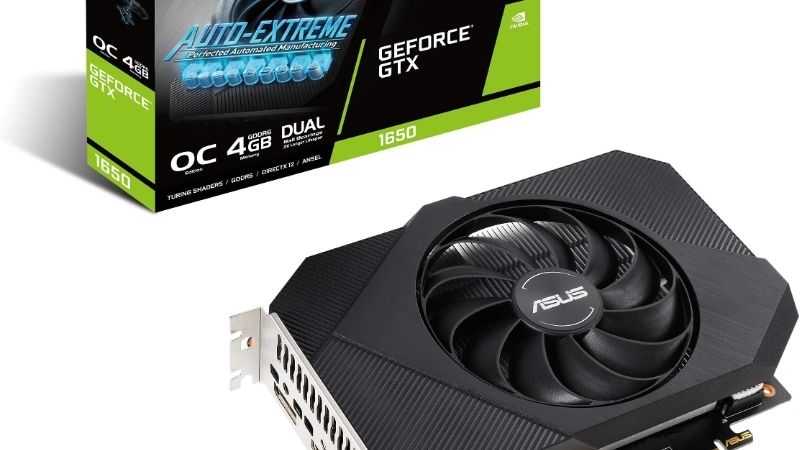
- Best Value: ASUS Phoenix NVIDIA GeForce GTX 1650 OC Edition Gaming Graphics Card (PCIe 3.0, 4GB GDDR6 Memory, HDMI 2.0, DisplayPort 1.4a, DVI-D, Dual Ball Fan Bearings, Auto-Extreme) (Renewed)
- Premium Choice: ASUS TUF Gaming NVIDIA GeForce GTX 1650 OC Edition Graphics Card (PCIe 3.0, 4GB GDDR6 Memory, HDMI, DisplayPort, DVI-D, 1x 6-pin Power Connector, IP5X Dust Resistance, Space-Grade Lubricant)

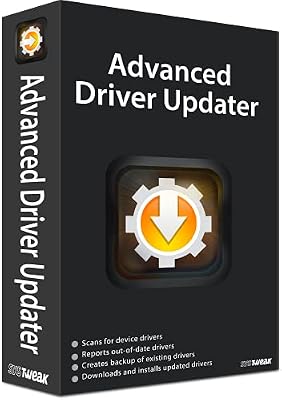

Nvidia 1650 drivers matter more than most owners expect, because the GTX 1650 is one of the most widely used budget cards out there, and the right driver is often the difference between smooth 1080p play and stutters, crashes, or missing performance. If you own a 1650, you are usually after one thing: a clean, stable driver that keeps your games running well without drama. This review walks through which driver branch actually fits the 1650, how to install it cleanly, how to keep an older card stable over time, and — honestly — where a driver can and cannot help. The goal is to get the most out of a modest card, and to help you recognize the point where software has done all it can.
As an Amazon Associate we earn from qualifying purchases at no extra cost to you.





Getting the right driver for the GTX 1650
Choosing a driver for the 1650 is not complicated, but a few decisions shape how well it runs. The card belongs to an older architecture that Nvidia still supports, so you have current drivers available, and picking the right type and installing it cleanly is what sets up a trouble-free experience. Understanding those choices up front saves you from the trial-and-error most people go through.
Which driver branch fits the 1650
The GTX 1650 uses Nvidia’s Turing generation, which remains within the currently supported driver line. That means you can install the latest mainstream Game Ready drivers rather than hunting for something legacy, and you benefit from ongoing fixes and optimizations for new games.
The analytical point is that the 1650 is not yet an orphaned card — it still receives current driver support, so there is rarely a reason to install an old version unless you are troubleshooting a specific regression. Start with the newest stable driver and only step back if a particular release causes you trouble.
Game Ready versus Studio drivers
Nvidia offers two flavors: Game Ready drivers tuned for the latest game releases, and Studio drivers tuned for stability in creative applications. For most 1650 owners who primarily game, the Game Ready branch is the right default, since it prioritizes day-one support and performance for new titles.
If you use your machine mainly for creative software rather than gaming, the Studio branch trades some day-one game readiness for extra stability in those applications. Either works on the 1650; the choice simply follows how you actually use the card, and you can switch between them if your needs change.
How to install cleanly
A clean install is the single best way to avoid mysterious issues. The reliable approach is to remove any existing driver thoroughly before installing the new one, so old files do not conflict with the fresh package. On a card as widely used as the 1650, most problems traced to “the driver” are really leftovers from a messy prior install.
The practical routine is to download your chosen driver first, remove the old one completely, restart, then install from a clean state. It takes a few extra minutes and prevents the majority of the stutters and crashes that owners wrongly blame on the hardware.
There is a reason this matters more on a card like the 1650 than on a high-end part. Budget systems often accumulate several years of driver updates layered on top of one another, and any one of those layers can leave a fragment that quietly interferes. Starting clean clears that history in one move, which is why a fresh install so often resolves a problem that no amount of updating could. If you have owned your 1650 for a while and never done a clean sweep, that single step alone can feel like a small performance and stability boost.
Keeping a GTX 1650 stable and smooth
Getting a good driver installed is step one; keeping the card stable over months of updates is where a little strategy pays off. An older budget card rewards a careful, deliberate approach to updates and settings, and knowing the common pitfalls lets you sidestep them entirely.
An update strategy for an older card
With an older card, chasing every single driver release is unnecessary and occasionally counterproductive. A smarter approach is to update when a new driver specifically supports a game you play or fixes a problem you have, rather than reflexively installing every version.
Pausing automatic updates once you have a stable driver, then updating deliberately, keeps you in control. This avoids the situation where a background update silently changes behavior on a card that was running perfectly well.
Common driver issues and their fixes
The most frequent 1650 driver complaints are stutters after an update, black screens, or a game refusing to launch. In the majority of cases, these trace to either a leftover-file conflict or a specific problematic driver version, both of which a clean reinstall or a rollback resolves.
Recognizing the pattern is what saves time. If a problem appeared right after a driver change, the driver is the likely cause and reverting or reinstalling cleanly is the fix. If instability exists across every version you try, the cause is more likely elsewhere in the system.
It also helps to rule out the simple things before assuming the driver is at fault. On budget builds, an overtaxed or aging power supply and a dusty, heat-soaked case cause symptoms that look exactly like driver bugs — crashes under load, sudden shutdowns, or throttled performance. Before you spend an evening reinstalling drivers, a quick check of temperatures and a look at whether your power supply comfortably covers the system’s needs can reveal that the real issue was never software at all.
Tuning the settings your driver enables
The driver is not just plumbing — its control panel exposes settings that meaningfully affect how the 1650 performs. Adjusting options like the balance between quality and performance, and enabling the card’s supported features, can noticeably improve smoothness at 1080p.
For a modest card, these tuning choices matter more than on a powerful one, because you are working closer to the card’s limits. Spending a few minutes in the control panel to favor performance where it counts often yields a better experience than any driver update alone.
A few settings deliver most of the benefit. Lowering the global quality bias toward performance, capping frame rates to keep pacing consistent, and enabling the card’s supported upscaling where a game offers it can each buy noticeable smoothness. On the 1650, the aim is not maximum fidelity but a steady, playable frame rate, and the driver’s control panel is where you strike that balance. Treat it as part of the setup, not an afterthought, and the same hardware will feel meaningfully better in the games you actually play.
Pushing an aging card, and knowing when to upgrade
The honest part of any 1650 review is acknowledging its limits. Drivers keep the card healthy and optimized, but they cannot add performance the hardware does not have. Understanding where that line sits helps you decide whether more driver tinkering is worthwhile or whether an upgrade is the real answer.
Pros and cons of chasing new drivers on the 1650
Because this is a review, here is the straight assessment of relying on driver updates to get more from a GTX 1650.
| Pros | Cons |
|---|---|
| Still receives current, supported drivers | Updates cannot raise the card’s raw ceiling |
| New drivers can fix bugs and add game support | Chasing every release risks new regressions |
| Control-panel tuning genuinely helps at 1080p | Newest games may exceed the card regardless |
| Clean installs resolve most stability issues | No driver fixes an underpowered card for 1440p+ |
The verdict is that drivers keep the 1650 running its best, but “its best” is a 1080p, entry-level experience. If your expectations have grown past that, no amount of driver work will close the gap.
Where the 1650 still holds up
The GTX 1650 remains perfectly capable for esports titles, older games, and lighter modern games at 1080p with sensible settings. For a huge number of players, that covers most of what they play, and a well-maintained driver keeps that experience smooth.
If your gaming lives in that space, there is no urgency to upgrade — keep the card clean and current and it will serve you well. The card’s popularity is a testament to how much value it still offers within its lane. Millions of players run exactly this kind of setup happily, and a well-maintained 1650 remains a perfectly respectable way to enjoy them without spending a cent more.
When a driver will not cut it
If you are trying to play demanding new titles at higher settings or resolutions and finding the 1650 struggling no matter which driver you install, the card, not the software, is the bottleneck. Reinstalling drivers repeatedly to chase performance the hardware cannot deliver is effort spent in the wrong place.
At that point, a modern budget or mid-range GPU delivers a generational leap that no driver can. If the 1650 is holding your games back, it is worth comparing current, well-reviewed cards on Amazon — a modest upgrade transforms the experience far more than any driver ever will.
See More:
- Nvidia CEO LinkedIn
- Nvidia driver rollback
- Nvidia roll back driver
- RX 9070 XT vs 5060 Ti
- Nvidia driver uninstaller
Conclusion
The right Nvidia 1650 drivers keep one of the most popular budget cards running smoothly: install the latest supported Game Ready branch, do it from a clean state, update deliberately rather than constantly, and use the control panel to tune for performance at 1080p. Done well, this gets everything the GTX 1650 has to give. Just keep its ceiling in mind — drivers optimize a card, they do not upgrade it. If your games are outgrowing the 1650 no matter what you install, compare modern budget GPUs on Amazon and give yourself the leap that only new hardware can provide.
Frequently Asked Questions
Which driver should I install for a GTX 1650?
Install the current Game Ready driver from Nvidia for gaming, or the Studio driver if the machine is used mainly for photo and video work. The GTX 16 series is Turing based and still sits on the mainstream branch, so you get current releases rather than the security-only legacy branch that now covers Pascal cards.
How should I configure settings for smooth 1080p gaming?
Target high rather than ultra presets, keep textures within the 4GB frame buffer, and cap frame rate slightly below your monitor refresh to stabilize frame pacing. Enable Low Latency mode in the Nvidia Control Panel for competitive titles, and use FSR or XeSS quality mode where offered, since DLSS is unavailable on this card.
Why can I not enable DLSS?
The GTX 16 series omits tensor cores entirely, and DLSS in every version depends on them. Nothing in the driver or a settings file can enable it. Games that list DLSS will simply grey out the option. FSR and XeSS run in shader based modes on any GPU and are your substitutes.
Do I need a power connector or PSU upgrade?
Standard GTX 1650 cards are 75W and run entirely from the PCIe slot, which is why they are the default upgrade for office prebuilts with 300W supplies. Overclocked or GDDR6 models sometimes add a 6-pin and approach 100W. Check the card’s own specification rather than assuming, especially with second hand purchases.
What should I do if games stutter after installing drivers?
Clear the DirectX shader cache, disable Discord and Steam overlays, and confirm the game is not exceeding 4GB of VRAM by lowering texture quality one step. Also check that Windows is using the discrete GPU rather than integrated graphics, which is the most common cause of unexpectedly poor performance on hybrid systems.











Write Your Review
No reviews yet. Be the first to share your experience!