
- Top Pick: AMD Ryzen 9 9950X3D 16-Core Processor
- Best Value: AMD RYZEN 7 9800X3D 8-Core, 16-Thread Desktop Processor
- Premium Choice: AMD Ryzen 7 9800X3D + TUF Gaming X870-PLUS WiFi
9950x3d vs 9800x3d for gaming is a comparison that most articles answer wrong, because they answer it as a CPU review instead of a scheduling problem. These two chips share the same 3D V-Cache technology and land within a few percent of each other in games. What separates them is core count, price, and a dual-CCD architecture that introduces a variable most reviews skip. This piece gives you the verdict immediately, the spec table, an honest look at where the extra $250 goes, and the thermal and memory realities that decide whether either chip performs as advertised in your build.
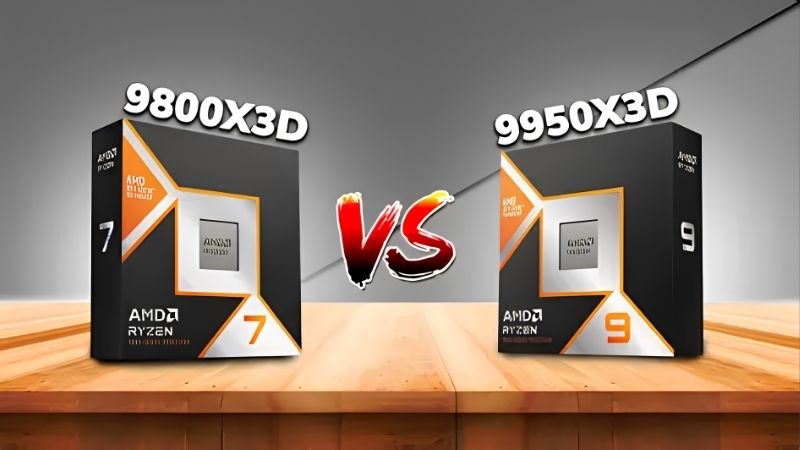
Quick Verdict: 9950X3D vs 9800X3D for Gaming
For gaming only, the 9800X3D wins – not on frames, but on value. The 9950X3D is typically within 0-3% of it in games while costing roughly 60% more. If gaming is the entire workload, the extra money buys you almost nothing measurable. The 9950X3D becomes the correct choice the moment your machine does anything else seriously: compiling, rendering, simulation, video encoding, or streaming with CPU-side encoding while you play. Then the 16 cores stop being decoration.
The Gaming Performance Gap Is Almost Nothing
Both chips carry 3D V-Cache on their primary CCD, and that cache is what wins games – not core count. Games are latency-sensitive and rarely scale past 8 cores, so once both chips have the same 96MB of L3 on the CCD doing the work, they behave nearly identically.
In practice at 1080p with a top-tier GPU, expect the two to trade within 0-3%. Some titles favour the 9950X3D marginally due to higher boost clocks on its non-cache CCD; others favour the 9800X3D because everything lands on one die with no scheduling ambiguity. At 1440p and above, the gap compresses toward zero because you become GPU-limited – which is where virtually every reader of this comparison actually plays.
The number worth internalising: if you game at 1440p with an RTX 5070 or similar, these two CPUs are functionally identical. The comparison only produces a measurable winner at 1080p with a flagship GPU, which is a configuration almost nobody runs.
The Dual-CCD Scheduling Problem
This is the part most comparisons omit and it is the strongest technical argument for the cheaper chip.
The 9800X3D is a single 8-core CCD with V-Cache. Every game thread lands on cache-enabled cores automatically. There is no decision to get wrong.
The 9950X3D is two CCDs: one 8-core die with V-Cache, one 8-core die without it but with higher clocks. Windows and AMD’s chipset driver must route game threads to the cache die and background work to the other. When it works, you get the best of both. When it does not – and it does not, occasionally – a game lands on the non-cache CCD and loses meaningfully more than the 0-3% headline suggests.
This has improved substantially through driver and Xbox Game Bar scheduling updates, and it is far better than it was on earlier dual-CCD X3D parts. But it remains a dependency the 9800X3D simply does not have. You are trading a guaranteed outcome for a usually-correct one, and paying extra for the privilege.
Full Spec Comparison Table
Everything that decides this, in one scan.
| Specification | Ryzen 9 9950X3D | Ryzen 7 9800X3D |
|---|---|---|
| Launch MSRP | $699 | $479 |
| Cores / Threads | 16 / 32 | 8 / 16 |
| CCD layout | 2 CCDs (1 with V-Cache) | 1 CCD (with V-Cache) |
| Total L3 cache | 128MB | 96MB |
| Boost clock | Up to 5.7 GHz | Up to 5.2 GHz |
| TDP | 170W | 120W |
| Socket | AM5 | AM5 |
| Memory | DDR5, sweet spot 6000 CL30 | DDR5, sweet spot 6000 CL30 |
| Gaming (1080p, relative) | 100-103% | 100% |
| Gaming (1440p, relative) | ~100% | 100% |
| Multi-core productivity | ~185% | 100% |
| Best for | Game + work on one machine | Gaming only |
Read the last four rows together and the entire argument resolves. Gaming scales at 100-103%. Price scales at 146%. Multi-core scales at 185%. You are not buying frames with that $220 – you are buying threads. If you have no use for threads, you are buying nothing.
Deep Dive: Where the Extra $220 Actually Goes
A 60% price premium for a 0-3% gaming gain sounds absurd until you look at what else the chip does. The 9950X3D is not a worse gaming CPU. It is a different product that happens to game just as well – and whether that matters depends entirely on what else is open on your second monitor.
When 16 Cores Genuinely Pay for Themselves
Four workloads justify the 9950X3D outright, and they are specific rather than aspirational.
Compiling code, rendering in Blender, running simulations, or encoding video: these scale close to linearly with cores, and the 9950X3D delivers roughly 85% more multi-core throughput. If your build time drops from twenty minutes to eleven, the chip pays for itself in weeks rather than years. That is not a gaming argument, but it is the correct one.
Streaming while gaming is the borderline case. If you encode on NVENC – which almost everyone should – the GPU does the work and the extra cores sit idle. If you encode on CPU for quality reasons, the 9950X3D genuinely helps. Most streamers do not need it and buy it anyway.
Heavy background load while gaming is the underrated case. If you keep dozens of browser tabs, Discord, a database, a VM, and a game running simultaneously, the second CCD absorbs that work and keeps it away from your cache cores. This is a real quality-of-life gain that benchmarks rarely capture, because benchmarks run on clean systems and you do not.
Thermals, Power and Memory: The Practical Build Reality
These are the details that decide whether either chip performs the way the charts promise, and they are where most build problems actually originate.
Cooling first. The 9800X3D at 120W is manageable with a good air cooler – a large dual-tower handles it. The 9950X3D at 170W wants a 280mm or 360mm AIO if you intend to sustain multi-core loads. V-Cache chips also run warm relative to their power draw because the cache die sits between the cores and the heatspreader, which means thermal headroom matters more than the TDP number suggests.
Memory next, and this is the single most common mistake on AM5. Both chips want DDR5-6000 CL30 running a 1:1 memory controller ratio. Pushing to 7200 or 8000 forces the controller into a 2:1 mode that adds latency and frequently loses frames. Faster is slower here. Buy 6000 CL30, enable EXPO, and stop.
Board and BIOS last. Both are AM5 and both work on B650 or X670 boards, but a BIOS update is often required for the 9000 series on older boards – check that your board has a flashback button, or you will be buying a temporary CPU to update it. This one detail costs more people more time than any performance difference on this page.
Pros and Cons: 9950X3D vs 9800X3D
| Ryzen 9 9950X3D | Ryzen 7 9800X3D | |
|---|---|---|
| Pros | 85% more multi-core throughput; matches or slightly beats the 9800X3D in games; second CCD absorbs background load; higher boost for lightly-threaded work; one machine for game and work | 60% cheaper for the same gaming result; single CCD means no scheduling risk; 120W runs on air cooling; simpler build with fewer failure points; best gaming value in the current stack |
| Cons | $220 premium buys 0-3% in games; dual-CCD scheduling can misroute threads; 170W wants a 280mm+ AIO; pure overkill if you only game | 8 cores limits serious productivity work; less headroom for heavy multitasking; nothing to grow into if your workload expands |
The asymmetry is unusually clean for a CPU comparison. Neither chip is worse at gaming. One is simply more expensive and more complicated for a gain you will not measure – unless you do something else with the machine, at which point it stops being expensive and starts being efficient.
The Build Cost Reality: Why RAM Prices Change This Decision
A CPU comparison that ignores the rest of the platform is incomplete, and right now the platform is where the money is going. Both of these chips demand DDR5, and DDR5 is the component that has moved most.
DDR5 Prices Flattened but Did Not Fall
The memory-driven surge through late 2025 lifted component and laptop pricing broadly, and DDR5 was at the centre of it rather than a bystander. A 32GB DDR5-6000 CL30 kit that anchored a build a year ago now takes a noticeably larger share of the budget.
The genuinely positive development is real but modest: the steep climb seen at the end of 2025 has stopped, and manufacturers including Framework have reported a stretch of relative stability – while still warning openly that further volatility remains possible.
Here is why that matters for this specific comparison. If you are budgeting a full AM5 build, the $220 you save by choosing the 9800X3D is no longer abstract – it is roughly the difference between a 32GB kit and a 64GB kit, or between a mid-range and a genuinely good motherboard. In a flat-priced memory market, that $220 buys more real capability elsewhere in the build than it buys in the CPU socket.
New Memory Capacity Arrives in 2027 or 2028
Relief is genuinely under construction. OEMs can now source DDR5 from Chinese suppliers such as CXMT, and Micron is building two fabrication plants in Idaho – funded, structural additions to supply, not rumour.
The obstacle is the calendar. Those Idaho plants do not come online until 2027-2028. Fabs take years, not quarters. Any AM5 build happening in 2026 – including yours – is complete long before that capacity ships a single wafer.
The strategic conclusion: do not plan a build around cheaper RAM arriving. Buy the 32GB DDR5-6000 CL30 kit now, put the CPU savings toward it or toward a better board, and understand that the memory market is not going to bail out an over-budget parts list this year.
The Alternative If Both Are Too Expensive
If $479 is a stretch, the 7800X3D remains one of the best gaming CPUs available and frequently sells well below the 9800X3D for a gaming deficit in the mid single digits. On AM5 it is the same socket, the same DDR5, and the same upgrade path – which makes it the value play rather than a compromise.
If you want cores without the X3D premium, the 9950X non-cache variant delivers the same 16-core productivity for meaningfully less, at the cost of gaming performance where the cache matters. And if you already own a 7800X3D, be honest: the upgrade to either chip on this page is not a gaming decision, it is a productivity one.
See More:
- A fan curve msi afterburner
- amd radeon rx 9070 vs rtx 5070
- 5060 ti vs 5070 benchmark
- rx 6600 vs rtx 3050
- 2060 vs 3060
Final Verdict and Recommendation
On 9950x3d vs 9800x3d for gaming, the answer is decided by what else the machine does, and the benchmark chart is close to irrelevant.
Buy the 9800X3D at $479 if you game and that is essentially it. You get the same frames, a single CCD with no scheduling risk, 120W that runs on air, and $220 back to spend on RAM or a board – which in a flat memory market is worth more than it was two years ago. This is the correct default and most people should stop here.
Buy the 9950X3D at $699 if the machine also compiles, renders, simulates, encodes, or runs heavy background load while you play. The 85% multi-core advantage is real and it pays for itself fast in those workloads. The 0-3% gaming edge is not why you buy it and should not be why you justify it.
Whichever you choose, get DDR5-6000 CL30 at a 1:1 ratio, size the cooler to the TDP rather than to the price, and check your board for BIOS flashback before you order. Those three details will affect your frame rate more than the choice between these two chips ever will.
Frequently Asked Questions
Is the 9950X3D actually faster for gaming than the 9800X3D?
Barely, and not consistently. Both put 3D V-Cache on one core complex, so games that fit in that cache perform almost identically. The 9950X3D adds a second non-cache CCD for productivity, which occasionally causes scheduling overhead in games. If you only game, the 9800X3D is the smarter purchase.
Who should buy the 9950X3D instead?
Anyone who also compiles code, renders, encodes video or runs heavy simulation alongside gaming. Sixteen cores and thirty-two threads roughly double multithreaded throughput versus the eight-core 9800X3D. That productivity advantage, not gaming frame rate, is the entire reason to pay the premium.
Do these chips need special cooling?
The 9800X3D has a 120W TDP and runs comfortably on a good air cooler such as a large dual-tower. The 9950X3D is rated at 170W and benefits from a 280mm or 360mm liquid cooler under sustained all-core loads. Neither ships with a cooler, so budget for one.
Does core parking or scheduling cause problems?
On the dual-CCD 9950X3D the driver and Windows scheduler must park the non-cache cores so games land on the V-Cache die. This works well with current chipset drivers and a recent Windows build, but it is one more thing to keep updated. The single-die 9800X3D avoids the issue entirely.
Which GPU should I pair with them?
Both chips are fast enough that the GPU becomes the limit at 1440p and above. Pair either with a 5070 Ti, 5080, 9070 XT or better to actually see the difference. At 4K the two processors are usually within a couple of frames of each other regardless of graphics card.
As an Amazon Associate we earn from qualifying purchases at no extra cost to you.
















Write Your Review
No reviews yet. Be the first to share your experience!