


NVIDIA 1060 drivers have quietly reached the end of a ten-year road, and most guides on the internet have not caught up. If you landed here, you are probably looking at a driver download page that no longer lists what it used to, or a game that threw a warning you have never seen before. The GTX 1060 is still the card sitting in millions of machines, and it still works. But the rules changed, and the change is permanent. This page explains exactly what ended, what did not, which version you should be running, and what an upgrade realistically costs in 2026 — in plain text, no video, no fifteen-minute intro.
What the End of Game Ready Support Means for NVIDIA 1060 Drivers
NVIDIA did not switch the GTX 1060 off. It moved the entire Pascal generation — together with Maxwell and Volta — into legacy status. That word does a lot of work, and it is worth being precise about it, because the gap between “no new drivers” and “no working drivers” is roughly four years of usable life. Understanding which side of that line you are on decides whether you spend money this quarter or in 2028.
As an Amazon Associate we earn from qualifying purchases at no extra cost to you.





The R580 Branch Is the End of the Road
The R580 driver family is the final Game Ready branch that will ever ship for the GTX 1060. There is no 590, no 600, no surprise revival. Whatever the last R580 release carries is the feature set your card keeps for the rest of its life. That is not a bug report or a temporary pause — it is a closed product line.
Practically, this means you should install the newest R580 release you can find, verify it, and then stop chasing updates. Every “have you tried the latest driver?” reply you read on a forum from now on is dead advice for Pascal owners. There is no latest. There is only the last one.
Security Updates Are Not Game Ready Updates
NVIDIA has committed to continuing security patches for legacy architectures until October 2028. This is the detail that gets misread constantly. A security update closes vulnerabilities in the driver stack. It does not add per-game optimisation profiles, it does not fix a stutter in a title released next spring, and it does not extend feature support.
So the honest timeline looks like this: your GTX 1060 is safe to run on a networked machine until late 2028, and it is fully supported for games that shipped before the R580 cutoff. Titles released after that point are a coin flip — they may run, they may run badly, they may refuse. Nobody is obligated to make them work anymore.
What You Are Locked Out Of: DLSS 4 and Neural Rendering
Pascal has no Tensor cores and no RT cores. This was never a driver limitation and no update was ever going to change it. The GTX 1060 cannot run DLSS in any form, cannot run Frame Generation, and cannot run Multi Frame Generation. Ray tracing is technically executable through shader fallback and practically unusable.
The reason this matters more in 2026 than it did in 2020 is that upscaling stopped being a bonus and became the assumed baseline. A growing number of releases are tuned on the expectation that the player is rendering at a lower internal resolution and reconstructing upward. Your card renders every pixel natively, at full cost, with no reconstruction and no AI-assisted frame insertion to fall back on.
AMD’s FSR remains open to you, and it genuinely helps — it is architecture-agnostic and does not require Tensor hardware. It is also a generation behind the quality of what a modern RTX card produces. That is the real ceiling: not driver support, but silicon that predates the entire feature direction the industry took.
Installing, Cleaning, and Troubleshooting NVIDIA 1060 Drivers
Most GTX 1060 problems in 2026 are not driver bugs. They are the residue of eight years of stacked installs, half-removed control panels, and Windows Update helpfully pushing something over the top of what you just did. If you are on a slow connection, this section is the part worth reading twice — because a failed install means downloading the whole package again.
The Clean Install That Actually Sticks
Download the R580 package first and keep the installer file. Do not rely on being able to fetch it again. On a metered or unstable connection, this single habit saves more time than every tweak below combined.
Then disconnect from the internet, run Display Driver Uninstaller in Safe Mode, reboot, and install the package with the “Clean Installation” box ticked before you reconnect. The disconnection step is not superstition. It stops Windows Update from racing your installer and quietly replacing the driver with an older WHQL build midway through.
Afterwards, set Windows Update to defer driver delivery. Otherwise you will repeat this process in a month and blame the card.
The 3GB and 6GB Split That Changes Your Numbers
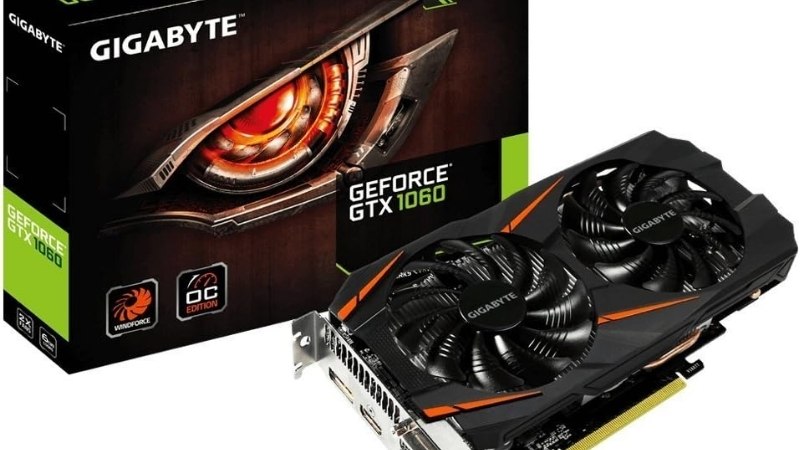
These two cards share a name and are not the same product. The difference is not only memory capacity — the 3GB model also ships with fewer active shader units.
| Specification | GTX 1060 6GB | GTX 1060 3GB |
|---|---|---|
| CUDA cores | 1,280 | 1,152 |
| Memory | 6GB GDDR5 | 3GB GDDR5 |
| Memory bus | 192-bit | 192-bit |
| Bandwidth | 192 GB/s | 192 GB/s |
| Board power | 120W | 120W |
| Power connector | 1x 6-pin | 1x 6-pin |
| Recommended PSU | 400W | 400W |
If you own the 3GB version, VRAM is your bottleneck long before the GPU core is. Texture settings that a 6GB card handles at High will force the 3GB card into stutter at Medium. No driver release ever fixed this and none ever will. Check which model you have in the NVIDIA Control Panel before you spend another hour tuning settings that cannot help.
Pros and Cons of Staying on the GTX 1060 in 2026
This is the decision under the driver question, so it deserves a straight answer rather than a hedge.
Pros: The card draws 120W and runs on a single 6-pin connector, meaning a 400W supply and any case will host it — no PSU upgrade, no clearance measuring, no 12V-2×6 adapter anxiety. It is secure until October 2028. It still delivers playable frame rates in esports titles and in the enormous back catalogue of games released before 2023. The total cost of continuing is zero.
Cons: No DLSS, no Frame Generation, no meaningful ray tracing, and no future driver optimisation for new releases. The 3GB variant is already failing on texture budgets. Performance-per-watt is roughly a generation and a half behind anything current, so you are paying more in electricity for fewer frames. And the resale value of a GTX 1060 is now effectively a rounding error — waiting does not preserve anything.
The 2026 Upgrade Math: Why Waiting Is Getting Expensive
The instinct with a legacy card is to hold on and wait for prices to fall. That instinct was correct for most of the last decade. In 2026 it works against you, and it is worth knowing why before you sit tight for another year.
Component Prices Are Still Drifting Upward
Laptop and component pricing keeps trending upward rather than settling. For a GTX 1060 owner that has one consequence: the entry-level card you meant to buy “when it gets cheaper” has been getting more expensive instead. The budget tier is the most exposed part of the market — thinnest margins, least room to absorb memory cost increases.
The arithmetic is unkind. Every quarter you delay, the replacement costs slightly more while your GTX 1060 loses whatever trade-in value it had left. You are not saving by waiting.
Relief Is Real, but It Lands in 2027–2028
There is genuine positive news, and it deserves an honest reading rather than doom or hype. New memory supply is opening up: OEMs can source DDR5 from Chinese suppliers such as CXMT, and Micron is building two fabrication plants in Idaho. That is real capacity, not speculation.
The catch is the calendar. Those plants do not run until 2027–2028, so nothing they produce touches a price tag this year. What the market delivered so far is a slowdown, not a reversal — prices stopped climbing as steeply as in late 2025, and manufacturers report relative stability while still warning volatility is not over. Flat is not falling.
Which sets your real planning horizon: meaningful relief arrives around the time your GTX 1060 loses its security updates.
What Your Money Actually Buys Today
Launch pricing as the reference, GTX 1060 6GB as the baseline. Check live listings before committing — street pricing in this tier moves week to week.
| Card | VRAM | Launch MSRP | Approx. 1080p uplift vs 1060 6GB | PSU | Unlocks |
|---|---|---|---|---|---|
| GTX 1060 6GB | 6GB GDDR5 | — | Baseline | 400W | FSR only |
| RTX 3050 8GB | 8GB GDDR6 | $249 | ~1.3x | 550W | DLSS, basic RT |
| RTX 5060 8GB | 8GB GDDR7 | $299 | ~2.4x | 550W | DLSS 4, Multi Frame Gen |
| RTX 5060 Ti 16GB | 16GB GDDR7 | $429 | ~3.1x | 600W | DLSS 4, MFG, 16GB buffer |
Two notes. Every card here needs more than your 400W unit — budget a 550W to 650W supply, because a marginal PSU produces exactly the crashes people misdiagnose as driver faults. And the 8GB models face the same VRAM wall now strangling 3GB Pascal owners; the 16GB option is the one that ages.
If you are done fighting a legacy driver branch, check today’s pricing on the current entry-level RTX cards and a matching power supply before the next adjustment lands.
See More:
- NVIDIA
- NVIDIA DeepStream
- NVIDIA GPU driver update
- NVIDIA GeForce NOW download
- NVIDIA RTX A2000 12GB driver
Final Verdict on NVIDIA 1060 Drivers in 2026
NVIDIA 1060 drivers are finished, and that is the clean answer nobody wants to say directly. Install the last R580 release, do it properly with a clean install and the network disconnected, defer Windows driver updates, and then stop looking for a newer version — it does not exist. Your card is secure until October 2028 and perfectly capable in everything built before the cutoff.
What has actually expired is not the card’s function but its future. There will be no optimisation for new releases, no upscaling, and no reason to expect the situation to improve. Meanwhile the replacement is getting more expensive each quarter, and the supply relief that would make it cheaper does not arrive until 2027 or 2028 — after your driver support ends.
If your machine only runs esports titles and older games, keep it and enjoy a free three more years. If you are hitting the VRAM wall, staring at unsupported-hardware warnings, or watching new releases you cannot run, the honest move is to price a replacement now rather than to wait for a discount that arrives too late to help.
Frequently Asked Questions
What is the last driver the GTX 1060 will receive?
Pascal support for new Game Ready features ended with the R580 branch, so the final feature-complete builds are in the 580 series. NVIDIA continues shipping critical security updates for this hardware into late 2028, but do not expect optimizations for games released after that cutoff.
Which version gives the best stability on a 1060?
Late 570 and 580 branch builds are the practical sweet spot, combining years of accumulated fixes with reasonably light overhead. Some users on older Windows installs report smoother results on the 47x series, which predates several DirectX 12 scheduling changes. Test one, and keep the installer for the other as a fallback.
Should I do a clean install or upgrade in place?
Clean install. After many in-place upgrades the shader cache and leftover registry profiles accumulate and cause stutter and driver timeouts. Run Display Driver Uninstaller in Safe Mode, then install with the Perform Clean Installation box ticked. This alone resolves a large share of complaints on aging Pascal systems.
Will a newer driver improve frame rates on this card?
Realistically no. Pascal optimization work stopped years ago, so gains from newer builds are within margin of error. What newer drivers do provide is compatibility with modern game engines and operating system updates, which prevents crashes rather than raising performance. Lowering settings remains the only meaningful lever.
Does the 1060 support DLSS or frame generation?
No. Pascal has no tensor cores, so DLSS in any form is unavailable, as is hardware ray tracing. Your upscaling options are FSR and XeSS in their compatibility modes, which run on standard shaders. Both help at 1080p, at the cost of noticeably softer image quality than DLSS on RTX hardware.
Ready to decide? Our #1 pick for 2026 is the Specification.
Live price & availability on Amazon.











Write Your Review
No reviews yet. Be the first to share your experience!