
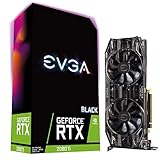
- Top Pick: EVGA GeForce GTX 1070 Ti SC GAMING ACX 3.0 Black Edition 8GB GDDR5 Graphics Card (08G-P4-5671-KR)
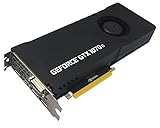
- Best Value: PNY GeForce GTX 1070 Ti Graphics Card (VCGGTX1070T8PB-CG)
- Premium Choice: ASUS Dual GeForce RTX 5050 8GB GDDR6 OC Edition Gaming Graphics Card | PCIe 5.0, HDMI 2.1b, DisplayPort 2.1b, 2-slot, Axial-tech Fans, 0dB Technology, Dual BIOS
Upgrading from a GTX 1070 Ti to an RTX 5050 gets you a moderate raw performance gain, roughly 20-40% in modern games depending on the source and title, plus a large feature jump: DLSS 4 upscaling, Multi Frame Generation, hardware ray tracing and ongoing driver support, all at 50 W less power. It is worth it for 1080p gamers who want those features in a new card, but it is not a big leap in raw speed, and the VRAM stays at 8 GB.
The GTX 1070 Ti launched in November 2017 at $399 on NVIDIA’s Pascal architecture. The RTX 5050 is the entry point of the RTX 50 series, launched in July 2025 at $249. Nearly eight years separate them, and the main improvements show up in features and efficiency more than in brute force.
As an Amazon Associate we earn from qualifying purchases at no extra cost to you.



The Hardware Changes
| Specification | GTX 1070 Ti | RTX 5050 |
|---|---|---|
| Architecture | Pascal | Blackwell 2.0 |
| Release date | 2 November 2017 | 1 July 2025 |
| Launch price (MSRP) | $399 | $249 |
| CUDA cores | 2432 | 2560 |
| Boost clock | 1683 MHz | 2572 MHz |
| Process | 16 nm | 5 nm |
| TDP | 180 W | 130 W |
| Memory | 8 GB GDDR5 | 8 GB GDDR6 |
| Memory bus | 256-bit | 128-bit |
| Bandwidth | 256.3 GB/s | 320.0 GB/s |
| L2 cache | 2 MB | 24 MB |
| Interface | PCIe 3.0 x16 | PCIe 5.0 x8 |
| Power connector | 1x 8-pin | 1x 8-pin |
| Size | 267 mm, 2-slot | 2-slot (length varies by model) |
| Outputs | 1x DVI, 1x HDMI, 3x DisplayPort | 1x HDMI 2.1b, 3x DisplayPort 2.1b |
CUDA core counts are nearly the same, but the RTX 5050 runs about 50% higher clocks and has twelve times the L2 cache. It also has more bandwidth despite a bus half as wide, thanks to faster GDDR6. It adds RT cores and tensor cores, the hardware behind ray tracing and DLSS, neither of which Pascal has.
Raw Performance: A Moderate Step
Launch reviews place the RTX 5050 slightly below the RTX 4060. A TechPowerUp report on Quasar Zone’s testing put it about 7% behind the 4060 across fifteen 1080p games. TechSpot (Hardware Unboxed) described it as a slightly slower version of the RTX 4060 and found it only modestly ahead of the RTX 3060 in some titles. Board-partner data put it about 10-15% above the RTX 3060.
Against the GTX 1070 Ti, benchmark aggregates disagree: some show about a 15% gain, others up to roughly 45-50% across large game lists. The spread reflects the mix of games. Older DirectX 11 titles favor Pascal’s wide bus, while modern DirectX 12 and Vulkan games favor Blackwell. A fair summary:
- Older and esports titles: small gains, sometimes near 10-15%.
- Modern AAA games at 1080p: often around 25-40% faster.
- Games with ray tracing or mesh shaders: the 1070 Ti either cannot run the feature or performs very poorly, so the gap becomes very large.
At 1080p high settings in recent AAA games, the RTX 5050 typically delivers about 55-80 FPS natively, and more with DLSS. These figures vary with settings, CPU and game version.
The Feature Jump Is the Real Upgrade
DLSS 4 Upscaling
The GTX 1070 Ti cannot run DLSS at all. The RTX 5050 supports DLSS 4 with the transformer upscaling model, which at 1080p in Quality mode often produces an image close to native while adding a large amount of performance. In games where the 1070 Ti needs FSR Performance mode or low settings, the RTX 5050 can use DLSS Quality and keep a much cleaner picture.
Multi Frame Generation
The RTX 5050 supports DLSS 4 Multi Frame Generation, which inserts up to three generated frames for each rendered one. TechPowerUp’s coverage noted that with MFG on, the 5050 can pass even the RTX 4060 Ti in displayed frame rate in several titles. Keep in mind that MFG improves visual smoothness, not input response, and works best when the base frame rate is already around 50-60 FPS. It suits single-player games on high-refresh monitors.
Ray Tracing
Pascal has no RT cores. The RTX 5050 can run light-to-moderate ray tracing at 1080p with DLSS. Heavy RT and path tracing are still beyond an entry-level card, but some newer games require RT hardware even to launch, and the 1070 Ti cannot run those.
Driver Support
NVIDIA has announced that the 580 driver branch is the last with game-ready support for Pascal, with only security updates after that. The RTX 5050 will receive game-ready optimizations for years. For a gaming PC that should last, this alone is a strong argument for upgrading.
What Does Not Change: 8 GB of VRAM
Both cards have 8 GB. For 1080p at medium-to-high textures, 8 GB still runs most games. The newest AAA releases can go past it at ultra textures, especially with ray tracing on. DLSS lowers the internal render resolution and helps a little, and frame generation uses extra memory, which partly cancels that out. Expect to use high rather than ultra textures in demanding new games. If longer VRAM headroom matters to you, a 12 GB or 16 GB card such as the Intel Arc B580 or RTX 5060 Ti 16GB is the better choice.
Power, PSU and PCIe
The power drop is welcome: 130 W against 180 W. PSU sizing as GPU TDP + CPU + about 150 W of headroom, with a 65 W CPU:
- GTX 1070 Ti: 180 + 65 + 150 = 395 W.
- RTX 5050: 130 + 65 + 150 = 345 W, so any quality 450 W unit is plenty.
Both cards use a single 8-pin connector, so the upgrade is plug-and-play for power. The PCIe link is worth checking. The RTX 5050 uses eight lanes, and in a PCIe 3.0 system, which many 1070 Ti owners still have, it runs at PCIe 3.0 x8. That usually costs only a few percent but can hurt more when VRAM overflows. On PCIe 4.0 or 5.0 boards this is not a concern.
Check your monitor connection too. The RTX 5050 has no DVI port, so an older DVI-only monitor needs an adapter or a different cable.
CPU Pairing for an Old System
Many GTX 1070 Ti owners still run 2017-2019 CPUs such as 4-core or 6-core Intel chips from that era or first- and second-generation Ryzen. At 1080p, those CPUs can limit frame rates in CPU-heavy titles and reduce the GPU upgrade’s benefit. DLSS Frame Generation can help, because generated frames do not depend on the CPU. If your CPU is already at 100% in your main games, consider budgeting for a platform upgrade as well.
Cost and Value Worked Out
Launch MSRP cost per performance, setting the GTX 1070 Ti at 100 and the RTX 5050 at about 130 (middle of the realistic range):
- GTX 1070 Ti: $399 / 100 = $3.99 per point.
- RTX 5050: $249 / 130 = about $1.92 per point.
Net upgrade cost is also low. GTX 1070 Ti cards usually sell for about $70-$110 used, so the effective spend on a $249 RTX 5050 is roughly $140-$180, for a 20-40% raw gain plus DLSS, frame generation, RT and driver support.
Is the Upgrade Worth It for You?
| Your situation | Verdict |
|---|---|
| 1080p AAA gamer, modern CPU | Worth it: DLSS and MFG make a big difference |
| Esports-only player at 1080p | Optional: the 1070 Ti still handles these well |
| Want 1440p or long-term VRAM | Skip to an RTX 5060 Ti 16GB, Arc B580 or RX 9060 XT 16GB |
| Small or budget PSU | Good fit: 130 W and a single 8-pin |
| Old 4-core CPU on PCIe 3.0 | Upgrade the platform too, or the gains shrink |
Final Word
The RTX 5050 is not a dramatic raw-speed jump over the GTX 1070 Ti, and keeping 8 GB of VRAM is a real limitation. Still, the combination of 20-40% more performance in modern games, DLSS 4, Multi Frame Generation, ray tracing support, lower power use and continued driver updates makes it a sensible, low-cost upgrade for 1080p players. Anyone who wants a bigger step or more memory should spend a little more on a 12-16 GB card.
Frequently Asked Questions
How much faster is the RTX 5050 than the GTX 1070 Ti?
In modern AAA games at 1080p, the RTX 5050 is typically around 20-40% faster, with smaller gaps in older DirectX 11 titles. With DLSS upscaling and Multi Frame Generation enabled, the displayed frame rate can be several times higher. Results vary by game and test setup.
Can the GTX 1070 Ti use DLSS or frame generation?
The GTX 1070 Ti cannot use DLSS, because it has no tensor cores. It can use FSR upscaling and FSR 3 frame generation in games that offer them, since AMD’s technologies are vendor-agnostic. The RTX 5050 supports both DLSS 4 and FSR.
Will an RTX 5050 work with my old power supply?
Almost certainly, if your PSU ran a GTX 1070 Ti. The RTX 5050 draws less power, 130 W against 180 W, and uses the same single 8-pin connector. A quality 450 W unit is more than enough with a typical mid-range CPU.
Is 8 GB of VRAM enough on the RTX 5050?
For 1080p at medium-to-high settings, 8 GB handles most current games. Some recent titles go past it with ultra textures or ray tracing, which causes stutter or texture pop-in. Choosing high instead of ultra textures usually avoids the problem.
Should I get an RTX 5060 instead of the RTX 5050?
The RTX 5060 is a step faster at the same 8 GB of VRAM and costs more. If your budget allows, it gives a larger jump over the GTX 1070 Ti. For 1440p or better long-term memory headroom, a 16 GB card such as the RTX 5060 Ti 16GB is the better target.
Ready to decide? Our #1 pick for 2026 is the Architecture.
Live price & availability on Amazon.







Write Your Review
No reviews yet. Be the first to share your experience!