
- Top Pick: ASRock Intel Arc B580 Challenger 12GB OC Graphics Card, 2740 MHz GPU Clock, 12GB GDDR6, DisplayPort 2.1, HDMI 2.1a, Dual Fan Cooling, 0dB Silent Operation
- Best Value: maxsun GeForce RTX 3050 6GB Graphics Cards GDDR6 Video Graphics Card GPU for Gaming PC Mini Small Form Factor SSF Slim Low Profile Design PCI Express 4.0, HDMI 2.1, DisplayPort 1.4a
- Premium Choice: nVidia GeForce RTX 3090 Founders Edition Graphics Card
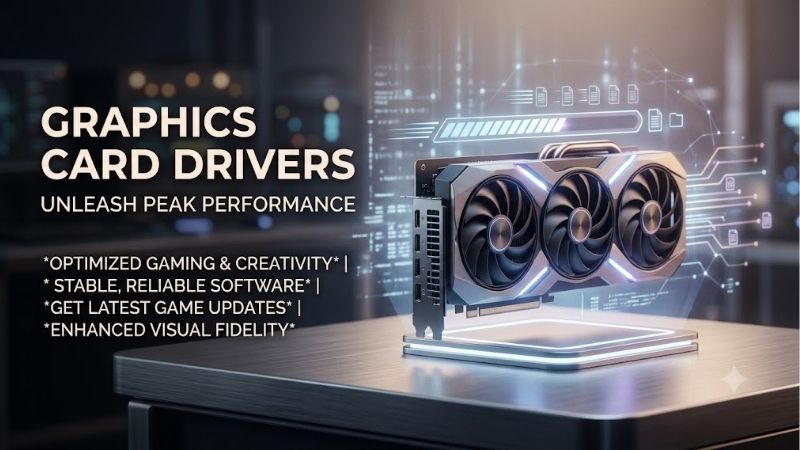
Graphics card drivers are the essential software bridge that translates game engine instructions into the pixels you see on your screen, acting as the quiet engine driving your entire PC gaming experience. While many buyers spend hours analyzing physical specifications like CUDA cores, clock speeds, and memory bandwidth, they often ignore the critical software ecosystem that actually controls how those resources are used. In 2026, the performance delta between a good driver release and a bad one can equal an entire hardware generation of performance, making driver quality one of the most critical factors in any GPU purchase.
Under the Hood of Modern GPU Companion Software
To truly appreciate the value of a graphics card, one must examine the control panels and applications that govern its behavior daily. Modern driver packages have evolved from simple system-level translators into massive utility programs that handle everything from system performance tuning and screen recording to local AI upscaling and latency reduction.
NVIDIA App and GeForce Experience Stability
The transition to the unified NVIDIA App marks a significant milestone for GeForce users, combining the legacy Control Panel settings and GeForce Experience features into a single, high-performance interface. The new app is remarkably lightweight, launching in a fraction of the time its predecessor took, and thankfully removes the mandatory user login requirement that annoyed consumers for nearly a decade.
Within this interface, users can easily configure global or per-game settings, manage driver updates, and configure G-Sync or custom resolutions without navigating Windows-style legacy menus. The driver delivery system remains incredibly robust, with Game Ready Drivers arriving reliably ahead of major game launches to ensure day-one compatibility and optimal performance profiles.
AMD Radeon Software Adrenalin Edition Features
AMD has long set the standard for feature-rich graphics companion software, and the Adrenalin Edition continues to be a massive selling point for Radeon GPUs. Unlike NVIDIA’s previous split-utility approach, AMD has spent years refining a single, cohesive dashboard that houses performance tuning, recording, streaming, and display settings.
The Adrenalin software provides advanced users with direct access to fine-grained hardware controls, including safe automatic undervolting, manual overclocking, and custom fan curves. Additionally, features like Radeon Super Resolution (RSR) and AMD Fluid Motion Frames (AMFM) are deeply integrated at the driver level, allowing gamers to boost performance in thousands of legacy games that do not natively support modern upscaling technologies.
Pros and Cons of Current Graphics Card Drivers
Evaluating modern driver ecosystems reveals distinct advantages and drawbacks for both hardware camps, as no software suite is entirely flawless. On the positive side, both manufacturers have vastly improved automated optimal settings, enabling casual gamers to maximize their hardware performance with a single click. Furthermore, driver-level latency reduction tools like NVIDIA Reflex and AMD Radeon Anti-Lag have become industry standards, dramatically improving responsiveness in competitive multiplayer shooters.
However, the rapid pace of driver development introduces noticeable pain points, including occasional micro-stutters, installation errors, and memory leaks that can degrade system performance over prolonged gaming sessions. For instance, some users report that aggressive background telemetry services in modern drivers consume unnecessary CPU cycles, which can impact lower-end gaming rigs. Additionally, while AMD’s driver interface is visually stunning, it occasionally suffers from driver timeout errors during unexpected hardware states, whereas NVIDIA’s legacy control panels, while stable, can feel dated to modern users.
Market Dynamics and the Hidden Costs of Graphics Card Drivers
The development and distribution of graphics card drivers do not happen in a vacuum, as global supply chain pressures and shifts in corporate focus heavily influence how driver support is prioritized. In 2026, the intersection of enterprise artificial intelligence demands and hardware inflation is reshaping the consumer GPU landscape in unexpected ways.
The Impact of NVIDIA H200 AI Chip Shipments to China
Recent policy shifts allowing NVIDIA to ship specially modified versions of its ultra-powerful H200 AI chips to China have sent ripples through the entire semiconductor market. Because corporate AI hardware yields incredibly high profit margins, both NVIDIA and its foundry partners naturally dedicate massive production capacities to enterprise silicon rather than consumer-grade gaming chips.
This enterprise focus means that consumer graphics cards could face localized supply constraints, making the optimization of graphics card drivers more crucial than ever before. Since physical hardware upgrades might become scarce or more expensive, gamers must rely heavily on continuous driver updates to extract maximum performance and longevity out of their existing GPUs.
Rising Component Prices and Hardware Inflation
The consumer electronics industry is experiencing a prolonged upward trend in the cost of raw components, power delivery systems, and advanced GDDR6X memory modules. This ongoing inflation has directly driven up the retail prices of desktop graphics cards and gaming laptops alike, making new hardware purchases a significant financial commitment.
With entry-level and mid-range options climbing to price brackets previously reserved for high-end enthusiast gear, the financial incentive to maintain older hardware has skyrocketed. Consequently, the value of continuous driver support has doubled, as consumers look to long-term software optimizations and driver-level frame generation to keep their aging systems viable for modern AAA gaming titles.
Real-World Performance Gains and Driver Overhead
A major factor often overlooked in graphics card reviews is CPU driver overhead, which refers to the amount of processor work required to translate driver instructions to the GPU. NVIDIA’s drivers typically utilize a software-scheduler approach that can place a slightly heavier burden on the host CPU, whereas AMD’s hardware-scheduler design tends to perform better on budget processors in CPU-bound scenarios.
However, both companies have made impressive strides in optimizing DirectX 11 and Vulkan API performance through driver updates, proving that driver refinement is just as impactful as physical silicon upgrades. In many modern titles, a simple driver update can yield performance gains of 5% to 12%, effectively delivering a free hardware upgrade through pure software optimization.
Check the latest price on Amazon:
Amazon Buyer Feedback and Buying Guide
When researching hardware reliability, analyzing the real-world experiences of everyday consumers provides invaluable insights that synthetic benchmarks cannot capture. Amazon reviews offer a treasure trove of practical data regarding how these driver packages behave across thousands of unique hardware configurations.
What Amazon Buyers Say About NVIDIA and AMD Stability
A broad analysis of highly rated reviews on Amazon reveals that NVIDIA’s driver suite is consistently praised for its “install-and-forget” reliability, especially by content creators and stream hosts who rely on NVENC encoding stability. Buyers frequently mention that NVIDIA’s Game Ready Drivers provide an incredibly consistent experience, with very few game crashes or system-level configuration conflicts during launch weeks.
Conversely, critical 2-star and 3-star reviews for both brands highlight common issues, such as AMD buyers experiencing sporadic black screens or driver timeouts during browser hardware acceleration tasks. Meanwhile, dissatisfied NVIDIA buyers often complain about the persistent remnants of old driver files causing installation loops, which frequently require third-party tools like Display Driver Uninstaller (DDU) to resolve cleanly.
How to Choose a GPU Based on Software Ecosystems
If you are currently shopping for a new graphics card on Amazon, your decision should extend far beyond raw frame rate charts to include how you plan to interact with the software ecosystem. Gamers who prioritize seamless streaming, professional 3D rendering, and cutting-edge ray tracing performance will find NVIDIA’s DLSS 3.5 reconstruction and driver stability incredibly compelling.
On the other hand, if you prefer an open-source approach, complete control over hardware tuning within a single application, and excellent raw rasterization value, an AMD Radeon GPU is an outstanding choice.
Check the latest price on Amazon to see which options fit your current budget and gaming goals.
Future-Proofing Your PC Build with Driver Support
As games become increasingly complex and demanding, buying a GPU with a forward-looking driver roadmap is essential for securing a long-lasting PC build. Both NVIDIA and AMD have committed to supporting their older GPU architectures for many years, but the level of modern feature integration varies significantly between older and newer product families.
For instance, while older graphics cards still receive critical security updates and basic game-ready patches, premium features like DLSS Frame Generation or AMD Fluid Motion Frames often require modern hardware architectures to function optimally. Investing in a current-generation graphics card ensures that you will remain on the primary development path for driver innovations, allowing your system to adapt to future gaming technologies without requiring a physical hardware replacement down the line.
Conclusion
In the modern gaming landscape, high-quality hardware is only as good as the software that drives it, making graphics card drivers the true determining factor of your system’s real-world capabilities. Whether you choose the highly polished, AI-driven ecosystem of NVIDIA or the feature-rich, open-source flexibility of AMD, maintaining up-to-date software is the easiest way to ensure a smooth, high-fidelity gaming experience. With component prices rising and hardware production priorities shifting toward enterprise AI, maximizing your current or newly purchased GPU through regular driver updates is a smart, cost-effective strategy. Make sure to choose a graphics card that aligns with your software preferences, keep your system updated, and prepare to enjoy the best gaming experiences that modern technology has to offer.
Frequently Asked Questions
Can a new driver really replace a GPU upgrade?
No. Drivers typically deliver single-digit percentage gains in specific titles, plus feature unlocks like DLSS overrides or Smooth Motion. A generational hardware jump moves performance 30 to 70 percent. Treat drivers as free optimization and bug fixing, not as a substitute for more shader cores, faster memory, or extra VRAM.
Should I install every Game Ready driver NVIDIA releases?
Only if you play the title it targets or you hit a listed bug fix. Game Ready builds ship roughly monthly and occasionally introduce regressions. If your system is stable and you play older games, staying on a Studio or a proven branch for a few months is a perfectly reasonable strategy.
Do old cards still get driver support in 2026?
NVIDIA ended new Game Ready feature support for Maxwell, Pascal and Volta after the R580 branch, meaning GTX 900 and GTX 10 series owners get critical security updates only, through late 2028. AMD similarly moved Polaris and Vega to maintenance mode. Older hardware still works, but new game optimizations stop arriving.
Will a driver update fix my low VRAM problems?
Not fundamentally. Drivers can improve memory management and texture streaming behavior, which reduces stutter slightly, but an 8GB card running 1440p ultra textures with ray tracing will still swap over PCIe. Lowering texture quality one notch or enabling DLSS at a lower internal resolution helps far more than any driver.
How do I roll back if a new driver breaks something?
Download the previous version from the NVIDIA advanced driver search first, then boot into Safe Mode and run Display Driver Uninstaller to purge the current package cleanly. Install the older build with the network disconnected so Windows Update cannot silently reinstall the newer one, then re-enable driver updates afterward.
As an Amazon Associate we earn from qualifying purchases at no extra cost to you.
















Write Your Review
No reviews yet. Be the first to share your experience!