
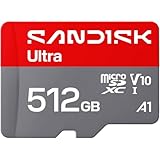
- Top Pick: SANDISK 512GB Ultra microSD Card + Adapter, Up to 195MB/s Read Speeds | UHS-I, Full HD, V10, C10, U1, A1, Ideal for Android Smartphones, Tablets, Cameras, Laptops – SDSQUJQ-512G-GZ6MA
- Best Value: SANDISK 512GB Extreme microSD Card + Adapter, Up to 245MB/s Read Speeds | UHS-I, V30, 5K & 4K UHD, U3, C10, A2, Up to 170MB/s Write Speeds, Ideal for Action Cams+Drones, Android- SDSQXH9-512G-GZ6MA
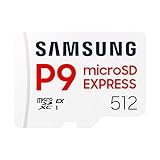
- Premium Choice: Samsung P9 Express microSDXC 512GB for Nintendo-Switch 2 | Express microSD Card for Nintendo-Switch 2 (MB MK512T/AM)
The right 512GB microSD card depends on the device: a Nintendo Switch 2 needs a microSD Express card, while a Steam Deck, ROG Ally, original Switch, action camera or phone is happy with a standard UHS-I card rated A2 and V30 or better. Choosing by that single compatibility question avoids the most common and most expensive mistake in this category.
- At a Glance
- Understanding the Ratings
- Nintendo Switch 2
- Steam Deck and Windows Handhelds
- Phones, Cameras and Drones
- Decision Table: Pick X If
- Budget Tiers Without Prices
- Avoiding Fake and Failing Cards
- Common Mistakes
- Alternatives
- Formatting and Setup Tips
- Transfer Speeds and Card Readers
- Frequently Asked Questions
As an Amazon Associate we earn from qualifying purchases at no extra cost to you.


At a Glance
| Card family | Best for | Key stated traits | Limit |
|---|---|---|---|
| SanDisk microSDXC Express (Switch 2 branded and general) | Nintendo Switch 2 | microSD Express interface, built for the console’s slot | Costs more than standard cards; useless in many older devices at full speed |
| Lexar Play Pro and Express lines | Switch 2 and fast handhelds | The maker lists Express-class speeds on its Express models | Check which line is Express before buying |
| Samsung PRO Plus / EVO Plus microSDXC | Steam Deck, phones, cameras | UHS-I, U3, with A2 rating on listed models | Not accepted by Switch 2 for game cards in most cases |
| SanDisk Extreme microSDXC | Action cameras and drones | A2, U3, V30 class on the maker’s page | Real speeds depend on the reader |
| Kingston Canvas Go! Plus | Value for 4K recording | A2, V30 class stated by the maker | Sustained write speed below top-tier cards |
Model lines are refreshed often, so read the maker’s page for the exact capacity and speed class printed on the card you are buying.
Understanding the Ratings
- UHS-I and UHS-II: Interface types. UHS-I tops out around 104MB/s in theory; UHS-II adds a second row of pins, but most handhelds and phones do not use it.
- microSD Express: A newer standard built on PCIe and NVMe, with much higher stated speeds. It is physically the same size but needs a compatible slot.
- Video class V30 and V60: Minimum sustained write speed for recording, useful for 4K video.
- App Performance A1 and A2: Random read and write performance. A2 helps when games or apps run directly from the card.
- Capacity: 512GB cards are microSDXC and are formatted exFAT. Devices that only support microSDHC cannot read them.
Nintendo Switch 2
Nintendo states that Switch 2 uses microSD Express cards and that older microSD cards are not compatible for storing Switch 2 games. The maker lists support up to 2TB. If you also own an original Switch, standard cards work there, but you would then need separate cards for each console. For this reason, many buyers pick one Express card for the Switch 2 and keep their standard cards in the older console.
Steam Deck and Windows Handhelds
Valve says Steam Deck accepts a microSD card for extra game storage. UHS-I cards with A2 ratings are the common choice because the slot is UHS-I. A 512GB card gives room for many large installs, although load times are slower than the internal drive. Reviewers often note that the card matters less for gameplay than for how quickly games load.
The same applies to ROG Ally and Legion Go style handhelds: a good A2 card is sufficient, and Express cards offer no benefit unless the maker’s manual lists an Express-capable slot.
Phones, Cameras and Drones
For 4K recording, choose V30 or better. Action cameras like those from GoPro and DJI publish recommended card lists, and sticking to listed models reduces the chance of dropped frames. For burst photography on a camera with a UHS-II slot, a UHS-II card gives faster buffer clearing; for a phone with no UHS-II reader, it brings nothing extra.
Decision Table: Pick X If
| Pick | If |
|---|---|
| microSD Express card | You own a Switch 2 or another device that lists Express support |
| Samsung PRO Plus or EVO Plus class | You need a dependable all-round card for a handheld PC or phone |
| SanDisk Extreme class | You record 4K on an action camera or drone |
| Kingston Canvas Go! Plus class | You want solid video classes at a modest tier |
| Lexar Play class | You want a budget card for a handheld library |
Budget Tiers Without Prices
Budget: A1 or A2 UHS-I cards from known brands, fine for music, photos and a game library. Mid-range: A2 and V30 cards with better sustained writes, suitable for video. Premium: microSD Express and UHS-II cards, only worth it when the device supports them.
Avoiding Fake and Failing Cards
Counterfeit cards report a large capacity but overwrite data when the real flash fills up. Buy from authorised sellers, test with a free capacity-verification utility after purchase, and keep a copy of important files elsewhere. Card makers state that cards are consumables with finite write endurance, so heavy loggers and dashcam users should look at high-endurance models.
Common Mistakes
- Buying a standard card for a Switch 2 and finding it unsupported.
- Paying for Express or UHS-II speed that the host device cannot use.
- Ignoring the adapter or card reader; a slow reader hides card speed.
- Formatting with the wrong file system in a camera that expects its own formatting.
- Using a single large card as the only copy of important footage.
Alternatives
- 1TB card: Better for very large libraries when the device supports it.
- Two 256GB cards: Spreads risk and lets you swap libraries.
- External NVMe or USB storage: Better for handheld PCs and laptops that offer a fast USB port.
Formatting and Setup Tips
Format the card inside the device that will use it, because consoles, handhelds and cameras apply their own file layout. On a Steam Deck, use the format option in the settings menu. On a camera, format after copying photos to your computer, not by deleting files. Eject the card safely before removing it, and avoid pulling it out mid-write. Label cards if you swap between devices, and keep a small case so the contacts stay clean.
Transfer Speeds and Card Readers
Copying a large library to a new card can take a long time on a slow reader. A UHS-I reader on a USB-A port limits a faster card, so use a reader that matches the card type. Express cards need a reader that lists Express support. If you are migrating games, check whether the console or handheld has a built-in transfer tool, since it can be quicker and safer than a manual copy.
Frequently Asked Questions
Will a standard 512GB card work in a Switch 2?
Nintendo states that Switch 2 requires microSD Express for expanded storage, so a standard UHS-I card is not the right choice. It may still work in the original Switch.
Is A2 important for a Steam Deck?
It helps with random access performance, which matters when games load many small files. Plenty of A1 cards work, but A2 is a reasonable choice at the same capacity.
Does a faster card improve frame rates?
Generally no. Card speed changes load and install times, not rendering performance, since game logic runs on the device’s processor and graphics hardware.
How can I tell if my card is fake?
Run a capacity-verification tool and compare the result with the labelled size. Mismatched write speeds, spelling errors on the packaging, and unusually low pricing from unknown sellers are common warning signs.
Can I use the card as internal storage on a phone?
Support varies by phone maker, and many modern phones no longer offer that mode. Use the card for media and files unless the phone manual says otherwise.
How long does a microSD card last?
Flash cards wear with writes, and makers rate some as high-endurance for constant recording. For games and media, wear is rarely an issue, but backups remain a good habit.







Write Your Review
No reviews yet. Be the first to share your experience!