
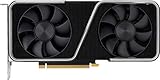
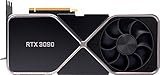
- Top Pick: NVIDIA GeForce RTX 3090 Founders Edition Graphics Card (Renewed)
- Best Value: EVGA GeForce RTX 3090 FTW3 Ultra Gaming, 24GB GDDR6X, 10496 CUDA Cores, 1800MHz Boost Clock, 3x Fans, ARGB LED, Metal Backplate, PCIe 4, HDMI, DisplayPort, Desktop Compatible
- Premium Choice: NVIDIA GeForce RTX 3060 Ti Founders Edition 8GB GDDR6 PCI Express 4.0 Graphics Card (Renewed)

If a name like RTX 4070 Ti Super looks like a secret code, this is Nvidia GPU naming explained in plain English. Every part of an Nvidia card’s name tells you something important about its power and place in the range. Overwhelmed by the numbers and letters? This guide decodes them completely, so in a few minutes you will read any Nvidia card name at a glance and know exactly what you are looking at.
As an Amazon Associate we earn from qualifying purchases at no extra cost to you.




Breaking Down an Nvidia Card Name
Every Nvidia GPU name follows a consistent structure, and once you learn the pattern it becomes easy to read. A name is built from a prefix, a generation number, a tier number, and sometimes a suffix, each carrying real meaning.
The Prefix: RTX or GTX
The first part of the name is the prefix, usually RTX or GTX. This tells you which technology family the card belongs to and roughly how modern it is.
RTX marks the newer, feature-rich line with ray tracing and DLSS, while GTX marks the older, simpler generation. The prefix is your first clue to a card’s capabilities before you even reach the numbers.
Reading the prefix first sets your expectations. An RTX card promises modern features, whereas a GTX card signals a more basic, budget-oriented design.
It helps to know that the prefix also roughly indicates a card’s era, which is useful when shopping second-hand or comparing older listings. Because Nvidia moved from the GTX branding to RTX as ray tracing hardware arrived, seeing GTX on a card tells you it belongs to an earlier period without the newest features, while RTX places it in the modern lineup. This makes the prefix a quick sanity check before you even consider the numbers, instantly telling you whether a card is likely to support the technologies today’s games increasingly expect, or whether it is a simpler design from an earlier era.
The Numbers: Generation and Tier
After the prefix come the numbers, which are the heart of the name. The first digit or two indicate the generation, while the remaining digits indicate the tier, or how powerful the card is within that generation.
In a name like RTX 4070, the four signals the generation and the seventy signals the tier. A higher generation number means a newer family, and a higher tier number means a more powerful card within it.
The table below shows how to read the structure:
| Name part | Example | What it tells you |
|---|---|---|
| Prefix | RTX | Feature family and era |
| Generation | 40 (in 4070) | Which generation |
| Tier | 70 (in 4070) | Power within the generation |
| Suffix | Ti / Super | An upgraded version |
The Suffix: Ti and Super
A suffix at the end, such as Ti or Super, marks an upgraded version of that card. Both signal a faster variant, delivering more performance than the plain-numbered model.
Ti and Super sit above the standard card but usually below the next tier up. They fill the gaps in Nvidia’s range, giving you more choice between the main tiers.
If there is no suffix, you are looking at the standard version. So a plain RTX 4070 is the baseline, while an RTX 4070 Ti or Super is a stepped-up version of it.
Once you can spot the suffix, a long, intimidating name like RTX 4070 Ti Super suddenly makes sense. You simply read it in pieces: RTX tells you the feature family, the number tells you the generation and tier, and the Ti Super tells you it is an upgraded variant sitting above the plain model. Breaking the name into these familiar chunks removes the confusion entirely, and with a little practice you will find yourself decoding even the most elaborate names almost instantly, which is exactly the confidence you want when comparing a shelf full of similar-sounding cards.
Using the Name to Compare Cards
Once you can read a name, you can compare cards quickly and confidently. Knowing which part of the name matters most helps you judge relative power and value in seconds.
Which Number Matters Most
The tier number is usually the biggest clue to raw power. Within the same generation, a higher tier number means a stronger card, so a 4080 outperforms a 4070, which outperforms a 4060.
The generation number matters for features and efficiency. A newer generation often brings better performance and technology, so it is worth weighing alongside the tier.
Reading both together gives the full picture. Comparing generation and tier at once tells you how two cards stack up far better than either number alone.
A common beginner mistake is to focus only on the tier number while ignoring the generation, or the reverse. A card with an impressive-looking tier number from an old generation may well be slower than a humbler-sounding card from a newer one, because each generation brings efficiency and architectural improvements. The reliable habit is to read the two numbers as a pair, treating the generation as the context and the tier as the position within it. Once that becomes second nature, you can rank most cards correctly at a glance, which is precisely the skill that turns a confusing product page into a quick, confident decision.
Comparing Across Generations
Comparing cards from different generations needs a little care. A newer mid-tier card can sometimes match or beat an older higher-tier one, so the numbers do not always translate directly across generations.
This is where names can mislead beginners. A higher number is not automatically faster if the cards belong to different generations, so never assume based on the number alone.
The safe approach is to check real performance. When comparing across generations, the name gives a strong hint, but actual measured performance is the final word.
This is exactly where a naming guide meets its limit, and knowing that limit is itself valuable. The name is a superb tool for quickly narrowing your options and understanding roughly where a card sits, but it was never designed to give precise performance figures. Two cards that look close on paper can differ meaningfully in real games, and only benchmarks capture that. The best habit, then, is to use the name to build a shortlist of sensible candidates, and then confirm your final choice against real-world performance for the specific games and resolution you care about. That two-step approach combines the speed of reading names with the accuracy of hard data.
Prices, Timing and Buying in 2026
Reading names helps you shop, and current pricing shapes when to buy. Graphics card prices have trended upward, driven largely by memory costs feeding through the supply chain, though the sharp climb of late 2025 has eased into a stretch of relative stability that makers warn could still shift.
Meaningful relief is not close. New memory supply is coming, including Chinese DDR5 sources and two Micron plants under construction in Idaho, but those plants are not expected to run until 2027 or 2028. With prices plateaued rather than falling, waiting for a cheaper card is unlikely to reward you.
Given that, buying the right card now beats waiting. Once the name tells you which card suits you, compare current prices through the links on this page and secure it before prices move again.
How to Pick the Right Card From Its Name
With the naming decoded, choosing a card becomes a simple, confident process. A few practical steps turn your new reading skill into the right purchase.
Match the Tier to Your Resolution
Use the tier number to match a card to your monitor. Lower tiers suit 1080p gaming, mid tiers suit 1440p, and higher tiers are built for 4K, so the number guides your choice.
Matching tier to resolution avoids overspending or underbuying. Choosing a card whose tier fits your monitor ensures you pay for the performance you will actually use.
Be honest about your display and goals. Pairing the right tier with your resolution is the single most important step in buying wisely.
A quick way to apply this is to think of the tier number as a rough guide to the resolution the card was designed around. Lower-tier cards are built with smooth 1080p gaming in mind, mid-tier cards target 1440p, and the higher tiers are the ones engineered to handle the heavy demands of 4K. Of course DLSS and specific settings shift these boundaries, but the pattern holds well enough to steer a first decision. Using it stops you from the two classic mistakes: buying a low-tier card for a demanding 4K display it cannot satisfy, or overspending on a top-tier card that a modest 1080p monitor will never fully use.
Decide Whether You Need a Suffix
Consider whether a Ti or Super version is worth it. These upgraded cards cost more but deliver extra performance, which is valuable at higher resolutions or for longer-term use.
For many buyers the standard card is enough. If a plain-numbered card already meets your needs, the suffix version may be more than you require, and the money saved is better spent elsewhere in the build.
The suffix decision is really a value judgement rather than a performance one. A Ti or Super card is not simply better in a vacuum; it is better only if the extra performance serves how you actually play and the price premium is reasonable. If you game at 1080p or on a budget, the standard card usually delivers everything you need, whereas higher-resolution or long-term buyers are the ones who benefit most from the upgrade. Reading the suffix, then, is less about chasing the fanciest name and more about honestly matching that extra step of performance to your own situation.
Ready to compare and choose? Use the links on this page to check current prices on the cards your reading points to, and pick the one that offers the best value for how you actually game.
Remember the Rest of Your System
The name tells you about the card, not the whole system. Ensure your processor and power supply can support your chosen card, since a strong card in a weak build will underperform.
Cooling matters too. A more powerful, higher-tier card can run warmer, so good case airflow helps it perform at its best throughout long sessions.
Plan the whole build. Confirming your system supports your chosen card is the final step to turning smart reading into a genuinely great gaming experience.
See More:
Conclusion
With Nvidia GPU naming explained, a name like RTX 4070 Ti Super is no longer a mystery: the prefix reveals the feature family, the generation and tier numbers reveal power and era, and any suffix marks an upgraded version. Read the whole name in order, match the tier to your resolution, and check real performance when comparing across generations. With prices flat rather than falling, there is little reason to wait, so use the links above to compare the cards your reading points to and secure the best value for your next build.
Frequently Asked Questions
What do the numbers in a name like RTX 5070 Ti actually mean?
RTX is the feature brand indicating ray tracing and tensor cores, the first digits (50) mark the Blackwell generation, and the last two digits (70) place it in the upper-mid performance tier. Ti is a suffix showing a faster variant of that tier, usually with extra shader cores, higher clocks and sometimes a wider memory bus.
Is a 4080 better than a 5070?
Frequently yes in raw rasterisation, because a higher tier from the previous generation usually beats a mid tier from the current one. Tier matters more than generation number. The newer card can still win in features such as newer DLSS models, multi frame generation and improved encoders, so compare benchmarks at your target resolution rather than the name alone.
Why does a laptop card with the same name perform worse?
Mobile chips share the marketing name but run at far lower power limits, typically 35 to 175 watts versus 200 watts or more on desktop, and often use a cut-down die with less memory bandwidth. A laptop RTX 5070 therefore lands closer to a desktop card one or two tiers below it, depending on the chassis cooling.
Where do workstation and region-specific names fit in?
Professional cards use the RTX A-series or RTX Ada naming with certified drivers, ECC options and blower or single-slot coolers aimed at workstations. Region-specific parts, such as China-market D variants, are compute-limited versions created for export rules. Both use the same underlying architectures but are priced and validated for different workloads than gaming boards.
Do board partner names like Gaming X, Eagle or Ventus change performance?
Only slightly. All partner cards use the same GPU die and memory spec, so differences come from cooler size, factory clock offsets and power limit headroom, typically worth two to five percent. The bigger practical differences are noise, temperature, card length and how many slots the cooler occupies inside your case.
Ready to decide? Our #1 pick for 2026 is the Prefix.
Live price & availability on Amazon.










Write Your Review
No reviews yet. Be the first to share your experience!