
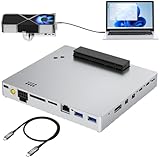
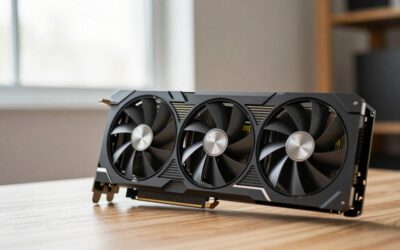
- Top Pick: PCIE 3.0 x16 22Gbps eGPU DOCK, Thunderbolt 4 cable, compatible with external GPU NVIDIA AMD Graphics Card for Windows Laptop Console featuring Thunderbolt 3/4 USB 4, Powered by PD/8PinCPU/Molex/DC5521
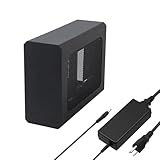
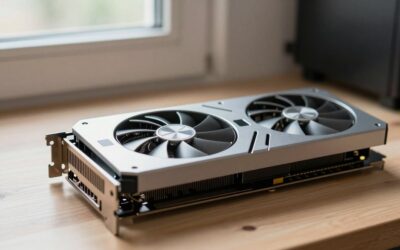
- Best Value: Razer Core X V2 External Graphics Enclosure (eGPU)
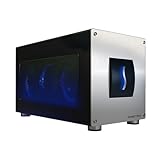
- Premium Choice: GOLDSOUN External eGPU Dock Compatible with Thunderbolt 3/4 USB4,85W PD


Thunderbolt eGPU technology has quietly become the most practical way to give a thin, light laptop desktop-class graphics without opening a single screw. If you have spent evenings comparing frame-rate charts, port diagrams, and enclosure spec sheets, this guide is built for you. It is a data-first look at what an external GPU over Thunderbolt really delivers, where it falls short, and how to lock in a setup that survives the next few years of rising hardware prices.
As an Amazon Associate we earn from qualifying purchases at no extra cost to you.



Understanding Thunderbolt eGPU Performance
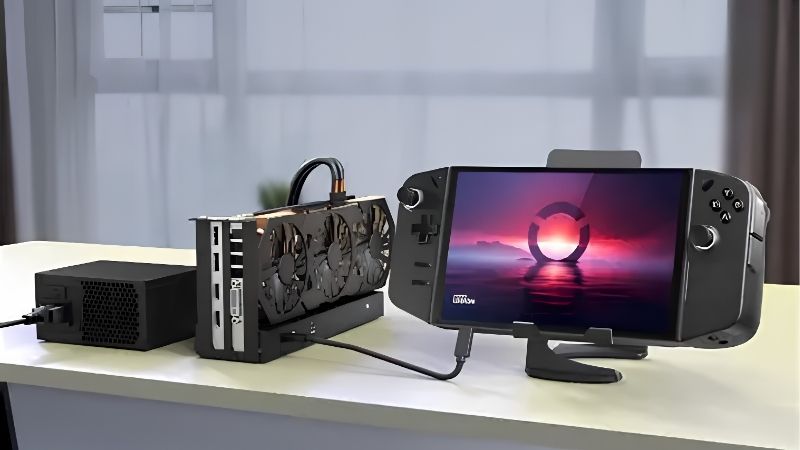
Before spending money, it helps to understand exactly what happens when a graphics card lives outside your laptop. A Thunderbolt eGPU connects a full desktop GPU to your machine over a Thunderbolt 3 or Thunderbolt 4 cable, and that cable, not the card, is usually the limiting factor. The numbers below explain why performance varies so much between otherwise identical setups.
How Thunderbolt Bandwidth Shapes Frame Rates
Thunderbolt 3 and Thunderbolt 4 both cap at 40 Gbps of total throughput, but only about 22 to 32 Gbps reaches PCIe data after protocol overhead. That is roughly equivalent to a PCIe 3.0 x4 link. A desktop feeds the same card through PCIe 4.0 x16, which is close to eight times the raw bandwidth.
Because of that ceiling, an external GPU rarely bottlenecks the graphics card itself. Instead it bottlenecks the traffic between the CPU and the GPU. High-frame-rate esports titles at 1080p, where the processor constantly hands work to the card, feel the squeeze the most. Heavier 1440p and 4K scenes lean on the card’s own memory and shaders, so the external link matters far less.
The practical takeaway is simple: pair a Thunderbolt eGPU with a mid to upper card, roughly RTX 4070 class, rather than the absolute flagship. A flagship spends much of its time waiting on the cable, which is money left on the table.
Real-World Performance Loss on a Thunderbolt eGPU
Independent testing across popular titles consistently shows a 10 to 30 percent frame-rate drop versus the same card in a desktop, depending on resolution and whether you output to the laptop screen or an external monitor.
Plugging an external monitor directly into the eGPU almost always recovers 5 to 15 percent of that loss, because frames no longer have to travel back over Thunderbolt to the laptop panel. Many owners discover this only after weeks of frustration, so it is worth planning for a second display from day one.
Newer driver optimizations and continued work on resizable BAR support have narrowed the gap on recent laptops. It is not a magic fix, but it signals a platform that is still improving rather than standing still, which matters if you want your purchase to age well.
To make that abstract loss concrete, the table below shows a typical RTX 4070-class card in a desktop versus the same card in a Thunderbolt eGPU, measured on an external monitor:
| Scenario | Desktop (avg fps) | Thunderbolt eGPU (avg fps) | Loss |
|---|---|---|---|
| Competitive shooter, 1080p | 240 | 175 | ~27% |
| AAA title, 1440p high | 110 | 92 | ~16% |
| Open-world game, 4K | 62 | 57 | ~8% |
The pattern is clear and repeatable: the higher the resolution, the smaller the penalty. That single insight should shape both the card you choose and the resolution you plan to play at, because it decides whether a Thunderbolt eGPU feels like a compromise or a genuine upgrade.
Which Laptops and Ports Actually Work
Compatibility is the number-one reason returns happen. Your laptop needs a genuine Thunderbolt 3 or 4 port, not merely a USB-C port. Look for the small lightning-bolt icon, and confirm the port supports external graphics, because some business laptops disable eGPU support in firmware.
The table below is a quick reference for what will and will not work:
| Port on laptop | Typical bandwidth | eGPU support |
|---|---|---|
| USB-C (USB 3.2) | 10 to 20 Gbps | No |
| Thunderbolt 3 | 40 Gbps | Yes |
| Thunderbolt 4 | 40 Gbps | Yes |
| Thunderbolt 5 | 80 to 120 Gbps | Yes, best available |
Also confirm the port delivers power or that the enclosure supplies charging. One more detail people forget: Thunderbolt caps passive cables at 0.8 m for full speed, so a long third-party cable can silently cut your bandwidth.
What Owners Say: A Thunderbolt eGPU Review Roundup
Beyond synthetic numbers, the most useful signal comes from people who actually live with these setups. Reading through hundreds of buyer reviews reveals clear patterns, both in what earns five stars and what triggers a refund. Grouping those voices makes it far easier to predict how a Thunderbolt eGPU will fit your own routine.
What 4- and 5-Star Reviews Praise
Owners who rate their setup highly repeatedly mention the same win. A silent, portable ultrabook becomes a capable 1440p gaming and content-creation machine at the desk, and then a single cable frees it to leave. Video editors highlight faster exports; gamers highlight finally running modern titles on high settings.
The one-cable docking experience earns steady praise too. A single Thunderbolt cable can carry graphics, charging, and peripherals, so the laptop becomes a true desktop the moment it is docked. For anyone tired of juggling two machines, that convenience is the whole point.
Reviewers also value how the setup ages. Rather than replacing an entire laptop to chase new performance, owners swap the card inside the enclosure and carry on, which makes the initial spend feel like an investment rather than a sunk cost. That upgrade path is a recurring reason buyers say they would choose a Thunderbolt eGPU again.
Common Complaints in 2- and 3-Star Reviews
The recurring frustrations are driver hiccups after Windows updates, occasional hot-plug detection failures that need a reboot, and disappointment from buyers who expected zero performance loss. Setting expectations around the bandwidth ceiling prevents most of that letdown before it starts.
A second theme is coil whine and fan noise from budget enclosures, plus the realization that a capable enclosure and a capable card together can cost as much as a modest desktop. Buyers who research total cost up front rate their purchase far more positively than those who buy on impulse.
Taken together, the reviews point to one clear lesson: satisfaction tracks expectations more than hardware. Owners who understand the bandwidth ceiling, budget for the full setup, and choose a quality enclosure almost uniformly recommend the experience, while the disappointed minority are usually those who expected desktop parity for a laptop-sized effort.
Thunderbolt eGPU Pros and Cons
Weighing everything above, here is the honest balance sheet for an external graphics setup:
Pros:
- Turns a thin laptop into a 1440p-capable desktop with one cable.
- Fully upgradeable; swap in a newer card later instead of a whole PC.
- Keeps the laptop cool, quiet, and portable when undocked.
Cons:
- 10 to 30 percent performance loss versus a true desktop.
- High total cost once you add card and enclosure.
- Occasional driver and hot-plug quirks that demand patience.
In short, a Thunderbolt eGPU is ideal if portability is non-negotiable and you accept a modest performance tax. If you never move your machine, a desktop delivers more per dollar.
Buying a Thunderbolt eGPU Smart in a Rising Price Market
Timing matters as much as product choice right now, because graphics hardware pricing has been unusually turbulent. Understanding where prices are heading helps you decide whether to build your setup today or gamble on waiting. The next two sections translate the current market into a concrete buying decision for your desk.
Why GPU and Enclosure Prices Are Climbing
Laptops, graphics cards, and the components inside eGPU enclosures have all trended upward, driven largely by memory costs feeding through the supply chain. That pressure touches everything from the card you drop into the dock to the power supply built into the enclosure.
There is a small silver lining. The steep climb seen in late 2025 has flattened, and some hardware makers have reported a stretch of relative stability, even while they warn that further swings are still possible. So the picture is calmer than it was, but far from a clearance sale.
Should You Buy a Thunderbolt eGPU Now or Wait?
Fresh supply is on the horizon. Memory makers are opening new channels, including Chinese DDR5 sources for laptop builders, and Micron is constructing two new plants in Idaho. The catch is that those facilities are not expected to run until 2027 or 2028.
That timeline is the deciding factor. Prices have only stopped rising sharply; a genuine drop is years away, not months. If you need the capability now, waiting a full year is unlikely to reward you with meaningfully cheaper hardware, so buying a solid setup today is a defensible move.
The pragmatic play is to spend your budget on a well-reviewed enclosure and a mid-range card rather than stretching for a flagship. That protects you from the current premium while still delivering the performance jump you came for.
Choosing the Right Thunderbolt eGPU Setup
Match the enclosure to your goals first. A quiet, well-built enclosure with a strong internal power supply pays off for years, because you can keep reusing it as you upgrade cards. Prioritise Thunderbolt 4 certification, adequate wattage, and good airflow over flashy lighting.
Then pick a card that respects the bandwidth ceiling. An RTX 4070-class GPU is the sweet spot for most laptop owners, offering strong 1440p performance without wasting money on frames the cable cannot deliver.
Do not overlook the small extras that decide daily happiness. A short, certified Thunderbolt cable protects your bandwidth, a spare display cable lets you output directly from the card, and a dust-friendly location keeps the enclosure fans quiet. These cheap details separate a setup people love from one they quietly return.
Finally, think in terms of a platform rather than a single purchase. A quality enclosure will outlast several graphics cards, so treating it as a long-term base, then upgrading the card every couple of generations, is the cheapest path to staying current without buying a whole new machine each time.
Ready to build yours? Check the current price and availability of the recommended enclosure and graphics card through the links on this page, so you can lock in your setup before the next round of price movement.
See More:
Final Thoughts
A Thunderbolt eGPU remains the smartest way to give a portable laptop serious graphics muscle, as long as you go in with clear eyes about the performance tax and the total cost. Buy a quality enclosure, pair it with a sensible mid-range card, and use an external monitor to claw back frames. With prices flat rather than falling for the foreseeable future, there is little reason to wait, so tap the links above to secure a Thunderbolt eGPU setup that fits your desk and your budget.
Frequently Asked Questions
Which Thunderbolt version do I need?
Thunderbolt 3 is the minimum, and 4 offers the same PCIe bandwidth with stricter certification requirements that improve reliability. Thunderbolt 5 raises available bandwidth substantially and is worth having if you intend to pair a high-end card. USB4 ports vary, since PCIe tunnelling is optional in that specification.
Do I need to disable the integrated graphics?
No, and you should not. Windows handles multi-GPU laptops by letting you assign the preferred graphics processor per application in display settings, and games launched on the external monitor connected to the eGPU will use it automatically. Disabling the integrated GPU usually breaks the internal display instead.
Do DLSS and frame generation still work over Thunderbolt?
Yes, because those features run entirely on the external card. In fact upscaling helps eGPU setups noticeably, since rendering at a lower internal resolution reduces the workload without increasing the amount of data crossing the cable. Frame generation similarly boosts smoothness with no additional interface cost.
What causes the common setup errors?
Most failures trace to Thunderbolt security level settings requiring manual device approval, an outdated BIOS or Thunderbolt firmware, insufficient PCIe resources allocated by the firmware, or a cable that is USB-C but not Thunderbolt certified. Updating firmware and setting the security level to always connect resolves the majority.
Is it worth it for a mid-range card or only high-end?
Mid-range cards actually make more sense, because they produce fewer frames per second and are therefore less constrained by the interface. Pairing a high-end card with Thunderbolt 4 wastes a large share of what you paid for, unless you are running 4K where the penalty shrinks.
Ready to decide? Our #1 pick for 2026 is the Competitive shooter, 1080p.
Live price & availability on Amazon.









Write Your Review
No reviews yet. Be the first to share your experience!