
⚡ Key Takeaways
- Two Kinds of GPU Lifespan
- Typical Lifespan by Usage and Tier
- Why Useful Life Usually Ends First
- What Shortens a GPU’s Life
- How to Make Your GPU Last Longer
- When Should You Upgrade?
- What to Do With an Old GPU
- VRAM: The Real Longevity Factor
- Do GPUs Slow Down Over Time?
- Top-Rated Picks
- Related Guides
- Frequently Asked Questions
- Conclusion
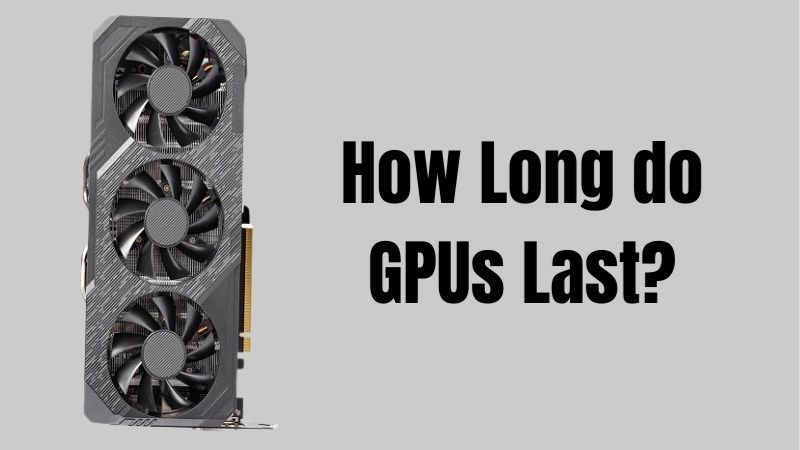
- When people ask how long a GPU lasts, they’re really asking about two different things.
- How long your card stays relevant depends heavily on the tier you buy and how demanding your standards are.
- For the vast majority of gamers, a graphics card becomes “too slow” long before it physically fails.
- Physical failure is usually caused by a handful of avoidable factors.
Before dropping hundreds or even thousands of dollars on a new graphics card, it’s natural to wonder: how long do gpus last? The answer matters because it shapes whether a card is a smart investment or a short-term stopgap. The good news is that graphics cards are remarkably durable pieces of hardware, and most outlast the games that make them obsolete. This guide separates physical lifespan from performance relevance, explains what shortens a GPU’s life, and shows how to make yours last as long as possible.
Quick answer: Our top pick in 2026 is the Budget (RTX 5060 class) — our #1 rated choice. See the full ranked comparison, alternatives and buying advice below.
Two Kinds of GPU Lifespan
When people ask how long a GPU lasts, they’re really asking about two different things. The first is physical lifespan, how long the hardware keeps working before it fails. The second is useful lifespan, how long the card stays powerful enough to play the games you want at acceptable settings. These rarely end at the same time, and understanding the difference is key.
- Physical lifespan: Often 7-10 years or more with proper care. Most cards die from heat, dust, or power issues long before the silicon wears out, and many never fail at all.
- Useful lifespan: Typically 4-6 years before a card feels slow for new AAA games at high settings, though it remains fine for lighter or older titles much longer.
Typical Lifespan by Usage and Tier
How long your card stays relevant depends heavily on the tier you buy and how demanding your standards are. The table below offers realistic expectations.
| GPU Tier | Stays Competitive | Still Usable |
|---|---|---|
| Budget (RTX 5060 class) | 2-3 years | 4-5 years |
| Mid-range (RTX 5070 class) | 3-5 years | 6-7 years |
| High-end (RTX 5080 class) | 4-6 years | 7-8 years |
| Flagship (RTX 5090 class) | 5-7 years | 8+ years |
Higher tiers and more VRAM extend useful life because they have headroom to absorb increasingly demanding games. This is one reason buying a tier up can be smart, as detailed in our guide to the best graphics cards compared.
Why Useful Life Usually Ends First
For the vast majority of gamers, a graphics card becomes “too slow” long before it physically fails. This is driven by the steady march of game requirements. As developers target newer hardware, recommended specs creep upward, demanding more raw performance and especially more VRAM. A card that handled everything at high settings on launch will, several years later, need reduced settings or upscaling to keep up. None of this means the card stopped working; it simply means the goalposts moved. Recognizing this is liberating, because it means a well-chosen card with headroom (particularly in VRAM) postpones that “too slow” moment by years compared to a bargain card bought with no margin.
What Shortens a GPU’s Life
Physical failure is usually caused by a handful of avoidable factors. Knowing them helps you protect your investment.
- Heat: The biggest enemy. Sustained high temperatures degrade components and dry out thermal paste over the years.
- Dust: Clogged heatsinks and fans trap heat, accelerating wear and raising temperatures.
- Poor power delivery: An undersized PSU, cheap cables, or a poorly seated connector can stress or damage the card.
- Aggressive overclocking: Running high voltage and clocks 24/7 adds stress, though moderate overclocks are generally fine.
- Constant maximum load: Cards run hard for years (mining, rendering) wear faster than gaming cards, though many survive anyway.
How to Make Your GPU Last Longer
A little maintenance dramatically extends both physical and useful lifespan. Follow these practices.
- Keep it cool: Ensure strong case airflow. Lower temperatures are the single biggest factor in longevity. Upgrading GPU cooler fans or adding an AIO GPU cooler helps on hot-running cards.
- Clean regularly: Remove dust from fans and heatsinks every few months with compressed air.
- Use proper power: A quality PSU with adequate wattage and a reliable GPU power supply cable protects the card from electrical stress.
- Consider undervolting: Reducing voltage lowers heat and stress with minimal performance loss, extending life.
- Keep drivers updated: Drivers don’t affect physical wear but keep performance optimized as games evolve.
When Should You Upgrade?
The right time to upgrade isn’t when your card breaks, it’s when it can no longer deliver the experience you want. Signs it’s time include consistently low frame rates in new games even after lowering settings, running out of VRAM (causing stutter and texture pop-in), or lacking modern features like current upscaling that newer titles increasingly rely on. If you can still hit your target frame rate at your resolution, there’s no rush, even if a card is several years old.
What to Do With an Old GPU
When you finally upgrade, your old card rarely needs to be thrown away. A still-functional GPU has plenty of second-life options that recoup value or extend its usefulness:
- Sell it: The used market is active, and a clean, well-maintained card fetches a fair price, offsetting your upgrade cost.
- Hand it down: A card that’s no longer fast enough for your 4K rig may be perfect for a family member’s 1080p system or a child’s first PC.
- Build a secondary PC: Old GPUs make great hearts for a media server, a retro gaming box, or a spare living-room machine.
- Keep it as a backup: A working spare GPU is invaluable for diagnosing problems if a future card fails.
A card you cared for over its life will be worth more and serve longer in its second home, which is yet another reason to keep it cool and clean.
VRAM: The Real Longevity Factor
If there’s one spec that determines how long a card stays useful, it’s VRAM. Raw core performance ages gracefully, but running out of memory causes immediate, unavoidable stutter that no settings tweak fully cures. A card with generous VRAM for its tier will stay playable years after a memory-starved card of similar core speed has become frustrating. This is why, when buying for longevity, prioritizing a card with ample VRAM, 12GB at a minimum for 1440p and 16GB or more for 4K, often does more for lifespan than chasing a slightly faster core with less memory.
Do GPUs Slow Down Over Time?
A common myth is that GPUs lose performance as they age. In reality, the silicon doesn’t slow down; a five-year-old card performs the same as it did new, assuming it’s kept cool and clean. What changes is the world around it: games get more demanding, raising the bar. If your card feels slower, it’s because new software expects more, not because the hardware degraded. The exception is a card running hot due to dust buildup or aged thermal paste, which can throttle, a fixable maintenance issue.
Top-Rated Picks

Save $55.00
Dropped $115.00

Editor's Pick
GIGABYTE GeForce RTX 3060 Gaming OC 12G (REV2.0) Graphics Card, 3X WINDFORCE Fans, 12GB 192-bit GDDR6, GV-N3060 Video Card
Dropped $9.12

Dropped $103.75

Save $14.78
Dropped $16.87

| Product | Brand | Rating | Reviews | Price |
|---|---|---|---|---|
| MSI GeForce RTX 3060 Ventus 2X 12G OC, Gaming Graphic… | — | ★ 4.7 | 4.5k | $635.00 |
| GIGABYTE GeForce RTX 3060 Gaming OC 12G (REV2.0) Grap… | — | ★ 4.7 | 3.2k | $479.00 |
| EVGA GeForce GTX 1060 3GB GAMING, ACX 2.0 (Single Fan… | EVGA | ★ 4.6 | 3.4k | $247.79 |
| MSI Gaming GeForce GTX 1660 Super 192-bit HDMI/DP 6GB… | — | ★ 4.7 | 2.2k | $232.60 |
| MSI GeForce RTX 4060 Ti Ventus 3X 8G OC (8GB GDDR6/PC… | — | ★ 4.7 | 1.3k | $998.00 |
Frequently Asked Questions
How many years does a graphics card typically last?
Physically, 7-10 years or more with good care. In terms of staying competitive for new games, expect 4-6 years for a mid-to-high-end card before you’ll want to lower settings or upgrade.
Do GPUs lose performance as they get older?
No. The hardware performs the same over time. Games simply become more demanding, which makes older cards feel slower by comparison.
What’s the most common cause of GPU failure?
Heat, often worsened by dust buildup. Keeping the card cool and clean is the best way to prevent premature failure.
Is it bad to run a GPU at 100% for long periods?
Sustained full load generates heat and adds wear, but a well-cooled card handles it fine for years. Good airflow and clean fans are what matter most.
Should I buy a more expensive card to make it last longer?
Often yes. Higher-tier cards with more VRAM stay competitive longer, which can make them better long-term value than repeatedly upgrading cheaper cards.
Conclusion
Graphics cards are durable, often lasting 7-10 years physically and staying competitive for 4-6 years or more depending on tier. The hardware doesn’t slow down; games just get more demanding. Keep your card cool, clean, and properly powered, consider undervolting, and you’ll maximize both its lifespan and its value. Upgrade when it can no longer deliver the experience you want, not simply because it’s gotten old.
Ready to decide? Our #1 pick for 2026 is the Budget (RTX 5060 class).
Live price & availability on Amazon.

Write Your Review
No reviews yet. Be the first to share your experience!