
- Top Pick: Thermal Paste CPU 1.8g with Toolkit for CPU GPU IC and Heatsinks
- Best Value: ARCTIC MX-6 (4 g, incl. 6 MX Cleaner) – Ultimate Performance Thermal Paste for CPU, Consoles, Graphics Cards, laptops, Very high Thermal Conductivity, Long Durability, Non-Conductive
- Premium Choice: Thermal Grizzly Kryonaut – 1 Gram – Extremely High Performance Thermal Paste + 12 Cleaning Wipes 6 Wet & 6 Dry – for Demanding Applications and Overclocking CPU/GPU/PS4/PS5/Xbox
Best CPU thermal paste pattern debates come down to spreading paste evenly across the heat spreader without air gaps or overflow. This guide explains which pattern suits your chip size and cooler, how much paste to use, and the top compounds to pair with your chosen application method for consistent, low temperatures.
As an Amazon Associate we earn from qualifying purchases at no extra cost to you.



As an Amazon Associate we earn from qualifying purchases at no extra cost to you.
By Ryan Cole A clean, even application matters more than the exact method.
How to Pick the Best CPU Thermal Paste Pattern
The best CPU thermal paste pattern is the one that spreads evenly under cooler pressure for your specific chip, since a small mainstream CPU and a large die behave differently. Match the pattern to the heat spreader shape and the paste viscosity and you avoid both dry corners and messy overflow. The goal is a thin, complete layer with no air gaps.
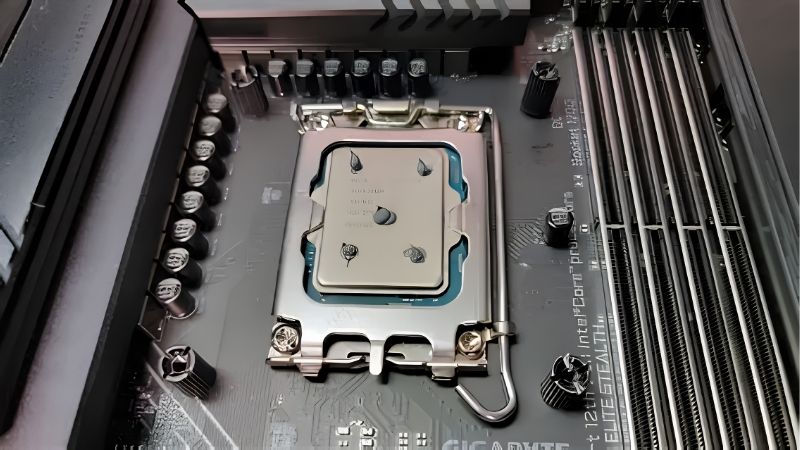
Match the Pattern to Chip Size
A small central dot or pea works well on typical mainstream desktop chips, spreading outward as the cooler clamps down. On larger or rectangular heat spreaders, a line or an X helps the paste reach the corners more reliably. Picture the paste flowing outward and pick the shape that reaches every edge.
Wider chips can leave dry edges with a single small dot, which is why a line or cross covers them better. Matching the pattern to the surface area is the simplest way to get even coverage without guesswork. When unsure, a slightly larger central blob is safer than too little.
Dot, Line, X, or Spread
The center dot is the most forgiving method and works for the majority of builds with minimal mess. A line or an X suits elongated spreaders, while manually spreading a thin layer gives control at the cost of trapping air if done unevenly.
Manual spreading can work well when done carefully with a clean tool, but it is easy to introduce bubbles. For most people, letting cooler pressure do the spreading from a dot or cross is the safer route. It also keeps your hands clean and avoids fibers from a spreading tool.
How Much Paste to Use
A pea-sized amount is the classic guideline and is enough for a standard CPU without squeezing out the sides. Too much paste can overflow onto the socket, while too little leaves gaps that raise temperatures. Aim to cover roughly the central two-thirds of the lid once it spreads.
Thicker, higher-viscosity pastes need slightly more deliberate placement since they spread less freely. Adjust the amount to the paste and chip rather than applying the same blob to everything. With practice you will judge the right size by eye within a couple of builds.
Paste Viscosity and Cooler Pressure
Thinner pastes spread easily under light pressure, making a simple dot effective. Thicker compounds benefit from a pattern that pre-distributes them, like an X, so the cooler does not have to move as much material. Warmer paste also flows a little easier, which helps thick compounds.
Cooler mounting pressure also matters, since a firm, even mount spreads paste better than an uneven one. Seat the cooler straight and tighten in a cross pattern for consistent contact across the lid. Uneven pressure is a common cause of higher-than-expected temperatures. Reseat the cooler evenly so pressure spreads the paste well.
Top Pastes to Match the Best CPU Thermal Paste Pattern
These compounds pair well with different application methods, and the best CPU thermal paste pattern works best with a paste whose viscosity suits it. Check price and availability at the time of reading, since paste stock and pricing shift over time.
| Paste | Consistency | Best Pattern |
|---|---|---|
| Arctic MX-4 | Easy-spread | Center dot |
| Arctic MX-6 | Medium | Dot or X |
| Noctua NT-H1 | Easy-spread | Center dot |
| Noctua NT-H2 | Medium | Dot or line |
| Thermal Grizzly Kryonaut | Thicker | X or spread |
| Corsair XTM50 | Medium | Dot or X |
Arctic MX-4
Its easy-spread consistency makes the simple center dot method reliable for most builds. It is forgiving for beginners and non-conductive, so small overflow is not a hazard. That safety margin makes it a stress-free choice for a first repaste.
Enthusiasts may want a higher-tier paste for extreme loads. For everyday installs with a dot pattern, it is a dependable and affordable choice. Its forgiving nature is why it is so often recommended to beginners.
Arctic MX-6
A slightly higher-performing formula that still spreads well, suiting a dot on small chips or an X on larger ones. It gives a bit more thermal headroom without changing your technique much.
It costs a touch more than the MX-4 for the upgrade. If you want extra margin on a warm chip, it is worth it. The application stays just as simple as the MX-4. For a small step up, it asks nothing extra of your technique.
Noctua NT-H1
A smooth, easy-spread paste that works cleanly with a center dot and is very forgiving to apply. It is a great match for first-time builders learning the pattern. It rewards a simple dot without any fuss.
It is not marketed as an extreme-overclocking compound. As a consistent, reliable everyday paste, though, it excels. A little goes a long way, so one tube covers many builds.
Noctua NT-H2
A step up with a slightly firmer consistency that suits a dot or a short line on standard chips. It offers strong, consistent performance with a clean application.
The firmer feel takes a moment to get used to. Once placed, it spreads evenly under a proper cooler mount. Its longevity also means you will not be repasting often.
Thermal Grizzly Kryonaut
A thicker, high-performance paste that benefits from an X pattern or careful spread to distribute it. It is favored for hard-loaded and overclocked chips chasing the lowest temperatures.
Its higher viscosity makes a plain small dot less ideal. Applied with an X, it delivers top-tier results on demanding builds. Plan to check it periodically if you push the chip hard for long stretches.
Corsair XTM50
A medium-consistency paste that pairs well with a dot or X and works nicely under AIO and air coolers. It is a dependable choice for a clean, even application.
It is not the cheapest tube available. For reliable coverage with a familiar brand, it is a strong option. It works equally well under a chunky air tower or an AIO cold plate. It also plays nicely with both AMD and Intel heat spreaders.
Frequently Asked Questions
Quick answers about choosing the best CPU thermal paste pattern for your build.
What is the best CPU thermal paste pattern for beginners?
A small center dot is the most forgiving pattern, since cooler pressure spreads it evenly with little mess. It works for the majority of mainstream desktop chips. It is the method most guides recommend, for good reason.
Should I ever spread paste manually?
You can, using a clean tool for a thin, even layer, but it risks trapping air bubbles if done unevenly. For most people, a dot or X under cooler pressure is safer.
Does the pattern change for larger CPUs?
Yes, larger or rectangular heat spreaders benefit from a line or X to reach the corners. A single small dot can leave dry edges on a big chip.
How much paste is too much?
If paste squeezes out around the edges onto the socket, you used too much. A pea-sized amount is the safe guideline for a standard CPU. When in doubt, err slightly under rather than over.
See More:
- Best micro ATX motherboard AM4
- Best CPU for B550 motherboard
- Best motherboard for Ryzen 7 5800X
- Best mATX AM5 motherboard
- What is the best capture card
Final Thoughts
The best CPU thermal paste pattern depends on your chip size, paste viscosity, and cooler pressure, but a center dot handles most builds while an X suits larger spreaders. Use a pea-sized amount, mount the cooler evenly, and pick a paste whose consistency matches your method. Match the pattern to the chip, and check current pricing before you buy. Get the pattern and paste right together and your temperatures stay consistent for the long haul.









Write Your Review
No reviews yet. Be the first to share your experience!