
- Top Pick: OnePro Cloud Handheld Portable Remote Play Gaming Console, For Xbox Cloud Gaming, NVIDIA GeForce NOW, Playstation, PC, Long-Battery Life, 7" 1080P Touchscreen, Lightweight Retro Game Handheld – 64G
- Best Value: Nvidia GeForce GTX 1070 Founders Edition (Renewed)
- Premium Choice: NVIDIA GeForce RTX 3070 8GB GDDR6 PCI Express 4.0 Graphics Card – Dark Platinum and Black
NVIDIA cloud gaming promises something remarkable: playing demanding PC games on almost any device, from an aging laptop to a phone or a TV, without owning a powerful gaming rig. Delivered through the GeForce NOW service, it streams games from NVIDIA’s servers straight to your screen, shifting the heavy lifting to the cloud. This guide explains how NVIDIA cloud gaming works, whether it is actually worth it, who benefits most, and how to get the best experience, so you can decide if streaming is the right way for you to play.
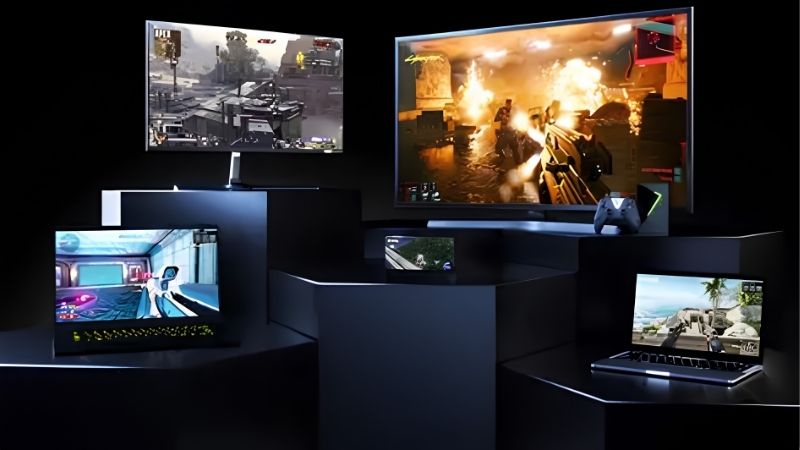
What Is NVIDIA Cloud Gaming?
Before deciding whether it suits you, it helps to understand what NVIDIA cloud gaming actually is. Rather than running games on your own hardware, it runs them on powerful remote servers and streams the result to you in real time. Grasping this fundamental model makes everything about the service, from its requirements to its strengths, much clearer.
How GeForce NOW Cloud Gaming Works
NVIDIA’s cloud gaming service, GeForce NOW, runs your games on servers equipped with powerful NVIDIA graphics hardware, then streams the video to your device while sending your inputs back to the server. When your connection is strong, the experience feels close to playing on a high-end local PC despite your own device being modest.
Because the demanding work happens in the cloud, your device only needs to display a video stream and send controls, which is why phones, older laptops, and smart TVs can all run games that would normally require expensive hardware. The trade-off is that a fast, stable internet connection becomes the single most important requirement, replacing the need for a powerful local graphics card.
You also do not download massive game installs, since the games live on the servers. You simply connect, launch a supported game you own, and start playing almost immediately, which is a fundamentally different and often more convenient experience than traditional local gaming for those with limited hardware or storage.
Membership Tiers and Pricing
NVIDIA cloud gaming offers a free tier alongside paid memberships, giving you a genuine way to try it without spending anything. The free option typically includes session length limits and standard access, which is enough to experience how cloud gaming feels on your setup before committing.
Paid tiers unlock longer sessions, priority access to servers, higher resolutions and frame rates, and features like ray tracing on the most powerful hardware. The top tier streams from server-class GPUs that rival an expensive gaming PC, delivering premium performance for a recurring fee rather than a large upfront hardware purchase, which reshapes the cost of high-end gaming.
This subscription model changes the economics of gaming in an interesting way. Instead of spending a large sum on a graphics card that ages over time, you pay a smaller recurring fee for access to constantly maintained hardware. For some players that ongoing cost is a downside, while for others it is far more accessible than a big upfront outlay, so which model suits you depends on how much and how long you play.
What You Need to Play
The most important requirement is a good internet connection, since streaming quality depends entirely on it. A stable wired link or a strong 5GHz Wi-Fi signal with reasonable speed and low latency is what separates a smooth session from a frustrating, laggy one.
Beyond that, the device requirements are minimal: a supported PC, Mac, phone, tablet, TV, or Shield device, plus the games you already own on supported stores. Because your local hardware matters so little, NVIDIA cloud gaming is especially appealing for anyone with a weaker device, provided their network can keep up with the demands of streaming.
It is worth testing your connection honestly before relying on the service. A quick speed and latency check, ideally on the exact device and network you plan to use, tells you far more than any general recommendation. Because the whole experience rests on that connection, a few minutes confirming your network is up to the task saves you from disappointment and helps you set realistic expectations for how smooth your sessions will be.
Is NVIDIA Cloud Gaming Worth It?
The central question for most people is whether cloud gaming delivers enough to be worthwhile compared with owning hardware. The answer depends on your situation, your connection, and how you play, so weighing the experience and the trade-offs honestly is the way to decide.
The Experience Compared to Local Gaming
With a strong connection, NVIDIA cloud gaming can feel remarkably close to local play, delivering high-quality visuals and smooth frame rates on hardware that could never achieve them natively. For many games and players, the experience is genuinely excellent and hard to distinguish from a capable local PC.
The honest caveat is that streaming introduces a small amount of latency compared with local hardware, which most players do not notice in single-player and casual games but which competitive players in fast titles may feel. Your connection quality also directly shapes the experience, so the same service can feel superb on a great network and disappointing on a poor one, making local play more consistent for those with unreliable internet.
This variability is the single most important thing to understand about cloud gaming versus owning hardware. A local PC delivers the same performance every time regardless of your internet, whereas cloud gaming’s quality rises and falls with your connection. If your network is consistently strong, this is rarely an issue, but if it fluctuates, you may find the experience less predictable than you would like, which is a genuine trade-off to weigh.
Who Benefits Most from Cloud Gaming
NVIDIA cloud gaming is ideal for people who lack a powerful gaming PC but want to play demanding games, those who game across multiple devices, and anyone who prefers avoiding large downloads and expensive hardware upgrades. For these players, the service unlocks experiences that would otherwise be out of reach.
It is less compelling for those who already own high-end gaming hardware, competitive players sensitive to every millisecond of latency, or anyone with an unreliable internet connection. Recognizing which group you fall into makes the value question much easier to answer, since the service shines brightest for those without capable local hardware and a solid network.
Travelers and multi-device gamers are another group that benefits notably, since the same library and progress follow them across a laptop, phone, or TV without reinstalling anything. For someone who wants to pick up a game on whatever screen is nearby, that flexibility is a real convenience that owning a single powerful PC cannot easily match, adding another dimension to the value beyond raw hardware savings.
Pros and Cons of NVIDIA Cloud Gaming
Weighing the trade-offs directly clarifies the decision. On the plus side, cloud gaming lets modest devices play demanding games, avoids huge downloads and storage use, requires no expensive hardware, offers a genuine free tier to try, and lets you play across many devices. For the right person, that is a compelling package.
On the downside, everything depends on your internet, so a weak or unstable connection undermines the whole experience, streaming adds a little latency compared with local play, and the library is limited to supported games you own on compatible stores. For players with strong connections and supported libraries, the pros usually win out, but the network dependence is the deciding factor to weigh carefully.
Getting the Best from NVIDIA Cloud Gaming
Since the experience hinges on your connection, a little optimization makes a big difference, and knowing the common fixes keeps your sessions smooth. These final tips help you get the most from the service once you start playing.
Optimizing Your Connection
For the best results, use a wired Ethernet connection where possible, or a strong 5GHz Wi-Fi signal if you must go wireless, and keep other heavy network activity to a minimum while playing. A stable, low-latency connection matters far more than raw peak speed for smooth cloud gaming.
Within the app, matching your streaming quality settings to what your connection can sustain prevents stuttering, since pushing higher resolutions than your network can handle causes problems. Starting with recommended settings and adjusting based on how the stream feels is the reliable way to find the best balance of quality and smoothness for your particular setup.
Troubleshooting Common Issues
If you experience lag or quality drops, the connection is almost always the cause, so testing your network, switching to a wired link, or moving closer to your router usually helps. Closing background applications and pausing downloads on your device and network also frees up bandwidth for a cleaner stream.
For sign-in or game-availability problems, confirming your accounts are linked correctly and that the title is supported resolves most cases. When a session behaves oddly, simply reconnecting often clears temporary hiccups, and keeping the app updated ensures you have the latest fixes and broadest compatibility.
Frequently Asked Questions About NVIDIA Cloud Gaming
These quick answers resolve the questions that most often come up about NVIDIA cloud gaming.
Do I need a powerful PC? No. That is the whole point, since the games run on NVIDIA’s servers, so a modest device with a good internet connection is enough.
Is there a free option? Yes. A free membership tier lets you try cloud gaming without payment, with paid tiers available for longer sessions and higher quality.
See More:
- NVIDIA
- NVIDIA DeepStream
- NVIDIA GPU driver update
- NVIDIA GeForce NOW download
- NVIDIA RTX A2000 12GB driver
Final Thoughts on NVIDIA Cloud Gaming
NVIDIA cloud gaming, delivered through GeForce NOW, genuinely changes what is possible, letting you play demanding PC games on almost any device by shifting the hard work to powerful servers. Whether it is worth it comes down to your internet connection and whether you already own capable hardware, since the service shines for those without a gaming PC but a solid network. Test your connection, try the free tier, and judge the experience for yourself before committing to a paid plan. With a genuine free tier to try and paid options for more power, NVIDIA cloud gaming is well worth exploring for anyone who wants high-end gaming without the high-end hardware, as long as your internet connection is genuinely up to the task.
As an Amazon Associate we earn from qualifying purchases at no extra cost to you.















Write Your Review
No reviews yet. Be the first to share your experience!