
NVIDIA graphics cards span a huge range in 2026, from affordable 1080p performers to 32GB flagships, and picking the right one is less about the brand than about matching a specific card to your resolution, your budget and your games. Buy too little and you compromise on frames or VRAM; buy too much and you waste money on power you will never use. This buyer-focused review breaks down how the NVIDIA graphics cards lineup is structured, which tier fits which player, what to check before you buy, and how today’s pricing should shape your timing, so you end up with exactly the right card rather than the most expensive one you can afford.
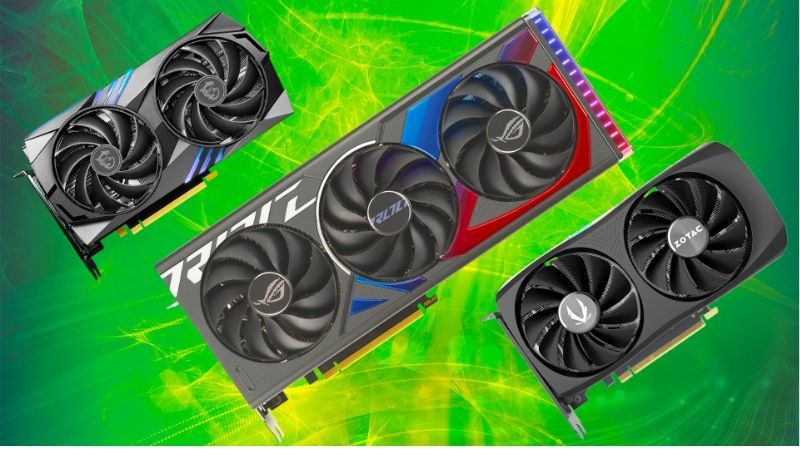
Understanding the NVIDIA Graphics Cards Range
The RTX 50 lineup follows a clear logic once you see it, with each step up the ladder buying more cores, more memory and a higher resolution ceiling. Understanding how the range is structured, which specs actually separate the cards, and how DLSS 4 factors in is the foundation for a smart purchase, so this section maps it out.
As an Amazon Associate we earn from qualifying purchases at no extra cost to you.


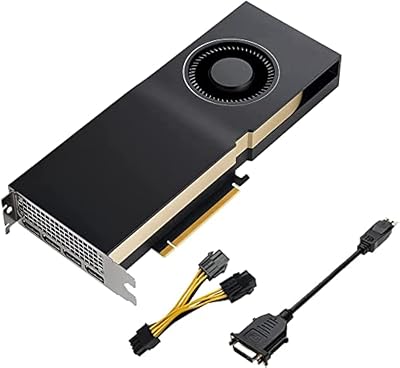


How the Lineup Is Structured
NVIDIA graphics cards are tiered by number, and the pattern is intuitive: higher numbers mean more performance and a higher price. The entry RTX 5060 targets 1080p, the RTX 5070 and 5070 Ti aim at 1440p, and the RTX 5080 and 5090 are built for 4K and beyond.
Each tier corresponds roughly to a resolution and a budget, which is the most useful way to think about the range. Rather than chasing the biggest card, you match the tier to the screen you actually game on and the frame rates you want.
This structure makes shopping simpler than it first appears, because once you know your target resolution, the field narrows to just one or two sensible cards.
There are also two variants worth noting within tiers. Some cards, like the RTX 5060 Ti, come in different memory capacities that perform very differently, so the exact model name matters as much as the tier number. Always confirm the VRAM of the specific card you are buying, not just its family.
The Key Specs That Separate Cards
Three specs do most of the work in distinguishing NVIDIA graphics cards. VRAM sets how much detail and how high a resolution a card can handle without stutter, ranging from 8GB on the entry cards to 32GB on the flagship. Core count and generation determine raw speed, and board power reflects both performance and the demands the card places on your system.
Of these, VRAM is the one buyers most often get wrong. The 8GB and 12GB buffers on the cheaper cards are fine at their target resolutions but become limiting if you push beyond them, which is why matching the card to your resolution matters so much.
Read a card by these three numbers together, and its real place in the range becomes obvious regardless of marketing.
DLSS 4 Across the Range
Every RTX 50 card shares the DLSS 4 feature set, which is a major part of the value across the entire lineup. The transformer-based upscaling model reconstructs a lower internal resolution into a clean image, and Multi Frame Generation multiplies frame rates in supported games.
This matters most for the cheaper cards, because DLSS 4 lets a mid-tier or entry card hit frame-rate targets its raw silicon could not reach alone. In effect, the feature set narrows the practical gap between tiers, giving even affordable NVIDIA graphics cards genuinely modern capability.
Multi Frame Generation, the headline addition exclusive to this generation, is a big reason to favor a current card over an older bargain. It can transform the smoothness of supported games, and it is simply unavailable on previous-generation hardware, so a slightly cheaper last-gen card gives up a feature that meaningfully affects the experience.
It is also why buying current-generation makes sense over an older bargain: the newest DLSS features are tied to this hardware.
NVIDIA Graphics Cards Review: Which Tier Fits You
With the structure clear, the practical question is which tier suits your setup. This section reviews the entry, mid-range and high-end cards by the players they serve best, so you can see yourself in one of them and shortlist with confidence.
Entry Cards for 1080p Gaming
The RTX 5060 is the entry point, and for 1080p gaming it is a capable performer, driving high frame rates in most modern titles, especially with DLSS 4 enabled. For esports and mainstream games at 1080p, it delivers a smooth experience at the lowest price in the lineup.
Its limitation is the 8GB of VRAM, which is comfortable at 1080p but leaves little room to push into 1440p or heavy ray tracing. Treat it as exactly what it is, a strong 1080p card, and it represents good value for that job.
For a first gaming PC or a budget esports build, this is often the smartest place to spend, since it delivers a genuinely good experience without inflating the cost of the rest of the system. Pair it with a fast 1080p monitor and it feels excellent.
Mid-Range Cards for 1440p
The RTX 5070 and 5070 Ti are the sweet spot for the largest group of gamers, those playing at 1440p. They pair strong performance with enough VRAM, 12GB on the 5070 and 16GB on the 5070 Ti, to run high settings comfortably, and DLSS 4 pushes them into high-refresh territory.
Between the two, the 5070 Ti’s 16GB gives it more longevity, making it the smarter pick for anyone planning to keep a card several years. For most 1440p players, this mid-range tier offers the best balance of price, performance and features in the whole range.
This is also the tier where DLSS 4 pays off most visibly, turning a solid native 1440p experience into a high-refresh one in supported titles. For the majority of gamers who sit at 1440p, one of these two cards is very likely the right answer.
High-End Cards for 4K, and Pros and Cons
The RTX 5080 and 5090 are the 4K cards. The 5080’s 16GB of GDDR7 drives high-refresh 4K comfortably with DLSS 4, while the 5090’s 32GB and massive core count make it the only card that rarely needs help at 4K, doubling as a serious creator and AI machine.
The pros of the high-end tier are obvious: uncompromised 4K, generous VRAM and top-tier features. The cons are equally clear: high prices, heavy power draw, and large physical size that demands a capable PSU and roomy case. These cards reward buyers who genuinely game at 4K and waste money for those who do not.
The honest guidance is to buy the tier your resolution needs, not the most powerful card you can stretch to afford.
Buying NVIDIA Graphics Cards in 2026
Choosing the right tier is most of the battle, but a few practical checks and an eye on pricing complete a smart purchase. This section covers how to match a card to your full system, how today’s prices should shape your timing, and the common mistakes to avoid.
Matching a Card to Your Needs
Start from your monitor and work backward. A 1080p screen is well served by the RTX 5060, a 1440p display by the 5070 or 5070 Ti, and a 4K panel by the 5080 or 5090. Buying a flagship for a 1080p screen wastes money that would be better spent on a better monitor or the rest of the build.
Then confirm the practical fit. Check that your power supply meets the card’s wattage with headroom and has the correct connector, and that your case has the length and airflow for the card you choose. On an older platform, an aging CPU can bottleneck a powerful GPU, which often makes a mid-tier card the wiser buy.
Prices and When to Buy
Timing matters, so it helps to know the market. The steep GPU price climb of late 2025 has cooled, and cards are no longer spiking week to week. Some hardware makers, Framework among them, have reported a stretch of relative stability, while cautioning that conditions can still swing. The panic-buying window has passed, but a real discount is not around the corner.
The relief that would push prices down further is still out on the horizon. New memory supply is opening up, with OEMs able to source DDR5 from Chinese suppliers such as CXMT, and Micron building two new fabs in Idaho, but those plants are not expected to run until 2027 to 2028. Prices have flattened rather than fallen, so meaningful relief remains a year or two away.
For a buyer, that means waiting rarely pays unless you can hold out well into 2027. If you need a card now, buying at today’s flattened prices is reasonable, and putting your money toward the right tier with adequate VRAM protects you better than chasing the cheapest option. Always check the current price before committing, since these cards move constantly.
Pros, Cons, and Common Mistakes
The pros of NVIDIA graphics cards are the strong performance, the full DLSS 4 stack, mature drivers and excellent resale value. The cons are the price premium over rivals and the thin VRAM on the cheapest cards. The most common buying mistake is overspending on a high tier for a low-resolution screen, closely followed by underspending on VRAM and regretting it a year later.
Avoid both by anchoring every decision to your resolution and your realistic upgrade horizon, and the range stops being overwhelming and starts being straightforward.
A useful final sanity check is to picture your setup two years out. If a card will still comfortably drive the games and resolution you expect to play then, it is the right buy; if its VRAM or power already looks marginal today, step up one tier rather than regret it later.
See More:
Final Verdict: Which NVIDIA Graphics Card Should You Buy?
Choosing among NVIDIA graphics cards comes down to a single principle: match the tier to your resolution and budget. The RTX 5060 is the 1080p value pick, the 5070 and 5070 Ti are the 1440p sweet spot for most players, and the 5080 and 5090 are the 4K and creator flagships. Every card shares the DLSS 4 feature set, which keeps even the affordable options genuinely capable.
Anchor your decision to your monitor, confirm your power supply and case can handle your pick, and prioritize enough VRAM for the years ahead. With prices flattened but not falling until 2027 or later, there is little reason to wait if you are ready to upgrade. Check the latest prices through the links in this review and choose the NVIDIA graphics card that fits your setup and budget before pricing shifts again.
Frequently Asked Questions
Which NVIDIA card should I buy on a limited budget?
Around the entry level the RTX 5050 and 4060 cover 1080p at high settings with low power draw and no special power supply requirements. Stretching to the 16GB 5060 Ti is the single most worthwhile upgrade step because of the doubled framebuffer.
How do I check a card will fit my case?
Compare the card’s length, height, and slot thickness against your case specification for maximum GPU clearance, then subtract roughly 35mm for cable bend radius at the power connector. Height matters in small cases where the card can collide with a side panel or fan.
What connectors do current cards use?
Mid-range models still use one or two standard 8-pin PCIe connectors. Higher tier cards including the 5080 and 5090 use the 12V-2×6 connector, which supersedes the earlier 12VHPWR design with revised sense pins and requires full insertion until it audibly clicks.
Is it safe to buy a used graphics card?
It can be, provided you can test it before purchase. Run a sustained load for twenty minutes while watching temperatures and clock behaviour, check for artefacts, and confirm all display outputs work. Avoid cards with a repasted or visibly disassembled cooler unless heavily discounted.
How often should I upgrade?
Most gamers get four to six good years from a mid-range card. The practical trigger is usually running out of VRAM or losing driver feature support rather than raw shader performance, so buying more memory capacity than you currently need extends the useful life considerably.










Write Your Review
No reviews yet. Be the first to share your experience!