
- Top Pick: NVIDIA RTX PRO 4000 SFF Blackwell 24GB GDDR7 ECC – PCIe 5.0×8, 4X mDP 2.1b, Low-Profile Dual-Slot AI Workstation GPU Retail
- Best Value: NVIDIA RTX PRO 4000 Blackwell Graphics Card – 24GB GDDR7 ECC Memory, PCIe 5.0 x16, 4X DisplayPort 2.1b, Single Slot Full Height AI Workstation GPU, Retail Packaging
- Premium Choice: NVIDIA RTX PRO 5000 Blackwell Graphics Card – 48GB GDDR7 ECC Memory, PCIe 5.0 x16, 4X DisplayPort 2.1b, Dual Slot Full Height AI Workstation GPU, Retail Packaging


The NVIDIA workstation GPU is built for a different job than a gaming card, and if your work involves CAD, 3D rendering, video production, or AI, choosing the right one directly affects your productivity and stability. These professional cards trade flashy gaming extras for certified drivers, error-correcting memory, and large VRAM pools that keep demanding projects running reliably. But which one is right for your workload, and is a workstation card even worth the premium over a consumer GeForce? In this review we break down what sets these GPUs apart, recommend specific models by use case, weigh the honest pros and cons with real pro feedback, and explain how NVIDIA’s AI momentum and rising prices should shape your decision in 2026.
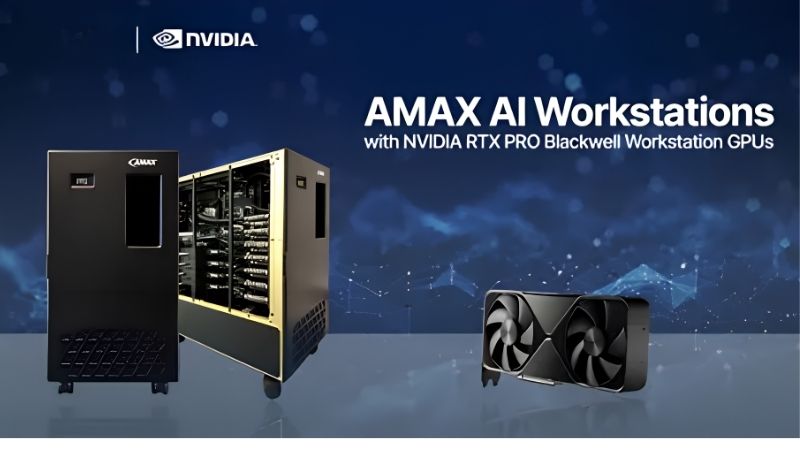
What Makes an NVIDIA Workstation GPU Different
On paper a workstation card and a gaming card can look similar, but the differences matter enormously for professionals. Certified drivers, memory integrity, and reliability under sustained load are the reasons studios and engineers pay more. Here is what actually separates an NVIDIA workstation GPU from its gaming cousin.
As an Amazon Associate we earn from qualifying purchases at no extra cost to you.







Certified Drivers and Professional Reliability
The biggest difference is software validation. NVIDIA’s workstation cards use drivers certified against professional applications like CAD, simulation, and content-creation suites, which means fewer crashes and visual errors in the tools you rely on.
For a professional, that certification is not a luxury but a safeguard. A gaming driver may run these apps, but a certified workstation driver is tested to behave correctly in them, reducing the risk of a costly glitch mid-project.
Independent software vendors work directly with NVIDIA to validate these drivers, which is why professional support teams often require a certified card before they will help with an issue. If your livelihood depends on a specific application, that officially supported path can save hours of downtime.
Reliability under long, sustained workloads is the other half of the story, since these cards are engineered to run at full load for hours or days without faltering.
ECC Memory, VRAM, and Pro Features
Many workstation GPUs include error-correcting code memory, which detects and fixes memory errors on the fly. In fields like scientific computing or simulation, a single flipped bit can ruin a result, so ECC is a genuine advantage.
Just as important is sheer VRAM capacity. Professional cards can carry far more memory than gaming GPUs, with top models reaching well beyond consumer limits, which lets you load massive datasets, complex scenes, or large AI models that simply will not fit on a GeForce card.
These cards also often use compact, blower-style coolers designed for multi-GPU workstations, prioritizing consistent airflow over gaming aesthetics.
That compact, front-to-back cooling is deliberate, since it lets several cards sit side by side in a workstation without starving each other of air. It is a small detail that reveals the design priority: predictable behavior in a professional chassis over the flashy triple-fan coolers of gaming cards.
Who Actually Needs a Workstation GPU
You need one if your work depends on certified application stability, huge VRAM, or ECC memory, such as engineering, architecture, medical imaging, or serious AI development. In these fields the reliability pays for itself.
You probably do not need one if you are a gamer or a hobbyist creator, where a high-end GeForce card offers more performance per dollar. The honest test is whether certification, ECC, and extreme VRAM matter to your workflow, or whether you are paying for assurances you will never use.
A practical way to decide is to list the applications you use daily and check whether they appear on NVIDIA’s certified list, and whether your projects ever exceed the memory of a consumer card. If neither is true, a high-end GeForce will likely serve you better for less.
The Best NVIDIA Workstation GPUs by Use Case
The right workstation card depends entirely on your work, so rather than crown a single winner, here are strong picks across three tiers. Each targets a different professional need, from lighter design work to heavy AI and rendering. Match your workload to the tier that fits.
Best for Entry and Mid-Range Professional Work
For designers, architects, and video editors who need certified stability without a huge budget, a mid-tier RTX Ada-generation workstation card hits the sweet spot. It delivers ample VRAM and certified drivers for mainstream professional apps.
These cards are efficient and often fit standard workstations easily, making them a practical upgrade from a consumer GPU for a small studio or freelancer. If this tier fits your work, check current workstation GPU prices on Amazon to compare models.
Best for High-End Rendering and Simulation
For heavy 3D rendering, complex simulation, or high-resolution video, a high-end workstation card with large VRAM and many cores is worth the investment. The extra memory and compute slash render and iteration times.
Professionals in these fields know that waiting on renders is lost billable time, so the productivity gain justifies the premium. These cards also handle multiple demanding applications at once without strain, which matters in a busy pipeline.
The time savings compound quickly in professional work. Faster renders mean more iterations per day, which improves the final result as well as your throughput, and for a studio billing by the project, that efficiency turns the card’s price into a straightforward investment rather than a cost.
Best for AI and Heavy Compute
For AI development, training, and large-model work, the top workstation cards with the largest VRAM pools are the consumer-accessible answer, letting you load models far beyond what gaming cards allow.
This is where NVIDIA’s ecosystem is decisive, since the CUDA platform, Tensor cores, and libraries like TensorRT are the industry standard for AI. Buying into a workstation card here means buying into the software stack the entire field is built around, which protects your investment as tools evolve.
Because AI frameworks are updated constantly, buying into NVIDIA’s ecosystem also means your card keeps gaining capability as the software improves. That forward momentum is a genuine reason professionals lean toward these cards rather than piecing together an unsupported alternative.
Real-World Fit, Pros and Cons, and Buyer Feedback
Specs only tell part of the story, so it helps to weigh practical fit and what professionals actually report. Drawing on the pattern of pro feedback and the realities of installing these cards, here is the honest picture, including clear pros and cons.
Power, Cooling, and Certified-App Fit
Workstation cards are generally efficient for their capability, and many draw less power than comparable gaming flagships, which suits professional systems built for stability over spectacle. Their blower coolers are designed for consistent airflow in enclosed or multi-GPU setups.
Still, confirm your workstation’s power supply, physical clearance, and slot layout before buying, especially for multi-GPU plans. Also verify that your key applications are on NVIDIA’s certified list, since that validation is a core reason to choose one of these cards in the first place.
Pros and Cons vs a Consumer GeForce Card
Here is the balanced view before you spend:
| Pros | Cons |
|---|---|
| Certified drivers for pro apps | Higher price than GeForce |
| ECC memory and huge VRAM | Lower raw gaming performance per dollar |
| Reliability under sustained load | Overkill for hobbyists and gamers |
The takeaway is clear: pay the premium for certification, ECC, and VRAM if your work demands them, but choose a GeForce card if raw performance per dollar is what you actually need.
It is worth stressing that this is not about one card being better than the other, but about fit. A gaming flagship and a workstation card are tuned for different goals, and the right question is always which set of strengths matches the work you actually do day to day.
What Pro Users Report
In the positive pattern, professionals praise the rock-solid stability in certified applications and the ability to handle huge scenes, datasets, and AI models without memory errors or crashes. Many say the reliability alone justifies the cost for client work.
The critical pattern centers on price and gaming value. Some buyers feel the cards are expensive for their raw performance, and a few note they are poor value for anyone who does not need certification or extreme VRAM. That feedback reinforces the golden rule: buy a workstation GPU for the professional features, not for framerates.
Many seasoned professionals also mention support as a hidden benefit, noting that certified hardware makes it far easier to get help from software vendors when something goes wrong. For a business, that reduced risk and clearer support path can matter as much as the raw specifications.
What NVIDIA’s AI News and Prices Mean for Pros
Workstation buyers sit at the center of the AI boom, so market conditions matter to your timing and budget. Two recent developments should shape when and how you buy an NVIDIA workstation GPU this year.
The H200 Decision and Surging AI Demand
The United States has cleared NVIDIA to sell its powerful H200 AI chip to China, underscoring just how central NVIDIA has become to global AI. That is a data-center part, not a workstation card, but the signal matters.
Sustained, enormous AI demand keeps NVIDIA’s entire ecosystem, including workstation and professional cards, at the heart of the industry. For a pro investing in a CUDA-based workstation GPU, that dominance protects the long-term relevance and support of your purchase.
Rising Prices and the Case for Buying Sooner
Component prices have trended upward, driven by a memory shortage that has not fully cleared. Because workstation cards rely on large, high-quality memory, this pressure hits them directly, and the cautious good news is only that prices have stopped climbing as steeply and seen a period of relative stability.
Hardware makers still warn of volatility. If a workstation GPU is a productivity tool that will pay for itself, delaying a needed purchase to chase a price drop is a risky bet against a market that remains tight.
When Real Relief Might Arrive
There is a longer-term path to lower prices, as new memory supply is coming from Chinese makers and new Micron fabs in Idaho. That added capacity should eventually ease the market.
The catch is timing, since those plants are not expected to run until 2027 or 2028. For a professional with projects and deadlines now, waiting years for uncertain savings rarely makes sense; buying the right tool today usually does.
See More:
- Radeon drivers
- What is NVIDIA CUDA Toolkit
- 4080 Super vs 5060 Ti
- NVIDIA PhysX
- NVIDIA Game Ready Driver
Conclusion
An NVIDIA workstation GPU is the right choice when your work demands certified drivers, ECC memory, and large VRAM, offering reliability that a gaming card cannot guarantee, though it costs more and is overkill for pure gaming. Match the tier to your workload, confirm your applications are certified, and plan your power and cooling accordingly. With AI demand keeping NVIDIA’s ecosystem dominant and prices only stabilizing rather than falling, there is little reason to delay a purchase that will pay for itself. If a professional card fits your work, compare today’s prices to secure the right NVIDIA workstation GPU before the market shifts again.
Frequently Asked Questions
What actually separates a workstation GPU from a GeForce card?
The silicon is often related, but workstation cards add ECC memory, much larger VRAM pools, certified drivers validated by software vendors like Autodesk, Dassault and Adobe, longer product availability, and blower or passive coolers designed for multi-card and rack use. You are paying for validation and reliability more than raw gaming speed.
How much VRAM do I need for AI and rendering work?
For GPU rendering in Blender Cycles or V-Ray, your entire scene must fit in VRAM, so 24GB is a practical floor for complex assets. For local large language model work, 48GB lets you run substantially bigger models unquantized, and 96GB class cards handle fine tuning that consumer boards simply cannot.
Can I just use an RTX 5090 instead and save money?
Often yes. A 5090 with 32GB delivers outstanding rendering and inference throughput per dollar. You lose ECC, ISV certification, and multi-GPU density options, and some enterprise licensing forbids consumer cards in datacenters, but for a solo freelancer or small studio it is usually the smarter purchase.
Do workstation cards need special drivers?
Yes, they use the NVIDIA RTX Enterprise or Production Branch driver rather than Game Ready. Enterprise drivers change slowly and are tested against professional applications, which is exactly what you want when a plugin stack must stay stable. You can still install the Studio driver family for creative apps if preferred.
What power and case clearance should I plan for?
Top workstation cards draw between 300 and 600 watts and use the 12V-2×6 connector, so an ATX 3.x supply of 1000 watts or more is sensible for a single-card build. Check slot width and length carefully, since many are two or three slots and exceed 300 millimetres.



Write Your Review
No reviews yet. Be the first to share your experience!