
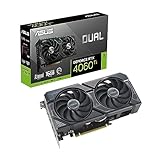
- Top Pick: ASUS Dual GeForce RTX 4060 Ti 16GB OC Edition GDDR6 (PCIe 4.0, 16GB GDDR6, DLSS 3, HDMI 2.1a, DisplayPort 1.4a, 2.5-Slot Design, Axial-tech Fan Design, 0dB Technology), 3 Year Warranty
- Best Value: NVIDIA – GeForce RTX 3070 Ti 8GB GDDR6X PCI Express 4.0 Graphics Card – Dark Platinum and Black (Renewed)
- Premium Choice: NVIDIA – GeForce RTX 3070 Ti 8GB GDDR6X PCI Express 4.0 Graphics Card – Dark Platinum and Black
The RTX 4060 Ti launched in two flavors that share the same GPU die but differ in one headline spec: 8GB versus 16GB of GDDR6X. On paper the extra memory sounds like an obvious win, but the two cards carry the same 128-bit bus and identical core counts, so the real question is whether AAA titles in 2026 actually use that headroom. The answer is a firm “sometimes,” and knowing when is the difference between smooth 1080p and stuttery texture pop-in.
This roundup breaks down how the 16GB and 8GB variants behave in modern memory-hungry games, which resolutions expose the gap, and which cards represent the best builds of each. If you play at 1080p with high textures and dabble in ray tracing, the memory conversation matters more than the raw benchmark averages suggest.
As an Amazon Associate we earn from qualifying purchases at no extra cost to you.


⚡ Save on Your Next PC — Amazon Prime
Prime members get fast free shipping on the systems above, plus early access to Prime Day & Black Friday PC deals. New members get a 30-day free trial.
Watch: Nvidia RTX 4060 Ti 16GB vs. 8GB: Does More VRAM Help in AAA Titles? — Video Review
How to Choose
- Target resolution: At pure 1080p the 8GB card rarely runs dry. Push to 1440p with ultra textures or frame generation and the 16GB variant pulls ahead by avoiding VRAM spillover.
- Texture and ray-tracing settings: Ultra texture packs and RT reflections are the biggest VRAM consumers. If you love maxed visuals, the 16GB card protects your 1% lows.
- Longevity: Games are trending toward 10GB-plus usage at high settings. The 16GB variant is the safer three-to-four-year hold if you rarely upgrade.
- Cooler design: Both dies run cool, so a compact dual-fan card like the ASUS Dual fits small cases without thermal worry. Prioritize a model that fits your build over one extra fan.
- Price gap: If the 16GB costs only modestly more than the 8GB, take it. If the premium is steep, an 8GB card plus a future upgrade fund can make more sense.
The Best Picks Reviewed
ASUS Dual GeForce RTX 4060 Ti 16GB OC Edition
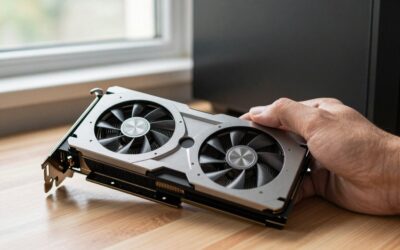
This is the memory-comfort pick. The full 16GB means texture-heavy titles like Cyberpunk with the HD pack, or Horizon at ultra, stop swapping assets over the narrow bus. The Dual cooler stays quiet and the OC profile nudges clocks just enough to matter at 1080p and 1440p.
ASUS Dual GeForce RTX 4060 Ti 16GB Advanced Edition
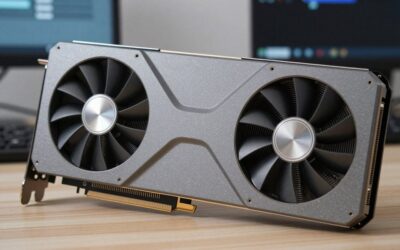
The Advanced Edition adds a slightly beefier cooler and marginally higher factory clocks over the standard Dual, without changing the core silicon. If you want the 16GB safety net plus a touch more thermal margin for a warm room, this is the sensible variant.
ASUS Dual GeForce RTX 4060 Ti 8GB OC Edition
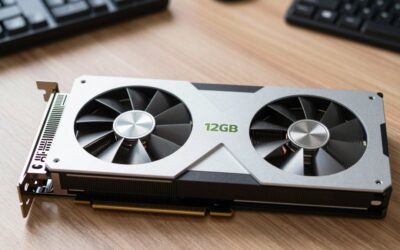
For strict 1080p players, the 8GB Dual is the value champion. In esports and most current AAA games at high (not ultra) textures, it matches its 16GB sibling frame-for-frame. You only feel the deficit when you crank textures beyond what a 128-bit bus wants to feed.
NVIDIA GeForce RTX 3070 Ti 8GB GDDR6X
The last-gen 3070 Ti is worth a look as a comparison point: it has a wider 256-bit bus and often outruns the 4060 Ti in raw raster, but it lacks DLSS 3 frame generation. If you find one cheap and skip frame gen, it is a legitimate alternative at 1080p and 1440p.
ASUS Dual GeForce RTX 4060 Ti 16GB (Standard)
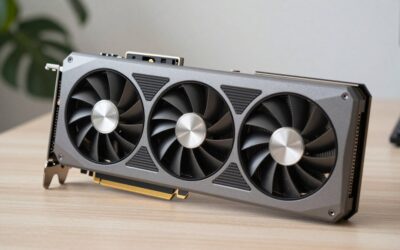
The plain 16GB Dual strips the OC premium while keeping the full memory buffer. It is the pick for buyers who value VRAM headroom but do not care about a few boost MHz, letting you put the savings toward a faster CPU or SSD.
Frequently Asked Questions
Does the 16GB RTX 4060 Ti make games faster?
Not in raw frame rate at settings that fit in 8GB. The benefit shows up as steadier 1% lows and no texture pop-in once a game’s VRAM demand exceeds 8GB, which mostly happens at 1440p or with ultra texture packs.
Is 8GB enough for 1080p gaming in 2026?
For the large majority of titles, yes, at high settings. A handful of the most demanding releases with ultra textures and ray tracing can brush against the limit, causing occasional stutter you would avoid with 16GB.
Why does the extra VRAM not help more given the 128-bit bus?
The narrow bus limits how fast data moves in and out of memory. Extra capacity prevents spillover to system RAM, but it cannot widen the pipe, so the two cards perform identically whenever 8GB is sufficient.
Which should a future-proofing buyer pick?
The 16GB variant. As texture budgets keep climbing, the larger buffer extends the card’s useful life at high settings, making it the better hold if you upgrade infrequently.
Final Thoughts
The RTX 4060 Ti VRAM debate comes down to how you play. If you live at 1080p with sensible settings, the 8GB card saves money and loses nothing. If you push textures, ray tracing, or 1440p, the 16GB variant earns its premium by keeping frame times smooth. Match the memory to your monitor and your settings habits, and either card serves 1080p gaming well into the next few years.


Write Your Review
No reviews yet. Be the first to share your experience!