
- Top Pick: Capture Card, 4K HDMI Video Capture Card, Game Capture Card, 1080P 60FPS Video Capture Device, HDMI to USB 3.0 Capture Card for Streaming, Work with Camera/Xbox/PS4/PS5/PC/OBS
- Best Value: Elgato 4K X Capture Card, HDMI 2.1, 4K144 Ultra-Low Latency | VRR passthrough, HDR10, Up to 1080p240 capture, USB 3.2 Gen 2, Works with OBS and more, For PS5, Xbox, Switch, PC, Mac
- Premium Choice: Portta DX20R HDMI Video Capture Card, Stream & Record in 4K 60Hz with Ultra-Low Latency, Passthrough for 1080p@240Hz & 2K@120Hz, USB 3.0 to PC, Support HDR, VRR, Compatible with PS5, Xbox, OBS
NVIDIA Clips has quietly become the fastest, cleanest way to save your best gaming moments without bolting on third-party recorders or paying a performance tax. If you have ever alt-tabbed to a recording app only to watch your frame rate collapse, this review is for you. Below, we break down exactly what the feature captures, which GeForce GPUs handle it without dropping frames, the real settings that keep footage smooth, and whether your current card is enough or an upgrade is the smarter call in 2026.
What NVIDIA Clips Actually Captures on a GeForce GPU
At its core, this is hardware-accelerated screen recording built into NVIDIA’s software stack and powered by the dedicated NVENC encoder inside every modern GeForce card. Because the encoding runs on a separate block of silicon rather than your CUDA cores, the tool can record 1080p or 4K footage while your game keeps most of its frame budget. That single design choice is why so many players prefer it over CPU-based recorders that stutter under load.
Instant Replay vs Manual Recording
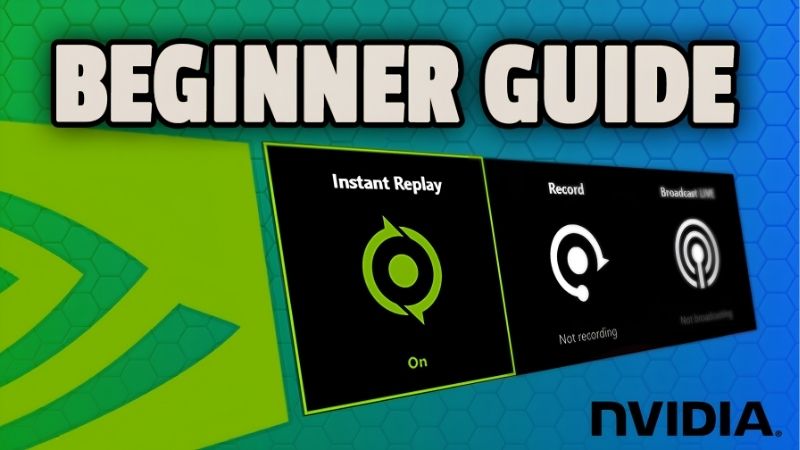
The feature works in two modes. Instant Replay keeps a rolling buffer of the last 15 seconds to 20 minutes in the background, so after a great play you press a hotkey and only that window is saved. Manual recording, by contrast, captures continuously until you stop it, which is better for full matches or tutorials.
For highlight hunters, Instant Replay is the star. It runs constantly with a tiny overhead because the encoder is only ever holding a short buffer. You never have to remember to hit record before the moment happens, which is the exact pain point that pushes players toward a lightweight capture solution in the first place.
There is one more advantage worth calling out for competitive players. Because the buffer is always running, you can review a round that went wrong even when you never intended to record it, which makes the feature as useful for improvement as it is for saving highlights.
Which GeForce GPUs Support Smooth Capture
Every RTX card and most GTX 10-series and newer GPUs include NVENC, but the quality of that encoder has improved generation over generation. The Turing NVENC in the RTX 20-series was a major jump over Pascal, and the Ada and Blackwell encoders in the RTX 40 and 50-series add better efficiency and dual-encoder support on higher-tier models.
In practice, an RTX 3060 or newer records 1080p60 with a near-invisible hit, usually a single-digit percentage of frame rate. Step up to 4K60 recording and you will want an RTX 4070-class card or higher, both for the encoder headroom and the extra VRAM that high-resolution capture consumes.
Owners of older GTX cards should temper expectations. Pascal-era encoders still work, but they are less efficient and can show more quality loss at the same bitrate, so pushing the resolution down a step or trimming the bitrate keeps clips clean on aging hardware.
Real Settings for Lag-Free Clips
The settings you choose matter as much as the hardware. For most players, 1080p at 60 FPS and a 30,000–50,000 Kbps bitrate produces sharp clips that upload fast and stay under file-size limits. Bump to 4K only if your GPU and storage can keep up.
Two toggles make the biggest difference in day-to-day use. First, keep Instant Replay buffer length modest, because a 20-minute buffer at 4K eats gigabytes of memory. Second, save recordings to a fast SSD rather than a mechanical drive, since sustained write speed, not the GPU, is often the real bottleneck during long sessions.
One habit that saves editing time later is recording your microphone on a separate audio track. Keeping game audio and voice apart lets you balance them afterward instead of being stuck with a single mixed track, and it costs nothing in performance.
Performance and Hardware You Actually Need
The headline promise is “record without losing FPS,” and for the most part the tool delivers, but the size of that promise scales with your components. Understanding where the load actually lands, on the encoder, the VRAM, or the disk, lets you tune a setup that genuinely stays smooth instead of chasing settings that only look good on paper.
The NVENC Encoder and Why It Matters
NVENC is the single most important reason to capture with a GeForce card. Because it offloads the entire encode job from your CPU and shader cores, your game and your recording are no longer fighting over the same resources. This is the technical edge NVIDIA has spent several generations sharpening.
Newer encoders also compress more efficiently, meaning you get cleaner footage at the same bitrate or the same quality at a smaller file size. On dual-encoder RTX 50-series cards, the hardware can even split high-resolution encode work, which helps sustain 4K capture during demanding scenes where a single encoder might otherwise strain.
What this means in practice is longevity. An encoder that compresses efficiently today will still produce shareable footage two GPU generations from now, so investing in a card with a modern NVENC block is as much about future clip quality as it is about today’s frame rate.
VRAM, Storage, and Resolution Trade-offs
Recording is not free on memory. A rolling 4K buffer can hold hundreds of megabytes to several gigabytes depending on length, and that VRAM is shared with the game you are playing. On an 8 GB card at 4K, you may see texture streaming hitches that vanish the moment you drop the recording resolution.
Storage is the quiet killer. High-bitrate 4K footage can write well over 1 GB per minute, so a slow drive causes frame pacing hitches in the recording itself, even when the game runs fine. Pairing capture with a roomy NVMe SSD removes that ceiling and is the most overlooked upgrade for serious clip creators.
A simple rule keeps you out of trouble: if you game at 4K, record at 1080p unless you specifically need 4K footage. Downscaling the capture roughly halves the memory and disk load while still producing crisp clips, and viewers rarely notice the difference on a phone or laptop screen.
Pros and Cons of Recording With NVIDIA Clips
No tool is perfect, so here is the honest ledger drawn from how players actually rate this feature. On the plus side: near-zero performance cost thanks to NVENC, no separate software to install, dead-simple hotkey capture, and clip quality that easily rivals paid recorders. It is genuinely the path of least resistance for GeForce owners.
The trade-offs are real, though. Editing tools inside the app are basic, so you will still want a proper editor for polished videos. Buffer recording can surprise you with disk usage, older 8 GB cards feel the strain at 4K, and a small share of users report the overlay conflicting with certain anti-cheat or fullscreen exclusive titles. None of these are dealbreakers, but they shape which GPU and drive you should pair with the feature.
Should You Buy a New GPU for Recording Right Now?
Here is the question most readers are really asking: is this the moment to upgrade, or should you ride out your current card? The answer is tangled up with GPU pricing in 2026, and the market is sending mixed signals worth understanding before you spend.
GPU and Component Pricing in 2026
The good news is that the steep price climb from late 2025 has largely stopped, and the market has settled into a period of relative stability. Some hardware makers have publicly noted this calmer stretch, which is a welcome change after a long run of increases.
The caveat is that stability is not the same as relief. Prices have plateaued rather than fallen, and memory-heavy components in particular remain expensive. For a clip creator, that matters because VRAM capacity and fast storage, the two things that make high-resolution recording painless, are exactly the parts still carrying elevated pricing.
For clip creators specifically, the lesson is to prioritize where your money has the most impact. Storage and memory pricing hits the exact parts that make recording painless, so a modest, well-chosen SSD upgrade often improves your capture experience more than chasing a pricier GPU during a flat market.
New Supply Is Coming, but Not Soon
There is genuine relief on the horizon, just further out than most buyers hope. Fresh memory supply is opening up, with additional DDR5 sourcing and new fabrication capacity under construction, including Micron’s build-out in Idaho. More supply generally means gentler pricing over time.
The timing is the catch. Those new plants are not expected to come fully online until roughly 2027 to 2028, so their impact on what you pay today is minimal. In short, the picture is “prices have paused,” not “prices are dropping,” and that shapes a practical buying strategy right now.
It is also worth remembering that recording does not demand a flagship. A mid-range current-generation card already carries a capable encoder, so buyers waiting for cheaper high-end GPUs can still capture beautifully today without overspending on power they will never use for clips.
The Practical Buying Move Today
If your current GeForce card already records 1080p60 cleanly, there is little reason to rush an upgrade purely for capture; the market is not about to reward waiting with a sudden price crash, but it is also not punishing you for holding. Spend on a fast NVMe SSD first, since it fixes the most common recording hitch for a fraction of a GPU’s cost.
If you are chasing 4K60 clips or your card is a strained 8 GB model, a current-generation RTX with a stronger encoder and more VRAM is the upgrade that pays off, and buying during this stable window is reasonable rather than reckless. When you are ready to compare capture-friendly GPUs and matching SSDs, the recommended models linked throughout this guide are a smart starting point for a build that records flawlessly.
See More:
Final Verdict: Is NVIDIA Clips Worth Using?
For anyone on a GeForce GPU, NVIDIA Clips is close to essential. It captures highlights with almost no performance penalty, needs no extra software, and produces footage clean enough to share straight away. The only real limits, basic editing, VRAM pressure at 4K, and disk speed, are all solvable with the right hardware pairing rather than flaws in the feature itself.
The smart play in 2026 is to match the tool to your goals: keep your current card if 1080p clips look great, add a fast SSD to smooth out long sessions, and upgrade to a higher-VRAM RTX only if 4K capture is the target. If you are ready to lock in a capture-ready setup, check the current deals on the recommended GPUs and drives linked in this review before prices shift again.
Frequently Asked Questions
Which GPUs are best for capturing highlights?
Any RTX 40 or 50 series card is ideal because Ada and Blackwell include AV1 encoding and, on higher tiers, dual encoder blocks that split the workload. RTX 20 and 30 cards still capture well with the improved Turing-era NVENC, while GTX 10 series encoders show visible artifacts at lower bitrates.
How much VRAM do I need for recording?
Capture itself uses little video memory, but running a demanding game at high textures plus an encoder buffer makes 8GB cards feel tight at 1440p. Twelve gigabytes or more gives comfortable headroom, especially if you also run a browser, chat overlay and streaming software alongside the game.
Does instant replay hurt frame rates?
The rolling buffer costs a small amount of encoder time and continuous disk writes. On modern cards the frame rate impact is a few percent at most, but on an older GPU or a mechanical hard drive it can cause noticeable hitching, so record to an SSD.
What bitrate should I use for good looking clips?
At 1080p60 aim for 30 to 50Mbps with H.264 or around 20 to 30Mbps with AV1 for similar quality at smaller file sizes. For 1440p double those numbers, and for 4K expect 80Mbps or more if you want clean detail in fast motion scenes.
Where are my clips saved and how do I change it?
The NVIDIA App’s Capture settings define the recording folder, resolution, frame rate and buffer length. Point it at a fast secondary SSD with plenty of space, since a long instant replay buffer at high bitrate consumes storage quickly and a full drive silently stops recording.
As an Amazon Associate we earn from qualifying purchases at no extra cost to you.












Write Your Review
No reviews yet. Be the first to share your experience!