
- Top Pick: NVIDIA Tesla V100 (Volta) 32GB NVLINK 2.0 SXM2 GPU
- Best Value: PNY Nvidia Tesla v100 16GB
- Premium Choice: NVIDIA Tesla K20X
NVIDIA AI cards span a range from a $2,000 desktop GPU to a $30,000 data center accelerator, and the marketing copy for all of them uses the same three words: unparalleled, breakthrough, unmatched. None of that survives contact with a procurement spreadsheet. This page gives you what a video cannot: tables you can paste into a slide, the VRAM figures that decide whether your model loads at all, the power numbers that decide whether your office can host the machine, and an honest read on what the H200 export decision does to your budget. No audio required.
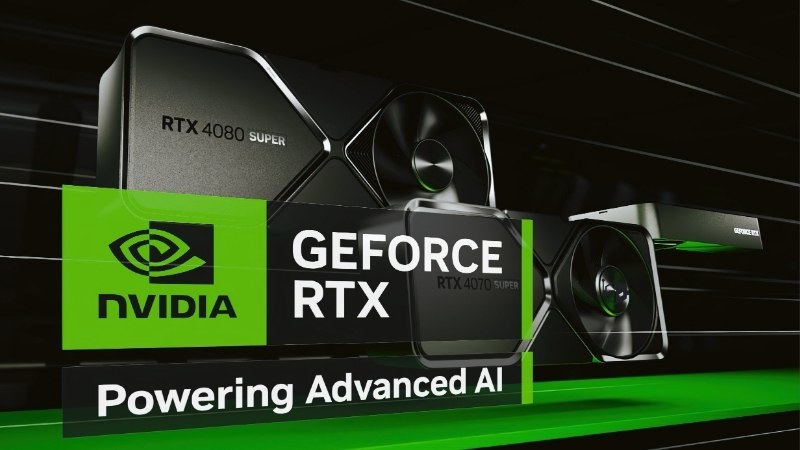
What Actually Counts as an NVIDIA AI Card in 2026
The lineup splits into three tiers that behave completely differently on price, availability and deployment. Most procurement mistakes come from comparing a card in one tier against a card in another on a single spec. The tiers are not competing products — they are different purchasing categories with different lead times and different approval chains.
The Three Tiers and Who Each One Is For
The prosumer tier is the GeForce RTX 5090: 32GB GDDR7, $1,999 MSRP, orderable today. It runs CUDA, it trains, and NVIDIA’s licensing terms make it awkward in a rack — but it sits under a desk without a purchase order.
The workstation tier is the RTX PRO Blackwell family, topping out at the RTX PRO 6000 with 96GB of GDDR7 ECC. This is the tier most startups and labs actually buy, because it is the largest VRAM you can get without entering data center procurement.
The data center tier is Hopper and Blackwell proper — H100, H200, B200. These are not products you order; they are contracts you negotiate, with lead times measured in quarters and, in the H200’s case, export licences attached.
Two practical consequences follow. The tier you can buy through a normal corporate card and a two-week approval is the workstation tier, and that ceiling is 96GB — everything above it changes your procurement process, not just your invoice. And between the RTX 5090 and the RTX PRO 6000 sit the RTX PRO 4500 and RTX PRO 5000 at 32GB and 48GB, which are the honest answer for teams running 13B to 32B models and paying for VRAM they will never touch otherwise.
VRAM Is the Only Spec That Gates Your Model
Every other number is a performance question. VRAM is a binary question: the model loads or it does not. This is the table worth putting in front of whoever signs off on the budget.
| Model size | FP16 weights | 8-bit | 4-bit | Realistic VRAM needed (with KV cache) |
|---|---|---|---|---|
| 7B | ~14GB | ~7GB | ~4GB | 16–24GB |
| 13B | ~26GB | ~13GB | ~7GB | 32GB |
| 32B | ~64GB | ~32GB | ~18GB | 48–96GB |
| 70B | ~140GB | ~70GB | ~35GB | 96GB single card at 4-bit |
Weights are the floor, not the requirement. The KV cache scales with context length and batch size, and it is where teams routinely run out of headroom after the model itself fit fine. Size for your context window, not for your parameter count.
Bandwidth, FP4, and Why TFLOPS Mislead
For inference, memory bandwidth predicts throughput better than compute does, because you are moving weights rather than saturating maths units. The RTX PRO 6000 delivers 1,792 GB/s against 960 GB/s on the previous-generation RTX 6000 Ada — nearly double, on the same 300W envelope in the Max-Q variant.
Blackwell’s fifth-generation Tensor cores add native FP4 support, which the H100 lacks entirely. That is the genuinely forward-looking part of this generation: as quantised inference and FP4-aware serving stacks mature, a Blackwell card gains throughput from software updates that a Hopper card structurally cannot. Neural shaders and MIG partitioning point the same direction — a single RTX PRO 6000 can be split into isolated instances so several workloads share one card safely.
The counterweight: the H100 has a Tensor Memory Accelerator and true NVLink Switch scaling to 256 GPUs at 900 GB/s. If you are doing large distributed training, no amount of FP4 closes that gap.
Matching a Card to Your Workload and Your Building
This is where most comparisons stop being useful, because they assume the card arrives in a data center. Most readers of this page are putting a machine in an office with standard circuits, a normal HVAC system, and colleagues who dislike jet noise. That constrains the choice more than benchmarks do.
The Comparison Table Worth Pasting Into Your Slide
| Card | VRAM | Bandwidth | Power | Approx. price (Jul 2026) | Largest model, 4-bit |
|---|---|---|---|---|---|
| RTX 5090 | 32GB GDDR7 | 1,792 GB/s | 575W | $1,999 MSRP | ~32B |
| RTX PRO 6000 Max-Q | 96GB GDDR7 ECC | 1,792 GB/s | 300W | ~$13,250 | ~70B |
| RTX PRO 6000 Workstation | 96GB GDDR7 ECC | 1,792 GB/s | 600W | ~$13,250 | ~70B |
| RTX PRO 6000 Server | 96GB GDDR7 ECC | 1,600 GB/s | Passive | Channel | ~70B |
| H100 PCIe | 80GB HBM3 | ~2,000 GB/s | 350W | $25,000–$30,000 | ~70B |
The RTX PRO 6000 carries 24,064 CUDA cores and 752 Tensor cores, rated at roughly 125 TFLOPS FP32. Note the line that matters most: Max-Q and Workstation Edition have identical AI performance. You are choosing a thermal envelope, not a speed grade.
Three things the table deliberately leaves out, because they decide more deals than the specs do. ECC memory is present on the PRO cards and absent on the RTX 5090 — for long fine-tuning runs, a silent bit-flip that corrupts a checkpoint costs more than the price gap. Driver licensing differs: NVIDIA’s terms restrict GeForce cards in data center deployments, which is a legal question rather than a technical one and worth raising before your first rack unit. And resale behaviour differs sharply — professional cards hold value through enterprise channels in a way consumer cards do not.
Power, Cooling and What Your Office Can Actually Host
The Workstation Edition draws 600W through a dual-flow-through cooler that dumps heat into the room. Stack two of those and a standard office circuit and HVAC start to complain. The Max-Q runs the same silicon at 300W with a blower that exhausts out the chassis rear, which is why it scales to four GPUs in one workstation and the 600W card does not.
Independent testing puts the trade-off precisely: the Workstation Edition delivers roughly 20–25% higher BERT encoder throughput — about 215 versus 179 sentences per second — while consuming 85–90% more power. That makes the Max-Q close to twice as efficient per watt.
Practical notes: the Max-Q ships with a 2× 8-pin to 16-pin adapter, so verify your PSU has the headroom and the connectors before the card arrives. Server Edition is passively cooled and requires rack airflow — it will not work in a desk-side tower.
Pros and Cons of Buying Versus Renting
Buying pros: No egress fees, no per-hour meter, complete data control, and 96GB sitting on your desk at 3am without a queue. For regulated data that cannot leave the building, it is the only option. Amortised over three years, a heavily used card beats cloud pricing comfortably.
Buying cons: $13,250 of capital tied up in depreciating silicon at a moment when the card has already repriced sharply. You own the cooling problem, the driver stack, and the resale risk. If utilisation runs below roughly 30%, the maths stops working.
The honest split: buy for steady inference and fine-tuning with predictable load. Rent for bursty training, evaluation runs, and anything you cannot forecast. Most teams need both, and pretending otherwise is how budgets get burned.
What the H200 Decision and Memory Pricing Mean for Your Budget
Two forces are moving the price of every card in the tables above, and neither is about silicon performance. If you are building a procurement case this quarter, these are the paragraphs to read.
The H200 Export Approval and the $10 Billion Overhang
The US Commerce Department now reviews H200 export licences to approved Chinese customers on a case-by-case basis, following the December 2025 policy change. Roughly ten Chinese firms have been cleared, and licences worth an estimated $10 billion have been approved.
Almost none of those chips have shipped. Testifying on 14 July 2026, the Under Secretary of Commerce for Industry and Security described the volumes as trivial, with Beijing discouraging purchases to protect domestic accelerator development. For your budget, that gap is the risk: $10 billion of approved-but-undelivered demand sits as an overhang on the same HBM and packaging capacity your order queues behind. If that demand releases, it lands on supply you are already competing for. The asymmetry runs against you.
Why the RTX PRO 6000 Costs 55% More Than at Launch
This is the clearest evidence that component prices are still climbing rather than settling. The RTX PRO 6000 Blackwell launched in March 2025 at an MSRP of $8,565. As of July 2026 it lists at roughly $13,250 — a 55% increase in about sixteen months.
The cause is not manufacturing cost. It is the GDDR7 shortage: 96GB in a clamshell configuration makes this card unusually exposed to memory supply, and most of the increase is demand pressure rather than bill-of-materials. Retailers are now openly warning of unannounced price increases on RAM, SSDs and GPUs. A quote you received last quarter may not survive to PO.
New Supply Lands in 2027–2028, Not This Fiscal Year
There is real relief coming, and it is worth stating accurately rather than optimistically. OEMs can now source DDR5 from Chinese suppliers such as CXMT, and Micron is building two fabrication plants in Idaho. That is genuine new capacity.
It does not run until 2027–2028. Nothing from those plants touches a quote you receive this year. Plan your procurement on the assumption that prices are flat at best through this budget cycle, and build a contingency line rather than a discount line. If your business case only closes at last year’s pricing, the case needs rewriting, not postponing.
If you have a workload sized and a budget approved, it is worth checking current listings on the RTX PRO Blackwell cards and a power supply rated for the card you choose — quoted pricing in this category has been moving faster than most approval cycles.
See More:
- NVIDIA
- NVIDIA DeepStream
- NVIDIA GPU driver update
- NVIDIA GeForce NOW download
- NVIDIA RTX A2000 12GB driver
Final Verdict on Choosing NVIDIA AI Cards in 2026
NVIDIA AI cards come down to two questions and everything else is noise. First: does your model fit? Size for the KV cache and the context window, not the parameter count — 96GB at 4-bit puts a 70B model on one card, and 32GB does not. Second: can your building host it? A 300W Max-Q scales to four GPUs in an office; a 600W Workstation Edition realistically does not, and identical AI performance makes that an easy call.
The pricing environment should push you toward deciding rather than waiting. A 55% increase in sixteen months on the flagship workstation card, a $10 billion licensing overhang that could tighten HBM supply further, and no new memory capacity until 2027–2028 all point one direction. This is not a market that rewards patience.
Buy where utilisation is steady and data is sensitive. Rent where load is bursty. And if the workload is defined and the money is approved, move now — the quote you have is more likely to expire upward than downward.
Frequently Asked Questions
How much VRAM do I need to run large models locally?
A rough rule is one gigabyte per billion parameters at 8-bit quantization, plus overhead for context. A 24GB card handles quantized 13B to 30B models comfortably, 48GB opens 70B class work, and full precision training of anything sizeable pushes you toward 80GB or more per accelerator with high-speed interconnect.
Is a GeForce card good enough instead of a datacenter GPU?
For inference and small-scale fine tuning, absolutely. A 24GB or 32GB GeForce card offers excellent tokens per dollar. What you give up is ECC memory, NVLink on newer generations, certified drivers, high FP64 throughput and, critically, datacenter deployment licensing, which is the reason rental providers use professional parts.
What is the difference between HBM and GDDR for AI work?
HBM stacks deliver several terabytes per second of bandwidth, which is what large language model inference is actually limited by, while GDDR7 tops out around one terabyte per second on wide buses. If your workload is memory bandwidth bound rather than compute bound, HBM parts pull far ahead of raw TFLOPS comparisons.
Can I put multiple AI cards in a normal desktop?
Physically it is possible with a workstation board offering two x8 slots, but you must account for slot spacing, blower versus axial cooling, and a power supply capable of 1000W or more. Consumer platforms also lack the PCIe lanes for four cards, so multi-GPU beyond two means a threadripper or Xeon class board.
Does buying used datacenter hardware make sense?
Sometimes, but check cooling requirements first. Many datacenter cards are passively cooled and require chassis airflow that no desktop case provides, plus they may need specific power cabling and lack display outputs. Factor in the cost of a server chassis and noise before assuming a cheap listing is a bargain.
As an Amazon Associate we earn from qualifying purchases at no extra cost to you.














Write Your Review
No reviews yet. Be the first to share your experience!