
The Short Answer
Yes, frame generation is worth the added input latency if your base frame rate is already around 60 frames per second or higher and you care more about smoother motion than maximum competitive responsiveness. If your game is running below roughly 45–50 fps before frame generation, the extra generated frames can make the image look smoother without making controls feel truly fast. In that situation, reduce settings or use upscaling first.
Frame generation is best understood as a visual smoothness feature, not a replacement for real rendering performance. It inserts an additional frame between traditionally rendered frames, increasing the displayed frame rate while adding some processing delay. Whether that trade is worthwhile depends heavily on the game, your monitor, your mouse settings, and your tolerance for latency.
As an Amazon Associate we earn from qualifying purchases at no extra cost to you.

What You Actually Get
Frame generation creates intermediate frames based on the frames your graphics card has already rendered. Depending on the technology and game, it may use motion vectors, optical flow, or other visual information to estimate how objects should move. The result can make camera pans, driving scenes, and large open-world environments look considerably smoother.
Suppose a game renders at a native 60 fps. Without frame generation, a new rendered frame arrives about every 16.7 milliseconds. If frame generation increases the displayed rate to 120 fps, the monitor can show an image every 8.3 milliseconds—but only every other frame is based on a fresh game-rendering result. The generated frames improve motion continuity; they do not make the game simulation, aiming response, or character movement update at a true 120 fps.
That distinction explains why frame generation can look excellent while still feeling slightly less responsive than native high frame rates. Your monitor may report 120 fps, but the control response is closer to the underlying rendered performance, with additional processing in the presentation pipeline.
The technology works best when the base frame rate is stable. At 60 fps, generating to 100–120 fps often produces a convincing result. At 30 fps, generating to 60 fps can still improve visual fluidity, but camera movement may remain sluggish, and artifacts become easier to notice. A fluctuating base rate is also problematic because uneven frame delivery can cause stutter even when the displayed frame-rate counter looks impressive.
Latency depends on the entire system, not just frame generation. The game engine, rendering settings, driver, display mode, monitor refresh rate, mouse or controller, and synchronization method all contribute. Reflex-style latency reduction tools, Radeon Anti-Lag features, reduced buffering, and a sensible frame-rate cap can help, but they cannot turn a 35-fps game into a genuinely responsive 120-fps experience.
Pros
- Smoother motion: Fast camera movement, traversal, and animation can appear substantially more fluid, especially on a 120 Hz or 144 Hz display.
- Better visual quality than aggressive settings cuts: You may be able to keep demanding lighting, shadows, or ray tracing enabled while improving perceived smoothness.
- Useful for cinematic and single-player games: Story-driven adventures, role-playing games, simulation titles, and strategy games are generally more tolerant of modest added latency.
- Higher refresh-rate utilization: Frame generation can help a 120 Hz, 144 Hz, or 165 Hz monitor feel worthwhile when your graphics card cannot render at that speed natively.
- Less dependence on reducing resolution: When paired with an upscaler, it can make a demanding 1440p or 4K setup more playable without immediately dropping to a noticeably softer image.
- Potentially better motion clarity: The benefit is more apparent during movement than when standing still, which is where ordinary frame-rate counters can undersell its value.
Cons
- Added input latency: Generated frames are inserted after the game has already produced its underlying frames, so controls generally feel less immediate than they would at the same native frame rate.
- It does not create real performance: Menus, physics, enemy logic, and input sampling are not necessarily updating at the displayed frame rate.
- Visual artifacts: You may see ghosting, warped objects, UI distortions, or broken edges around fast-moving subjects. HUD elements and particles can be especially difficult to reconstruct.
- Base frame rate matters: Enabling it over an unstable 30–40 fps foundation can produce smooth-looking motion that still feels slow and uneven.
- Less suitable for competitive games: First-person shooters, fighting games, racing games, and rhythm titles reward immediate response. A native 90 or 120 fps is preferable to generated 120 fps whenever possible.
- More system complexity: Upscaling, frame generation, variable refresh rate, latency-reduction options, and frame caps can interact in confusing ways. Poor settings can create judder or inconsistent pacing.
- Extra GPU workload: Frame generation is not free. It uses graphics resources and can reduce the base frame rate, particularly at high resolutions or with ray tracing enabled.
Who Should Buy It
In this context, “buy” means choosing hardware or software that supports frame generation, not purchasing a separate frame-generation accessory. It is a strong choice for players with a modern graphics card, a 120 Hz or faster display, and a base frame rate near 60 fps.
Choose it if you primarily play single-player games and want smoother exploration without lowering image quality. It is also useful for demanding titles where native 4K performance lands around 55–75 fps, particularly when your display supports variable refresh rate. At those speeds, frame generation can make motion look closer to a high-refresh experience while keeping premium graphics settings enabled.
It can also make sense for players who notice stutter more than they notice a small increase in control delay. A 10–20 millisecond change may be acceptable in a relaxed adventure game but distracting in a competitive match. Your own perception matters more than a marketing frame-rate number.
Who Should Skip It
Skip frame generation when your priority is esports performance, precise aim, or the lowest possible click-to-photon response. If you already achieve 100–165 real fps, native rendering is usually the better experience. The smoother motion from generation may be difficult to distinguish, while its latency and artifact trade-offs remain.
You should also skip it when your base frame rate is below about 45 fps, unstable, or affected by severe CPU bottlenecks. First improve the foundation: lower CPU-heavy settings, reduce ray tracing, use a sensible upscaling mode, close background applications, or cap the game at a stable rate.
Players with a 60 Hz monitor have less reason to use it because the display cannot show most of the extra generated frames. It may still help with pacing in some games, but a faster monitor, better settings, or a more stable native frame rate is often a wiser upgrade.
Cheaper Alternatives
Before spending money on a faster graphics card, try these lower-cost ways to improve responsiveness. The two Bluetooth transmitters below are included as related TV and gaming accessories, but they are not substitutes for frame generation. They address wireless audio latency rather than graphics latency.
| Option | Cost | Trade-off |
|---|---|---|
| Lower demanding graphics settings | $0 | Improves real frame rate and latency, but reduces visual quality. |
| Use upscaling without frame generation | $0 if supported | Often improves native responsiveness, but the image may look softer. |
| Cap the frame rate below your monitor’s maximum | $0 | Can improve consistency and variable-refresh behavior, but does not raise performance. |
| Upgrade from a 60 Hz to a 120 Hz monitor | About $120–$300 | Improves motion clarity and response potential, but requires enough native GPU performance. |
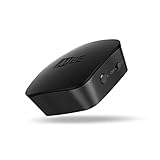
| Avantree Audikast Plus Bluetooth 5.3 transmitter | $44.99 | Useful for sending TV audio to Bluetooth headphones, not for reducing game-control latency. Supports dual-link operation and up to a claimed 100-foot range under suitable conditions. |
| MEE audio Connect Bluetooth transmitter | $59.99 | Offers 3.5mm, AUX, RCA, and optical inputs plus aptX Low Latency support, but audio delay and compatibility depend on the headphones or speakers. |
FAQ
How much input latency does frame generation add?
There is no single number that applies to every game or computer. Added latency varies with the base frame rate, rendering pipeline, synchronization settings, display, and latency-reduction features. Treat manufacturer figures as system-specific rather than universal. The practical rule is that generated 120 fps will not feel as responsive as native 120 fps.
Is frame generation good at 30 fps?
It can make 30-fps motion look smoother, but it cannot remove the sluggish control response associated with a 30-fps foundation. For most players, a stable 45–60 real fps without generation feels better than a nominal 60 fps produced from a 30-fps base.
Should I use frame generation with a 60 Hz monitor?
Usually, it is not the best priority. A 60 Hz display refreshes once every 16.7 milliseconds, so it cannot present the full benefit of very high generated frame rates. Improve native performance, reduce stutter, or upgrade the monitor first. If a particular game has good frame pacing, frame generation may still help, but expectations should remain modest.
Is frame generation worth it in competitive shooters?
Usually no. Competitive shooters reward low latency, consistent frame pacing, and immediate aim response. Use the highest stable native frame rate your system can produce, enable an appropriate latency-reduction mode, and lower graphics settings if necessary. Frame generation is better reserved for visually demanding single-player games where smooth motion matters more than split-second input timing.






Write Your Review
No reviews yet. Be the first to share your experience!