
- Top Pick: G-DRIVE 12TB Project, High-Capacity Hard Drive, Thunderbolt 3, USB (10Gbps), 7200RPM Ultrastar Hard Drive, Up to 250MB/s Read – SDPHG1H-012T
- Best Value: G-DRIVE 6TB Project, High-Capacity Hard Drive, Thunderbolt 3, USB (10Gbps), 7200RPM Ultrastar Hard Drive, Up to 250MB/s Read – SDPHG1H-006T
- Premium Choice: G-DRIVE 22TB Project, High-Capacity Hard Drive, Thunderbolt 3, USB (10Gbps), 7200RPM Ultrastar Hard Drive, Up to 260MB/s Read – SDPHG1H-022T
If you want Thunderbolt 3 speed for a game library, video scratch disk or backups, a portable Thunderbolt SSD such as the LaCie Rugged SSD Pro or OWC Envoy Pro SX is the fast pick, while a desktop spinning-disk enclosure such as the LaCie d2 Professional or LaCie 2big RAID is the better pick for large, cheap-per-terabyte capacity. The catch is that a spinning hard drive cannot fill a Thunderbolt 3 link, so the connection only pays off with SSD-based or multi-drive RAID products.
As an Amazon Associate we earn from qualifying purchases at no extra cost to you.

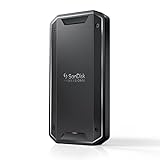
Quick comparison
| Drive | Type | Best for | Stated highlights | Limit |
|---|---|---|---|---|
| LaCie Rugged SSD Pro | Portable SSD | Fast portable storage, creators | Thunderbolt 3 interface, maker lists speeds up to about 2800 MB/s | Premium tier per terabyte |
| OWC Envoy Pro SX | Portable SSD | Rugged, bus-powered speed | Thunderbolt 3, rugged aluminium shell | Capacity options are limited |
| LaCie d2 Professional | Desktop hard drive | Large capacity, backups | Thunderbolt 3 and USB-C connections, aluminium enclosure | Hard-drive speed, needs wall power |
| LaCie 2big RAID | Two-bay desktop | Redundancy or striped speed | Thunderbolt 3 and USB-C, two drives in RAID | Larger footprint, fan noise possible |
| OWC ThunderBay 4 | Four-bay enclosure | Big libraries, editors | Thunderbolt 3, four drive bays, RAID options | Premium tier, needs drives |
| Samsung X5 (previous generation) | Portable SSD | Earlier Thunderbolt 3 portable | Thunderbolt 3 SSD design | Older model, may be hard to find |
Specific capacities, speeds and bundled cables differ by variant, so read the maker’s page for the version you choose. Tech outlets such as Tom’s Hardware, PCMag and Tom’s Guide cover external SSD rankings, and they commonly note that newer USB4 and Thunderbolt 4 drives now sit alongside the Thunderbolt 3 range.
What Thunderbolt 3 gives you
Thunderbolt 3 offers a link of up to 40 Gbps, which is far beyond what a single spinning disk can deliver. A single 2.5-inch or 3.5-inch hard drive typically reads in the low hundreds of megabytes per second, so a Thunderbolt hard drive is more about convenience, daisy-chaining and RAID than raw speed. An NVMe-based SSD, by contrast, can use much more of the link, which is why the maker figures for portable Thunderbolt SSDs sit in the thousands of megabytes per second.
Compatibility notes
- Thunderbolt 4 and 5 hosts. A Thunderbolt 4 or 5 port works with Thunderbolt 3 devices, so you are not locked out if your PC or Mac is newer.
- USB-C only ports. A USB-C port without Thunderbolt will run Thunderbolt 3 drives at USB speeds, if the device supports it at all. Confirm that your motherboard or laptop lists Thunderbolt support.
- Desktop PCs. Many motherboards have no Thunderbolt headers. Some boards support add-in Thunderbolt cards, but the card must be compatible with your board, so check the board maker’s list.
- Consoles. PlayStation and Xbox consoles do not use Thunderbolt drives, so for console storage look for USB drives that the console maker supports.
- Cables. Use the cable supplied or one rated for 40 Gbps. A cheap USB-C charging cable will cap speeds.
How to choose
SSD or hard drive
Choose an SSD if you want fast game loads, quick file copies or a video editing scratch drive. Choose a hard drive if you need many terabytes of backup and cold storage for the least money per terabyte.
Portable or desktop
Portable SSDs are bus powered and travel well. Desktop enclosures usually require an external power adapter but accommodate bigger and cheaper capacity and sometimes multiple drives.
RAID considerations
RAID 0 stripes drives for speed but loses everything if one fails. RAID 1 mirrors data for resilience. RAID is not a backup, so keep another copy of important files elsewhere. Makers such as LaCie and OWC publish instructions for their RAID software and hardware modes.
Thermals and noise
Fast SSDs get warm. The maker designs aluminium shells to shed heat, but sustained transfers can trigger throttling. Spinning enclosures can hum or spin up audibly, which matters in a quiet room.
Durability
Rugged portable models list drop and water resistance ratings. Read the maker’s stated rating carefully, since it covers specific conditions and varies by model.
Picks by budget tier
Budget tier: older Thunderbolt 3 stock and desktop hard drives
The LaCie d2 Professional is the straightforward way to get large capacity over Thunderbolt 3 for backups. Expect hard-drive speeds. If you are on a budget and only need speed, a standard USB SSD is often better value than any Thunderbolt option, provided your computer does not need the Thunderbolt link.
Mid-range tier: two-bay and four-bay enclosures
The LaCie 2big RAID and OWC ThunderBay 4 let you combine drives for speed or protection. They suit creators with large libraries, and you can often add your own drives to the ThunderBay.
Premium tier: portable Thunderbolt SSDs
The LaCie Rugged SSD Pro and OWC Envoy Pro SX are fast, compact and sturdy. They suit editors working with large files, and gamers who want a big library that loads quickly on a Thunderbolt-equipped laptop or Mac.
Pick X if…
| If you want | Pick |
|---|---|
| The fastest portable storage | LaCie Rugged SSD Pro or OWC Envoy Pro SX |
| Cheapest large backup capacity | LaCie d2 Professional |
| Data redundancy with two drives | LaCie 2big RAID in a mirrored mode |
| A big editing library with room to grow | OWC ThunderBay 4 |
| A game library on a Thunderbolt laptop | A portable Thunderbolt SSD |
Alternatives
- USB4 and Thunderbolt 4 SSDs. Newer portable drives such as the SanDisk Professional PRO-G40 and Samsung T9 target fast USB and Thunderbolt connections, and the Samsung T9 is a USB 3.2 Gen 2×2 drive with lower speeds than Thunderbolt 3 SSDs.
- Thunderbolt 5 enclosures. Some makers, including LaCie with its Rugged SSD Pro5, have moved to Thunderbolt 5. They work with Thunderbolt 3 ports but at lower link speeds.
- Standard USB hard drives. If you do not need Thunderbolt, a USB drive from Western Digital or Seagate costs less for backup.
Common mistakes
- Buying a Thunderbolt hard drive expecting SSD speeds.
- Plugging into a port that is only USB-C, not Thunderbolt.
- Using the wrong cable and losing speed.
- Treating RAID 0 as safe storage.
- Skipping a second backup copy of irreplaceable files.
Frequently Asked Questions
Is Thunderbolt 3 still worth buying in 2026?
It remains useful because Thunderbolt 4 and 5 ports are backward compatible. If you already own Thunderbolt 3 gear, there is little reason to replace it unless you need higher speeds.
Will a Thunderbolt 3 drive work on my USB-C port?
Often it will connect, but only at USB speeds, and only if the drive supports USB fallback. Check the maker’s compatibility notes for the model.
Can I use these drives with a PlayStation 5 or Xbox?
Consoles do not support Thunderbolt storage in the same way, so look for USB storage that the console maker lists as supported.
Do I need a Thunderbolt hard drive for gaming?
No. For gaming a fast SSD matters more than the connection type. A Thunderbolt SSD helps with load times on a supported system, but an internal NVMe drive is usually better.
What is the difference between Thunderbolt 3 and USB-C?
USB-C is a connector shape. Thunderbolt 3 is a protocol that uses that connector and offers higher speeds and docking features.
Are portable SSDs safe for long-term backup?
They are convenient, but flash drives that sit unpowered for long periods are not ideal as the only archive. Keep multiple copies, including one on a separate device.





Write Your Review
No reviews yet. Be the first to share your experience!