
- Top Pick: TP-Link AV1000 Powerline Ethernet Adapter WiFi Extender Kit, Passthrough | Includes AV1000 Powerline Adapter and AC1200 Dual Band Extender, Gigabit Port, OneMesh, Plug Pair & Play (TL-WPA7617 KIT)
- Best Value: TP-Link AV1300 Powerline Ethernet Adapter WiFi Extender KIT- Passthrough | AV1300 Powerline Adapter and AC1200 Dual Band Extender, 2×2 MIMO,3 Gigabit Ports, Plug & Play, TL-WPA8631P KIT
- Premium Choice: TP-Link AV1000 Powerline Ethernet Adapter+AX1500 Wi-Fi 6 WiFi Extender KIT | AV1000 Powerline Network Adapter&AX1500 Dual-Band Extender, Gigabit Port, EasyMesh, Plug & Play, TL-WPA7817 KIT
A powerline Wi-Fi extender is the best fix when your router sits in one room and a gaming PC or console in another with thick walls between them, because it sends data over your home’s electrical wiring instead of through the air; if your home wiring is old or your rooms are on different circuits, a mesh system with wired backhaul may beat it.
As an Amazon Associate we earn from qualifying purchases at no extra cost to you.

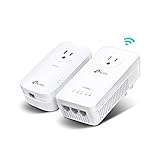


How powerline Wi-Fi extenders work
A pair of adapters communicates over mains wiring. One plugs into an outlet near the router and connects by Ethernet; the other plugs in where you need coverage and either offers Ethernet ports or broadcasts its own Wi-Fi. Standards are named HomePlug AV2 and G.hn, and makers such as TP-Link, Netgear, Devolo, D-Link, Zyxel and Linksys sell kits. The headline speed numbers on boxes, such as 600, 1000, 1200, 2000 or 2400 Mbps, are theoretical link rates; real throughput is lower and depends on wiring quality.
At a glance: kit types
| Kit type | Best for | Stated traits | Limits |
|---|---|---|---|
| Ethernet-only pair | Wired gaming PC or console | Simplest, usually the most stable | No Wi-Fi in the remote room |
| Wi-Fi extender kit | Phones, laptops, a console and TV in one room | Built-in Wi-Fi plus Ethernet ports | Wi-Fi speed limited by the radio chosen |
| Passthrough outlet kit | Rooms with few outlets | Pass-through socket keeps the outlet free | Slightly different spec, often filtered |
| Mesh with powerline backhaul | Larger homes | Roaming across nodes | Costs more, more complex |
| G.hn adapter kit | Mixed wiring, including coax or phone lines in some kits | Different standard from HomePlug | Not compatible with HomePlug units |
Specs that matter
Standard and compatibility
HomePlug AV and AV2 adapters generally interoperate across brands, but only within the same standard family. G.hn does not work with HomePlug. Buy matched pairs where possible and confirm the standard on the box.
Ethernet port speed
Gigabit ports are worth looking for. Older models with 100 Mbps ports cap the speed regardless of the powerline rate.
Wi-Fi band and generation
For Wi-Fi extender kits, check whether the unit has dual-band Wi-Fi 5 or Wi-Fi 6 and whether it handles both bands. Many kits stop at Wi-Fi 5, and Wi-Fi 7 powerline kits are uncommon, so confirm what the maker lists.
MIMO and beamforming
AV2 MIMO uses more of the wiring conductors and can improve real speeds when your wiring includes the ground wire. Not all homes support it.
Passthrough and filtering
A passthrough outlet keeps the wall socket usable, with noise filtering that can reduce interference from other devices.
Pick by situation
| Pick this if you | Choose | Why |
|---|---|---|
| Game on a wired PC far from the router | Ethernet-only gigabit AV2 pair | Low overhead, steady wired link |
| Want Wi-Fi and Ethernet in one outdoor-facing room | Wi-Fi extender kit with Ethernet ports | Covers phones and consoles |
| Have limited outlets | Passthrough model | Frees the socket |
| Live in a large home | Mesh with wired backhaul | Better roaming |
| Have old or split-phase wiring | Test first or choose mesh or MoCA | Powerline may perform poorly |
Budget tiers without prices
Budget kits provide 600 or 1000 Mbps-class adapters, usually with fast Ethernet or gigabit ports, and basic Wi-Fi options. Mid-range kits provide AV2000-class adapters with gigabit ports and passthrough outlets. The premium tier adds MIMO, G.hn, or Wi-Fi 6 radios, and stronger software. Reviewers at outlets such as PCMag, Tom’s Guide and CNET often point out that real-world throughput on powerline falls well below the box number, and that wiring quality matters more than tier.
Setup tips
- Plug adapters directly into wall outlets, not into power strips or surge protectors, which can filter the signal.
- Connect the first adapter to the router with the supplied cable.
- Press the pairing buttons per the maker’s instructions if the kit is not pre-paired.
- Keep adapters away from noisy devices like space heaters, hair dryers and some chargers.
- Try other outlets if speeds are low; the same circuit generally performs best.
- Update firmware through the maker’s app or utility when available.
Gaming considerations
For online games, latency and stability matter more than peak speed. A wired powerline link can add some latency compared with direct Ethernet, and speeds may vary through the day as appliances switch on. If you can run an Ethernet cable, that remains the best option. A powerline link usually beats a weak Wi-Fi connection across several walls, which is its real selling point.
Common mistakes
- Trusting the headline speed and expecting full gigabit.
- Plugging into a power strip.
- Mixing HomePlug and G.hn adapters.
- Putting adapters on different electrical circuits or across panels.
- Choosing a model with 100 Mbps ports for a fast internet plan.
Safety
Use adapters as the maker designs them, plugged directly into a grounded wall outlet. Do not open an adapter or use damaged units, and stop use if a plug becomes hot. If outlets are loose, discolored or warm, contact a licensed electrician.
Alternatives
Mesh Wi-Fi systems fix coverage using wireless or wired backhaul. MoCA adapters use existing coax cabling and can be faster and steadier than powerline where coax exists. Moving the router to a central place, or running Ethernet through walls, still beats everything else.
Testing your wiring before you commit
Powerline performance is very home-specific, so buy from a seller with a straightforward return policy. After setup, run an internet speed test wired from the remote room and compare it to a test on the router. If results are far below your plan, try different outlets, remove other devices from the same strip, and avoid circuits shared with large appliances. Many adapters include a status light that changes color to show link quality, which is a quick way to find a better outlet. If every outlet gives poor results, the wiring may simply not suit powerline, and a mesh system or a run of Ethernet cable is the sensible next step.
Also think about security. Powerline kits encrypt traffic between adapters with a pairing key, and the maker’s app or button procedure sets it. Re-pair if you add a new adapter, and keep firmware up to date. Adapters also draw some standby power, which is minor but worth knowing if you plan to leave several plugged in around the house.
Frequently Asked Questions
Are powerline adapters good for gaming?
They can be, especially compared with weak Wi-Fi. Wired Ethernet remains lower in latency, so use powerline when running a cable is not practical.
Why is my speed lower than the box number?
The box shows a theoretical link rate, not real throughput. Wiring quality, distance and electrical noise reduce actual speeds.
Can I use a power strip?
Makers generally advise plugging directly into a wall outlet because power strips and surge protectors can filter out the signal.
Do different brands work together?
Within the same standard, such as HomePlug AV2, many do, but matched pairs are the safest choice. G.hn and HomePlug are not compatible.
Will it work through multiple floors?
Often yes, if both outlets share the same electrical system. Results vary by home wiring, so look for a retailer with a return policy.
Is a powerline extender better than a Wi-Fi extender?
It depends. Powerline skips the wireless hop and can outperform wireless extenders through thick walls, but poor wiring can undo that advantage.







Write Your Review
No reviews yet. Be the first to share your experience!