
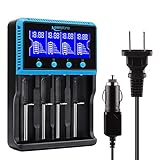
- Top Pick: EBL Universal Smart Battery Charger with Discharge Function – Multi-Bay Rapid Charger for C D AA AAA 9V Ni-MH Ni-CD Batteries, LCD Display
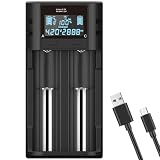
- Best Value: 18650 Battery Charger, Ledorr Smart Universal Battery Charger with LCD Dispaly for 3.7V/3.6V Rechargeable Batteries Li-ion 2170 26650 14500 16340 18650, Ni-MH/Ni-Cd AA AAA C Batteries
- Premium Choice: Keenstone 18650 Battery Charger, Smart Universal Charger LCD Display for Rechargeable Batteries Ni-MH Ni-Cd AA AAA Li-ion LiFePO4 IMR 10440 14500 16340 RCR123A 26650
A multi-chemistry smart charger with independent slots, such as the Nitecore UMS4, is the best fit for most buyers who juggle AA, AAA, C, D and rechargeable lithium cells, while a simple NiMH-only charger is enough if you only refill controller and remote batteries. The word “universal” is a marketing shortcut, so what really matters is which chemistries, sizes and charge currents the charger supports.
As an Amazon Associate we earn from qualifying purchases at no extra cost to you.


What “universal” actually means
A universal battery charger accepts several battery types in the same device. The common set is nickel-metal hydride (NiMH) and nickel-cadmium (NiCd) in AA and AAA, plus lithium-ion cells such as 18650 and 21700. Some models extend to C and D sizes, LiFePO4 cells and very small button-style lithium cells. Chargers that are universal on paper but share a single charging circuit across all slots may force slower charging or may not detect each cell separately, which matters for mixed loads.
Gamers usually have two sets of needs. Controllers, headsets, mice and keyboards often run on AA or AAA NiMH cells. Flashlights, vape-free power banks and some vaping-adjacent devices are not relevant here, but high-drain flashlights and DIY lighting often use 18650 or 21700 lithium cells. A single charger that handles both categories reduces clutter on a desk.
Featured model with maker-stated specs
The Nitecore UMS4 is a four-slot charger. The maker lists support for IMR, lithium-ion and LiFePO4 cells from 10440 up to 26700, as well as Ni-MH and Ni-Cd batteries in AA, AAA, AAAA, C and D sizes. Each slot is independently controlled, and the maker states a maximum of 3,000 mA when a single battery is charged in QC mode, 2,000 mA per slot with two batteries, and 1,000 mA per slot with four. The listed input is 5V 2A or 12V 1.5A for 18W maximum, and the charger weighs about 255 grams. The maker also lists an LCD that shows charging data, health detection, automatic termination when the battery is full, plus reverse-polarity and short-circuit protection.
| Charger type | Best for | Key stated traits | Limit |
|---|---|---|---|
| Nitecore UMS4 | Mixed household and hobby use | Four independent slots, 10440 to 26700 lithium, AA to D NiMH, LCD data | Requires a capable power adapter for the full current, bigger than basic chargers |
| Dedicated NiMH smart charger (for example, Panasonic eneloop family) | Controllers, remotes, mice | Matched to NiMH AA and AAA, simple LED status | Does not charge lithium cells |
| Four-bay lithium charger (for example, from Xtar or Nitecore) | Flashlight and 18650/21700 users | Per-slot detection, higher current per bay | Some models skip AA and AAA |
| USB-C rechargeable cells with built-in ports | Occasional use with no separate charger | Charge the cell directly over a cable | Cell choice limited to that product line |
Key specs to compare
- Chemistry support. Match the list to what you own. Never place a cell in a charger that does not name its chemistry.
- Independent slots. Each slot should detect, charge and stop on its own, so that half-empty and full cells can sit side by side.
- Charge current. Higher current charges faster but generates more heat. The maker’s guidance on current per cell size is worth reading, because small cells like AAA are normally charged at lower rates.
- Cell size range. Look for the exact sizes in the list, for instance 18650, 21700, 26650 or C and D.
- Display and diagnostics. An LCD showing voltage, current and sometimes internal resistance helps identify cells that are aging.
- Power input. Some units run from a USB-C or USB-A port, others require a dedicated adapter. Confirm what is in the box.
- Protection features. Reverse polarity, short-circuit and over-temperature protection are the standard safety features to look for, based on the maker’s list.
Safety notes for lithium cells
Lithium-ion cells can overheat, vent or catch fire if damaged, wrongly charged or paired with a poor charger. Use only chargers that name the chemistry of your cell, inspect cells for dents or torn wrap, and never charge them unattended on a soft surface. Follow the manufacturer’s instructions for both charger and cell, and stop using any battery that swells, smells or becomes hot. If you are unsure whether a cell is safe, a recycling facility or the maker can advise.
Pick this if you are
| Your situation | Choice |
|---|---|
| Own controllers, a remote and a flashlight with 18650 cells | A multi-chemistry charger like the UMS4 |
| Only need AA and AAA for peripherals | A NiMH smart charger from a known brand |
| Run a bench of lithium cells for lights or DIY projects | A four-bay lithium charger with per-bay display |
| Travel often | A compact two-bay charger or cells with built-in USB-C |
| Want a tight budget | A basic NiMH charger and a small set of low-self-discharge cells |
Budget tiers explained
At the budget tier, chargers tend to be slower and have fewer safeguards, with lights instead of data. Mid-range models add independent slots, wider cell support and basic displays. Premium chargers add more precise current control, internal-resistance readouts, higher power inputs and sturdier build. Because pricing moves, compare tiers by features rather than price tags.
Alternatives
- Cells with built-in charging ports. Convenient for light use but you depend on the cell brand.
- Power station or USB hub with charging cradles. Good for controllers that have official dock accessories from the console maker.
- Solar or hand-crank chargers. Limited output, best for emergency kits.
Common mistakes
- Mixing old and new cells in the same device, which can cause weak or leaking batteries.
- Charging alkaline cells that are not labeled rechargeable.
- Choosing the fastest rate by default instead of what the cell maker suggests.
- Using a weak USB power source that cannot supply the charger’s rated input.
Frequently Asked Questions
Can a universal charger charge every battery?
No. It can only charge the chemistries and sizes the maker lists. Single-use alkaline and lithium primary cells are not designed for recharging and should never be placed in a charger.
Is a four-slot charger better than a two-slot?
It is more convenient if you charge many cells, but note that the maker of the UMS4 states lower per-slot current when all four are in use. Two-slot units can be faster per cell and are easier to carry.
Do I need an LCD on the charger?
It is not essential, but it helps you see charge progress and spot a cell that no longer holds a charge. LED-only chargers are simpler and work well for basic NiMH use.
Can I charge AA batteries and 18650 cells together?
Models with independent slots and multi-chemistry detection can, as long as each cell type is on the maker’s supported list. Check the manual before mixing.
How do I know when to replace a rechargeable cell?
Signs include shorter run time, getting hot during charging or failing to reach full charge. Chargers that show internal resistance make the decision easier. Replace swollen or damaged cells immediately.
What power adapter do I need?
Use the adapter that comes with the charger or one that matches the maker’s stated input. A weak source can limit the charging speed or cause the device to charge in a reduced mode.







Write Your Review
No reviews yet. Be the first to share your experience!