
- Top Pick: MAXSUN AMD Radeon RX 550 4GB GDDR5 ITX Computer PC Gaming Video Graphics Card GPU 128-Bit DirectX 12 PCI Express X16 3.0 DVI-D Dual Link, HDMI, DisplayPort
- Best Value: MAXSUN AMD Radeon RX 550 4GB Low Profile Small Form Factor Video Graphics Card for Gaming Computer PC GPU GDDR5 ITX SFF HDPC 128-Bit DirectX 12 PCI Express X16 3.0, HDMI, DisplayPort
- Premium Choice: Glorto GeForce GT 210 1024 MB DDR3 Low Profile Graphics Card, PCI Express 1.0 x16, Entry Level GPU for PC, SFF and HTPC (HDMI/VGA)
Every desktop graphics card worth buying in 2026 uses a PCI Express x16 slot, so the real question is which GPU matches your resolution and budget: an RTX 5060 Ti or Radeon RX 9060 XT for 1080p and entry 1440p, an RTX 5070, RX 9070 or RX 9070 XT for strong 1440p, and an RTX 5070 Ti, RTX 5080 or RTX 5090 for high-refresh 4K. The slot itself is rarely the deciding factor; memory size, power connectors and case clearance usually matter more.
As an Amazon Associate we earn from qualifying purchases at no extra cost to you.


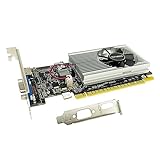
What PCI Express x16 Actually Means
PCI Express x16 describes a slot with sixteen data lanes, and it is the long slot nearest the CPU on almost every desktop motherboard. Cards from the NVIDIA GeForce RTX 50 series and AMD Radeon RX 9000 series are designed around PCIe 5.0, but they stay backward compatible with PCIe 4.0 and 3.0 slots. Reviewers have generally reported small performance differences when a current mid-range card runs in an older slot, with larger gaps possible on cards with narrower electrical links or limited video memory.
One detail buyers miss: some cards use a physical x16 connector but only wire eight lanes electrically, which the maker lists on the spec page as x8. In a PCIe 5.0 slot this is rarely a problem; in an older PCIe 3.0 board it can cost a little performance. If you are upgrading an older system, read the maker’s interface line before buying.
Current Options at a Glance
| Card | Best for | Stated memory | Notes |
|---|---|---|---|
| GeForce RTX 5090 | Top-end 4K and creative work | 32 GB GDDR7 | Large, high power draw, needs a robust PSU and the 12V-2×6 connector |
| GeForce RTX 5080 | High-refresh 4K | 16 GB GDDR7 | Premium tier, DLSS 4 and multi frame generation support |
| GeForce RTX 5070 Ti | Strong 1440p and entry 4K | 16 GB GDDR7 | Upper mid-range tier |
| GeForce RTX 5070 | 1440p gaming | 12 GB GDDR7 | Mid-range tier, less video memory than rivals |
| GeForce RTX 5060 Ti | 1080p and 1440p | 8 GB or 16 GB versions | Choose the 16 GB version for longevity |
| Radeon RX 9070 XT | 1440p and 4K value | 16 GB GDDR6 | Upper mid-range tier, FSR 4 support |
| Radeon RX 9070 | 1440p value | 16 GB GDDR6 | Mid-range tier |
| Radeon RX 9060 XT | 1080p and 1440p | 8 GB or 16 GB versions | Budget to mid-range tier |
| Intel Arc B580 | Budget 1080p and 1440p | 12 GB | Newer drivers needed; may need resizable BAR enabled |
How to Choose
Match the card to your monitor
Resolution and refresh rate drive the choice more than any other factor. A 1080p monitor does not need a flagship; a budget card with a decent amount of memory will serve well. A 1440p high-refresh monitor pairs naturally with the RTX 5070 class or the RX 9070 class. Native 4K with maxed settings is where the RTX 5080, RTX 5090 and RX 9070 XT enter the discussion, though upscaling technologies stretch lower-end cards further.
Video memory
Recent games with high-resolution textures and ray tracing use more memory than many older titles did. Cards with 8 GB are described by several reviewers as a risk for new releases at higher settings, while 12 GB works for most 1440p play and 16 GB gives more headroom. When a model comes in 8 GB and 16 GB variants, they often share a name, so check the memory size on the box or listing carefully.
Upscaling and frame generation
NVIDIA lists DLSS 4 with multi frame generation on the RTX 50 series. AMD lists FSR 4 on the Radeon RX 9000 series. Both aim to raise frame rates, but generated frames do not reduce input lag the way native frames do, so competitive shooters usually benefit most from raw performance rather than frame generation.
Power and connectors
Each maker publishes a recommended power supply wattage on its product page. Follow that number rather than guessing. High-end cards may use the 12V-2×6 connector; seat it fully, avoid sharp bends right at the plug, and follow the GPU and PSU maker guidance. If you see any heat damage or melted plastic, stop using the card and contact the maker.
Physical size
Partner cards from ASUS, MSI, Gigabyte, Sapphire, PowerColor and others vary widely in length, thickness and fan design. Measure your case’s maximum GPU length and slot space before choosing a triple-fan model. Small form factor builds often work better with compact two-fan variants.
Pick This If
| Pick this if you… | Choose |
|---|---|
| Play at 1080p on a tight budget | Radeon RX 9060 XT or RTX 5060 Ti, ideally with 16 GB |
| Want the best value for 1440p | Radeon RX 9070 or RX 9070 XT |
| Prefer NVIDIA features such as DLSS 4 at 1440p | RTX 5070 or RTX 5070 Ti |
| Target high-refresh 4K | RTX 5080 or RTX 5090 |
| Stream, render or run local AI tools | RTX 50-series card with more memory, since CUDA support is broad |
| Build a compact PC | A two-fan RTX 5060 Ti or RX 9060 XT model |
Compatibility Checklist
- A free x16 slot, usually the top slot on the board.
- Case clearance for length, thickness and any front-fan radiator.
- A power supply that meets the maker’s recommended wattage and has the right connectors, or an included adapter.
- A current BIOS and chipset driver, especially on older boards.
- Resizable BAR support enabled where the maker recommends it, which matters especially for Intel Arc.
- A monitor input that supports your target refresh rate: DisplayPort or HDMI 2.1 for high-refresh 4K.
Common Mistakes
- Buying an 8 GB model without realizing a 16 GB version exists.
- Pairing a flagship card with a weak CPU and wondering why frame rates stall.
- Skipping the power supply check and finding the connectors do not match.
- Assuming that a PCIe 3.0 board cannot run a modern card at all; it generally can.
- Choosing a thick model that blocks the second slot or the front of the case.
Alternatives
Previous-generation RTX 40-series and Radeon RX 7000 cards may remain on shelves at reduced tiers and can suit a budget. Integrated graphics in recent Ryzen and Intel processors cover light games, though they are not a replacement for a dedicated card. Laptop owners can consider an external GPU enclosure, but the bandwidth is lower than a desktop x16 slot.
Frequently Asked Questions
Will a PCIe 5.0 card work in a PCIe 4.0 slot?
Yes. PCIe is backward compatible, so the card runs at the speed of the slower side. Reviewers have generally found small differences for mid-range cards, with the gap depending on the game and the card.
Do I need a PCIe 5.0 motherboard for an RTX 50 or RX 9000 card?
No. These cards run in PCIe 4.0 and 3.0 slots as well. A PCIe 5.0 board gives the most bandwidth, but it is not a requirement for gaming.
How much video memory should I get?
For 1080p, 8 GB can still work for many games, while 12 GB to 16 GB is a safer choice for 1440p and 4K. Modern titles with high-resolution textures use more memory, so more is the safer direction.
Is an x8 card a problem?
Not usually in a PCIe 4.0 or 5.0 board. If you have an older PCIe 3.0 board, the reduced lane count can cost some performance, so read the maker’s spec sheet first.
How do I know my power supply is enough?
Compare your PSU’s wattage and connectors with the card maker’s recommended specifications. If you are unsure, consult the PSU manual or a qualified technician rather than opening the unit yourself.
NVIDIA or AMD for gaming?
Both make strong cards. NVIDIA is often preferred for ray tracing, DLSS and content-creation tools, while AMD is often praised for rasterization value and larger memory at some tiers. Pick based on your games and your budget.







Write Your Review
No reviews yet. Be the first to share your experience!