
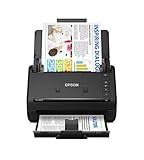
- Top Pick: Epson WorkForce ES-400 II High-Speed Color Duplex Desktop Document Scanner | For Computers including PC and Mac with Auto Document Feeder and Image Adjustment Tools
- Best Value: Canon Canoscan Lide 300 Scanner (PDF, AUTOSCAN, Copy, Send)
- Premium Choice: Epson Workforce ES-50 Compact & Lightweight Mobile Document Scanner | For Computers including PC and Mac Receipt and Document Scanner USB Powered
The best color scanner depends on what you feed it: a flatbed such as the Epson Perfection V39 II or V600 Photo suits photos, art and the odd document, while a sheet-fed unit such as the Brother ADS-1700W or the Epson FastFoto line suits stacks of paper or shoeboxes of prints. Gamers and PC builders usually land here for a practical reason, such as digitizing manuals, receipts for warranty claims, old game boxes and artwork, or family photos. This guide sorts current options by job instead of pretending one device wins everywhere.
As an Amazon Associate we earn from qualifying purchases at no extra cost to you.


Scanners at a Glance
| Model | Type | Best for | Maker-stated highlights | Main limit |
|---|---|---|---|---|
| Epson Perfection V39 II | Flatbed, USB powered | Budget photos and documents | High-resolution flatbed scanning, single USB cable, compact body | No film holders, no automatic feeder |
| Epson Perfection V600 Photo | Flatbed with film support | Prints plus 35mm film and slides | Built-in transparency unit and film holders, dust and scratch reduction software | Slow for large batches |
| Canon CanoScan LiDE 400 | Flatbed, USB powered | Slim desk setups | Thin body, one-cable power and data, quick-launch buttons | Prints and paper only |
| Epson FastFoto FF-680W | Sheet-fed photo scanner | Large photo archives | Feeds stacks of prints, wireless option, photo restoration tools in software | Not for thick books or film |
| Brother ADS-1700W | Compact document feeder | Paperwork, manuals, receipts | Duplex scanning, wireless, scans to USB drive or network | Limited photo finesse |
| Epson Perfection V850 Pro | Premium flatbed | Serious film and art work | Dual lens system, wet-mount support, professional software bundle | Large, slow, expensive tier |
Check the maker pages for exact resolution and speed figures before purchase, because specification sheets differ by regional model and driver version.
Start With the Source Material
Scanners fall into three families, and picking the wrong family is the most common mistake.
- Flatbed: You lift the lid and lay the item on glass. It handles books, art, magazines, boxes and fragile originals. It is slow for stacks.
- Sheet-fed: A feeder pulls pages through. It is fast for stacks and duplex pages but cannot take bound books and may stress very old prints.
- Dedicated film scanner: A device such as the Plustek OpticFilm line is built around negatives and slides. Reviewers generally rate these above flatbeds with film adapters for fine detail, but they only do film.
Specs That Matter
Optical resolution
Look for optical resolution, not interpolated numbers. Makers publish both, and the interpolated one is bigger and less meaningful. For ordinary prints and documents, a few hundred dots per inch is enough. For film, which is tiny, much higher optical resolution is needed since each frame must be enlarged.
Color depth
Higher bit depth keeps more tonal information in shadows and highlights, which helps when editing faded photos. It matters less for text documents.
Light source
Modern units use LED lighting, which starts instantly and does not need a long warm-up. This is why bus-powered flatbeds like the V39 II and LiDE 400 can run from one USB cable.
Connectivity
USB is simple and reliable. Wireless is convenient for a shared household, though drivers can be fiddly. Sheet-fed models often add scan-to-drive or scan-to-cloud functions that work without a computer.
Software
Epson bundles its own scanning utility with restoration and OCR options. Canon offers its own scanning tools, and Brother provides document-capture software. Most also work with generic scanning apps through standard drivers, so check operating system support on the maker page, especially for newer Windows and macOS versions.
Picks by Use Case
Budget flatbed for everyday jobs
The Epson Perfection V39 II and Canon CanoScan LiDE 400 are the typical entry points. Both are slim and powered over USB, so there is no separate adapter to lose. They suit manuals, certificates, game art and photo prints. Neither handles film, and they are not designed for heavy volume.
Prints plus film
The Epson Perfection V600 Photo adds a transparency lid and holders, so it handles 35mm negatives, slides and medium-format strips. Reviewers describe it as a long-running favorite for hobbyists who want one machine for everything. Its limit is that the film results are good but not at the level of a dedicated film scanner.
Big photo archives
If you have hundreds of loose prints, the Epson FastFoto FF-680W is aimed at that. It feeds a stack and scans quickly, which saves hours compared with a flatbed. Outlets that cover it generally note that it is worthwhile mainly for standard print sizes and that fragile or curled prints are better placed on a flatbed.
Paperwork and manuals
The Brother ADS-1700W and similar units from Epson (the DS series) and Ricoh (the ScanSnap line) are built for documents. Duplex scanning captures both sides in a single pass, and OCR makes the results searchable. This is the tidy answer for receipts, warranties and printed hardware manuals.
Premium film and art
The Epson Perfection V850 Pro targets professionals and serious hobbyists, with a more advanced optical design and film handling tools. It is overkill unless you scan large volumes of film or need higher fidelity.
Pick X If… Decision Table
| If you want to… | Choose | Why |
|---|---|---|
| Scan a few photos and documents on a tight budget | Epson V39 II or Canon LiDE 400 | Small, USB powered, no setup fuss |
| Digitize film and slides as well as prints | Epson V600 Photo | Includes transparency unit and holders |
| Clear a shoebox of loose prints quickly | Epson FastFoto FF-680W | Automatic feeder built for photos |
| Go paperless with multi-page documents | Brother ADS-1700W | Duplex feeder with OCR and direct-to-drive |
| Get the best film detail | Epson V850 Pro or a dedicated film scanner | Higher-end optics |
Alternatives Worth Considering
- All-in-one printers: Many inkjets from Canon, Epson and HP include a flatbed. They scan acceptably for paperwork and save desk space, though dedicated scanners usually produce cleaner photo results.
- Phone scanning apps: Fine for quick receipts and one-offs. Reflections, shadows and perspective warp make them a poor match for archival photo work.
- Dedicated film scanners: If film is the main goal, these deserve a look, since reviewers often prefer them to flatbed adapters.
Common Mistakes
- Choosing by interpolated resolution instead of optical resolution.
- Buying a document feeder for a book collection, which it cannot handle.
- Scanning film on a basic flatbed without a transparency unit; the glass alone cannot light negatives properly.
- Ignoring driver support for your operating system.
- Skipping a clean pass of the glass. Dust shows as speckles on color scans.
Care and Setup Notes
Wipe the glass with a lint-free cloth before each session and keep fingerprints off the originals by handling photos at the edges. Save a high-quality master file in a lossless format and create smaller copies for sharing. Back up the masters to a second drive, since scanning is time-consuming to repeat. Follow the manufacturer’s manual for cleaning and storage, and avoid liquids on or near the glass.
Frequently Asked Questions
What is the best color scanner for old photos?
For a modest number of prints, an Epson flatbed such as the V600 Photo is a common choice because it also handles film. For hundreds of prints, a photo feeder like the FastFoto FF-680W saves a lot of time. Fragile originals should go on a flatbed.
Do I need a scanner when my phone has a camera?
For quick receipts a phone is fine. For consistent color, even lighting and no glare, a scanner gives more repeatable results. This matters when you plan to archive or print the files.
Can a flatbed scan negatives?
Only models with a transparency unit and film holders, such as the Epson V600 Photo and V850 Pro, can do this. Basic flatbeds like the V39 II and LiDE 400 are designed for reflective prints and paper.
Is wireless scanning worth it?
It is helpful if several people share the device or if you want to scan from a phone. A USB cable is usually more stable for large batches, so look for a model offering both.
What resolution should I scan at?
A few hundred dots per inch is usually enough for documents and screen viewing. Photos you intend to enlarge benefit from higher settings, and film needs much higher values. Higher settings create bigger files and longer scan times.
How should I store the scanned files?
Keep a lossless master of each scan, name files consistently by date or subject, and store a copy on a separate drive. Share smaller compressed versions rather than the masters.







Write Your Review
No reviews yet. Be the first to share your experience!