
- Top Pick: Arteck Split Ergonomic Keyboard with Palm Rest, 2.4G USB Wireless Keyboard
- Best Value: KINESIS Freestyle2 USB-A Ergonomic Keyboard w/ VIP3 Lifters for PC (9" Separation) (KB820PB-US)
- Premium Choice: Frixalox Wired Ergonomic Split Keyboard with RGB Backlight & Numpad, Black | Wrist Rest, 3 Typing Angles, 17 Light Modes, 5 Brightness Levels, Full Size, for Windows/Mac, USB-A Port with USB-C adapter
The Logitech Ergo K860 suits most gamers and desk workers who want a gentle step away from a flat board, the Kinesis Advantage360 Professional suits heavy typists who want the strongest ergonomic correction, and the ZSA Voyager suits people who want a compact, fully split and highly programmable board. Reviewers disagree on small details, so this guide sticks to what the makers list and what several outlets report, then explains how to match a layout to your hands, your desk and the way you play.
- At a Glance: Split Keyboards Worth Considering in 2026
- Why Split Layouts Matter
- Logitech Ergo K860: The Safe First Step
- Kinesis Advantage360 Professional: Maximum Correction
- ZSA Voyager: Compact and Fully Split
- MoErgo Glove80, ZSA Moonlander and Keychron Q11
- How to Choose: Key Specs and Fit Notes
- Pick X If…: Decision Table
- Alternatives Worth a Look
- Common Mistakes to Avoid
- Setup Tips for Your First Week
- Frequently Asked Questions
As an Amazon Associate we earn from qualifying purchases at no extra cost to you.

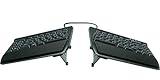


At a Glance: Split Keyboards Worth Considering in 2026
| Model | Best for | Key stated traits | Limits |
|---|---|---|---|
| Logitech Ergo K860 | First ergonomic board, mixed work and gaming | Curved, split-style layout, cushioned palm rest, tilt legs with negative-slope option, wireless | Membrane typing feel, not a true two-piece board, little programmability |
| Kinesis Advantage360 Professional | All-day typists, RSI-conscious users | Concave key wells, split halves, tenting, programmable firmware, wireless | Large footprint, long adjustment period, premium tier |
| ZSA Voyager | Compact travel and desk use, layer fans | Fully split, 52 keys, low-profile switches, hot-swap sockets, magnetic tenting legs | Heavy reliance on layers, small key count |
| MoErgo Glove80 | Typists wanting a sculpted, contoured shape | Two curved halves, many keys, wireless, programmable | Bulky, steep learning curve, premium tier |
| ZSA Moonlander | Gamers wanting a larger programmable split with thumb clusters | Fully split, thumb clusters, tenting and tilt, programmable layers | Wired-focused design, wider desk needed |
| Keychron Q11 | Builders who like a gaming-style, hot-swappable board | Split two-piece layout in an aluminum case, customizable switches | Heavy, less tenting than dedicated ergonomic boards |
Prices change often, so the guide uses budget, mid-range and premium tiers instead of numbers. The K860 sits in the budget-to-mid-range tier, the Voyager and Moonlander sit in the premium tier, and the Advantage360 and Glove80 sit at the top of the premium tier.
Why Split Layouts Matter
A conventional keyboard forces both forearms to angle inward and both wrists to bend sideways so the hands line up with the letter rows. A split layout separates the halves so each hand can sit at shoulder width. Many ergonomic designs add tenting, which lifts the inner edges so the forearms rotate toward a handshake position, and negative tilt, which angles the front edge down so the wrists stay straighter. Reviewers such as PropelRC point out that negative tilt is uncommon in the budget tier, which is one reason the K860 appears so often in roundups.
None of this is medical treatment. If you have pain, numbness or tingling in your hands or wrists, see a doctor or a physiotherapist before buying hardware, and treat any keyboard as one part of a wider setup that includes chair height, desk height and regular breaks.
Logitech Ergo K860: The Safe First Step
The Ergo K860 is a curved keyboard with a split-style layout, a built-in palm rest and tilt legs that the maker describes as offering a range of positive and negative angles. PropelRC lists three positions of 0, minus 4 and minus 7 degrees. It connects wirelessly and pairs with Logitech software for basic key remaps.
The strengths are familiarity and a short learning curve. Your fingers stay on a layout close to a normal keyboard, so you can keep playing the same day. The limits are the membrane typing feel, which gamers used to mechanical switches may find soft, and the fact that it is a single piece, so you cannot place the halves independently. Some reviewer commentary mentions durability complaints on the right spacebar, so treat the warranty terms as part of the decision.
Choose it if you want to trial an ergonomic shape without relearning your layout, if you share a desk with someone else, or if you move between work and gaming in the same session.
Kinesis Advantage360 Professional: Maximum Correction
The Advantage360 Professional pairs two separate halves, each with a concave key well that the maker says cradles the fingers so they travel shorter distances. It has adjustable tenting, a programmable firmware layer and wireless connectivity. Outlets such as StandDeskLab suggest it for heavy typists and those managing repetitive strain concerns, and Cuttles scores it slightly above the K860.
The trade-offs are size and adaptation. The wells are deep, the thumb clusters change which fingers press Space, Enter, Backspace and Shift, and most reviewers describe a multi-week adjustment where speed drops before it recovers. It also needs a deep desk. For gamers, the thumb keys are useful for jump, crouch or push-to-talk, but you will spend time remapping game bindings.
Choose it if you type for many hours a day, want the strongest ergonomic shape and are willing to accept a learning curve and a premium-tier cost.
ZSA Voyager: Compact and Fully Split
The Voyager is a 52-key fully split board with low-profile Kailh Choc switches, hot-swap sockets and magnetic tenting legs, according to the maker and reviewers such as Itechguides. Its small size leaves room for a mouse close to the body, which matters for shooters that rely on wide mouse sweeps. Layers replace the missing keys, so numbers, function keys and navigation sit under a held layer key.
Reviewers differ on connectivity. Some describe it as wired only, while another outlet mentions Bluetooth, so read the maker’s current product page before buying if wireless matters. Another caveat is that heavy layer use is not for everyone. If you play MMOs or flight sims with dozens of binds, a board with more physical keys is easier.
Choose it if you value a small desk footprint, want to carry the board between places or enjoy tuning your own layout.
MoErgo Glove80, ZSA Moonlander and Keychron Q11
The Glove80 is a contoured two-piece board with curved key wells and many keys, aimed at people who want a deep ergonomic shape without losing too many physical keys. Desk Wellness Lab prefers it over the Voyager for all-day desk work. The Moonlander is the larger sibling in the ZSA range, with a wider key area and thumb clusters, and it appeals to gamers who want a programmable split with more keys than the Voyager. The Keychron Q11 takes a different approach: a split two-piece alloy board with a conventional staggered layout, which attracts people who like customizing switches and keycaps and want a modest ergonomic improvement without learning a new key arrangement.
All three sit in the premium tier. They are better suited to enthusiasts who are comfortable with firmware, key remapping and a gradual adaptation period.
How to Choose: Key Specs and Fit Notes
Split type
A unibody curved board such as the K860 is the easiest transition. A two-piece board lets you set the halves at shoulder width, which suits broad shoulders and wide desks. Fully split boards need more desk width and a cable or wireless link between halves.
Tenting and tilt
Look for adjustable tenting if your forearms rotate inward when typing. Negative tilt helps if your wrists bend upward. Not every board offers both, so check the maker’s listed angles rather than assuming.
Switch type and gaming feel
Mechanical and low-profile switches give a crisper actuation than membrane, which many gamers prefer for fast repeated presses. Hot-swap sockets let you change switches without soldering, which matters if you do not like the factory choice.
Key count and layers
Fewer keys mean smaller boards and shorter reaches but more layer use. If your games rely on a full number row, function keys or a numpad, count the binds before choosing a 52-key layout.
Connectivity and latency
Wireless is tidy, but wired is simplest for competitive play. Check whether the board supports a wired mode and whether the receiver or Bluetooth is built in.
Compatibility
Most of these boards work with Windows, macOS and Linux for basic typing, but vendor software such as Logitech Options or ZSA’s configurator may be limited by operating system. Confirm support before you rely on custom remaps.
Pick X If…: Decision Table
| If you want… | Pick | Reason |
|---|---|---|
| A gentle upgrade at the lowest tier | Logitech Ergo K860 | Familiar layout, palm rest, negative tilt option |
| The deepest ergonomic shape | Kinesis Advantage360 Professional | Concave wells, split halves, tenting |
| A small, portable, fully split board | ZSA Voyager | 52 keys, magnetic tenting, low-profile switches |
| A contoured board with more keys | MoErgo Glove80 | Curved halves with many physical keys |
| A gamer-friendly split with thumb clusters | ZSA Moonlander | Larger programmable layout |
| A customizable, familiar-layout split | Keychron Q11 | Staggered layout, hot-swap, metal build |
Alternatives Worth a Look
- Kinesis mWave: mentioned by reviewers as a compact option in the Kinesis family for people who want a smaller footprint than the Advantage360.
- Dygma Raise 2: a split board with a built-in tenting design and a programmable layout, often cited by enthusiasts who want a modular approach.
- A budget wired ergonomic board with a gentle split: a sensible choice if you only want to test whether an angled layout helps before spending more.
If you are unsure, borrowing a friend’s board or choosing a retailer with a generous return policy is a practical way to reduce risk.
Common Mistakes to Avoid
- Buying a fully split board for tournament week. Adaptation takes time, so start well before an event.
- Ignoring desk width. Two halves plus a mouse need room, and a mouse placed too far away undoes the shoulder benefit.
- Expecting ergonomics to fix posture alone. Monitor height, chair height and breaks matter as much as the board.
- Trusting a single roundup. Many lists come from affiliate-style sites, and details such as price or wireless support differ between them. Cross-check against the maker’s page.
- Forgetting game bindings. New thumb clusters and layers need a few hours of remapping inside each game.
Setup Tips for Your First Week
Start with the board at its flattest and most conventional angle, then change tenting or tilt gradually over several days. Give yourself a few short typing practice sessions before using the board in ranked matches. Keep your wrists straight rather than resting them heavily on a palm rest, which is typically meant for pauses rather than constant pressure. Stop and rest if discomfort increases, and speak to a medical professional if symptoms persist.
Frequently Asked Questions
Is the Logitech Ergo K860 a true split keyboard?
Reviewers describe it as a curved, split-style single board rather than two separate halves. It offers a wave-shaped layout and a palm rest, which many people find a comfortable first step. If you want halves you can place independently, look at the Kinesis, ZSA or MoErgo models.
How long does it take to adapt to a split keyboard?
Reviewers commonly report from several days for a curved board to a few weeks for a fully split or contoured board with thumb clusters. Typing speed often dips first and then recovers. Gamers should plan the switch for a quiet period rather than before competitive play.
Are split keyboards good for gaming?
They can be, especially programmable boards with thumb keys and a compact footprint that leaves room for mouse movement. The main costs are remapping time and fewer physical keys on small layouts. Wired mode or a low-latency wireless link is worth confirming on the maker’s page.
Will a split keyboard cure wrist pain?
No keyboard is a medical treatment, and none of these makers should be read as promising a cure. A split or tented layout may let your arms sit in a more neutral position, but persistent pain, numbness or tingling should be assessed by a doctor or physiotherapist.
Do I need a mechanical split keyboard?
No. A membrane board such as the K860 is comfortable for many people, while mechanical and low-profile options give a crisper feel and more customization. Pick the switch type based on your typing preference and noise tolerance.
Is a wired or wireless split board better?
Wired is simplest and avoids battery management, which suits competitive players. Wireless reduces cable clutter and works well for desk setups that change often. Check the maker’s listed battery life and whether both halves need charging.







Write Your Review
No reviews yet. Be the first to share your experience!