
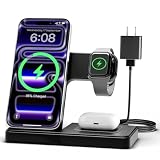
- Top Pick: GETPALS Wireless Charger iPhone Charging Station for Apple Multiple Devices | 3 in 1 Charger Stand for iPhone 18 Pro Max 17 17e 16 16e 15 14 13 12 & Watch Series 12-2 SE Ultra & Airpods 5 4 3 Pro, Black
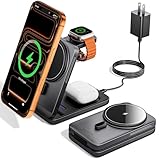
- Best Value: 3 in 1 Mag-Safe Wireless Charger Stand for iPhone Apple Watch AirPods | Adjustable Blue Ambient Light,15W Magnetic Charging Station for iPhone 18 17 16 15 14 13 12 Series wireless charging station
- Premium Choice: Magnetic 3 in 1 Wireless Charger Stand for iPhone,45% Smaller in Volume | Must-have for Portable Travel,15W Magnetic Charging Station for iPhone 18 17 16 15 14 13 12 Series Wireless Charging Station
The best 3 in 1 wireless charger is the one that matches your devices: an iPhone with an Apple Watch and AirPods suits a Qi2 magnetic stand, while mixed Android households do better with an open-pad design that uses standard Qi coils. Check three things before anything else: whether your phone supports Qi2 magnetic alignment, whether your watch needs its own proprietary puck, and whether the charger ships with a power adapter.
As an Amazon Associate we earn from qualifying purchases at no extra cost to you.


At a Glance
| Model | Style | Best for | Limit |
|---|---|---|---|
| Belkin BoostCharge Pro 3-in-1 with Qi2 (magnetic) | Upright stand | iPhone, Apple Watch, AirPods | Apple-centred; the maker lists the highest phone rate only with a compatible phone |
| Anker MagGo 3-in-1 Qi2 station | Foldable stand | Travel and desk use with iPhone | Watch pad is for Apple Watch only |
| Satechi 3-in-1 foldable Qi2 stand | Foldable | Compact travel setup | Power supply needs to be a suitable USB-C unit |
| Spigen / UGREEN magnetic 3-in-1 stands | Stand | Budget magnetic charging | Lower stated phone wattage |
| Samsung Wireless Charger Trio | Flat pad | Galaxy phone, Galaxy Watch, Buds | Built around Samsung accessories |
Lineups are refreshed regularly, so confirm the exact model and its listed wattage on the maker’s page. Wattage figures describe the best case, not what every device will draw.
What Qi2 Changes
Qi2 is a wireless charging standard from the Wireless Power Consortium that adds a magnetic ring for alignment, similar in concept to Apple’s MagSafe. The WPC lists a 15W profile for Qi2, and the newer Qi2.2 update brings a 25W profile. Apple says the latest iPhones support 25W with a certified charger, while older MagSafe-capable iPhones charge at lower rates. A stand that is Qi2 certified will align better and waste less energy as heat than a loose coil design.
What to Check Before You Buy
- Phone compatibility: Qi2 magnet alignment works natively with recent iPhones. Many Android phones lack the magnet ring and need a magnetic case.
- Watch pad: Apple Watch and Galaxy Watch use different charging methods. Look for the specific watch named on the maker’s page.
- Earbud spot: It should fit a Qi-compatible case, such as the wireless AirPods case or Galaxy Buds case.
- Included adapter: Some chargers include a wall adapter and cable, others require your own. Using an underpowered adapter limits speed.
- Case thickness: Thick or metal cases reduce charging efficiency. Magnetic-compatible cases improve alignment.
- Safety marks: Look for the maker’s stated certifications and over-temperature protection, and follow the manual’s instructions on placement.
Stand vs Flat Pad vs Foldable
Upright stands
These hold the phone at an angle for viewing the screen. They take more desk space, and that suits a bedside table or work desk.
Flat pads
Phone, watch and earbuds lie flat. These tolerate varied devices but offer less alignment help, so it is easier to miss the coil.
Foldable travel stands
Compact and packable, they suit a carry-on. Reviewers often note that the folding hinge can wobble if the phone is heavy, so prefer designs with a firm base.
Decision Table: Pick X If
| Pick | If you |
|---|---|
| Belkin BoostCharge Pro style | Own the latest iPhone and Apple Watch and want a polished desk stand |
| Anker MagGo style | Want a foldable stand that handles home and travel |
| Satechi style | Prefer a slim aluminium-look travel stand |
| Samsung Trio style | Use Galaxy phone, watch and Buds together |
| Budget magnetic stand | Want Qi2 alignment without the premium tier |
Budget Tiers Without Prices
Budget: Basic Qi2 or Qi stands with lower stated phone wattage. Fine overnight. Mid-range: Certified Qi2 stands with a decent watch pad and a supplied adapter. Premium: Higher-wattage Qi2.2 stands with sturdier builds and built-in cooling or better materials.
Speed Expectations
A 3 in 1 stand divides its power budget among devices. If you charge the phone, watch and earbuds at the same time, the phone may receive less than the headline number. Wireless charging is also less efficient than a cable, so a wired charge remains faster when you are in a hurry. For overnight use, the difference rarely matters.
Heat and Safety
Wireless charging generates heat. Keep the stand in a ventilated place, avoid covering it, and remove the phone if it gets hot. Use the adapter specified by the maker. If a charger smells, overheats or shows damage, stop using it and contact the maker. Do not place metal objects such as cards or coins between the phone and pad.
Common Mistakes
- Assuming every Android phone supports magnetic alignment.
- Buying a stand without checking which watch it supports.
- Using a weak adapter and then blaming the stand for slow charging.
- Leaving a thick or metallic case on the phone.
- Expecting the maximum wattage on all three devices at once.
Alternatives
- Separate chargers: A Qi2 pad for the phone and a dedicated watch puck give flexibility.
- 2 in 1 stand: Cheaper if you do not use wireless earbuds.
- Power bank with magnetic mount: Better for travel on the go.
Desk Layout and Cable Management
Think about where the charger will live. A stand beside a monitor keeps the phone visible for notifications and video calls, while a bedside pad should keep the screen from glaring at night. Make sure the power cable reaches your outlet without strain and that the adapter has room on the strip. Look at the footprint: three-in-one stands vary from compact folding designs to wide bases. Non-slip feet stop the stand from sliding when you lift the phone off, and a status light that can be dimmed is useful in a bedroom.
Do You Need a Charger With a Fan?
Some higher-wattage models include a small cooling fan or heat spreader. Makers say this helps maintain speed during long sessions. A fan adds a little noise, so if you sleep near the charger, read the maker’s noise notes or choose a passive design.
Frequently Asked Questions
Is Qi2 worth it over plain Qi?
For recent iPhones, yes, because the magnets keep the phone aligned and the charge more efficient. For phones without the magnet ring, the benefit is limited unless you use a magnetic case.
Will a 3 in 1 charger work with my Android phone?
Most Android phones support standard Qi, so many pads work, but speed and alignment vary by phone. Confirm that your phone lists Qi or Qi2 support in its specifications.
Can it charge an Apple Watch and a Galaxy Watch?
Typically not on the same pad. Each watch uses a different charging method, so look for the one named on the maker’s page.
Does a case block wireless charging?
Thin plastic or silicone cases usually work. Metal, thick or card-holding cases can block or slow charging, and magnetic cases are recommended for Qi2.
Is it safe to leave charging overnight?
Certified chargers include protections, but follow the maker’s instructions, keep the area ventilated, and stop use if anything gets unusually hot.
Why does my phone charge slowly on the stand?
Common causes include a weak power adapter, misaligned phone, thick case, or power shared with other devices. Try a stronger supported adapter and remove the case to test.







Write Your Review
No reviews yet. Be the first to share your experience!