
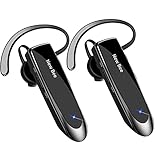
- Top Pick: New Bee Bluetooth Earpiece V5.0 Wireless Handsfree Headset with Microphone 24 Hrs Driving Headset 60 Days Standby Time for iPhone Android Samsung Laptop Trucker Driver
- Best Value: [2 Pack] Bluetooth Earpiece Wireless Handsfree Headset V5.0 24 Hrs Driving | with Microphone 60 Days Standby Bluetooth Headset for iPhone Android Driver Cell Phone Calls
- Premium Choice: New Bee Bluetooth Earpiece V5.0 Wireless Handsfree Headset with Microphone 24 Hrs Driving Headset 60 Days Standby Time for iPhone Android Samsung Laptop Trucker Driver (Gold)
For Android phone calls, a single-ear headset such as the Jabra Talk 65 or the Poly Voyager 5200 line suits people who talk more than they listen, while gamers who want voice chat plus game audio on a phone are usually better served by a true wireless pair like the Galaxy Buds or Pixel Buds family. The right pick depends on whether one ear stays open, how long your calls run, and how loud your surroundings are.
As an Amazon Associate we earn from qualifying purchases at no extra cost to you.



Quick Comparison
| Model | Style | Best for | Stated highlights (per the maker) | Limits |
|---|---|---|---|---|
| Jabra Talk 65 | Single ear, ear hook with gel tip | Daily calls, commuting | Bluetooth multipoint, noise-reducing microphone design, talk-time rated by Jabra in hours rather than minutes | Mono only; weaker for music |
| Poly Voyager 5200 series | Single ear, over-the-ear hook | Long calls in noisy spots | Poly lists multi-microphone noise handling and a charging case on certain variants | Larger body than earbuds |
| Jabra Perform 45 | Single ear, outdoor focus | Walking, delivery, field work | Jabra markets it as splash-resistant with wind-noise handling | Check that your region still stocks it; Jabra has been refreshing this range |
| Samsung Galaxy Buds series | True wireless pair | Samsung phone owners | Deepest feature set on Galaxy handsets, per Samsung | Some extras need a Samsung phone |
| Google Pixel Buds Pro series | True wireless pair | Pixel owners, general Android | Google lists active noise cancellation and fast pairing on Android | Features tuned for Pixel |
Specs change between hardware revisions, so use this table to narrow the field and read the maker’s current product page for exact battery and weight figures before buying.
Single Earpiece or Earbuds?
A classic Bluetooth earpiece clips over one ear, leaves the other open and usually carries a microphone boom or a more directional mic array. That design suits drivers, warehouse staff and anyone who needs to hear their surroundings. Earbuds give you stereo audio and often active noise cancellation, but wearing one bud alone leaves a short battery life and an awkward fit.
For gamers on Android, the decision is simple. If the phone is only a chat device while you play on a PC or console, a single earpiece keeps one ear on the game. If the phone is the game device, earbuds with a low-latency mode are the better fit.
What to Check Before Buying
Bluetooth version and codecs
Almost every Android phone supports the basic SBC codec, and many support AAC or aptX variants. A single-ear headset is built for voice, so codec matters less than microphone quality. For earbuds used with games, look for a gaming or low-latency mode listed by the maker, because standard Bluetooth audio can lag behind on-screen action.
Multipoint
Multipoint lets the headset stay connected to two devices at once, for example a phone and a laptop. Jabra and Poly both list it on their business-oriented models. It is a real convenience if you take work calls on a laptop and personal calls on Android.
Microphone and noise handling
Reviewers consistently point to microphone performance in wind and traffic as the main difference between cheap and mid-range units. Look for wording like multiple microphones or wind-noise reduction in the maker’s specification rather than a generic noise cancelling label, which can refer only to the earpiece speaker side.
Fit and comfort
Ear hooks, gel tips and in-ear fins all behave differently with glasses and long hair. Ear hooks usually stay put during walking, while loose in-canal tips can slip during head movement. Many makers include several tip sizes; try each before deciding.
Battery life and charging
A single earpiece commonly offers more talk time per charge than one bud of a pair because of its larger body. Cases that recharge the earpiece, as some Poly variants offer, extend the day. USB-C charging is now the common standard on current models, which suits Android owners who already carry a USB-C cable.
Water and dust resistance
If you wear it while exercising, read the IP rating stated by the maker. A splash-resistant rating handles sweat and light rain; it does not mean the unit is made for submersion.
Budget Tiers
| Tier | What you get | What you give up |
|---|---|---|
| Budget | Basic single earpiece, Bluetooth pairing, simple controls | Weaker microphones, no multipoint, shorter battery |
| Mid-range | Multipoint, better microphones, USB-C, decent battery | Some lack a charging case |
| Premium | Multi-microphone noise handling, charging case, quality materials, business certifications | Larger and heavier; features aimed at office use |
Pick X If
| If you need… | Look at |
|---|---|
| All-day calls, one ear open | Jabra Talk 65 or Poly Voyager 5200 series |
| Outdoor calls in wind | Jabra Perform 45 or a Voyager with wind-noise handling |
| Calls plus music on a Samsung phone | Galaxy Buds family |
| Calls plus music on Pixel or other Android | Pixel Buds Pro family |
| Work laptop plus phone | Any model with multipoint listed |
Alternatives Worth Considering
- Open-ear clip-on buds: Models such as the Soundcore AeroClip style clip designs leave both ears free and suit people who need situational awareness. Call quality varies, so read independent reviews.
- Bone-conduction headsets: Shokz makes models aimed at runners and cyclists, and they keep the ear canal open. Bass is limited compared with in-ear designs.
- Wired USB-C headset with boom mic: For gamers who want zero lag and no charging, a wired headset still beats any wireless unit for latency.
Common Mistakes
- Choosing by music features when you mostly make calls.
- Ignoring ear shape; an earpiece that does not seat properly sounds quiet and drops the mic pickup.
- Assuming multipoint is on by default; it often needs enabling in the companion app.
- Buying a long-discontinued model with outdated firmware support. Confirm the product is still listed on the maker’s site.
- Forgetting the driving laws in your region, since some places restrict wearing a headset in both ears while driving.
Android Setup Tips
Pair through Settings, then Connected devices, then Pair new device, with the earpiece in pairing mode as described in its manual. Install the maker’s companion app, such as Jabra Sound+ or the Poly app, to update firmware and adjust microphone options. If audio stutters, move the phone to the same side of your body as the earpiece, because Bluetooth struggles when your body sits between the two devices.
Frequently Asked Questions
Is a Bluetooth earpiece better than earbuds for calls?
Often yes for pure calling, because the larger body holds a bigger battery and microphone array. Earbuds win once you also want music, noise cancellation or stereo game audio. It comes down to how much of your use is talking versus listening.
Will any Bluetooth earpiece work with Android?
Standard Bluetooth headsets work with Android phones for calls and audio. Extras such as quick pairing or app-based controls depend on the maker and the phone. The manual states which features need a specific handset.
How long should the battery last?
Makers publish talk-time figures that assume moderate volume and ideal conditions. Real use is usually shorter, so pick a model whose stated talk time comfortably exceeds your longest typical call day.
Can I use one with a PC for gaming chat?
Yes, if the earpiece comes with a USB Bluetooth adapter or your PC has Bluetooth. Expect voice-only audio quality in that mode, and some units switch to a lower-fidelity profile when the microphone is active.
Are Bluetooth earpieces safe to wear all day?
They use low-power radio signals within regulated limits. If you notice ear discomfort or pain, take breaks and speak to a doctor if symptoms continue. Keep volume at a comfortable level to protect your hearing.





Write Your Review
No reviews yet. Be the first to share your experience!