
- Top Pick: Roku 32-Inch Select Series Smart TV 2026 – 1080p Full HD TV – RokuTV | Flat Screen LED Television with Voice Remote, Wi-Fi & Bluetooth Headphone Mode – Streaming Live Local News Sports & Movies
- Best Value: Roku 32-Inch Select Series Smart TV 2026 – 720p HD TV – RokuTV | Flat Screen LED Television with Voice Remote, Wi-Fi & Bluetooth Headphone Mode – Streaming Live Local News Sports & Movies
- Premium Choice: Roku 40-Inch Select Series Smart TV 2026 – 1080p Full HD TV – RokuTV | Flat Screen LED Television with Voice Remote, Wi-Fi & Bluetooth Headphone Mode – Streaming Live Local News Sports & Movies
If you want a 32 inch Roku TV for a bedroom, kitchen, dorm or gaming side desk, the 1080p models such as the Roku Select Series 32 inch FHD and the TCL S3 1080p version give the sharpest picture, the Hisense QD4 adds better color on a 720p panel, and the TCL Q3K is the QLED option. At this size, resolution, input count and refresh rate matter more than raw brightness.
As an Amazon Associate we earn from qualifying purchases at no extra cost to you.
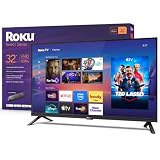


32 Inch Roku TVs at a Glance
| Model | Best for | Reported specs | Limit |
|---|---|---|---|
| Roku Select Series 32 inch (2026, 1080p) | Simple, sharp budget set | Full HD, 60Hz, about 250 nits peak and 3000:1 contrast listed in retail data, Roku Smart Picture, voice remote | HDR support is listed inconsistently between sources |
| Roku Select Series 32 inch (2026, 720p) | Lowest tier, secondary room | HD resolution, Roku Smart Picture, voice remote | Lower detail on text and games |
| Hisense 32 inch QD4 (32QD4HSR) | Better color on a small screen | Hi-QLED, 720p, about 250 nits, HDR10, Dolby Audio, HDMI, USB and Wi-Fi as listed | 720p resolution |
| Hisense 32 inch H4 or A4 | Sound and gaming mode | 720p, DTS TruSurround, Motion Rate 120 and Game Mode reported on the H4; Empire praises the A4 for audio | 720p panel |
| TCL 32 inch S3 (1080p version) | Overall value and extra ports | 1080p, Direct LED backlight, three HDMI inputs reported by Empire | 60Hz is not ideal for fast gaming; the S3 line also includes a 720p version |
| TCL 32 inch Q3K | QLED color at 32 inches | 1080p QLED, named best QLED pick by Empire | Higher tier among 32 inch sets |
Retail listings and reviewer pages sometimes disagree on small details such as HDR. Confirm on the maker’s page for the exact model number before you buy.
1080p or 720p at 32 Inches?
At 32 inches viewed from a desk or bed, the jump from 720p to 1080p is visible in text, menus and game interfaces. For a kitchen TV watched from across the room, 720p is acceptable. If you plan to use the TV as a PC or console display, pick 1080p. Resolution is also where cheaper sets cut costs, so check the model suffix, because a series often includes both HD and FHD versions.
What Else Matters
Inputs
Count HDMI ports. One covers a console, but a streaming stick, console and soundbar need more. Empire praises the TCL for having three HDMI inputs, which is one more than many small sets. Check for an ARC or eARC port if you plan to add a soundbar.
Refresh rate and gaming
Most 32 inch Roku TVs are 60Hz, which is fine for casual play but not for competitive high frame rate gaming. Some Hisense models list a Game Mode and a Motion Rate 120 feature, which is a marketing term for motion processing, not a true 120Hz panel. For a PC gaming monitor, a dedicated monitor is usually the better choice.
Brightness and HDR
Around 250 nits is typical at this tier, which suits dim rooms but can look washed out in a sunny space. HDR at this price level mostly adds compatibility rather than a dramatic picture, so do not choose based on an HDR label alone.
The Roku platform
All of these sets run the Roku smart TV system, which brings a wide streaming app selection, a simple home screen and a voice remote on supported models. Roku Smart Picture adjusts picture settings to the content. Updates come from the platform, so these TVs tend to stay usable over time.
Sound
Tiny speakers are a known weakness of small TVs. The Hisense A4 got praise for sound and the H4 lists DTS TruSurround. If dialogue matters, budget for a compact soundbar.
Mounting
Check the VESA pattern in the specifications if you want a wall mount, and note that many 32 inch TVs ship on feet that can limit what furniture fits them.
Pick X If You Need This
| If you want | Choose | Why |
|---|---|---|
| Cheapest sensible Roku set | Roku Select 32 inch | Direct from the platform maker with a simple interface |
| Best overall value | TCL S3 1080p | 1080p and three HDMI inputs |
| Better colors | Hisense QD4 or TCL Q3K | QLED panels |
| Better built-in sound | Hisense A4 or H4 | Audio features and reviewer praise |
| Console use | 1080p model with Game Mode | Sharper image and lower processing |
Budget Tiers
The entry tier includes the 720p Roku Select and basic Hisense models. The mid tier covers the 1080p Roku Select and TCL S3. The upper tier among 32 inch sets includes QLED options like the Hisense QD4 and TCL Q3K. Because the price gap between tiers is small in absolute terms, it often makes sense to step up to a 1080p or QLED model if you will use the TV daily.
Alternatives
- A 24 inch Roku TV: fits tight desks or kitchens.
- A 40 inch Roku TV: Roku lists the Select series in 24, 32 and 40 inch sizes, which gives you more screen for a bedroom wall.
- A monitor plus streaming stick: better for PC use and higher refresh rates.
- Other smart TV platforms: Google TV or Fire TV models exist at this size, though they use different interfaces.
Common Mistakes
- Buying a 720p set for desk use.
- Assuming every model in a series has the same resolution.
- Counting on small speakers for movies.
- Forgetting HDMI port count and ARC support.
- Expecting a 60Hz panel to behave like a gaming monitor.
Frequently Asked Questions
Is 1080p worth it on a 32 inch TV?
Yes, if you sit close or use the TV for gaming or work, because text and interface elements look sharper. For casual viewing from several feet away, 720p can be acceptable. Check the exact model since both versions often share a name.
Can I game on a 32 inch Roku TV?
For casual console gaming, yes. Most are 60Hz panels, so competitive high frame rate play is better on a monitor. A model with a Game Mode helps reduce processing delay.
Do I need a separate streaming stick?
No. The Roku platform is built in and includes major streaming apps. You may still want an external device if you prefer another interface, but it is not required.
How many HDMI ports do I need?
One is enough for a single device. Two to three suit a console, streaming stick and soundbar setup. Look for an ARC port if you want to connect a soundbar by one cable.
Is QLED better at this size?
QLED models such as the Hisense QD4 and TCL Q3K offer richer color, but the difference is smaller on a small screen. Choose them if color quality matters more than the lowest tier.
Does a 32 inch TV need a soundbar?
Not strictly, but small speakers limit sound. A compact soundbar improves dialogue and movies. If you rarely use the TV for entertainment, the built-in speakers may be enough.







Write Your Review
No reviews yet. Be the first to share your experience!