
A budget 4K TV from the TCL, Hisense, Roku or Vizio entry lines suits most gamers who want a big screen for a console and the occasional PC, while a 1080p set only makes sense for small bedroom or desk use. The cheapest sets trade away brightness, local dimming and processing, so the smart choice is to decide which gaming features you need before comparing brand names.
As an Amazon Associate we earn from qualifying purchases at no extra cost to you.
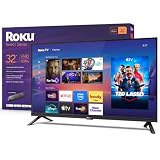

At a glance: entry-level TV lines worth shortlisting
| Line | Best for | Typical stated features | Main limits |
|---|---|---|---|
| TCL S-class / Q-class entry models | Value-first living rooms | 4K panel, built-in streaming platform, HDMI inputs, HDR formats listed by the maker | Entry panels are modest in peak brightness; check which HDMI port supports the higher refresh features |
| Hisense A-series / QD-series entry models | Buyers wanting a wider colour option at a low tier | 4K resolution, Game Mode, quantum dot on some models, voice assistant support | Lower tiers often skip local dimming; viewing angle can be narrow on VA-type panels |
| Roku-branded Select and Plus series | Simple interface and easy setup | 4K, Roku platform, auto low latency mode on supported models | Fewer picture-tuning options than premium lines |
| Vizio V-series | Console owners on a tight budget | 4K, low-latency game mode, built-in apps | Refresh features and brightness vary by size; read the spec sheet for the exact size you want |
What “cheap” really means for a gamer
A low-priced flat screen is rarely bad at everything. It is usually weaker in three places: peak brightness for HDR, black levels in dark rooms, and motion handling. Reviewers at outlets such as RTINGS and Tom’s Guide regularly point out that entry-tier TVs list HDR support on the box while delivering a limited HDR effect because the panel cannot get bright enough. Treat the HDR logo as a compatibility statement, not a performance promise.
Input lag matters more for gaming than for movies. Most current budget sets have a Game Mode that disables heavy processing. Turn it on, and check the manual or maker spec page for the refresh rate it supports at 4K. Many entry TVs are 60 Hz panels; a handful of budget models list 120 Hz support on one HDMI port only.
How to choose: the specs that matter
Resolution and size
For a screen larger than about 40 inches, 4K is the sensible baseline now, since 1080p sets in that range have become scarce at the main brands. For a desk setup within an arm’s length, a smaller 1080p or 4K screen is fine, though a computer monitor usually does a better job at that distance.
Refresh rate and HDMI
If you own a PS5 or Xbox Series console, look for a listing of 120 Hz at 4K and HDMI 2.1 features such as variable refresh rate and auto low latency mode. Budget sets often provide only one HDMI 2.1 port, or none. If you also use a soundbar via ARC or eARC, confirm which port that uses so you do not lose your only fast port.
Panel type
Most affordable sets use VA or IPS-type LCD panels. VA tends to produce deeper blacks but narrower viewing angles; IPS offers wider angles but weaker contrast. If your seating is directly in front, VA is generally the better value for dark-room gaming. If friends sit off to the side, IPS can be more comfortable.
Smart platform
Platform choice matters because it determines the apps and update support. Roku, Google TV, Fire TV and the makers’ own systems each have different menus and ad placements. Keep in mind that a console or streaming stick can replace a slow built-in interface at any time.
Pick X if … decision table
| Pick this if you | Look at | Why |
|---|---|---|
| Play mostly on a console in a bright room | TCL or Hisense 4K entry models with Game Mode | Good value; bright rooms hide weak black levels |
| Want the simplest interface for the whole household | Roku Select or Plus series | Straightforward menus and a broad app catalogue |
| Want 120 Hz for a next-generation console | Any line that explicitly lists 120 Hz native refresh on the size you want | Many entry lines cap at 60 Hz |
| Need a second TV for a bedroom or dorm | Smaller 1080p or 4K models in the same lines | Lower cost, less need for premium features |
| Play in a dark room | Models that list local dimming, or consider an OLED from a prior generation when stock appears | Black level is the biggest weakness of budget LCDs |
Sizing and placement notes
Measure the wall space and the stand footprint before ordering. Budget TVs often use feet set at the far edges of the screen, so a narrow media console may not fit a 55-inch or 65-inch set. Check the VESA pattern if you plan to wall-mount, and ensure the wall bracket matches both the pattern and the weight range listed in the manual.
As a rough viewing-distance guide, many reviewers suggest sitting about one and a half times the screen diagonal away for 4K content. A 55-inch set therefore suits a distance of roughly seven feet. Sitting closer exaggerates visible panel flaws; sitting further away wastes the resolution.
Alternatives to consider
- A monitor instead of a TV. For single-player desk gaming, a 27-inch or 32-inch gaming monitor with a high refresh rate offers lower latency and sharper text, though it lacks a tuner and a remote-friendly interface.
- A refurbished or previous-generation model. Last year’s mid-range sets from the same brands sometimes drop below the current entry tier. Read the maker’s return and warranty terms for refurbished units.
- A projector. For very large images in a dark room, a short-throw projector can beat any budget TV, but ambient light handling is poor and input lag varies widely.
Common mistakes when buying a budget TV
- Trusting the HDR badge. Peak brightness decides whether HDR looks better than standard video.
- Ignoring the HDMI port layout. Only one port may support the fast features.
- Buying the smallest size in a range and assuming the specs match the larger sizes. Panel type and refresh rate can differ by size within the same series.
- Leaving motion smoothing on while gaming, which adds input lag. Switch to Game Mode.
- Skipping the manual. Many TVs hide the best picture settings behind a specific input label.
Setup tips once it arrives
Label the HDMI input used for your console as a game or PC device in the menu if the TV offers that option, because it often unlocks low-latency settings. Turn off energy-saving brightness modes while setting up, then reduce backlight to a level that suits your room. If your set supports it, enable auto low latency mode so the TV switches itself when the console starts a game. For PC use, set the input to full RGB range where available to avoid washed-out blacks.
Frequently Asked Questions
Is a cheap 4K TV good enough for PS5 or Xbox Series games?
Yes, for most players. A 4K set with Game Mode delivers a sharp picture, but HDR and 120 Hz features vary by model. Read the maker’s spec page for the exact size to see which of those are supported.
Do I need HDMI 2.1 on a budget TV?
Only if you want 4K at 120 Hz or variable refresh rate from a current console or PC. If you play at 60 Hz, HDMI 2.0 is sufficient. Many entry sets include a single HDMI 2.1 port at best.
Is 1080p still acceptable?
For a small screen in a bedroom or kitchen, yes. For anything larger than roughly 40 inches, 4K is the more common offering and gives better results with modern consoles and streaming.
Why does a cheap TV look washed out in a dark room?
Budget LCDs usually lack strong local dimming, so blacks appear grey. Reduce the backlight, enable any local dimming option the TV offers, and consider bias lighting behind the set to reduce perceived contrast loss.
Should I rely on the built-in smart platform?
You can, but budget processors sometimes make menus slow over time. A separate streaming device or your console can handle apps if the built-in system becomes sluggish. Keep the TV’s firmware updated according to the maker’s instructions.
How long should an entry-level TV last?
Makers do not guarantee a lifespan, and results depend on usage and conditions. Read the warranty terms, use a surge protector, and keep ventilation clear around the set.







Write Your Review
No reviews yet. Be the first to share your experience!