
- Top Pick: Amicool External DVD Drive USB 3.0 USB C CD Burner CD/DVD +/-RW Optical Drive, Slim Portable DVD Player CD ROM Rewriter Writer Reader for Laptop Desktop PC Windows 11/10/8/7 MacBook Mac Linux OS Apple
- Best Value: Sony BDP-S1700U Full HD 1080p Blu-ray DVD Player with HDMI Cable | Dolby Digital TrueHD/DTS, DVD Upscaling, Ultra-Compact, Triluminos Color, Front USB
- Premium Choice: Sony DVPSR510H DVD Player, with HDMI port (Upscaling) | HDMI port (upscaling)
The best CD and DVD player depends on what you actually play: a dedicated CD player from Denon or Marantz for music quality, a simple DVD player such as the Sony DVP-SR510H or Panasonic DVD-S700 for discs and family movies, or a Blu-ray or 4K player such as the Sony UBP-X700 or Panasonic DP-UB820, which also play DVDs and CDs, if you want one box to do everything.
As an Amazon Associate we earn from qualifying purchases at no extra cost to you.
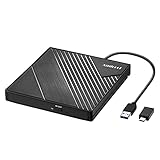

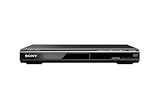

Match the player to the discs you own
CD, DVD, Blu-ray and Ultra HD Blu-ray are different formats. Almost every Blu-ray player plays DVDs and audio CDs, and every UHD player plays Blu-ray, but DVD-only players do not play Blu-ray. Regional coding adds another limit: DVDs and Blu-rays are region-locked, so a disc bought for another region may not play unless the player is region-free. Read the maker’s specifications page for supported disc types and regions before you buy.
At a glance
| Model | Best for | Disc types the maker lists | Limits |
|---|---|---|---|
| Sony DVP-SR510H | Simple, low-cost DVD and CD playback | DVD, CD and common burned formats | No Blu-ray, no streaming |
| Panasonic DVD-S700 | DVD player with an upscaling mode | DVD and CD | No Blu-ray |
| Sony BDP-S6700 and similar Blu-ray models | Blu-ray with streaming apps | Blu-ray, DVD and CD | Models and stock change; no 4K |
| Sony UBP-X700 | 4K Ultra HD Blu-ray at a mid-range tier | UHD Blu-ray, Blu-ray, DVD and CD | Check app support and audio output before buying |
| Panasonic DP-UB820 | Home theater fans wanting picture flexibility | UHD Blu-ray, Blu-ray, DVD and CD | Premium tier; more features than a casual viewer needs |
| Denon DCD-600NE | Music listeners with a hi-fi system | CD and discs with audio files | CD-only, no video |
| Marantz CD6007 | Audio-focused CD playback with a built-in digital converter | CD | CD-only, no DVD |
Model lineups change and some may be listed as previous generation or discontinued in some stores. Look at each maker’s page for the current successor and exact specifications.
How to choose
- Video outputs. HDMI is standard. Older TVs and projectors may need component or composite connections, which many new players have dropped.
- Audio outputs. Optical, coaxial and HDMI audio matter if you use a soundbar or receiver. For CD listening, a stereo analog output is useful for a hi-fi amplifier.
- Upscaling. DVD players that upscale to 1080p, as some makers describe, can look cleaner on a modern TV, but they cannot add detail not on the disc.
- File support. Some players read MP3, JPEG or video files from burned discs or USB drives. The maker’s list matters.
- Streaming. Some Blu-ray players carry apps, but a TV or streamer often covers that, so it should not decide your purchase.
- Noise and build. Reviewers often mention tray and fan noise on cheap players. This matters for quiet living rooms.
Budget, mid-range and premium tiers
| Tier | What to expect | Suits |
|---|---|---|
| Budget | Light plastic DVD and CD players with HDMI and basic outputs | Kids’ rooms, guest rooms, spare TVs |
| Mid-range | Blu-ray or entry 4K players, better build, more disc formats | Main living room and mixed collections |
| Premium | High-end UHD players or hi-fi CD players with quality converters and metal chassis | Home theater or serious music setups |
Pick X if …
| If … | Pick … |
|---|---|
| You only have DVDs and CDs | Sony DVP-SR510H or Panasonic DVD-S700 |
| You have a mix of DVD and Blu-ray | A Sony Blu-ray model such as the BDP-S6700 where available |
| You collect 4K discs | Sony UBP-X700 or Panasonic DP-UB820 |
| You care about CD sound through an amplifier | Denon DCD-600NE or Marantz CD6007 |
| Your TV is older | A player with the analog outputs your TV needs |
Gamers and PC users: a quick note
PC builders often drop the disc drive. If you need to play discs on a PC, an external USB drive handles CDs and DVDs, but a standalone player is simpler for movies. UHD Blu-ray playback on a PC has strict requirements around drives, software and licensing, so a dedicated player is often easier. Game consoles with disc drives can play DVD and Blu-ray as the console maker states, though a dedicated player may give more format flexibility.
Common mistakes
- Ignoring region codes. A disc from another region will not play on a locked player.
- Buying DVD-only and then buying Blu-rays. A Blu-ray player costs little more and plays older discs too.
- Expecting a DVD player to make DVDs look like 4K. Upscaling improves compatibility, not source quality.
- Skipping cable checks. Confirm HDMI cable length and the right audio connector for your system.
- Forgetting disc care. Scratches cause skipping on any player; clean discs from the centre outward with a soft cloth.
Alternatives
- Portable disc players. Good for travel, with built-in screens.
- External USB disc drives. They suit laptops and desktops.
- Ripping and streaming. Where the law and the disc licence allow, personal backups on a network drive avoid handling discs.
Care, noise and placement
Place the player on a flat, stable shelf with room for air around it, because heat shortens the life of the laser and the power supply. Avoid stacking heavy equipment on top. If a disc skips, wipe it from the centre outward with a soft cloth before blaming the machine. Never open the case while it is plugged in; a repair shop should handle faults. If the tray will not open or the player overheats or smells burnt, unplug it and contact the maker.
What reviewers tend to weigh
Outlets that cover disc players, including What Hi-Fi and Rtings, usually look at load times, disc compatibility, picture processing and menu speed on video players, and at converter quality and build for CD players. Load time is easy to overlook, yet it affects daily use: some budget players take noticeably longer to start a disc than mid-range models. For music, many listeners care most about a clean analog output and a sturdy transport, while movie fans focus on HDMI performance and whether the player passes through high dynamic range correctly. Because opinions vary, read at least two reviews of any model before buying.
Setting up for the best result
- Connect HDMI from the player directly to the TV or receiver, using a cable rated for the format you play.
- Set the output resolution in the player menu to match your TV, since menu names vary by maker.
- For CD listening, use the analog or digital output that your amplifier handles best, and avoid running the same signal through unnecessary extra boxes.
- Update firmware if the maker offers it, following their instructions carefully.
Frequently Asked Questions
Do Blu-ray players play CDs and DVDs?
Most do, and makers list supported discs on their product pages. A few budget models may skip certain burned formats, so confirm before buying.
Is it worth buying a CD player in 2026?
If you own discs and want simple playback with a good digital converter, a dedicated CD player from a maker such as Denon or Marantz remains a good option. Look at the maker’s site for the models on offer.
Can a DVD player play Blu-ray?
No. Blu-ray needs a different laser and decoding hardware. You need a Blu-ray or UHD player.
What is region-free?
A region-free player ignores the region code on discs. Many mainstream models are region-locked, so check specifications if you import discs.
Will an old DVD player work with a new TV?
It will if the player has an output your TV accepts. Many modern TVs have dropped analog inputs, so HDMI is the safer choice.







Write Your Review
No reviews yet. Be the first to share your experience!