
- Top Pick: AKASO Mini Projector, Pocket-Sized DLP Portable Projector, 1080P Cookie Projector , Support HDMI WiFi Built-in Rechargeable Battery Stereo Speakers and Remote Control Movie Projector – Updated Type-C
- Best Value: YGSKK Mini Projector with Wifi and Bluetooth, Built-in Apps,Movie Projector | Electric Focus Portable Projector, 1080P Video Projector for Bedroom, Supports Smartphone/TV Stick/iPad/PS5/Laptop/HDMI/USB
- Premium Choice: Aurzen ZIP Tri-Fold DLP Pocket Mini Projector with USB-C, Bluetooth, White | Pico Projector with ToF Real-time Focus, 1.5H Playtime for Movies, Travel, Cookie Decorating, Art Tracing and Sewing
The best pocket projector depends on what you want to watch or play: the Anker Nebula Capsule series and similar can-shaped models suit travelers who want a speaker and a built-in streaming system, the XGIMI MoGo line suits those who want a sharper 1080p picture, the Samsung Freestyle suits people who want a flexible rotating stand, and compact DLP models such as the ViewSonic M1 family suit anyone on a tight budget. All pocket projectors are best in a dim or dark room.
As an Amazon Associate we earn from qualifying purchases at no extra cost to you.
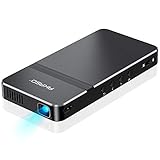


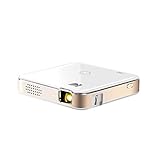
At a Glance
| Model line | Best for | What the maker lists | Limits |
|---|---|---|---|
| Anker Nebula Capsule series | Travel and bedroom movies | Cylinder body, built-in speaker, built-in streaming platform, battery on selected models | Lower brightness than larger portables |
| XGIMI MoGo series | Sharper picture, small living-room use | 1080p on current models, auto focus and keystone correction, built-in speakers | Needs a darkened room, premium tier |
| Samsung The Freestyle | Flexible placement, ceiling and wall use | Rotating cradle stand, auto keystone and focus, screen-fit features, optional battery base | Brightness limited in daylight |
| ViewSonic M1 family | Budget and portable | Compact DLP body, built-in stand, built-in speakers, battery on some models | Lower resolution on older versions, basic smart features |
| LG CineBeam Q | High-resolution portable | Maker lists 4K UHD output in a compact body with a handle and battery | Premium tier, brightness still limited |
| Palm-sized mini DLP projectors | Casual phone mirroring | Tiny body, HDMI or wireless casting on some versions | Dim picture, limited speakers |
What to Look For
Brightness
Makers list brightness in ANSI lumens, ISO lumens or LED lumens, and these are not directly comparable. As a general rule, pocket projectors are best used in a dark room because they cannot match a television in daylight. Lower stated brightness means a dimmer image with less color pop, so choose a darker room or a smaller screen size.
Resolution
Native 1080p gives a noticeably sharper image than 720p or 480p, especially for text and games. Some models also accept 4K signals but downscale them. Check whether the maker lists native or supported resolution, since the difference matters.
Battery and power
Some pocket projectors run on built-in batteries for a couple of hours, while others need a USB-C or DC power connection. Makers differ on whether a power bank can supply the projector, so read the power requirements in the manual before buying a battery pack.
Smart features and apps
Models with built-in operating systems such as Google TV or Tizen can run streaming apps directly. Others rely on an HDMI stick or phone casting. Check which streaming services are supported on the specific model, since licensing can vary by region.
Setup and image correction
Auto focus and auto keystone correction speed up setup and let you project onto a wall at an angle. They are convenient but not perfect, so a flat, light surface still gives the best result.
Gaming
For gamers, input lag is the issue. Pocket projectors typically do not match a gaming monitor or TV for responsiveness, and the maker spec sheet rarely lists lag. A game mode, where offered, can help. Slower games and couch co-op suit these devices better than competitive shooters.
Pick This If
| Pick this if you… | Choose |
|---|---|
| Want a self-contained travel projector | Nebula Capsule style |
| Want a sharper 1080p image in a small package | XGIMI MoGo |
| Want to project at odd angles, including the ceiling | Samsung Freestyle |
| Need the lowest tier that still works | ViewSonic M1 or similar compact DLP |
| Want a portable with higher resolution | LG CineBeam Q |
| Plan to play consoles or a handheld PC | Any model with HDMI input and a game mode |
Connection Notes for Gamers
- HDMI input is the most direct way to connect a console, a Steam Deck dock or a laptop.
- USB-C video output on a phone or handheld may work if the projector supports DisplayPort alt mode; read the manual.
- Wireless casting adds latency and is better for video than for games.
- If audio quality matters, use a Bluetooth speaker or the audio output on the projector, since built-in speakers are small.
Screen and Room Tips
A projection screen or a smooth white wall improves image quality. Curtains and dark walls help contrast. Keep the projector level and a short distance from the surface to maximize brightness. Check the throw ratio in the specifications, which tells you how large an image you get from a given distance.
Safety and Care
Projectors produce heat, so leave ventilation space around them. Do not look directly into the lens, and keep small items away from vents. LED and laser light sources differ in lifespan, and the maker’s manual gives guidance on cleaning the lens and handling the battery. Use the supplied or recommended charger, and stop using a device if the battery swells or gets unusually hot.
Common Mistakes
- Expecting a pocket projector to work well in a bright room.
- Comparing lumen ratings across brands without noting the unit used.
- Ignoring the native resolution.
- Assuming that built-in streaming apps will include every service.
- Skipping a power bank compatibility check.
Alternatives
A larger portable projector gives a brighter image at the cost of size. A compact monitor or portable display is better for gaming on the go. A TV streaming stick on a hotel TV is the simplest travel option, while a short-throw projector fits a permanent home theater.
Sizing the Image and Distance
Most pocket projectors produce a usable picture somewhere between roughly 40 and 100 inches, depending on the model, and the image gets dimmer as it gets larger. Move the unit closer for a brighter, smaller picture, or farther away if you want a big screen and can darken the room. Makers publish throw ratios and recommended screen sizes in their manuals, and these are better guides than marketing claims. A small tripod or a stable stand with tilt adjustment helps you avoid stacking books under the projector, and a ceiling-friendly design opens up bed-viewing options.
Fan noise is another point reviewers mention. Small projectors run fans to manage heat, and quiet scenes can reveal it, so a speaker placed closer to you helps.
Frequently Asked Questions
Are pocket projectors good enough for movies?
Yes, in a dark room. Picture size can reach well beyond a laptop screen, but brightness and contrast are lower than a TV, so expect the best results at night.
Can I game on a pocket projector?
You can, especially for slower games, but input lag is generally higher than on a TV or monitor. Look for a game mode and use a wired HDMI connection.
How long does the battery last?
It varies by model and brightness setting. Makers state runtime figures, and many suggest a couple of hours of use, which may not cover a long movie without a power source.
Do I need a screen?
No. A light, flat wall works, though a screen can improve contrast and color.
What does ANSI lumen mean?
It is a standardized brightness measurement for projectors. Not all makers use it, so read the footnotes on the spec sheet before comparing.
Is 4K worth it in a pocket projector?
Only if you value sharpness and can control room light. Many buyers find that native 1080p with good setup is enough at small screen sizes.







Write Your Review
No reviews yet. Be the first to share your experience!