
- Top Pick: GIGABYTE GeForce RTX 2060 OC GG Graphics Card, 2X Windforce Fans, 6GB 192-bit GDDR6, Gv-N2060OC-6GD REV2.0 Video Card (Renewed)
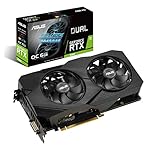
- Best Value: ASUS GeForce RTX 2060 Overclocked 6G GDDR6 Dual-Fan EVO Edition VR Ready HDMI DisplayPort DVI Graphics Card (DUAL-RTX2060-O6G-EVO) (Renewed)
- Premium Choice: ASUS Dual GeForce RTX 5060 Ti 16GB GDDR7 OC Edition Gaming Graphics Card | PCIe 5.0, HDMI 2.1b, DisplayPort 2.1b, 2.5-slot, Axial-tech Fans, 0dB Technology, Dual BIOS
For an RTX 2060 owner, the RTX 5060 Ti 16GB is a large and worthwhile upgrade: published comparisons put it somewhere between roughly 60% and 100% faster depending on source and game, it nearly triples VRAM from 6 GB to 16 GB, and it adds DLSS frame generation including Multi Frame Generation for only 20 W more power; the upgrade pays off most at 1440p and in recent AAA games, and least for players on old quad-core CPUs or those who mostly run light esports titles.
The RTX 2060 was NVIDIA’s entry ticket to RTX in January 2019, priced at $349. It was a strong 1080p card for its time, but its 6 GB frame buffer has become the main limit in modern games long before raw speed runs out. The RTX 5060 Ti 16GB, launched in April 2025 at $429, is the current-generation card that best matches the 2060’s original role and power envelope while removing the VRAM ceiling.
As an Amazon Associate we earn from qualifying purchases at no extra cost to you.



Generational Gap in One Table
| Spec | RTX 2060 | RTX 5060 Ti 16GB |
|---|---|---|
| Architecture | Turing | Blackwell 2.0 |
| Release date | 7 January 2019 | 16 April 2025 |
| Launch MSRP | $349 | $429 |
| CUDA cores | 1920 | 4608 |
| Boost clock | 1680 MHz | 2572 MHz |
| Process | 12 nm | 5 nm |
| TDP | 160 W | 180 W |
| Memory | 6 GB GDDR6 | 16 GB GDDR7 |
| Memory bus | 192-bit | 128-bit |
| Bandwidth | 336.0 GB/s | 448.0 GB/s |
| L2 cache | 3 MB | 32 MB |
| Interface | PCIe 3.0 x16 | PCIe 5.0 x8 |
| Power connectors | 1x 8-pin | 1x 8-pin |
| Length / width | 229 mm, 2-slot | 241 mm, 2-slot |
| Display outputs | 1x DVI, 1x HDMI, 2x DP, 1x USB-C | 1x HDMI 2.1b, 3x DP 2.1b |
More than twice the CUDA cores, about 900 MHz more boost clock, a third more bandwidth, ten times the L2 cache and nearly three times the memory. Few same-tier upgrades look this different on paper.
Frame Rates: What Changes in Practice
Estimates vary more than usual for this pair. Aggregated benchmark sites put the RTX 5060 Ti 16GB around 58-60% ahead of the RTX 2060 across all resolutions, while review data that places the 5060 Ti near RTX 3070 Ti to RTX 3080 territory, as Gamers Nexus’ comparisons suggest, implies a gap closer to double in modern games. A reasonable expectation is roughly 60-100%, with the higher end appearing in newer titles where 6 GB of VRAM causes the RTX 2060 to stall.
- 1080p, AAA: games that run around 40-50 FPS on an RTX 2060 at Medium-High commonly move into the 80-100 FPS band on the 5060 Ti at higher settings. Results vary with settings, CPU and patch.
- 1440p: the RTX 2060 generally needs Low-Medium settings and upscaling here; the 5060 Ti handles High settings in most current games.
- Esports: frame rates rise, but many esports titles are CPU-limited, so the gain may be smaller than in AAA games.
Why 6 GB Is the Real Problem
Many recent releases recommend 8 GB as a minimum for 1080p High, and some exceed that. On a 6 GB card, the result is not just lower averages but texture pop-in, blurry assets and stutter when the game swaps data over the PCIe bus. Lowering textures helps, but it also removes one of the cheapest ways to make games look better. Moving to 16 GB means textures can stay on High or Ultra at 1080p and 1440p for years, and it gives headroom for ray tracing and frame generation, both of which consume extra memory.
DLSS Then and Now
| Feature | RTX 2060 | RTX 5060 Ti 16GB |
|---|---|---|
| DLSS super resolution (incl. DLSS 4 transformer model) | Yes | Yes |
| DLSS ray reconstruction | Yes | Yes |
| DLSS Frame Generation (2x) | No | Yes |
| DLSS Multi Frame Generation | No | Yes (RTX 50 only) |
| NVIDIA Reflex | Yes | Yes |
| Hardware ray tracing | 1st generation RT cores | Current generation RT cores |
The RTX 2060 continues to benefit from improved DLSS upscaling, which extends its useful life. Frame generation is the clear line between them: the RTX 2060 can only use FSR 3 frame generation in games that include it, while the 5060 Ti can use NVIDIA’s DLSS frame generation and Multi Frame Generation. Frame generation is best treated as a smoothness boost on top of a playable base frame rate, not as a fix for a slow card; the 5060 Ti’s native speed is what makes it effective.
Will It Drop Into Your Current PC?
Power: the TDP rises from 160 W to 180 W. Using GPU TDP plus CPU plus about 150 W headroom with a 95 W CPU: RTX 2060 needs about 405 W, the 5060 Ti about 425 W. A quality 500-550 W PSU covers both. Very old or low-quality units are worth replacing regardless.
Connectors and size: both reference specs use a single 8-pin and a 2-slot cooler; the 5060 Ti listing is 241 mm against 229 mm. Most cases that fit a dual-fan RTX 2060 will fit a dual-fan 5060 Ti.
PCIe: the 5060 Ti uses eight lanes. On a PCIe 3.0 board, typical for RTX 2060-era systems, it runs at 3.0 x8. The 16 GB of VRAM keeps bus traffic low in most games, so the loss is usually small.
CPU: this is the most important check. An RTX 2060 paired with an older 4-core or early 6-core CPU may see the 5060 Ti held back at 1080p. In that case, a platform upgrade or moving to 1440p unlocks more of the new card.
Outputs: no DVI on the 5060 Ti; older DVI-only monitors need an adapter.
Ray Tracing: From Novelty to Usable
The RTX 2060 was the cheapest card with first-generation RT cores, and in most games enabling ray tracing on it meant 1080p with DLSS and frame rates hovering around 30-45 FPS. That made RT more of a demonstration than a setting people kept on. The RTX 5060 Ti 16GB uses RT cores three generations newer and has the memory capacity that ray-traced effects demand, since BVH structures and higher-quality reflections add to VRAM use. In practice, moderate ray tracing at 1080p and 1440p with DLSS Quality becomes playable in most titles, and games that make ray tracing mandatory run with headroom instead of at the edge. Ray reconstruction, available on both cards, improves the look of ray-traced lighting, but the 2060 rarely has the performance budget to use it comfortably. Players who skipped ray tracing on the RTX 2060 will find it a realistic option after the upgrade.
Spending Breakdown
An RTX 2060 typically sells for around $90-$130 used. Buying a 5060 Ti 16GB at its $429 MSRP and selling the old card leaves a net cost of roughly $300-$340. With the RTX 2060 at 100 and the 5060 Ti 16GB at roughly 180, the midpoint of the published range, that is about $4 per percentage point of extra performance, plus the jump from 6 GB to 16 GB. Compared with launch prices, $349 bought 100 points in 2019 and $429 buys roughly 180 now, or about $2.38 per point against $3.49.
When the Upgrade Pays Off
| Player profile | Verdict |
|---|---|
| 1080p or 1440p AAA, CPU from 2020 or later | Strong upgrade |
| Hitting VRAM limits and lowering textures | Strong upgrade; the 16 GB model specifically |
| Esports at 1080p on an old quad-core | CPU first, GPU second |
| Tight budget, 1080p only | The 8 GB RTX 5060 or RTX 5060 Ti 8GB is cheaper, but VRAM headroom is smaller |
| Want maximum 1440p performance | Consider stepping up to an RTX 5070 |
Frequently Asked Questions
How much faster is the RTX 5060 Ti 16GB than the RTX 2060?
Published comparisons range from about 60% to roughly double, depending on the games and resolution. The biggest gains appear in modern titles where the RTX 2060’s 6 GB of VRAM runs out.
Is 6 GB of VRAM still enough in 2026?
Only for older or lighter games at reduced texture settings. Many recent AAA releases recommend 8 GB or more at 1080p, and 6 GB cards often show stutter and texture pop-in. The 16 GB on the RTX 5060 Ti removes that issue.
Can I keep my PSU when upgrading from an RTX 2060?
In most cases yes. The RTX 5060 Ti 16GB has a 180 W TDP, just 20 W more than the RTX 2060, and both reference specs use a single 8-pin connector. A quality 500-550 W unit is usually enough.
Does the RTX 2060 support DLSS frame generation?
No. DLSS frame generation needs an RTX 40 or RTX 50 card, and Multi Frame Generation is RTX 50 only. The RTX 2060 does support DLSS super resolution, including the DLSS 4 transformer model.
Will an older CPU bottleneck the RTX 5060 Ti?
It can, especially at 1080p in CPU-heavy games. Older quad-core processors and early 6-core chips may limit frame rates, so playing at 1440p or upgrading the CPU helps get the full benefit.
Ready to decide? Our #1 pick for 2026 is the Architecture.
Live price & availability on Amazon.








Write Your Review
No reviews yet. Be the first to share your experience!