
- Top Pick: External eGPU Enclosure with PSU,Compatible with Thunderbolt 4/3 & USB4
- Best Value: ORARA eGPU Enclosure Compatible with Thunderbolt 3/4/USB4 40Gbps eGPU Dock Station with 750WPSU, Compact External Graphics Card Enclosure Compatible with NVIDIA/AMD PCIe, PD 85W, Daisy Chain (Black)
- Premium Choice: Sonnet Breakaway Box 850 T5 Thunderbolt 5 USB4 eGPU Enclosure 850W Windows | Thunderbolt 4 compatible; triple-wide GPU support; built-in 5GbE and three 10Gbps USB-A ports
Top Egpu Enclosures External Graphics Card Picks for 2026
Here are our current top egpu enclosures external graphics card picks, compared on specifications, price tier, and features.
- Top Egpu Enclosures External Graphics Card Picks for 2026
- The Enclosure Market in 2026
- Specifications That Actually Matter
- Thunderbolt Polish vs OCuLink Economics
- Connection Types and What They Mean for Performance
- Power Supply and Card Fit Checklist
- Mistakes to Avoid With eGPU Enclosures
- Who Should Skip an eGPU Enclosure
- Setup Tips and Longevity Thinking
- What to Look For in an eGPU Enclosure
- Which eGPU Enclosure Should You Buy?
- Common Mistakes When Buying an eGPU Enclosure
- Related Guides
- Frequently Asked Questions
- Related Articles


The eGPU enclosure market matured dramatically by 2026, splitting into polished Thunderbolt 5 docks and aggressive OCuLink value hardware. Picking the right box matters as much as the GPU you put inside it.
As an Amazon Associate we earn from qualifying purchases at no extra cost to you.
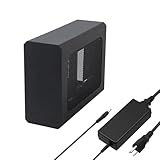
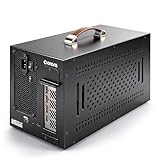
Sonnet Breakaway Box 850 T5 – Best Premium Thunderbolt 5 Enclosure

Sonnet has built eGPU enclosures for years, and the 850 T5 is its Thunderbolt 5 flagship. The listing describes an 850W power supply, Thunderbolt 5 and USB4 connectivity with Thunderbolt 4 compatibility, and room for triple-wide graphics cards. Reviews of Thunderbolt 5 enclosures regularly point to it for buyers who want the most complete package, including extra ports such as network and USB.
It suits laptop owners with a Thunderbolt 5 port who plan to run a large current-generation card and want a single cable for display, data and charging. An 850W supply gives real headroom for high-power GPUs, and the triple-wide support covers the thick coolers on many modern cards.
Strengths are the power headroom, the Thunderbolt 5 bandwidth and the mature, well-supported design. The drawbacks are the premium price tier and the size. You are paying for polish and ports, and a laptop limited to Thunderbolt 4 will not use the extra bandwidth. Specific host charging wattage is not listed in the summary data, so check the product page if you need to power a demanding laptop. Compared with the Razer Core X V2, this is a step up in capacity and port count, with a higher price to match.
Sonnet Breakaway Box 750ex – Best Proven Thunderbolt 4 Workhorse

The Breakaway Box 750ex is the older, widely supported Sonnet model. The listing describes a 750W power supply with 375W of continuous GPU power, Thunderbolt 3 connectivity, support for GPUs up to 312 mm long, and compatibility with both Mac and Windows hosts. Linux-focused guides name it as a proven choice for Thunderbolt 4 laptops.
It is best for gamers and creators on Thunderbolt 3 or 4 laptops who want a quiet, reliable box and do not need Thunderbolt 5. Because the connection tops out at 40 Gbps, you will not reach the same performance as an OCuLink setup, but compatibility and driver support are strong.
The positives are the reputation, the quiet operation and the dependable build. The negatives are the card-length limit, the lack of Thunderbolt 5 and a price tier above OCuLink docks. It is a safe pick for people who value support over raw bandwidth.
Plugable Thunderbolt 5 AI eGPU Enclosure and Dock – Best for AI and Workstation Use

Plugable’s Thunderbolt 5 enclosure is aimed at people running AI and compute workloads. The listing describes an 80 Gbps connection, 96W of charging power for the host, an ATX 3.1 power supply of about 850W and TAA compliance, which matters for some government and business buyers. It also doubles as a dock with additional ports.
It suits developers, researchers and creators who run local models or heavy rendering on a laptop and want one cable to the desk. Compute tasks are less sensitive to bandwidth than games, so a Thunderbolt 5 link already gets close to internal performance for many workloads.
Strengths include the power supply, the host charging and the dock features. Weaknesses are the premium price tier and the fact that gaming gains over a cheaper OCuLink box are modest. The Sonnet 850 T5 is the closest alternative; Plugable leans more toward workstation use. Dimensions and weight are not listed in the summary data, so confirm card clearance first.
AOOSTAR AG03 – Best Hybrid OCuLink and Thunderbolt 5 Dock
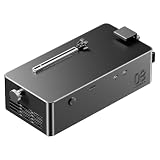
AOOSTAR’s AG03 is the hybrid in this list. The listing describes an external GPU dock with an 800W power supply, an OCuLink port plus two Thunderbolt 5 ports, 100W or 140W charging on those ports and support for GPUs drawing up to about 500W. Roundups of the category have named it a best overall pick because one box covers both connection styles.
It suits owners of mini PCs and handhelds with OCuLink as well as laptops with Thunderbolt 5, or buyers who want to keep options open. OCuLink gives the lowest overhead for a given bandwidth, while Thunderbolt 5 offers hot-plug convenience.
Strengths are the flexibility, the strong power supply and the hybrid connectivity at a mid-range price tier. The drawbacks are that OCuLink connections are not hot-pluggable in the same way, and that AOOSTAR is a newer name with less long-term support history than Sonnet or Razer. Check the cable and port requirements before ordering. It sits well above budget OCuLink docks like the OwlTree and MINISFORUM options but below the Sonnet premium boxes.
TREBLEET 80Gbps eGPU Enclosure – Best Value Thunderbolt 5 Box

TREBLEET’s 80 Gbps enclosure is the budget route into Thunderbolt 5. The listing describes compatibility with Thunderbolt 5 and USB4 v2, a built-in 600W SFX power supply and 140W PD charging for the host laptop.
It suits buyers who want Thunderbolt 5 bandwidth without the premium for a big-name chassis, and who are using a mid-range or upper mid-range graphics card that does not need more than the 600W supply can provide. The 140W charging means many gaming laptops can run from the same cable.
Strengths are the Thunderbolt 5 link, the host charging and the mid-range price tier. Weaknesses are the 600W ceiling, which limits the largest cards, and a smaller company with less track record. Card clearance and fan noise are not listed in the summary data. Compared with the Razer Core X V2, it offers a similar connection at a lower price tier but with less brand support.
The Enclosure Market in 2026
Enclosures now divide into three clear tiers. Premium Thunderbolt 5 docks from established names deliver hot-plug convenience, high-wattage laptop charging, extra USB and network ports, and quiet integrated power supplies in furniture-grade chassis. Mid-tier Thunderbolt 4 and USB4 boxes carry the previous generation forward at gentler prices. The insurgent third tier is OCuLink: minimalist docks and bare-board kits that trade polish and hot-plugging for the lowest cost and the smallest bandwidth penalty. Each tier serves a real audience, and the worst purchases come from mismatching tier to need, like buying premium docking features for a basement battlestation that never unplugs.

Specifications That Actually Matter
Cut through enclosure marketing with five checks. Power supply wattage: it must cover your GPU’s class with headroom, and integrated supplies should come from reputable OEMs. Card clearance: modern coolers run long and three-plus slots thick, so verify dimensions against your intended GPU, not GPUs generally. Host power delivery: enough wattage to charge your laptop while gaming spares you a second cable. Connection bandwidth: the spec that sets your ceiling. And acoustics: a whisper-quiet GPU inside a droning box defeats the purpose. Extras like SSD bays and 2.5GbE ports are pleasant, but never trade core specs for accessories.
Thunderbolt Polish vs OCuLink Economics
The enthusiast debate of 2026 is convenience versus efficiency. Thunderbolt enclosures behave like appliances: plug in, play, undock for the commute, with certified compatibility and warranty support. OCuLink rigs behave like projects: cheaper by a wide margin, measurably faster over the link, but demanding a supported laptop or an installed adapter, shutdown-before-disconnect discipline, and tolerance for forum-grade troubleshooting. Households with one shared gaming GPU and multiple laptops lean Thunderbolt; solo enthusiasts maximizing frames per dollar on a handheld or modded notebook lean OCuLink. Neither answer is wrong, but knowing your tolerance for tinkering decides which box you will actually enjoy.

Connection Types and What They Mean for Performance
| Connection | Bandwidth | Hot Plug | Best For | Price Tier |
|---|---|---|---|---|
| Thunderbolt 3 or 4 and USB4 (40 Gbps) | About 40 Gbps | Yes | Mainstream laptops | Mid-range |
| Thunderbolt 5 and USB4 v2 (80 Gbps) | Up to 80 Gbps | Yes | Newer laptops, AI and creative work | Mid-range to premium |
| OCuLink (PCIe 4.0 x4) | About 64 Gbps | No, typically | Mini PCs, handhelds, lowest overhead | Budget |
Buying guides for 2026 repeat the same pattern: OCuLink gives the best raw performance for the money, Thunderbolt 5 gives the best convenience, and Thunderbolt 4 still delivers most of the performance for many tasks. Linux-focused testing suggests a Thunderbolt 4 enclosure gets roughly 80 to 95 percent of internal performance on compute work, with games varying by title.
Power Supply and Card Fit Checklist
- PSU wattage: 750 to 850W covers high-end cards. Mid-range cards are fine with 500 to 600W. Always compare the card’s recommended power with the enclosure’s GPU power rating, not just the total PSU number.
- Slot width: check whether the enclosure supports dual-wide, triple-wide or four-slot cards. Many current coolers are three slots thick.
- Card length: some boxes cap at roughly 312 mm. Measure your card.
- Host charging: 85W suits ultrabooks, while gaming laptops often need 140W.
- Laptop port: confirm Thunderbolt, USB4 or OCuLink on your own device. A USB-C port without Thunderbolt will not work.
Mistakes to Avoid With eGPU Enclosures
- Buying a Thunderbolt 5 box for a Thunderbolt 4 laptop. It will work, but at the lower speed, so the extra cost is partly wasted.
- Pairing a very powerful GPU with a small laptop. The CPU and connection can bottleneck it, so a mid-range card often gives better value.
- Ignoring the internal display. Performance is usually higher when you connect an external monitor straight to the card.
- Forgetting drivers and BIOS settings. OCuLink and some Thunderbolt setups need correct firmware options and a restart before the card is detected.
- Cheaping out on the power supply. Unknown-brand supplies inside a sealed box can run hot and loud.
Who Should Skip an eGPU Enclosure
- Anyone who can buy a small desktop for a similar total cost, since desktop GPUs run at full bandwidth.
- Laptops with only a standard USB-C port, which cannot drive a graphics card.
- Buyers who want the absolute highest frame rates in competitive games, where the connection ceiling matters.
- Users who move constantly and cannot carry a heavy box and a large card.
Setup Tips and Longevity Thinking
Treat the enclosure as long-term infrastructure, because good ones outlive several GPUs. Update enclosure firmware and laptop BIOS before first use, install the GPU vendor’s drivers cleanly, and connect external displays directly to the card for the best performance. Expect occasional first-week quirks, sleep-wake handoffs and driver priority issues remain eGPU life’s small taxes. Buy clearance and wattage beyond your current card so the next upgrade drops straight in. A quality enclosure purchased once, with thoughtful headroom, quietly amortizes into one of the best value purchases in the whole external-GPU equation.

Related guides on our site: Best GTX 1070 Graphics Cards in 2026: Budget Legacy GPUs · Best Titan X Graphics Cards in 2026: Collector and Legacy Picks · Best GTX 1660 Ti Graphics Cards in 2026: Budget 1080p Gaming · Best GTX 1660 Super Graphics Cards in 2026: Entry-Level Gaming · Best RTX 3060 Ti Graphics Cards in 2026: Classic Mid-Range Value.
Frequently Asked Questions
What should I look for first in an eGPU enclosure?
Connection standard, then power supply wattage and physical card clearance. Those three determine compatibility and ceiling; ports, bays, and styling are secondary conveniences.
Are OCuLink enclosures better than Thunderbolt?
They offer lower cost and less bandwidth overhead, but no hot-plugging and fewer compatible laptops. Thunderbolt remains the convenient, certified path; OCuLink is the enthusiast value play.
Can one enclosure work with multiple laptops?
Yes, Thunderbolt enclosures excel at this, serving any compatible machine that plugs in. It is one of the strongest arguments for an eGPU in multi-laptop households.
How much performance do you lose with an eGPU?
It depends on the connection and the game. Thunderbolt 4 can cost a noticeable share of frame rate compared with the same card in a desktop, Thunderbolt 5 narrows the gap, and OCuLink is the closest to a desktop slot.
Do I need Thunderbolt 5 for an eGPU?
No. Thunderbolt 4 and OCuLink both work well. Thunderbolt 5 is worth it if your laptop already has the port and you want to future-proof or run heavy AI and creative workloads.
Can an eGPU charge my laptop?
Many enclosures pass through USB-C power delivery from 85W up to 140W. Check that the wattage matches what your laptop needs.
Which GPU should I put in an eGPU enclosure?
A mid-range or upper mid-range current-generation card gives the best balance. The most powerful cards are limited more by the connection than by the card itself, and they need a larger power supply and more space.
Are eGPU enclosures compatible with Macs?
Support is limited and depends on the chip. Apple silicon Macs do not support external GPUs for graphics, so check the enclosure listing carefully before buying.











Write Your Review
No reviews yet. Be the first to share your experience!