
The graphics card market in 2026 is deeper and more capable than ever, with NVIDIA’s current generation spanning everything from efficient 1080p workhorses to flagship monsters built for 4K and heavy creative work. Choosing the best computer graphics card for your needs is less about chasing the top of the stack and more about matching a GPU to your resolution, workload, and budget.
This guide surveys the standout graphics cards worth buying right now, breaking down where each one shines so you can invest confidently rather than overpaying for performance you will never use.
As an Amazon Associate we earn from qualifying purchases at no extra cost to you.


Prime
Editor's Pick
ASUS SFF-Ready Prime NVIDIA GeForce RTX 5070 Graphics Card (PCIe 5.0, 12GB GDDR7, HDMI/DP 2.1, 2.5-Slot, Axial-tech Fans, Dual BIOS), 3 Year Warranty
Prime
Limited Time
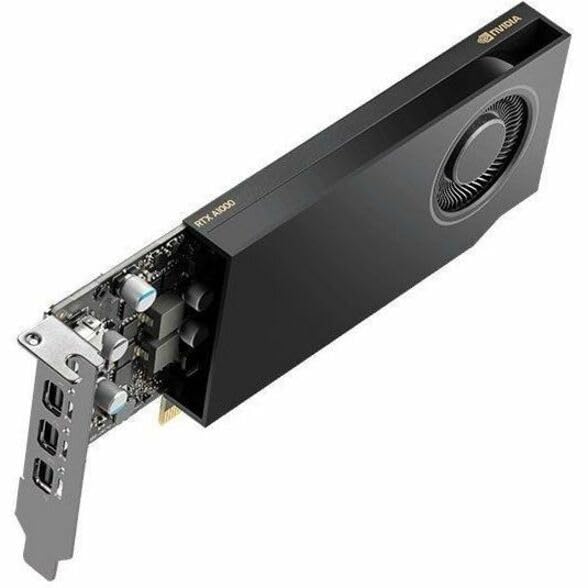
PNY NVIDIA RTX™ A1000 Professional Graphics Board – NVIDIA RTX™ A1000, Small Form Factor, Ampere Architecture, 8GB GDDR6 GPU Memory

As an Amazon Associate I earn from qualifying purchases.
Best Computer Graphics Cards at a Glance
| Product | Best For | Standout Feature | Rating |
|---|---|---|---|
| NVIDIA RTX 5090 | Uncompromised 4K gaming | Flagship-tier performance | 4.8/5 |
| NVIDIA RTX 5080 | High-refresh 4K | Excellent efficiency | 4.7/5 |
| NVIDIA RTX 5070 Ti | Premium 1440p | Great price-to-performance | 4.7/5 |
| NVIDIA RTX 5070 | Mainstream 1440p | Strong ray tracing value | 4.6/5 |
| NVIDIA RTX 5060 Ti 16GB | Value 1440p builds | Generous memory buffer | 4.6/5 |
How to Match a Graphics Card to Your Needs
The single most useful filter when shopping for a graphics card is your display. A 1080p player is served brilliantly by a 60-class card, while high-refresh 1440p gamers should look at the 70-class tier, and only true 4K enthusiasts genuinely need the 80 or 90-class flagships. Spending above your monitor’s needs rarely translates into a better experience. Our guide on matching your GPU to your monitor lays out these pairings in detail.
Workload is the second filter. Pure gamers can prioritize raw frame rates and features like DLSS 4, while creators editing 4K video or rendering 3D scenes benefit disproportionately from larger memory buffers and CUDA core counts. If you dabble in local AI, memory capacity becomes even more important. Our overview of choosing a GPU for content creation digs into these considerations.
NVIDIA RTX 5090
The RTX 5090 is the no-compromise flagship, delivering effortless 4K gaming and chewing through the heaviest creative and AI workloads. Its enormous memory pool and core count are in a class of their own. The catch is obvious: it is large, power-hungry, and priced for enthusiasts, so it only makes sense if you genuinely push it. Check our guide to cooling a high-wattage GPU before committing.
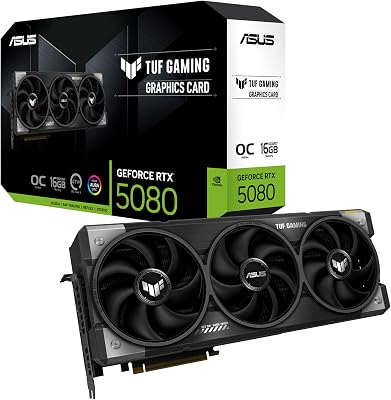
NVIDIA RTX 5080
The RTX 5080 offers most of the flagship experience with far better efficiency and a friendlier footprint. It handles high-refresh 4K comfortably and stays cooler and quieter than the 5090. For many enthusiasts it represents the smarter buy, giving up only a slice of peak performance for meaningful gains in practicality and value.
NVIDIA RTX 5070 Ti
Sitting at the heart of the enthusiast-value zone, the RTX 5070 Ti is a superb high-refresh 1440p card that can also stretch into 4K with DLSS. It balances performance, power, and price with rare poise. There is little to criticize here beyond the fact that dedicated 4K gamers may still want more raw horsepower.
NVIDIA RTX 5070
The RTX 5070 is the mainstream 1440p champion, delivering strong frame rates and impressive ray tracing at a reasonable price. It is efficient enough to run in a wide range of builds without demanding an exotic supply. Its memory is adequate rather than generous, so extreme texture settings in a few titles may nudge its limits. See our notes on 1440p performance tuning to get the most from it.
NVIDIA RTX 5060 Ti 16GB
For value-focused 1440p builders, the 16GB 5060 Ti punches above its price with a memory buffer that keeps it comfortable in demanding, texture-heavy games. Raw performance sits below the 70-class cards, but the extra memory helps it age gracefully. It is one of the easiest recommendations for anyone building a lasting mid-range rig.
Getting the Best From Your New Graphics Card
Once you have chosen a card, the setup matters as much as the hardware. A clean driver installation avoids conflicts and unlocks the full feature set, so start there rather than relying on default Windows drivers. Our walkthrough on performing a clean GPU driver install covers the process in a few short steps and heads off the most common problems.
From there, take advantage of NVIDIA’s software features. DLSS 4 with frame generation can dramatically improve smoothness in demanding titles, and sensible in-game presets keep your card running cool and quiet. Whether you bought a flagship or a value card, a little attention to setup ensures you experience every bit of the performance you paid for.
Frequently Asked Questions
What is the best graphics card for 4K gaming?
For uncompromised 4K gaming the RTX 5090 sits at the top, delivering the highest frame rates and the most headroom for future titles. If you want most of that experience with better efficiency and a lower price, the RTX 5080 is an excellent choice that handles high-refresh 4K comfortably while running cooler and quieter than the flagship.
How much should I spend on a computer graphics card?
Spend according to your monitor and workload rather than chasing the top of the stack. A 1080p gamer is well served by a 60-class card, 1440p players should look at the 70-class tier, and only dedicated 4K or heavy creative users truly benefit from flagship cards. Matching the card to your actual needs prevents overspending on performance you will not use.
Does more VRAM make a graphics card better?
More memory helps in specific situations rather than universally. It prevents stutter and texture pop-in at higher resolutions and settings, and it matters greatly for content creation and local AI work. For lighter 1080p gaming, however, a card with a modest buffer can perform identically to one with more memory, so balance capacity against your real workload.
Are NVIDIA graphics cards good for content creation?
Yes, NVIDIA cards are widely favored for creative work thanks to strong CUDA core performance, broad application support, and features that accelerate rendering, video encoding, and AI tasks. Creators editing 4K footage or working with 3D scenes benefit from cards with larger memory buffers and higher core counts, making the upper tiers particularly attractive for professional workloads.










Write Your Review
No reviews yet. Be the first to share your experience!