
- Top Pick: NVIDIA Shield Android TV Pro | 4K HDR Streaming Media Player High Performance, Dolby Vision, 3GB RAM, 2X USB, Works with Alexa, Model:945-12897-2500-101
- Best Value: NVIDIA 945-12897 Shield Streaming Media Player
- Premium Choice: HDMI Capture Card for Streaming, 4K60 HDR & 1440P60 Passthrough Loop Out | for PS5, Xbox, Switch 2, PC, Mac, 1080P60 Video Capture, Ultra-Low Latency, 2-in-1 USB-A/USB-C Capture, Works with OBS/Twitch
NVIDIA GameStream was once the go-to way to beam games from a GeForce PC to a TV or a handheld across your home network, but the feature is no longer what it used to be, and a lot of people searching for it in 2026 are really looking for what replaced it. The good news is that the alternatives are now better than the original. This review explains what happened to GameStream, walks through the successors worth using today, and shows exactly what hardware and setup you need for smooth, low-latency streaming so you can rebuild your living-room gaming setup without wasting money on the wrong gear.
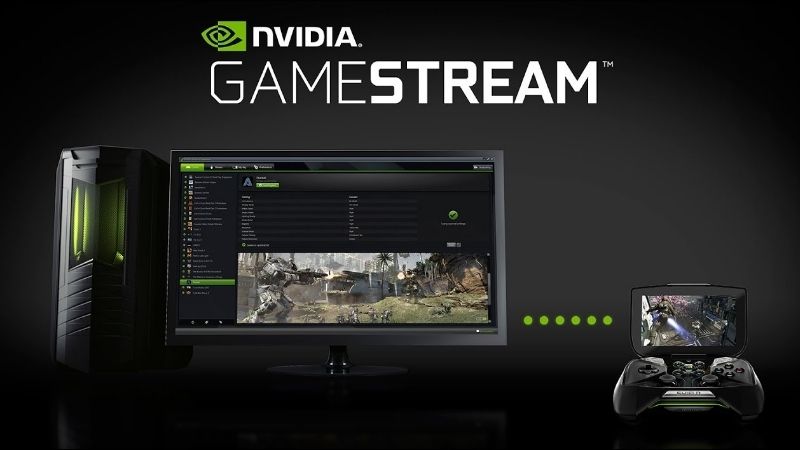
What Happened to NVIDIA GameStream
Before you can pick the right streaming solution, it helps to understand where GameStream stands now and why. NVIDIA has stepped back from the feature, but the ecosystem that grew around it has more than filled the gap, so this section covers what GameStream was, its current status, and what took its place.
What GameStream Was
NVIDIA GameStream was a feature built into GeForce Experience that let you stream games running on your gaming PC to NVIDIA Shield devices over your local network. It used the GPU’s hardware video encoder to deliver low-latency video to a TV or handheld, effectively turning any screen in the house into a window onto your gaming rig.
For its time it was impressive, offering high frame rates and crisp image quality when paired with a solid network. It became a favorite for couch gaming, letting people play PC titles from the sofa with a controller while the noisy tower stayed in another room.
The appeal was simple: your powerful PC did the work, and any screen could be the display, without buying a second gaming device.
Why GameStream Was Discontinued
NVIDIA wound down official GameStream support, steering Shield users toward other options and ending its development within the GeForce app. If you go looking for the old toggle today, you will find it gone from current software, which is why so many former users are hunting for a replacement.
The retirement was not the disaster it first appeared, though. NVIDIA’s move coincided with the rise of far more flexible community and third-party tools that do the same job across many more devices, not just Shield hardware.
It is worth understanding the practical implication for existing users. If you still have an old setup working, it may keep functioning for now, but with no further development or fixes, the sensible long-term move is to migrate to a supported alternative rather than rely on abandoned software.
What Replaced NVIDIA GameStream
The community answer is the pairing of Moonlight and Sunshine, and it is now the recommended way to replicate and surpass what GameStream offered. Moonlight is the client app you install on your TV box, phone, tablet or handheld, while Sunshine is the open-source host you run on your gaming PC in place of the old GameStream host.
Beyond that, Steam Link offers a simple built-in option for streaming your Steam library, and GeForce NOW covers the cloud angle when you want to play without a powerful local PC at all. Between these, every use case GameStream served is now handled, usually better.
The one adjustment to expect is that these tools are not all first-party NVIDIA software, so setup and support come from their respective communities and developers. In exchange for that small shift, you gain far broader device compatibility and features GameStream never offered.
NVIDIA GameStream Alternatives Reviewed
Choosing among the successors depends on your devices and your goals. This section reviews the main options, from the community favorite that most directly replaces GameStream to the cloud service that removes the need for local hardware entirely, so you can pick the right tool for your setup.
Moonlight and Sunshine: The True Successor
Moonlight paired with Sunshine is the closest thing to GameStream reborn, and in most respects it is an upgrade. Sunshine turns your GeForce PC into a streaming host that still leans on the GPU’s hardware encoder, while Moonlight clients exist for an enormous range of devices, far beyond the Shield boxes GameStream was tied to.
The result is low-latency, high-quality streaming that works to phones, tablets, smart TVs, single-board computers and handhelds alike. For anyone who loved GameStream, this combination delivers the same couch-gaming dream with more flexibility and active community support.
Setup takes a little more effort than the old one-click toggle, but once configured it is reliable and genuinely excellent.
Steam Link and Other Local Options
If most of your library lives on Steam, Steam Link is the low-effort choice. It is built into Steam, runs on many devices, and requires almost no configuration to stream your games around the house.
It is less flexible than Moonlight for non-Steam titles and fine-grained tuning, but its simplicity is a real virtue. For a lot of households, Steam Link covers the majority of what they want to play with none of the setup overhead.
It also runs on hardware many people already own, from smart TVs to cheap streaming sticks and phones, which means you can often test whether local streaming suits you before buying any dedicated device at all.
GeForce NOW: The Cloud Alternative
When you do not have a powerful gaming PC to stream from, GeForce NOW flips the model by running games on NVIDIA’s cloud servers and streaming them to your device. It removes the need for local hardware entirely, at the cost of a subscription and reliance on a strong internet connection.
It is not a local-network solution like GameStream, but for many players it solves the same underlying wish, playing demanding games on modest hardware, in a different and often more convenient way.
The trade-offs are a recurring subscription and total dependence on your internet connection rather than your home network. For players without a powerful PC, though, it can be the most cost-effective path to high-end gaming, since it removes the need to buy expensive hardware at all.
Setting Up Game Streaming in 2026
Whichever tool you choose, a smooth experience comes down to the right hardware and a well-tuned network. This section covers the gear worth owning, the practical settings that eliminate lag, and the honest trade-offs of local game streaming so your setup feels seamless rather than frustrating.
The Hardware You Need
The heart of a local streaming setup is a capable host PC with a modern NVIDIA GPU, whose hardware encoder handles the video stream with minimal impact on game performance. A current GeForce RTX card gives you a strong encoder plus the power to run demanding games while streaming them.
On the receiving end, an NVIDIA Shield TV remains an excellent living-room client thanks to its performance and Moonlight support, though phones, tablets and handhelds work too. Rounding out the kit, a good controller and a reliable network device complete the experience.
Whichever client and host you choose, checking current prices on a capable RTX GPU and a solid streaming box through the links here is the practical starting point for a setup that lasts.
Getting a Smooth, Low-Latency Experience
Network quality decides everything. For the best results, connect both the host PC and the client to your router by wired Ethernet where possible, since a cable eliminates the wireless interference that causes stutter and lag.
If wired is impractical, use a strong 5GHz or newer Wi-Fi connection and keep the client close to the router. Within the streaming app, match the bitrate and resolution to your network’s capacity rather than maxing everything, which is the most common cause of a choppy stream.
Get the network right and modern streaming feels nearly indistinguishable from playing at the PC itself.
A quick tip that saves frustration: test with a wired connection first to confirm your setup works flawlessly, then move to wireless only if you need to. That way, if lag appears later, you know it is the network rather than the software or hardware at fault.
Pros and Cons of Local Game Streaming
The pros are considerable: play your full PC library on any screen, keep your loud, hot tower in another room, and avoid buying duplicate gaming hardware for each TV. With the right setup, quality and latency are excellent.
The cons are the setup effort compared with the old one-click GameStream, the dependence on a strong network, and the need for a capable host PC that stays powered on. For most enthusiasts these are minor trade-offs against the flexibility gained, but they are worth weighing before you commit.
The deciding factor is usually how much you already invest in your PC. If you own a capable gaming rig that mostly sits in another room, local streaming extracts enormous extra value from hardware you have already paid for, which is what made GameStream so beloved in the first place.
See More:
Final Verdict: Is NVIDIA GameStream Still Worth Chasing?
The honest answer is that NVIDIA GameStream itself is no longer the destination, but everything you loved about it lives on in better form. Moonlight with Sunshine has become the true successor, Steam Link covers the simple cases, and GeForce NOW handles the cloud, so no one searching for GameStream today is left without an excellent option.
To rebuild your setup, pick Moonlight and Sunshine for the most flexible local streaming, pair a capable RTX host PC with a good client device and a wired network, and tune your bitrate to your connection. If you need to refresh your hardware to make it happen, check the latest prices on a suitable RTX GPU and streaming box through the links in this guide, and you will end up with a living-room gaming setup that outdoes the original NVIDIA GameStream.
Frequently Asked Questions
Is NVIDIA GameStream still available?
No. NVIDIA retired GameStream from GeForce Experience in early 2023, ending official support for streaming from a PC to Shield devices. Existing setups stopped working after driver and app updates, pushing the community toward open alternatives.
What replaced GameStream?
The standard replacement is Sunshine on the host PC paired with Moonlight on the client. Sunshine is an open source host server that reimplements the streaming protocol, and Moonlight clients exist for Shield, Android, iOS, Windows, Linux, and Steam Deck.
How does this compare to GeForce NOW?
GeForce NOW streams from NVIDIA’s data centres, so it needs no local gaming PC but requires a subscription and a solid internet connection. Local streaming with Sunshine and Moonlight uses your own hardware over LAN, giving far lower latency and no ongoing cost.
What network setup gives the best local streaming quality?
Wired Ethernet on both ends is ideal. If that is impossible, use a 5GHz or 6GHz Wi-Fi link with the client on the same access point as the host, cap the bitrate around 50Mbps for 4K, and avoid powerline adapters, which introduce jitter.
Does streaming affect image quality or HDR?
Streaming applies video compression, so fine detail in fast motion softens slightly compared with a direct connection. Sunshine supports HDR passthrough and both H.265 and AV1 encoding on supported NVENC hardware, which noticeably improves quality at a given bitrate over older H.264 streams.
As an Amazon Associate we earn from qualifying purchases at no extra cost to you.












Write Your Review
No reviews yet. Be the first to share your experience!