
- Top Pick: ZOTAC MEK Gaming PC Desktop, Ryzen 5 5500, NVIDIA GeForce RTX 5060 8GB
- Best Value: HP OmniBook 7 AI Laptop, 17.3inch Touchscreen, NVIDIA RTX 4050, Intel Core Ultra 7 258V, 32GB LPDDR5X, 1TB SSD, Copilot+ PC, Next Gen Envy 17 for Business, Gaming&Design, IR Webcam, w/Mouse, Win11PRO
- Premium Choice: NVIDIA RTX PRO 4000 SFF Blackwell 24GB GDDR7 ECC – PCIe 5.0×8, 4X mDP 2.1b, Low-Profile Dual-Slot AI Workstation GPU Retail


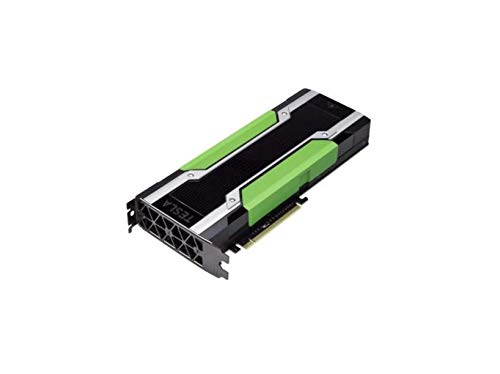
Choosing the right NVIDIA GPU for AI comes down to one number more than any other: video memory. Whether you are fine-tuning language models, generating images with Stable Diffusion, or training your own networks, the amount of VRAM on your card decides which models you can even load, while CUDA cores and the mature CUDA software stack decide how fast they run. This review cuts through the marketing and looks at what actually matters for AI work, then recommends specific NVIDIA GPUs for different budgets and workloads. We synthesize what real buyers report, weigh the honest trade-offs, and explain how NVIDIA’s latest AI chip news and rising prices should shape your decision. If you want a card that stays useful for years, start here.
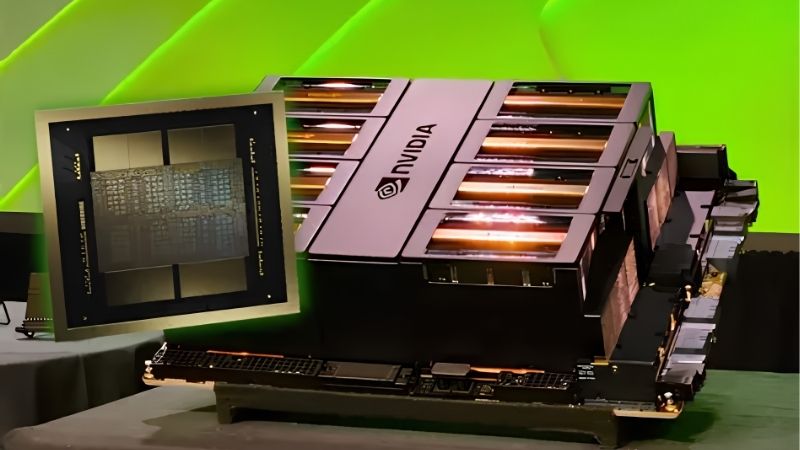
What Makes a GPU Good for AI Work
AI performance is not about gaming framerates. It is about fitting a model into memory and pushing data through fast. Three specs decide almost everything, and understanding them stops you from overpaying for the wrong strengths when you shop for an NVIDIA GPU for AI.
As an Amazon Associate we earn from qualifying purchases at no extra cost to you.







Why VRAM Is the Number That Matters Most
VRAM is a hard ceiling. If a model does not fit, it will not run, no matter how fast the card is. This is why a cheaper card with more memory often beats a pricier card with less for AI.
As a baseline, 8 GB handles learning and small tasks, 12 to 16 GB covers most hobby and prosumer work comfortably, and 24 GB or more opens the door to larger models and fine-tuning. When two cards are close in price, the one with more VRAM is usually the smarter AI buy.
Techniques like quantization can shrink a model’s memory footprint and let a smaller card run something it otherwise could not, which stretches an 8 GB or 12 GB card further than the raw numbers suggest. Even so, memory remains the wall you hit first, and quantization trades a little quality for that headroom. The safe planning rule is to size your VRAM for the models you want to run six months from now, not just the toy examples you start with today.
CUDA Cores, Tensor Cores, and the Software Advantage
Once your model fits, speed comes from CUDA cores for general parallel math and Tensor cores built specifically to accelerate AI. NVIDIA’s real moat, though, is software. The CUDA ecosystem, cuDNN, and TensorRT are so widely supported that nearly every AI tool assumes an NVIDIA card.
This is the experimental edge worth paying attention to. NVIDIA keeps pushing AI-specific optimization – newer Tensor cores, better mixed-precision support, and libraries that squeeze more speed from the same silicon over time. Buying into that ecosystem means your card often gets faster at AI as the software matures.
TensorRT is a good example. It optimizes trained models for faster inference on NVIDIA hardware, and newer cards support lower-precision formats that speed up AI work without a large accuracy cost. For a hobbyist, the takeaway is not the acronyms but the pattern: an NVIDIA GPU tends to age well for AI because the software keeps finding new performance, whereas a card locked out of these libraries stalls. That forward momentum is a genuine reason the ecosystem, not just the raw specs, belongs in your decision.
Memory Bandwidth and Real Throughput
Bandwidth is how quickly the GPU moves data in and out of its memory. Higher bandwidth means less waiting and better throughput on large batches, which matters once your models grow.
Newer generations using GDDR7 raise bandwidth over older GDDR6 cards, so a modern mid-range card can feel surprisingly capable. When comparing two GPUs with equal VRAM, higher bandwidth is a meaningful tiebreaker for serious workloads.
The Best NVIDIA GPUs for AI Right Now
With the criteria set, here are practical picks by budget and workload. Each targets a different buyer, from someone learning on a budget to a builder running heavy training jobs. These recommendations prioritize memory and value, the two things AI users consistently say they wish they had bought more of.
Best Value: 16 GB Cards That Punch Above Their Price
For most people entering AI, a 16 GB card such as the RTX 4060 Ti 16 GB or the newer RTX 5060 Ti 16 GB is the sweet spot. They are affordable, efficient, and their generous memory removes the frustrating “out of memory” wall that 8 GB cards hit fast.
Buyers repeatedly note that the extra memory is what makes these cards feel future-proof for Stable Diffusion and mid-size local models. If you want the best entry point without regret, check today’s price on a 16 GB RTX card on Amazon before settling for an 8 GB alternative.
Best All-Rounder for Serious Hobbyists
If your budget stretches further, a card like the RTX 4070 Ti Super or RTX 5070 Ti balances strong AI throughput with excellent gaming, so one card covers both hobbies. The extra cores and bandwidth cut generation and inference times noticeably.
This tier suits people who run AI regularly but are not training massive models. It is the “do everything well” choice, and it holds value because it stays relevant across a wide range of tasks.
Best for Heavy Training and Large Models
For demanding training, fine-tuning, or large local LLMs, the 24 GB class – led by the RTX 4090 and RTX 5090 – is the consumer answer. That memory pool lets you load models that simply will not fit on smaller cards.
These cards are expensive and power hungry, but for anyone whose time is money, the speedup pays for itself. If your work is truly professional and continuous, workstation-class NVIDIA cards are the next step up.
Pros, Cons, and Real-World Setup
Consumer NVIDIA GPUs are the default choice for AI, but they are not perfect, and a smooth build takes planning. This section gives the honest trade-offs plus the practical details buyers most often overlook.
Pros and Cons of Consumer NVIDIA GPUs for AI
Here is the balanced view before you spend:
| Pros | Cons |
|---|---|
| Unmatched CUDA software support | High-VRAM cards are expensive |
| Strong Tensor-core AI acceleration | Consumer cards cap out at 24 GB |
| Great resale and long-term relevance | Top cards draw a lot of power |
For nearly all individual AI users, the pros dominate, which is why NVIDIA remains the default recommendation for a GPU for AI.
Power, Cooling, and Case Fit You Should Plan For
Practical fit is easy to underestimate. A 24 GB flagship can pull well over 400 W and wants a 850 W or larger power supply, plus a case with strong airflow and physical clearance for a large card.
Mid-range 16 GB cards are far more forgiving, running comfortably on 550 W to 650 W supplies in standard cases. Whatever tier you pick, confirm your power supply headroom and case length first, because a returned GPU is a wasted week.
What Real Buyers Report
Across owner feedback, the loudest theme is memory. Four- and five-star reviewers consistently praise 16 GB cards for handling AI tasks their old 8 GB cards choked on, and they highlight quiet operation and easy setup with existing tools.
The two- and three-star complaints are also instructive. They cluster around buyers who chose an 8 GB card to save money and then hit memory limits, or who underestimated power and cooling needs. The lesson is clear: buy more VRAM than you think you need, and plan your power supply properly.
A second recurring theme is driver and setup friction. Some newer owners report time lost to mismatched CUDA and framework versions before everything clicked, echoing the advice to match your toolkit to your framework from the start. The happy reviewers almost always describe the same path: a card with ample memory, a clean driver install, and matched software versions, after which the GPU simply worked. Treat those patterns as a free checklist from thousands of buyers who went first.
What NVIDIA’s Latest AI News Means for Buyers
The hardware you buy sits inside a fast-moving market, and two recent developments should shape your timing. Both point in the same direction for individual buyers weighing an NVIDIA GPU for AI today.
The H200-to-China Decision and Why It Matters to You
The United States has cleared NVIDIA to sell its H200 – one of its most powerful AI chips – to China. It is a data-center part, not something you would buy, but it signals how central NVIDIA remains to global AI.
For you, that sustained demand keeps the entire NVIDIA ecosystem – including consumer cards and their software support – firmly at the center of AI. Buying into CUDA today means buying into the platform everyone else is targeting, which protects the long-term usefulness of your card.
Rising Prices: The Case for Buying Sooner
Laptop and component prices have trended upward, driven by a memory shortage that has not fully cleared. The cautiously good news is that prices have stopped climbing as steeply as they did in late 2025, and some hardware makers have reported a period of relative stability, while still warning of volatility ahead.
Because AI cards depend heavily on memory, this pricing pressure hits them directly. If you already know you need a capable GPU for AI, waiting for a big price drop is a risky bet in the near term.
When Real Relief Might Arrive
There is a longer-term path to lower prices. New memory supply is coming from Chinese makers such as CXMT and from new Micron fabs in Idaho, which will add meaningful capacity.
The catch is timing: those plants are not expected to run until 2027 or 2028. So relief is real but distant. For a buyer with AI projects in front of them today, the sensible move is to buy the right amount of VRAM now rather than wait years for uncertain savings.
See More:
- Radeon drivers
- What is NVIDIA CUDA Toolkit
- 4080 Super vs 5060 Ti
- NVIDIA PhysX
- NVIDIA Game Ready Driver
Conclusion
The best NVIDIA GPU for AI is the one with enough VRAM for your models, backed by NVIDIA’s unrivaled CUDA software, at a price you can justify. For most buyers that means a 16 GB card today, stepping up to 24 GB only for heavy training. Real buyer feedback keeps repeating the same advice: prioritize memory and plan your power supply. With AI demand strong and prices only stabilizing rather than falling, there is little advantage in waiting. Match a card to your workload, confirm it fits your build, and check current prices to secure the right NVIDIA GPU for AI before the next wave of demand.
Frequently Asked Questions
What matters most when choosing a GPU for AI work?
VRAM capacity first, memory bandwidth second, and compute throughput third. A model that does not fit in memory either fails or spills to system RAM and slows to a crawl, so a slower card with more memory frequently beats a faster card that cannot hold the weights.
How much VRAM do I need for local language models?
Roughly, a quantised model needs about one gigabyte per billion parameters at four-bit precision plus overhead for context. That makes 12GB workable for small models, 24GB comfortable for mid-size ones, and 32GB or more necessary if you want longer context windows or higher precision without heavy quantisation.
Is a used RTX 3090 still a smart buy?
For many people yes. It offers 24GB of VRAM and strong bandwidth at a fraction of new flagship pricing, and it supports the same CUDA software stack. The drawbacks are 350 watt power draw, aging thermal pads on the memory, and no support for the newest low precision formats.
Do I need an NVIDIA card, or will AMD work?
AMD works through ROCm and improves steadily, but CUDA remains the default target for research code, custom kernels and niche extensions. If your workflow is mainstream inference you will be fine on either. If you read papers and run reference implementations, NVIDIA saves considerable troubleshooting time.
What power supply and cooling should I plan for?
Sustained AI workloads hold the card near its power limit for hours, unlike gaming bursts. Budget a quality ATX 3.x supply with 300 watts of headroom above the card rating, ensure good case airflow, and consider capping the power limit with nvidia-smi to trade a few percent speed for much lower heat.










Write Your Review
No reviews yet. Be the first to share your experience!