
The Radeon RX 7900 GRE is a high-end 1440p card that can also take on 4K with upscaling, and it makes sense for gamers who want more capability than the RX 7800 XT without stepping all the way up to the RX 7900 XT. Buy it if you want strong high-refresh 1440p, ultrawide gaming or an entry route into 4K, and confirm your power supply and case can handle it.
This guide is for shoppers comparing the RX 7900 GRE with nearby Radeon models, builders planning a system around it and upgraders replacing an older card. It explains the card’s position, the practical specs, and the checks to make before ordering. It does not list partner brands or prices, because designs and availability change.
What Makes the RX 7900 GRE Distinct
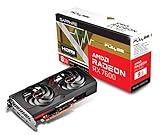
The RX 7900 GRE belongs to AMD’s RDNA 3 family and uses the same high-end silicon family as the 7900 series, in a trimmed form. It carries 16 GB of GDDR6 on a 256-bit memory bus and a large on-chip cache, and its board power sits in the mid two-hundred-watt range, with most designs using two eight-pin connectors. It was first aimed at specific markets before reaching a wider audience, so availability and designs can vary by region.
The result is a card that falls between the RX 7800 XT and the RX 7900 XT. It has more compute than the former and less memory than the latter, which makes it a middle path for people who want a clear step up in capability without the price and power of the top models. Memory-hungry 4K titles can be tighter than on 20 GB or 24 GB models, though 16 GB is adequate for most games.
Where It Performs Best
High-Refresh 1440p
At 1440p the card has headroom for high settings and high refresh rates. If you have a 165 Hz or faster monitor, it can keep frame rates high in many titles while leaving space to enable extra effects. This is the scenario where it makes the most sense relative to cheaper cards.
Ultrawide and Large Monitors
Ultrawide displays push more pixels than standard 1440p screens, which suits a card with more compute. The 256-bit bus and large cache help keep data moving, so the GRE copes with these resolutions better than narrower-bus models. Check that your monitor supports variable refresh to smooth out any dips.
Entry-Level 4K With FSR
With FSR upscaling and some settings lowered, the RX 7900 GRE can deliver playable 4K in many games. It is less comfortable than the RX 7900 XT or RX 7900 XTX at native 4K, but it is a credible choice if you are moving to a 4K display and willing to use upscaling. Competitive and older titles fare better than the heaviest new releases.
Creative and Streaming Work
The card’s 16 GB of memory helps in video editing and some 3D tasks, and its encoder supports streaming. Software support varies, so check your applications before relying on it for professional work. Gamers who stream will find the encoder usable, with quality depending on the settings and software.
Spec Highlights and Practical Meaning
| Feature | What it means for you |
|---|---|
| 16 GB GDDR6 memory | Comfortable for 1440p and workable at 4K |
| 256-bit bus with large cache | Better bandwidth than narrow-bus cards |
| Strong compute for its tier | Higher frame rates than the 7800 XT class |
| Mid two-hundred-watt board power | Needs a capable supply and good airflow |
| Ray tracing support | Usable, but heavy at higher resolutions |
| Modern display outputs | Supports high-refresh and high-resolution monitors |
Before You Buy Checklist
- Decide whether your main target is 1440p, ultrawide or 4K.
- Compare the recommended power supply wattage with your current supply.
- Count your eight-pin cables and avoid questionable adapters.
- Measure the case for length, thickness and cooler clearance.
- Look at cooling design and noise comments in the listing.
- Check that your processor can keep up at high refresh rates.
- Confirm monitor ports and cables for the refresh rate you want.
- Read warranty terms and region-specific availability notes.
Comparing With Neighbors
Against the RX 7800 XT, the RX 7900 GRE has more compute and so more headroom at 1440p and 4K, while memory capacity matches. The best choice depends on how much the gap costs at the time you shop and whether you need that headroom. Against the RX 7900 XT, the GRE has less memory and less compute, but it can be an attractive middle option if your budget or power supply is limited.
Newer Radeon generations also exist, so in 2026 check whether a current-generation card in the same range offers better efficiency or features. If you plan to keep the card for many years, features such as upscaling support, display connectors and driver maturity matter as much as the raw numbers. If you only need a card for the next couple of years at 1440p, the GRE gives a comfortable margin.
Power and thermals deserve attention too. A card in this class puts out significant heat, so a case with good airflow and a decent cooler are important. Choose a model with a cooler that fits your noise tolerance, and think about case fans that can move air through the system efficiently.
Getting the Best Experience From It
Pair the card with a monitor that matches its strengths. A 1440p panel with a high refresh rate and variable refresh support lets the GRE show what it can do, and an ultrawide of similar resolution is a natural fit. If you are heading to 4K, choose a display with good HDR handling and a refresh rate you can realistically reach, since a 144 Hz 4K screen will often run below its limit on this card without upscaling.
Software choices help as well. Enable FSR in games that support it, cap frame rates slightly below your monitor’s maximum and keep drivers current. Some owners use power-limit tuning to lower temperatures and noise at a small cost in performance; do this gradually and stop if you see crashes. A clean case, good intake airflow and dust filters that are cleaned regularly keep the card running at steady clocks.
Lastly, keep an eye on how you use the card. A user who plays a few demanding games at high settings has different needs from one who runs many esports titles, and the GRE can serve both but is overkill for light use. Match your purchase to your habits instead of buying the biggest card out of habit.
Common Mistakes
One mistake is assuming the GRE matches the RX 7900 XT because the names look similar. The memory and compute differ, and that matters at native 4K. Another is under-sizing the power supply, which can cause instability. Buyers also overlook case clearance, as many partner cards are large. A third mistake is pairing the card with an aging processor, which wastes the performance you paid for. Finally, expecting heavy ray tracing at high resolution without upscaling often leads to disappointment.
Related guides
- What Does Manage Gpu Performance Counters Mean On Nvidia Hardware
- Low Profile Nvidia Graphics Cards For Small Form Factor Pcs
- Nvidia App Error Your System Configuration Is Not Supported
Frequently Asked Questions
Is the RX 7900 GRE good for 4K?
It can be, with FSR upscaling and some settings lowered. For native 4K at high settings in demanding games, higher models like the RX 7900 XT or RX 7900 XTX are more comfortable. The GRE is strongest at 1440p.
How much memory does the RX 7900 GRE have?
It has 16 GB of GDDR6 on a 256-bit bus. That is enough for most current games at 1440p and works for many at 4K. The RX 7900 XT and XTX offer more memory for heavier workloads.
What power supply do I need for the RX 7900 GRE?
Check the recommended wattage and connector requirements for the exact card, since designs vary. Plan for a quality supply with headroom and the correct number of eight-pin connectors. Do not rely on cheap adapters.
Is the RX 7900 GRE better than the RX 7800 XT?
It offers more compute with the same memory capacity, so it generally has more headroom. Whether it is the better choice depends on the price gap you see and how much extra performance you need. For firm 1440p goals, either can work.

Write Your Review
No reviews yet. Be the first to share your experience!