
The Radeon RX 7800 XT is a 1440p-focused graphics card with 16 GB of video memory and a wide memory bus, and it is the one to look at if you want smooth high-refresh 1440p gaming without stepping up to the flagship tier. It can also handle 4K with upscaling and trimmed settings, but it is happiest at 1440p.
This buying guide is for gamers choosing between the RX 7800 XT and its neighbors, builders sizing a power supply and case around it, and upgraders coming from an older card. It explains what the specifications mean in practice, who the card suits and what to confirm before ordering. It sticks to reference specifications and general guidance, since partner designs differ, and it does not list prices.
Where the RX 7800 XT Fits
The RX 7800 XT sits in the middle of AMD’s RDNA 3 desktop lineup, above the 7600 series and below the 7900 series. It uses a 256-bit memory bus with 16 GB of GDDR6 and a sizable on-chip cache, which keeps data flowing at higher resolutions better than a narrower design would. Reference board power is in the mid two-hundred-watt range, and most designs use two eight-pin power connectors, which means it needs a capable supply but not an extreme one.
In everyday terms, this is a card for people who want to turn settings up at 1440p and keep frame rates high on a 144 Hz or similar monitor. It is also a sensible choice for an ultrawide display, which pushes more pixels than a standard 1440p panel. At 4K it can run many games with FSR and some settings reduced, though a higher tier gives more comfort.
Practical Areas to Evaluate
Memory and Resolution Headroom
Sixteen gigabytes is generous for 1440p and gives the card room to spare when games ship with large texture packs. That capacity also makes it more future-resistant than cards with 8 or 12 GB. Memory alone does not make a card faster, though, so check that the compute level fits the games you play. For competitive titles at 1440p, the card has plenty to spare.
Ray Tracing Expectations
The RX 7800 XT supports ray tracing, but it is not the strongest area for Radeon. Light use of ray-traced shadows or reflections is workable in many titles, while heavy path-traced games may need lower settings or upscaling. If ray tracing is central to the experience you want, compare other options in your target range. If you mostly play rasterized games, this matters less.
Upscaling and Frame Generation
FSR is available in a wide and growing range of games. Using it at quality settings can lift frame rates with little visible loss, and it extends the card’s useful life. Frame generation adds smoothness in supported titles but can add latency, which some players notice in fast shooters. Check game support for the titles you care about before assuming it will be available.
Cooling, Noise and Size
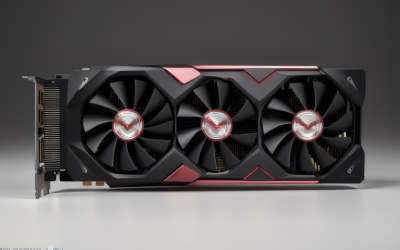
Partner cards range from compact dual-fan models to large triple-fan coolers. Larger coolers usually run quieter at the same load but take more space, and some can block adjacent slots. Look at length, thickness and weight in the listing and compare with your case. Heavier cards sometimes include a support bracket, which helps prevent sag over time.
Compatibility and Build Checklist Table
| Item | What to confirm | Why it matters |
|---|---|---|
| Power supply | Wattage and two eight-pin connectors | Stable power under load |
| Case clearance | Card length and slot thickness | Prevents fit problems |
| Motherboard slot | PCIe x16 slot with clearance | Full bandwidth and physical fit |
| Processor | Modern multi-core model | Avoids bottlenecks at high refresh rates |
| Monitor ports | DisplayPort or HDMI 2.1 support | Enables high refresh and variable refresh |
| Airflow | Intake and exhaust fans | Keeps temperatures and noise in check |
Before You Buy Checklist
- Confirm your target resolution and refresh rate.
- Compare the card’s recommended power supply wattage to what you own.
- Count the available eight-pin cables and avoid unsafe adapters.
- Measure the case for card length, thickness and cooler height.
- Review noise and cooling details in the product description.
- Check that your processor can feed the card at your refresh rate.
- Decide whether ray tracing is a priority and compare accordingly.
- Look at warranty length and the support process.
RX 7800 XT Compared With Nearby Options
Compared with the RX 7600 XT, the RX 7800 XT has far more compute and a wider memory bus, so it is the better pick when 1440p is your goal. Compared with the RX 7900 GRE, it sits a step lower in compute, though both carry 16 GB, so the decision usually comes down to the gap in capability and what the market offers when you buy. Against the RX 7900 XT and RX 7900 XTX, it gives up headroom for 4K and heavy ray tracing but draws less power and fits more cases.
If your monitor is 1440p and you do not plan to move to 4K soon, the RX 7800 XT is often the sweet spot because extra capability above it would go unused. If you intend to buy a 4K display in the next year or two, consider stepping up now rather than upgrading twice. In 2026 there are also newer Radeon generations to compare, so check whether a newer card in the same segment suits you better.
Common Mistakes
A frequent error is buying the card for 4K and being surprised that settings must come down. Another is overlooking the power supply, which can cause crashes under load when it is too small or old. Buyers also forget to measure the case, and some partner designs are quite long. A weak processor can leave the card underused, so match the system. Finally, assuming all partner cards perform identically ignores differences in cooling and noise, which can matter on a desk.
Related guides
- What Does Manage Gpu Performance Counters Mean On Nvidia Hardware
- Low Profile Nvidia Graphics Cards For Small Form Factor Pcs
- Nvidia App Error Your System Configuration Is Not Supported
Frequently Asked Questions
Is the RX 7800 XT good for 1440p gaming?
Yes, 1440p is its main target. It handles most modern games at high settings and supports high-refresh monitors well. Demanding ray-traced games may need adjustments.
What power supply does the RX 7800 XT need?
Check the manufacturer’s recommended wattage for the specific card, which is typically in the 700 W range for reference designs. You also need the required eight-pin connectors. A quality supply with headroom is better than one that barely meets the figure.
Can the RX 7800 XT run 4K?
It can in many games when you reduce settings or enable FSR. For native 4K at high settings across demanding titles, a higher Radeon tier is more comfortable. Treat 4K as possible rather than ideal.
Should I choose the RX 7800 XT or the RX 7900 GRE?
The RX 7900 GRE offers more compute, with the same memory capacity. The right choice depends on how large the gap is when you shop and whether you plan to move to 4K. For firm 1440p goals, the RX 7800 XT is often enough.


Write Your Review
No reviews yet. Be the first to share your experience!