
- Top Pick: Thermal Grizzly Kryonaut – 1 Gram – Extremely High Performance Thermal Paste + 12 Cleaning Wipes 6 Wet & 6 Dry – for Demanding Applications and Overclocking CPU/GPU/PS4/PS5/Xbox
- Best Value: Thermal Grizzly Kryonaut – 1 Gram Thermal Paste Extremely High Performance
- Premium Choice: Thermal Grizzly Liquid Metal Thermal Paste Conductonaut 1 Gram
GPU overclocking in 2026 remains one of the most accessible ways to squeeze extra frames out of your graphics card without spending a dime on new hardware. Whether you own a modern NVIDIA RTX card or a Radeon RX GPU, pushing the core clock, memory clock, and power limit a little higher can translate into smoother gameplay and better benchmark scores. The catch is doing it safely, stably, and with the right cooling in place.
As an Amazon Associate I earn from qualifying purchases.
As an Amazon Associate we earn from qualifying purchases at no extra cost to you.





Prime
Best Seller
California JOS GPU Support Bracket Graphics Card Brace Anti-Sag Holder Height Adjustable Video Card Stand Black Large

Prime
Editor's Pick
Thermal Grizzly Kryonaut – 1 Gram – Extremly High Performance Thermal Paste – for Demanding Applications and Overclocking CPU/GPU/PS4/PS5/Xbox

Prime
Top Rated
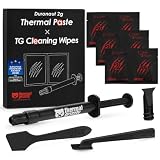
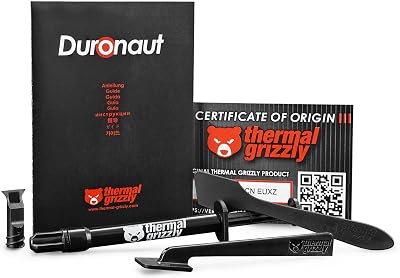
Thermal Grizzly Duronaut Thermal Paste, 2g | Enhanced Durability for Maximum Thermal Conductivity While Overclocking CPU/GPU/PS4/PS5/Xbox

What Is GPU Overclocking and Why It Matters in 2026
GPU overclocking is the process of running your graphics processor and its onboard memory at higher frequencies than the factory default. Every card ships with conservative clock speeds to guarantee stability across millions of units, which means most GPUs have headroom left on the table. By carefully raising the core clock, memory clock, and power/temperature limits, you can unlock performance that was already baked into the silicon. In 2026, with GPU prices still elevated, overclocking is a smart way to extend the life of your current card and delay an expensive upgrade.
The gains vary by card, cooler quality, and the silicon lottery, but a well-tuned overclock typically delivers a 5-12% real-world uplift in games. That can be the difference between a stuttery 55 FPS and a locked 60, or between 90 and 100+ FPS in competitive titles. The key is that modern GPUs are self-protecting: they throttle before damage occurs, so the primary risks are crashes and instability rather than melted hardware. Good cooling and airflow make the whole process safer and more rewarding.
Best Hardware to Support a Stable GPU Overclock
Overclocking success depends heavily on supporting hardware. A quality power supply, strong case airflow, and effective GPU cooling all determine how far you can push. Below are five categories of components that directly improve overclocking stability and headroom, ranked by how much they help you reach a higher, cooler, and more reliable overclock.
| Product | Best For | Standout Feature | Rating |
|---|---|---|---|
| High-Wattage 80+ Gold PSU | Stable power delivery under load | Clean rails prevent OC crashes | 4.8/5 |
| High-Airflow ATX Case | Lowering ambient GPU temps | Mesh front panel maximizes intake | 4.7/5 |
| 120mm PWM Case Fans (3-pack) | Improving case exhaust and intake | High static pressure at low noise | 4.7/5 |
| Premium Thermal Paste | Repasting hot-running GPUs | Lowers core temps several degrees | 4.6/5 |
| GPU Support Bracket | Preventing sag on heavy cards | Adjustable anti-sag protection | 4.5/5 |
Choosing a Power Supply for GPU Overclocking
Raising the power limit means your GPU draws more watts, so a headroom-rich power supply is non-negotiable. Aim for at least 150 watts of overhead above your system’s stock draw, and choose an 80+ Gold or better unit for clean, stable voltage. Cheap or overtaxed PSUs are a leading cause of overclock instability, producing random crashes that look like GPU faults but are actually power delivery problems. When you upgrade your power supply for overclocking, you give the whole system a stability foundation.
Cooling and Airflow for Higher Clock Speeds
Heat is the number one limiter of any overclock. As temperatures climb, modern GPUs automatically reduce clocks to protect themselves, erasing your gains. A high-airflow case with a mesh front, combined with a balanced set of intake and exhaust fans, keeps the GPU fed with cool air. Keeping core temperatures below 75C during load gives you meaningfully more sustained boost clocks than a card baking at 83C. Our guide to case airflow optimization covers fan placement in detail.
Step-by-Step GPU Overclocking Process
Start by downloading a tuning utility such as MSI Afterburner. Increase the power and temperature limits to their maximum first, since this gives the card room to sustain higher clocks. Next, raise the core clock in small increments of 15-25 MHz, testing stability with a benchmark loop after each step. When you encounter artifacts or crashes, back off by 20-30 MHz for a safe margin. Then repeat the process for the memory clock, which often has generous headroom. Finally, run a long stability test and monitor temperatures before locking in your profile.
Testing Stability and Monitoring Temperatures
An overclock that benchmarks well for two minutes can still crash after an hour of gaming. Validate stability with an extended stress test of at least 30 minutes, and then play your actual games for a few sessions. Watch for visual artifacts, driver timeouts, or crashes to desktop, which all signal you have pushed too far. Use monitoring software to log core temperature, hotspot temperature, and clock speeds so you can confirm the card is holding its boost rather than throttling. A stable everyday overclock is always better than an aggressive one that fails randomly.
Memory Overclocking vs Core Overclocking
Core and memory overclocking affect performance differently. Core clock increases raw shader throughput, benefiting compute-heavy and high-refresh gaming. Memory clock increases bandwidth, which helps most at high resolutions like 4K where cards become memory-bound. On many modern GPUs, memory overclocks deliver surprisingly large gains because manufacturers leave conservative timings. Test both independently to understand which one your favorite games respond to most, then combine them for a balanced, verified profile. Pairing this with the right thermal setup ensures the gains stick.
Frequently Asked Questions
Is GPU overclocking safe in 2026?
Yes, GPU overclocking is generally safe on modern cards because they include built-in thermal and power protections that throttle or shut down before any damage occurs. The main practical risks are system instability and crashes rather than hardware failure, so as long as you increase clocks gradually and keep temperatures under control, your card remains protected.
How much performance can I gain from overclocking a GPU?
Most modern graphics cards deliver a real-world gain of roughly 5 to 12 percent from a stable overclock, depending on the silicon quality, cooling, and the specific game. Memory-heavy titles at 4K often benefit more from memory overclocks, while high-refresh competitive games respond best to core clock increases and higher power limits.
Does overclocking a GPU void the warranty?
In most regions, using software tuning tools like MSI Afterburner does not automatically void your warranty because these utilities operate within the card’s protected limits. However, hardware modifications such as flashing a custom BIOS or physically altering the cooler can void coverage, so always check your manufacturer’s specific warranty terms before making permanent changes.
What tools do I need to overclock my graphics card?
The essential tools are a tuning utility such as MSI Afterburner or your GPU vendor’s software, a benchmark or stress test for validating stability, and a monitoring overlay to track temperatures and clock speeds. Beyond software, strong case airflow, a quality power supply, and effective cooling hardware make it far easier to reach and hold a stable overclock.










Write Your Review
No reviews yet. Be the first to share your experience!