
The Short Answer
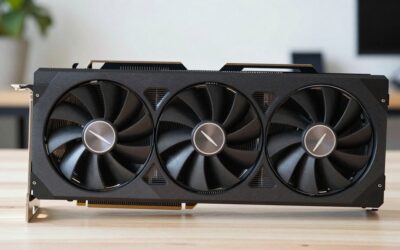
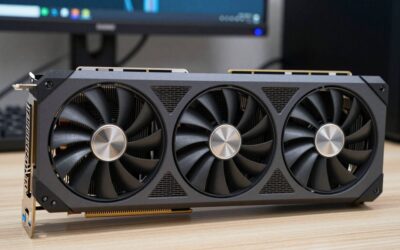
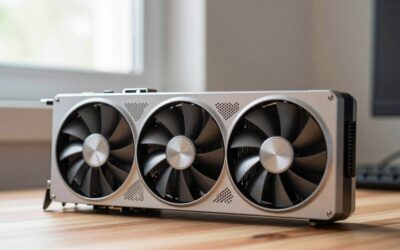
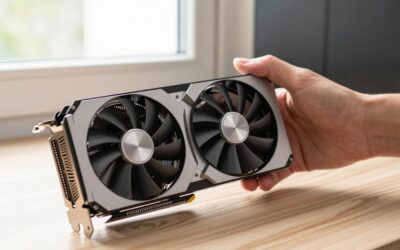
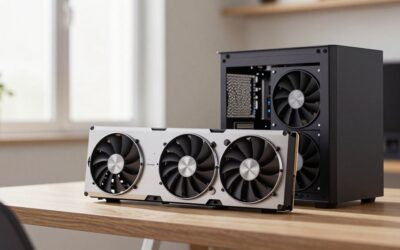
For a graphics card advertised as a three-slot model, plan for at least 2.40 inches (6.10 cm) of expansion-slot thickness, but do not treat that figure as the card’s complete width. The three-slot label describes how many rear PCIe openings the card occupies; the cooler may extend farther into the case.
For a comfortable fit, allow approximately 2.75 to 3.00 inches (6.99 to 7.62 cm) of usable thickness, 5.75 to 6.25 inches (14.61 to 15.88 cm) of height, and the manufacturer’s full card length plus 1.00 inch (2.54 cm) for power plugs and cable bend. A modern three-slot card commonly measures 11.5 to 13.1 inches (29.2 to 33.3 cm) long, 4.5 to 5.9 inches (11.4 to 15.0 cm) tall, and 2.4 to 3.0 inches (6.1 to 7.6 cm) thick.
As an Amazon Associate we earn from qualifying purchases at no extra cost to you.

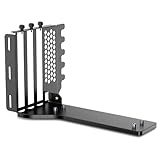


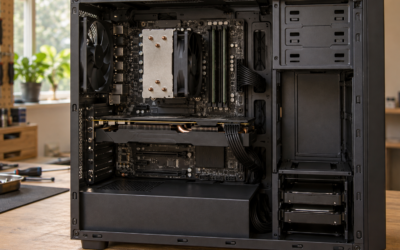
These allowances matter especially with vertical GPU kits. A three-slot vertical mount may physically support the card while leaving too little room between the fans and the side panel. For 2026 builds, check the graphics card specification, case compatibility chart, riser position, airflow path, and power-connector clearance together.
Standard Sizes
Graphics-card dimensions vary by cooler design, clock speed, and manufacturer. The table below gives useful planning ranges rather than a guarantee for every model. Measurements include the card body only unless noted.
| GPU size category | Typical length | Typical height | Typical thickness | Recommended case clearance |
|---|---|---|---|---|
| Compact, two-slot | 8.0–10.0 in (20.3–25.4 cm) | 4.3–4.8 in (10.9–12.2 cm) | 1.60–1.75 in (4.06–4.45 cm) | At least 2.00 in (5.08 cm) thick |
| Standard, two to three-slot | 10.0–12.0 in (25.4–30.5 cm) | 4.4–5.2 in (11.2–13.2 cm) | 1.75–2.40 in (4.45–6.10 cm) | At least 2.60 in (6.60 cm) thick |
| Large, three-slot | 11.5–13.1 in (29.2–33.3 cm) | 4.8–5.9 in (12.2–15.0 cm) | 2.40–2.75 in (6.10–6.99 cm) | At least 3.00 in (7.62 cm) thick |
| Oversized, three to four-slot | 12.5–14.0 in (31.8–35.6 cm) | 5.3–6.2 in (13.5–15.7 cm) | 2.75–3.50 in (6.99–8.89 cm) | At least 3.50 in (8.89 cm) thick |
One PCIe expansion slot is based on roughly 0.80 inch (2.03 cm) of spacing. Therefore, three slots equal about 2.40 inches (6.10 cm). A card listed as 3.3-slot may measure closer to 2.64 inches (6.70 cm), while a 3.5-slot card can approach 2.80 inches (7.11 cm) before adding clearance.
As a real-world reference, the ASUS ROG Strix GeForce RTX 5070 12GB GDDR7 OC Edition is approximately 13.07 inches long, 5.79 inches tall, and 2.60 inches thick (33.2 by 14.7 by 6.6 cm). Its size is much more important than the simple “three-slot” description. Cards in this class may weigh about 3.5 to 4.5 pounds (1.6 to 2.0 kg), so a support bracket is sensible for horizontal installation and essential for some vertical layouts.
Power leads also need room. Leave at least 1.25 inches (3.18 cm) beyond the connector for a gentle bend, or follow the power-supply and graphics-card maker’s larger recommendation. Avoid sharply folding a newer high-current connector directly against the card housing.
How to Measure Your Space
- Find the card’s official dimensions. Record length, height, thickness, and weight from the exact model page. Do not use the dimensions of the reference GPU or a different cooler version.
- Measure available length. Measure from the rear expansion-slot openings to the nearest obstruction, such as a front radiator, fan, drive cage, or reservoir. Subtract at least 0.50 inch (1.27 cm) for installation tolerance. If power connectors face the card’s end, add their required bend space.
- Measure height. Start at the motherboard’s top PCIe slot and measure to the side panel or cable-management obstruction. Compare this measurement with the card height, not the slot bracket height.
- Measure three-slot thickness. Measure from the motherboard surface toward the side panel. A true three-slot card needs about 2.40 inches (6.10 cm); a practical fit usually needs 2.75 to 3.00 inches (6.99 to 7.62 cm).
- Check the vertical mount location. For a riser kit, measure from the motherboard to the side panel and from the bracket to front fans or radiators. The card may fit the bracket but sit too close to the glass or steel panel for adequate intake airflow.
- Confirm slot alignment. Some vertical kits use three or four rear openings but place the GPU at different distances from the side panel. Compare the kit’s mounting position with the case’s vertical slots, not just the product name.
- Allow for movement and support. Leave enough room to install the card without scraping the cooler. For heavier cards, check whether the case or bracket includes a support arm. A listed weight of 4 pounds (1.8 kg) or more deserves particular attention.
By Room or Use Case
Compact gaming desk
A compact case beneath a desk usually benefits from a shorter two-slot or slim three-slot card. Target a GPU under 11.5 inches (29.2 cm) long and keep at least 0.75 inch (1.91 cm) of open space before front fans. This helps prevent a long card from blocking intake airflow and makes installation easier in a narrow chassis.
Full-size gaming tower
A mid-tower or full-tower generally offers the best flexibility for a large three-slot GPU. Look for at least 13.5 inches (34.3 cm) of unobstructed card length, 3.00 inches (7.62 cm) of thickness clearance, and adequate space for a top or front radiator. A horizontal installation is typically simpler and places less stress on a riser cable.
Showcase or vertical GPU build
Vertical mounting is primarily a spacing problem. A three-slot card should have roughly 0.75 to 1.00 inch (1.91 to 2.54 cm) between its fan face and the side panel when possible. A PCIe 5.0 riser kit does not create airflow clearance; it only connects the card to the motherboard. Products such as a four-slot Lian Li vertical kit, a three-slot JEYI mount, or a generic three-slot PCIe 5.0 bracket must be matched to the case’s mounting pattern and panel distance.
External GPU or eGPU enclosure
External enclosures are often more restrictive than desktop cases. Measure the enclosure’s maximum card length and thickness, including the power connector area. A three-slot external GPU bracket priced around $25 may support the mounting position but may not include a power supply, enclosure shell, or cooling solution. Confirm the complete system’s wattage before buying; high-performance cards may require 650 to 850 watts or more, depending on the rest of the computer.
Common Sizing Mistakes
- Using the slot count as the full thickness. Three slots indicate bracket occupancy, not the exact cooler width. Always use the listed millimeter measurement.
- Forgetting the side panel. A GPU can fit on paper but press against tempered glass, restricting its fans and increasing noise.
- Ignoring front radiators. A 360 mm radiator and fans can reduce GPU length clearance by roughly 2.00 inches (5.08 cm) or more.
- Measuring only the PCB. Shrouds, heat pipes, backplates, brackets, and power plugs can extend beyond the circuit board.
- Skipping cable-bend space. Add clearance for the connector and cable, particularly when the plug is on the card’s side.
- Assuming every vertical kit is universal. Riser length, rear-slot spacing, support points, and side-panel distance differ between cases and mounts.
- Buying by price alone. Three-slot mounts may range from about $17 to $75, while a high-end GPU can cost roughly $800 to $1,100 or more. Compatibility is more valuable than a low bracket price.
FAQ
What does three-slot GPU clearance mean?
It means the graphics card occupies the space of approximately three standard PCIe expansion slots, or about 2.40 inches (6.10 cm). Because cooler designs vary, plan for at least 2.75 inches (6.99 cm) and verify the manufacturer’s actual thickness.
Is a three-slot GPU compatible with a three-slot vertical mount?
Not automatically. The mount must support the card’s actual thickness, weight, bracket position, and power-connector layout. The case must also provide enough distance from the side panel for airflow and enough rear openings for the bracket.
How much airflow space should be behind a vertically mounted GPU?
Aim for 0.75 to 1.00 inch (1.91 to 2.54 cm) between the GPU fans and the side panel. More space is preferable if the panel is solid or has limited ventilation. A tight fit can restrict intake even when the card technically installs.
What is the safest way to check compatibility?
Compare the exact GPU length, height, thickness, weight, and connector clearance with the case or mount specifications. Then measure the installed distance to the side panel, front fans, and radiators. If any measurement is close, choose the next larger clearance category rather than relying on a three-slot label alone.
Ready to decide? Our #1 pick for 2026 is the Compact, two-slot.
Live price & availability on Amazon.

Write Your Review
No reviews yet. Be the first to share your experience!