
- Top Pick: HiSpyCam Wireless Hidden Spy Camera Clock – WiFi Nanny Cam Night Vision | HD 1080P, Stable WiFi Connection, Cloud/Local Storage
- Best Value: Only 0.85 inch Hidden Camera with Audio/Video Mini Small Spy Home Nanny | Indoor Night Vision Motion Detection Baby Monitor Wireless Outdoor WiFi espias Security Secret System Doorbell (1,black,mini)
- Premium Choice: 4K HD WiFi Clock Hidden Camera, Wireless Indoor Security Spy Camera for Home Protection, Night Vision, Motion Detection and Remote Monitoring, Nanny Camera for Baby, Pets, Office and Elderly Care
For most households the sensible option is a compact, openly mounted indoor camera from an established brand such as Wyze, Eufy, or Blink, and covert recording should only be considered where it is plainly legal. Hidden cameras in bedrooms, bathrooms, or any place where people expect privacy are illegal in many jurisdictions, so this guide focuses on lawful home-security uses and on how to detect cameras that should not be there.
As an Amazon Associate we earn from qualifying purchases at no extra cost to you.


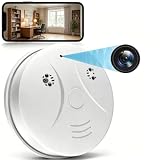
Legal and ethical limits first
Laws on recording differ by country and by state. As a general principle, recording video or audio of people in private spaces such as bathrooms, bedrooms, and changing areas without consent is illegal in many places, and audio recording often has stricter consent rules than video. Rental hosts commonly must disclose any cameras, and indoor cameras in private rooms of a rental are widely prohibited by platform rules. If you are unsure, consult a local lawyer or the relevant authority before installing anything. Using a camera to monitor a caregiver or nanny can also involve disclosure rules in some places.
If you believe you are being recorded without consent, contact the police rather than confronting anyone yourself.
What most people actually need
The typical reasons gamers and homeowners look for a discreet camera are package theft, a shared flat, or watching a pet. All of these are better served by a visible, small camera. A visible camera acts as a deterrent, avoids legal grey areas, and usually comes with cloud or local storage, motion alerts, and app control.
At a glance: lawful compact camera options
| Option | Style | Best for | Typical stated features | Limit |
|---|---|---|---|---|
| Wyze indoor cam range | Small plug-in camera | Budget home monitoring | Motion alerts and app control, as listed by the maker | Some features need a subscription |
| Eufy indoor cameras | Pan and tilt and fixed models | Local storage fans | The maker promotes local storage options | Model features vary by version |
| Blink indoor and mini cameras | Compact plug-in or battery | Simple setup | Alerts through the Blink app | Storage plans may be required for clips |
| Doorbell cameras | Front-door | Deliveries and visitors | Live view and motion alerts | Needs wiring or battery care |
| Concealed or novelty cameras | Disguised devices | Rarely justified | Varies widely | Legal risk and unreliable build |
Exact resolution, storage, and subscription terms change by model and region, so read the maker’s current product page for the model you are considering.
How to choose a compact camera
Placement and field of view
Choose a camera with a wide field of view for the area you need to cover, and mount it where its purpose is clear. A camera pointed at a doorway or window covers most security needs.
Storage
Local storage on a card keeps footage in your home. Cloud storage offers convenience but may involve subscription fees. Decide which you prefer before buying.
Night vision
Infrared night vision is standard. Check that the lens suits the room size and that the infrared light does not reflect off glass.
Privacy controls
Look for features like privacy mode, scheduled off times, and two-factor authentication on the account. A camera with weak account security is a risk of its own.
Power
Plug-in cameras avoid battery changes. Battery models are flexible but need periodic recharging.
Pick X if you…
| If you… | Pick | Reason |
|---|---|---|
| Want an inexpensive indoor camera | Wyze indoor camera | Budget-focused range |
| Prefer footage kept locally | Eufy indoor camera | Local storage emphasis |
| Want simple setup | Blink mini | Compact and app-driven |
| Care about the front door | A doorbell camera | Purpose-built |
| Are worried about being recorded | A detection routine instead of a camera | See below |
How to look for cameras you did not place
If you stay in a rental or hotel and feel uneasy, a careful check is reasonable. Start with a visual sweep of smoke detectors, alarm clocks, USB chargers, plants, and shelves for unusual holes or lenses. Turn the lights off and scan the room with a phone torch, since lenses can reflect light. Check the Wi-Fi network for unfamiliar devices using a network scanner app. Dedicated RF detectors exist, but their results can be unreliable and they should be treated as one tool among several. If you find something suspicious, do not tamper with it; take photos and contact the police and the property manager.
Budget tiers
Budget cameras deliver basic video, motion alerts, and app control. Mid-range models add better sensors, local storage, and stronger encryption. Premium systems add multi-camera coordination and professional-grade features. Choose a trusted brand regardless of tier, since cheap unbranded cameras sometimes have poor security and unclear firmware updates.
Alternatives
- Smart doorbells: cover entrances openly.
- Window and door sensors: notify you of entry without video.
- Outdoor floodlight cameras: deterrent for yards.
- Pet cameras with treat dispensers: ideal if the point is watching a pet.
Common mistakes
- Placing any camera where people expect privacy.
- Recording audio without understanding local consent rules.
- Using default passwords or skipping two-factor authentication.
- Buying an unbranded device without firmware updates.
- Ignoring subscription terms until after setup.
Protecting your own network and footage
Any connected camera becomes part of your home network, so treat it like a computer. Put cameras on a guest or separate network if your router supports it, change default credentials immediately, and install firmware updates when the maker releases them. Review which family members or apps have access, and remove old accounts. If a camera stores clips in the cloud, read how long footage is kept and who can view it. Cover or disable cameras when you have guests, and tell visitors where cameras are. These habits reduce the risk of misuse and keep you on the right side of privacy rules.
Frequently Asked Questions
Is it legal to use a hidden camera at home?
It depends on where you live and what you record. Recording in private areas or recording audio without consent is illegal in many places. Check local laws, and consider a visible camera instead.
Can I put a camera in a rental?
Hosts are often required to disclose cameras, and indoor cameras in private spaces are commonly banned by rental platforms. Tenants should read their lease and local rules before installing one.
How do I tell if a room has a hidden camera?
Do a visual sweep, scan for lens reflections with a torch, and check the Wi-Fi for unknown devices. Detection tools can help but are not perfect. Contact the authorities if you find something.
Do compact cameras need a subscription?
Some features, such as extended cloud history, may. Many cameras also support local storage. Read the maker’s current plan details.
Are Wi-Fi cameras safe from hackers?
Security depends on the brand, firmware updates, and your own habits. Use a strong unique password, enable two-factor authentication, and keep firmware updated.
Should I record audio?
Audio rules are often stricter than video rules. Disable audio if you are unsure about consent requirements.







Write Your Review
No reviews yet. Be the first to share your experience!