
- Top Pick: Razer Core X V2 External Graphics Enclosure (eGPU)
- Best Value: Sonnet Breakaway Box 850 T5 eGPU Enclosure – 80 Gbps Thunderbolt 5 / Thunderbolt 4 / USB4 – External GPU for Windows – 850W Power – Triple-Wide Graphics Cards – 5GbE Port
- Premium Choice: OWC Mercury Helios 5S Thunderbolt 5 80Gb/s PCIe and Connectivity Expansion
An external GPU enclosure lets a laptop or mini PC tap into desktop-class graphics through a single Thunderbolt or USB4 cable, transforming a thin machine into a gaming or content-creation rig at your desk. The choices come down to the connection standard, how much power the enclosure supplies, and whether you want a full GPU box or a compact dock. This guide compares the best eGPU enclosures available now.
We compared the external GPU enclosures users rate most highly, weighing compatibility, build, and value. Here are five picks and the setup each one suits.
As an Amazon Associate we earn from qualifying purchases at no extra cost to you.


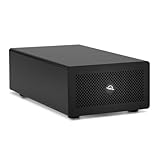


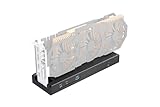


Razer
Razer Core X Aluminum External GPU Enclosure (eGPU): Compatible with Windows & MacOS Thunderbolt 3 Laptops, NVIDIA/AMD PCIe Support, 650W PSU, Classic Black

Razer
Razer Core X V2 External Graphics Enclosure (eGPU)

MINISFORUM
MINISFORUM DEG1 eGPU Dock, External GPU Docking Station for RTX 4090, AMD RX 7900 XTX, eGPU Enclosure Graphics Card Extension Support ATX/SFX Standard Power, Oculink Expansion Graphics Docking Station

TRELBEET
Mini eGPU Enclosure Compatible with Thunderbolt 3/4, USB4 40Gbps External GPU Dock Station, Compatible with NVIDIA/AMD PCIe, PD 85W Charging Support, Daisy Chain, DC/ATX/SFX Support

OwlTree
PCIe 4.0 x4 64Gbps Compatible eGPU DOCK, with OCuLink SFF-8612 8311 to PCIe x16 and SFF-8611 Male Cable, Enclosure supports Standard ATX Power and External Graphics Cards GPU for Laptop Mini PC
As an Amazon Associate we earn from qualifying purchases. Product prices and availability are accurate as of the date/time indicated.
Quick Comparison
| Enclosure | Rating | Reviews | Best For |
|---|---|---|---|
| Razer Core X | 4.2/5 | 1,940+ | Full-size proven eGPU |
| Razer Core X V2 | 4.0/5 | 68+ | Latest full-size eGPU |
| MINISFORUM DEG1 Dock | 4.3/5 | 73+ | Open-air OCuLink dock |
| Mini eGPU (Thunderbolt/USB4) | 4.0/5 | 70+ | Compact eGPU dock |
| PCIe 4.0 OCuLink eGPU Dock | 4.4/5 | 67+ | High-bandwidth value |
Top Picks Reviewed
Razer Core X
The most established eGPU enclosure, the Core X houses a full-size desktop GPU and supplies ample power over Thunderbolt, with broad Windows and Mac compatibility. It is the proven, no-fuss choice for a reliable eGPU.
Pros:
- Fits full-size desktop GPUs
- High built-in power delivery
- Broad compatibility
Cons:
- Large and heavy
Best for: a reliable full-size eGPU.
Razer Core X V2
The updated Core X V2 refreshes the proven design for the latest standards and GPUs, keeping the full-size, high-power formula. It is the current-generation full-size pick.
Pros:
- Latest standard support
- Full-size GPU capacity
- Razer build quality
Cons:
- Premium price, few reviews yet
Best for: the latest full-size eGPU setup.
MINISFORUM DEG1 Dock
An open-air OCuLink docking station, the DEG1 supports powerful GPUs like the RTX 4090 with the high bandwidth OCuLink provides over Thunderbolt. It is the performance-focused open dock.
Pros:
- High-bandwidth OCuLink
- Supports powerful GPUs
- Open-air cooling
Cons:
- Needs an OCuLink-capable host
Best for: high-performance OCuLink setups.
Mini eGPU (Thunderbolt 3/4, USB4)
A compact eGPU enclosure compatible with Thunderbolt 3/4 and USB4 at 40Gbps, this Mini unit suits those who want external graphics without a bulky box. It is the compact connectivity pick.
Pros:
- Compact footprint
- Thunderbolt and USB4 support
- Portable
Cons:
- Limited power for top GPUs
Best for: compact, portable eGPU use.
PCIe 4.0 OCuLink eGPU Dock
The highest-rated pick, this PCIe 4.0 x4 OCuLink dock delivers up to 64Gbps for minimal bottlenecking at a value price. It is the high-bandwidth value choice for OCuLink-equipped systems.
Pros:
- Up to 64Gbps OCuLink
- Low bottlenecking
- Great value, top rating
Cons:
- Requires OCuLink port
Best for: high-bandwidth value setups.
How to Choose
- Connection: Thunderbolt/USB4 is plug-and-play on most laptops; OCuLink offers more bandwidth but needs a compatible host.
- GPU size: full-size enclosures like the Core X fit big desktop cards; open docks vary.
- Power delivery: confirm the enclosure supplies enough wattage for your GPU and laptop charging.
- Host support: check your laptop’s port and eGPU compatibility.
- Portability: compact docks travel better; full boxes stay on the desk.
Frequently Asked Questions
What do I need to use an eGPU?
A laptop or mini PC with a compatible Thunderbolt, USB4, or OCuLink port, plus a desktop graphics card to install in the enclosure.
Thunderbolt or OCuLink?
Thunderbolt/USB4 is widely supported and plug-and-play; OCuLink offers higher bandwidth and less bottlenecking but requires a host with an OCuLink port.
Will an eGPU bottleneck my graphics card?
There is some bandwidth loss over external connections, more on Thunderbolt than OCuLink, but the performance gain over integrated graphics is still large.
Can an eGPU charge my laptop?
Many full-size enclosures like the Core X supply power to charge the laptop over the same cable. Check the enclosure’s power delivery spec.
Our Verdict
Top Pick: the Razer Core X, the proven, reliable full-size eGPU. Best Value: the PCIe 4.0 OCuLink Dock, top-rated high bandwidth for less. Premium Pick: the MINISFORUM DEG1, the OCuLink dock for powerful GPUs.
Related Reviews
- Best Low Profile Graphics Cards
- Best White Graphics Cards
- Best GPUs for 4K Gaming
- Best Graphics Cards
- Best PCIe Riser Cables











Write Your Review
No reviews yet. Be the first to share your experience!