
- Top Pick: eufy Security Smart Lock C220, Fingerprint Keyless Entry Door Lock | Built-in Wi-Fi, App Remote Control, Up to 8-Month Battery, Front Door Smart Lock Deadbolt, IP53 Waterproof, BHMA Grade 3
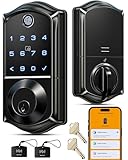
- Best Value: TEEHO TE001 Keyless Entry Deadbolt with Keypad for Front Door, Matte Black | ANSI Grade 3 Security, 20 User Codes, Low Battery Alert, IP54 Waterproof, One Touch Lock, Anti-Peep Password & 2 Backup Keys
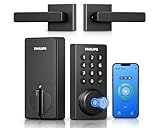
- Premium Choice: Philips WiFi Keypad Deadbolt with Handle, Built-in WiFi, APP Remote Control | Smart Locks for Front Door, Voice & Fingerprint Unlock, Flexible Codes, Auto-Lock, Backlit Keypad, Come with Door Lever
The best deadbolt smart lock depends on your home ecosystem: Schlage Encode Plus suits Apple Home users who want Home Key tap-to-unlock, Yale Assure Lock 2 suits buyers who want swappable connectivity modules and keypad or touchscreen choices, and Level Bolt suits people who want a lock that leaves the exterior of the door looking like an ordinary deadbolt.
As an Amazon Associate we earn from qualifying purchases at no extra cost to you.


What a deadbolt smart lock replaces
A deadbolt smart lock motorizes the bolt that secures your door, and in most designs it replaces the interior thumb-turn assembly and sometimes the exterior cylinder. Some models keep your existing key cylinder; others offer keyless exteriors with a touchscreen or keypad. Because the bolt is the part that resists a forced entry, the physical grade of the lock matters as much as the smart features. Look for the ANSI/BHMA grade the maker lists, with Grade 1 being the most durable, and treat Wi-Fi convenience as a second consideration.
At a glance
| Model | Best for | Key stated features | Limits |
|---|---|---|---|
| Schlage Encode Plus | Apple Home users | The maker lists built-in Wi-Fi and Apple Home Key support, with keypad entry | Larger body; features tied to the maker’s app and ecosystem |
| Yale Assure Lock 2 (touchscreen and keypad versions) | Flexible connectivity | The maker offers interchangeable network modules for Wi-Fi, Z-Wave and other protocols on selected models | Module choice must be made at purchase; read the listing for which module is included |
| Level Bolt | Keeping a standard-looking door | The maker positions it as a hidden mechanism that retains the existing exterior hardware | No keypad on the door; relies on phone, key or accessories |
| Aqara U200 / U100 class | Matter and Thread households | Aqara lists Matter-over-Thread support and multiple unlock methods | Requires a compatible hub or border router for full features |
| Ultraloq Bolt class | Fingerprint and keyless entry | Ultraloq lists fingerprint, keypad and app options on its models | Fingerprint reliability varies by user and conditions |
| Kwikset Halo and Aura class | Simple installs and familiar hardware | Kwikset lists Wi-Fi and Bluetooth models with keypad or key-cylinder choices | Model lines overlap; check which connectivity each variant includes |
Product lines are refreshed frequently, and a maker may sell several versions with similar names. Read the exact listing for the variant you are considering.
How to choose
Start with your ecosystem
If your household uses Apple Home, a lock that supports Home Key is the most seamless route. Google Home and Alexa users should look for a lock that lists their platform. Matter-over-Thread locks are becoming common, and the maker’s listing will say whether a hub or border router is required. If you do not already own the required hub, factor it into the purchase.
Wi-Fi, Bluetooth, Z-Wave or Thread
Built-in Wi-Fi means no separate hub and simple remote access, but it uses more battery. Bluetooth-only locks need a bridge for remote use. Z-Wave and Thread run on low power and are favored by smart-home enthusiasts who already have a hub. If you rent out a property or want remote guest codes, make sure remote access is included rather than an optional add-on.
Unlock methods
Keypad entry is the most universal and works for guests, cleaners and children. Fingerprint models are convenient, though they may struggle with wet or worn fingers. Tap-to-unlock using a phone or watch is fast, and a physical key backup is a useful safety net for dead batteries or network failure.
Security grade and build
Look for the BHMA grade and any other certification the maker states. A solid bolt and a reinforced strike plate matter more than any app feature. Many door break-ins involve the door frame, so reinforce the strike plate with long screws.
Batteries and power
Most smart deadbolts run on AA cells and send low-battery alerts. Makers publish estimated battery life, but it varies with connectivity and usage. Many locks include a terminal for a nine-volt battery to jump-start a dead lock, and you should confirm this on the listing.
Fit and compatibility checklist
- Door thickness and prep: Standard doors have a 2-1/8 inch bore and a 2-3/8 or 2-3/4 inch backset. Most locks accommodate both, but confirm it.
- Existing deadbolt: Retrofit models that replace only the interior part require a compatible existing deadbolt, so check the compatibility list.
- Handing and clearance: Some designs are bulky, so check the clearance against door trim and storm doors.
- Wi-Fi range: The signal at the door matters. A weak signal produces unreliable remote control.
Budget tiers
Budget tier
Basic keypad deadbolts and entry-level smart models from Kwikset, Ultraloq and similar makers cover the essentials. Expect fewer integration options and sometimes less robust hardware, so read the grade listing.
Mid-range tier
Schlage Encode, Yale Assure Lock 2 and Aqara models usually sit here, with stronger hardware and better ecosystem support. This is where most households find their ideal balance.
Premium tier
Models with Home Key, Matter and high-grade hardware, including Schlage Encode Plus and some Level variants, give the most seamless experience but cost the most.
Pick this if
| If you | Pick | Reason |
|---|---|---|
| Use Apple Home daily | Schlage Encode Plus | Home Key support listed by the maker |
| Already run Z-Wave or want flexibility | Yale Assure Lock 2 | Swappable network modules on selected versions |
| Dislike how keypads look | Level Bolt | Keeps the exterior hardware |
| Own a Thread border router | Aqara U200 class | Matter-over-Thread listed |
| Want fingerprint access | Ultraloq Bolt class | Fingerprint listed on the maker’s models |
| Prefer simple hardware | Kwikset keypad models | Familiar installation and key backup |
Common mistakes
- Choosing by app features and ignoring the physical security grade.
- Buying a Bluetooth-only model and expecting remote control.
- Ignoring the hub requirement for Thread, Z-Wave or some Matter functions.
- Skipping a reinforced strike plate and door frame check.
- Failing to keep a physical key or battery-jump option.
Alternatives
- Smart lever-handle locks: better for interior doors, though not a replacement for a deadbolt on exterior entries.
- Keypad-only deadbolts: inexpensive and simple, with no network risk.
- Retrofit smart add-ons: motorize your existing deadbolt from the inside while keeping your key, useful for renters.
Frequently Asked Questions
Are smart deadbolts secure?
They can be as secure as a conventional deadbolt if the hardware has a good ANSI/BHMA grade and the door and frame are solid. Keep the app updated, use strong account passwords and enable two-step sign-in where offered.
What happens if the battery dies?
Most locks send low-battery warnings well in advance. Many have a physical key cylinder or a contact point for a temporary battery, and you should confirm which your model offers.
Do smart locks need Wi-Fi?
Not necessarily. Keypad and key functions work without a network, but remote access and guest codes require Wi-Fi or a hub, depending on the model.
Can I install one myself?
Many makers design their locks for installation with a screwdriver on a standard prepared door. If your door is unusual or damaged, a locksmith can help.
Will it work with Matter?
Some current models list Matter support, often over Thread. Check the specific model listing and your home hub’s requirements.
Is a fingerprint lock better than a keypad?
It is faster for you but not necessarily more reliable. Keypads work for anyone with the code, while fingerprint sensors can struggle with wet or worn fingers.







Write Your Review
No reviews yet. Be the first to share your experience!