
A gaming desk mat is the surface the whole setup sits on. A full-size mat puts keyboard and mouse on one consistent surface, so a low-sensitivity sweep never runs off the edge of a small pad mid-flick. It also protects the desk, damps keystroke sound, and gives the mouse sensor one uniform texture.
The five mats below cover the three materials that matter here: spill-proof cloth, RGB-lit cloth, and leather over cork. Sizes run from 900 mm wide to a 47-inch leather mat, so the desk itself is the first decision. Measure width and depth before ordering: a mat that overhangs the front edge curls and lifts under the wrist, and one that is too short leaves the keyboard half on bare desk.
As an Amazon Associate, we earn from qualifying purchases.
Quick Answer
For most NVIDIA setups, buy the Corsair MM350 PRO Extended XL: a spill-proof cloth mat at 930 by 400 mm with a rubber base and stitched edges. Choose the Logitech G840 XL for a thinner cloth mat, or the SteelSeries QcK Prism Cloth XL for RGB lighting. Pick the HyperX Pulsefire Mat RGB XL for the widest lit surface, and the AFIING cork leather mat for a wipe-clean desk surface.
Table of Contents
- Quick Answer
- 1. Corsair MM350 PRO Extended XL
- 2. Logitech G840 XL
- 3. SteelSeries QcK Prism Cloth XL
- 4. HyperX Pulsefire Mat RGB XL
- 5. AFIING Cork Leather Desk Mat
- How to Choose a Gaming Desk Mat
- Who Should Skip a Gaming Desk Mat
- Frequently Asked Questions
- Final Verdict
- Product and ASIN Reference
1. Corsair MM350 PRO Extended XL
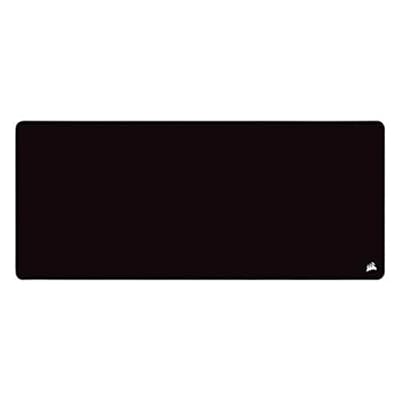
Best overall pick for most gaming desks
The MM350 PRO Extended XL leads this guide because it gets the fundamentals right. The surface is a micro-weave cloth with a spill-proof and stain-resistant coating, so a knocked-over drink beads on the surface instead of soaking in. At 930 by 400 mm it covers a full-size keyboard and a mouse with room for a wide sweep, and the 4 mm plush rubber base keeps the mat flat and planted. The stitched edges resist fraying, which is the build detail that separates a mat that lasts from one that frays at the corners after a year.
The cloth is tuned for a balanced glide rather than outright speed, which suits players who switch between shooters and desktop work. It is the only mat here with a spill-proof coating, and that is the reason it leads: a desk mat is also a desk protector.
Specs
- Brand: Corsair
- Size: 930 by 400 mm
- Thickness: 4 mm
- Surface: Micro-weave cloth, spill-proof and stain-resistant coating
- Base: Plush rubber, non-slip
- Edges: Anti-fray stitched
- Lighting: None
- Tier: Mid-range
2. Logitech G840 XL

Best budget pick for a thin cloth mat
The G840 XL is the thinnest mat in this guide at 3 mm, and that thinness is its selling point: a thin mat keeps the keyboard and wrist at almost the same height as the bare desk, so players who rest their wrists on the desk edge feel no step up. The surface is a performance-tuned cloth with moderate friction, built for consistent sensor tracking, and the stable rubber base holds the mat still without adding bulk, covering a full-size keyboard and mouse at 900 by 400 mm.
The trade-off is the edge: the G840 XL has no stitched border, so the cloth edge is the part to watch over years of heavy use, and it has no spill coating. For a player who wants the cheapest route to a full-desk cloth surface, those are fair trades.
Specs
- Brand: Logitech
- Size: 900 by 400 mm
- Thickness: 3 mm
- Surface: Performance-tuned cloth, moderate friction
- Base: Stable rubber, non-slip
- Edges: Unstitched
- Lighting: None
- Tier: Budget
3. SteelSeries QcK Prism Cloth XL

Best RGB pick for a classic cloth surface
The QcK Prism Cloth XL is the RGB route into the most proven cloth surface in gaming: the micro-woven QcK cloth is tuned for control across sensitivity settings, and the 4 mm rubber base keeps the mat flat. Two zones of RGB lighting run around the edge, driven by SteelSeries Engine software, and can react to in-game events and Discord notifications. At 900 by 300 mm it is narrower front to back than the other cloth picks, which suits a desk where depth is tight.
The narrower depth is the honest trade: a keyboard plus a mouse fits, but there is less room for the wrists in front of the keyboard. The lighting needs a USB connection, so the mat adds one cable to the desk, though a setup already running SteelSeries software syncs it with the rest of the gear.
Specs
- Brand: SteelSeries
- Size: 900 by 300 mm
- Thickness: 4 mm
- Surface: Micro-woven cloth
- Base: Rubber, non-slip
- Lighting: Two-zone RGB, SteelSeries Engine software
- Connection: USB for lighting
- Tier: Mid-range
4. HyperX Pulsefire Mat RGB XL

Best premium pick for the widest lit surface
The Pulsefire Mat RGB XL is the widest RGB mat here at 900 by 420 mm, and the extra depth earns it the premium slot: 420 mm leaves room for a full-size keyboard, a wide mouse sweep, and the wrists in front, all on one surface. The densely woven cloth is tuned for precision tracking, the edges use flush anti-fray stitching, and the 4 mm rubber base keeps the mat planted.
The touch sensor is the feature the other RGB pick lacks: tapping a corner switches lighting profiles, and onboard memory stores three profiles on the mat itself. A listing crawl about 353 days old is the oldest evidence in this guide, so glance at the live offer before ordering.
Specs
- Brand: HyperX
- Size: 900 by 420 mm
- Thickness: 4 mm
- Surface: Densely woven cloth, precision tuned
- Base: Anti-slip rubber
- Edges: Flush anti-fray stitching
- Lighting: Two-zone RGB, touch sensor profile switching, onboard memory for three profiles
- Connection: USB for lighting
- Tier: Premium
5. AFIING Cork Leather Desk Mat

Best leather pick for a hard, wipe-clean surface
The AFIING mat is the only non-cloth pick in this guide. The top is PU leather over a natural cork base, a hard, smooth surface that a mouse glides across with almost no friction and that wipes clean. At 47.2 by 17 inches it is the widest mat here, covering a full-size keyboard, a mouse, and a notebook beside them. The cork base grips the desk and cushions the leather, and the mat is waterproof, so spills sit on the surface.
A leather-topped mat is a different tool from a cloth mat: a mouse sensor tracks well on the smooth leather, but the glide is faster and less controlled than cloth, so low-sensitivity players who lean on cloth friction to steady flicks may find it too slick. It is also the pick for a desk that doubles as a workspace, where the leather suits writing.
Specs
- Brand: AFIING
- Size: 47.2 by 17 inches
- Surface: PU leather over natural cork
- Base: Natural cork, non-slip
- Care: Waterproof, wipe clean
- Lighting: None
- Tier: Budget
How to Choose a Gaming Desk Mat
Measure the desk before choosing the mat
Width decides whether keyboard and mouse share one surface; depth decides whether the wrists fit. A 900 mm mat suits most desks, while the 47-inch leather mat needs a wide desk and the SteelSeries suits a shallow one. Leave a small margin at the front edge, because a mat that overhangs will curl and lift.
Pick the surface by how the mouse should feel
Cloth gives the mouse controlled friction, which steadies low-sensitivity flicks; the Corsair, Logitech, and both RGB picks are cloth. Leather over cork gives a fast, smooth glide with almost no friction, which suits high-sensitivity play and desktop work but can feel too slick for players who brake with the mat. Choose cloth for control, leather for speed and easy cleaning.
Decide whether RGB lighting earns its cable
Both RGB mats need a USB connection for lighting, which adds a cable to the desk. The SteelSeries pick syncs with game events and chat notifications, while the HyperX pick adds a touch sensor and onboard memory for three profiles. If the setup already has RGB gear, the lighting ties the desk together; if the desk is kept minimal, the unlit Corsair or Logitech mats give the same surface without the cable.
A note on desk mat recalls
No CPSC recall covers gaming desk mats or mouse pads as a class, and none covers any pick here. A desk mat has no battery, no heating element, and no electronics beyond the USB lighting strip on the two RGB picks.
Who Should Skip a Gaming Desk Mat
Skip a full desk mat if the desk is shallow: a 900 mm mat that overhangs the front edge will curl and lift under the wrist. Skip the RGB picks if the desk has no spare USB port or the extra cable bothers you. Skip the leather pick if you play at low sensitivity and lean on cloth friction to steady flicks. Skip the thinnest mat if you want cushioning under the wrist, because the 3 mm Logitech gives less padding than the 4 mm picks.
Frequently Asked Questions
What size desk mat should I buy for gaming?
Measure the desk first. A 900 mm wide mat covers a full-size keyboard and a mouse with room for a wide sweep, which suits most desks; go wider, like the 47-inch leather mat, only if the desk has room. Depth matters too: 400 mm fits keyboard, mouse, and wrists, while a 300 mm mat suits a shallow desk but leaves less wrist room.
Are RGB desk mats worth the extra cable?
They are worth it when the setup already runs the matching software: the SteelSeries pick syncs with game events and chat notifications, and the HyperX pick adds a touch sensor and onboard profiles. If the desk is kept minimal or has no spare USB port, an unlit cloth mat gives the same surface.
Do leather desk mats work for gaming mice?
Yes, a mouse sensor tracks well on smooth leather, and the surface wipes clean. The trade is glide: leather is faster and less controlled than cloth, so it suits high-sensitivity play and mixed work-and-gaming desks, while low-sensitivity players who brake with cloth friction usually prefer a cloth mat.
How do I clean a cloth gaming desk mat?
Brush off loose dust, wipe the surface with a damp cloth and a small amount of mild soap, and let the mat dry flat before use. Do not fold a cloth mat to dry it, and do not machine wash it, since the rubber base can warp. The spill-proof Corsair pick resists soaking, and the leather pick wipes clean.
Final Verdict
For most NVIDIA setups, buy the Corsair MM350 PRO Extended XL: a spill-proof cloth mat at 930 by 400 mm with a thick rubber base and stitched edges. Choose the Logitech G840 XL for the thinnest cloth mat, or the SteelSeries QcK Prism Cloth XL for RGB lighting. Step up to the HyperX Pulsefire Mat RGB XL for the widest lit surface with a touch sensor, and the AFIING cork leather mat for a hard, wipe-clean desk.




Write Your Review
No reviews yet. Be the first to share your experience!