
A GPU (graphics processing unit) is a processor built to do thousands of simple calculations at the same time. It turns game worlds, video and your desktop into the pixels on your screen, and it also speeds up video editing, 3D rendering and AI. A graphics card is the full board that carries the GPU, its memory, cooling and power parts.
- What Is a GPU and What Does It Actually Do?
- GPU vs CPU: What Is the Difference?
- GPU vs Graphics Card: The Chip vs the Whole Board
- Integrated vs Dedicated Graphics: Who Needs a Dedicated Card?
- What Is VRAM and Why Does It Matter?
- What GPUs Do Beyond Gaming
- How to Find Out Which GPU You Have
- GPU Spec Terms Decoded in Plain Language
- What You Do and What GPU Tier You Need
- Do I Need a Better GPU? A Quick Diagnostic
- Frequently Asked Questions
What Is a GPU and What Does It Actually Do?
A 4K screen has about 8.3 million pixels, and a game at 60 frames per second must work out the color of every one of them 60 times a second. Each calculation is simple, but there are enormous numbers of them, all needed at once.
That is the job a GPU is built for. Instead of a handful of powerful cores, it packs thousands of smaller, simpler ones working in parallel. NVIDIA calls them CUDA cores; AMD calls them stream processors.
A plain-English analogy
Picture a CPU as a few brilliant professors who solve complicated, step-by-step problems quickly. A GPU is a stadium full of students who each know basic arithmetic. Ask the professors to grade 10,000 simple quizzes and it takes all day; hand one quiz to each student and it is done in minutes. Graphics, video and AI are mostly the "10,000 quizzes" kind of problem.
GPU vs CPU: What Is the Difference?
Your computer needs both. The CPU runs the operating system, apps and game logic; the GPU takes over the drawing and other parallel math. A fast GPU paired with a weak CPU can still feel sluggish, a problem called a bottleneck. Our guide to how CPU bottlenecks affect gaming performance covers that balance in more detail.
| Feature | CPU (Processor) | GPU (Graphics Processor) |
|---|---|---|
| Number of cores | Usually 6 to 24 in consumer PCs | Thousands to tens of thousands |
| Core design | Few, very fast, very flexible | Many, simpler, specialized |
| Best at | Sequential tasks, logic, multitasking | Parallel tasks: pixels, video, AI math |
| Typical jobs | Running Windows or macOS, apps, game logic, physics decisions | Rendering frames, encoding video, 3D, machine learning |
| Memory used | System RAM on the motherboard | Dedicated VRAM on the card (or shared RAM if integrated) |
| Can it work alone? | Yes, the PC cannot boot without it | No, it always needs a CPU to direct it |
GPU vs Graphics Card: The Chip vs the Whole Board
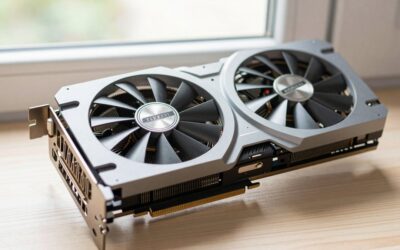
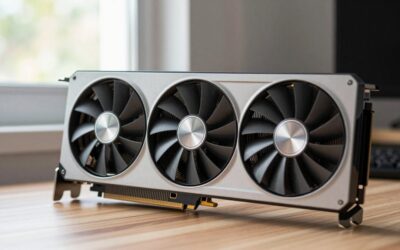
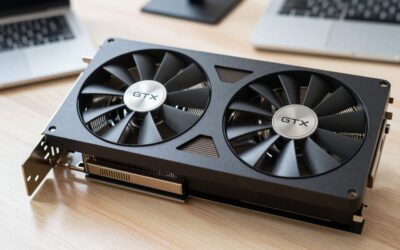
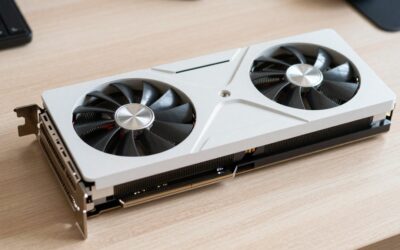
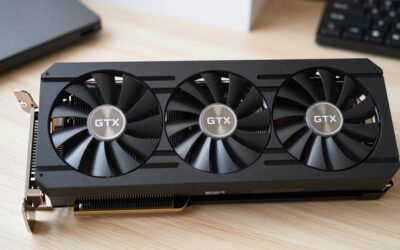
People use the two terms interchangeably, which is fine in conversation. Technically, the GPU is just the chip in the middle. The graphics card is the complete board you slot into your motherboard:
- GPU chip: the processor doing the work.
- VRAM: fast memory soldered around the chip.
- Cooling: heatsink and fans to carry heat away.
- Power delivery: circuitry and connectors feeding stable power from your PSU.
- Display outputs: usually HDMI and DisplayPort.
That is why two cards with the same GPU from ASUS and MSI can differ in size, noise and price.
Integrated vs Dedicated Graphics: Who Needs a Dedicated Card?
Integrated graphics are built into the same chip as the CPU. Intel Core processors, most AMD Ryzen chips and every Apple M-series chip include one. They share system RAM, use little power and add nothing to the price, and recent versions are genuinely capable.
Dedicated graphics are a separate GPU with its own VRAM, on a desktop card or as a separate chip in a gaming laptop. They are far faster but cost more and run hotter.
Integrated graphics are enough for browsing, streaming, Office apps, video calls, casual photo editing and lighter games like Minecraft. You genuinely need a dedicated card for modern AAA games at good settings, streaming gameplay, regular high-resolution video editing, 3D work or local AI.
What Is VRAM and Why Does It Matter?
VRAM (video memory) is the GPU’s own short-term workspace, holding the textures, models and frame data it needs right now. Sitting next to the chip, it is far faster to reach than system RAM.
When a game needs more VRAM than the card has, data spills into slower memory, causing stutter, late-loading textures or crashes. In 2026, 8GB still handles 1080p at sensible settings, but many new games push past it. Around 12GB to 16GB is a comfortable target for 1440p, and AI workloads can use 16GB or more with ease. For a deeper breakdown, see how much VRAM you really need.
What GPUs Do Beyond Gaming
- Video editing and streaming: hardware encoders (NVIDIA NVENC, AMD AMF, Intel Quick Sync) export and stream far faster than a CPU alone.
- 3D rendering: Blender, Unreal Engine and CAD tools lean heavily on the GPU.
- AI: running AI models is massive parallel math, which is why data centers are packed with GPUs and why a home card can run local image generators and chatbots.
If creative work is your main use, our roundup of GPUs for video editing weighs the options for that specifically.
How to Find Out Which GPU You Have
On Windows 10 or 11
- Press Ctrl + Shift + Esc to open Task Manager.
- Click the Performance tab.
- Select GPU 0 (and GPU 1 if listed). The model name appears at the top right, with dedicated memory shown below the graphs.
Two GPUs listed usually means one integrated and one dedicated, common in gaming laptops. Device Manager > Display adapters shows the same information.
On a Mac
- Click the Apple menu and choose About This Mac.
- On Apple Silicon Macs you will see the chip name, such as Apple M3; the GPU is part of that chip. On older Intel Macs a separate Graphics line is listed.
- For full details, click More Info, then open System Report and select Graphics/Displays.
GPU Spec Terms Decoded in Plain Language
- Model number: in RTX 5070 or RX 9070, the first digits mean generation, the last mean tier. Higher tier in the same generation is faster.
- VRAM (GB): workspace memory; more helps at high resolutions and with AI.
- GDDR6 / GDDR7: memory speed class; newer is faster.
- CUDA cores / stream processors: parallel core count, only comparable within one brand and generation.
- TDP / board power (watts): power draw and heat, which dictate your power supply and cooling.
- Ray tracing: realistic lighting and reflections; beautiful but demanding.
- DLSS / FSR / XeSS: upscaling that renders at lower resolution and sharpens the image for higher frame rates.
New to the brand names? Our explainer on NVIDIA vs AMD graphics cards walks through how the two lineups compare.
What You Do and What GPU Tier You Need
| What you do | GPU tier that fits | VRAM to aim for |
|---|---|---|
| Browsing, streaming, Office, video calls | Integrated graphics | Shared system RAM |
| Light and older games, esports titles at modest settings | Strong integrated or entry-level dedicated | Shared or 8GB |
| Modern games at 1080p, high settings | Entry to mid-range dedicated card | 8GB minimum, 12GB preferred |
| Modern games at 1440p, high refresh rate | Mid to upper-mid dedicated card | 12GB to 16GB |
| 4K gaming with ray tracing | High-end dedicated card | 16GB or more |
| Video editing, streaming, 3D work | Mid-range or better with a modern encoder | 12GB to 16GB |
| Running AI models locally | Upper-mid to high-end, NVIDIA is best supported | 16GB or more |
Do I Need a Better GPU? A Quick Diagnostic
Before spending money, run these checks:
- Watch GPU usage during the slowdown. If it sits near 95 to 100 percent while frame rates are low, the GPU is your limit.
- Check the CPU. If the GPU idles around 50 percent while CPU cores are maxed, a new card will not fix it.
- Check VRAM. Full dedicated memory plus stutter means you need a card with more VRAM, or lower texture settings.
- Update drivers from NVIDIA, AMD or Intel before judging your hardware.
- Check the cable. On a desktop, plug the monitor into the graphics card, not the motherboard, or you are running on integrated graphics.
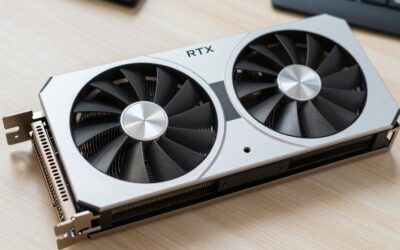
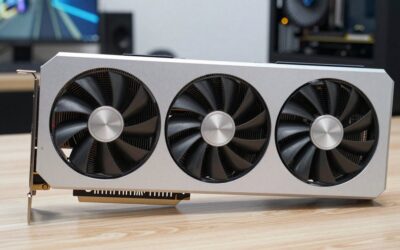
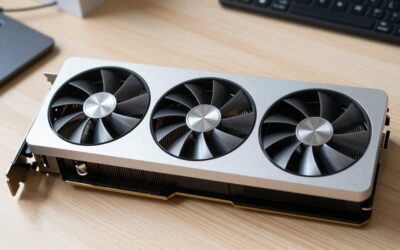
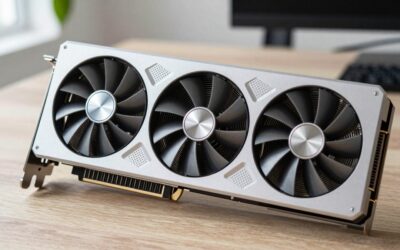
If the checks point to your GPU, these cards are a good starting point.



Confirm your power supply and case clearance first with our power supply sizing guide for graphics cards, then follow our step-by-step graphics card installation guide.
Frequently Asked Questions
Is a GPU the same thing as a graphics card?
Not exactly. The GPU is the processor chip itself, while the graphics card is the full board that holds the GPU along with its VRAM, cooling fans, power delivery and display outputs. In everyday conversation people use the two terms interchangeably, and that is usually fine.
Can a computer work without a dedicated GPU?
Yes. Most laptops and many desktops run perfectly well on integrated graphics built into the processor. You only lose out on demanding tasks like modern gaming, heavy video editing and local AI. A desktop CPU without integrated graphics, however, needs a graphics card to show any picture at all.
Does a better GPU make my whole computer faster?
Only for tasks that use the GPU. Games, video exports, 3D rendering and AI tools will speed up noticeably. Booting, opening apps, browsing and file transfers depend mostly on your CPU, RAM and storage, so a new graphics card will make little difference to those everyday jobs.
How much VRAM do I need in 2026?
For 1080p gaming, 8GB is a workable minimum, though 12GB gives you more headroom for new releases. For 1440p, aim for 12GB to 16GB. For 4K gaming or running AI models locally, 16GB or more is the safer choice, since running out of VRAM causes stutter.
Do Macs have GPUs?
Yes. Apple Silicon Macs have a GPU built directly into the M-series chip, sharing a unified pool of memory with the CPU. They handle video editing and creative apps very well. Older Intel-based Macs used either Intel integrated graphics or a separate AMD Radeon GPU, depending on the model.

Write Your Review
No reviews yet. Be the first to share your experience!