
The Radeon RX 7600 XT is a 1080p-first graphics card with a generous 16 GB of video memory, which makes it a good fit for budget builders who want high settings at 1080p and can stretch to 1440p in less demanding games. Buy it if memory capacity and a modest power draw matter to you, and look higher if you want comfortable 1440p or 4K gaming.
This guide is for people deciding whether the RX 7600 XT fits their screen, games and power supply. It explains what the card is, where it shines, where it runs out of steam and what to check before ordering. Because board partner designs vary, it stays general and does not list specific makers or prices.
What the RX 7600 XT Is
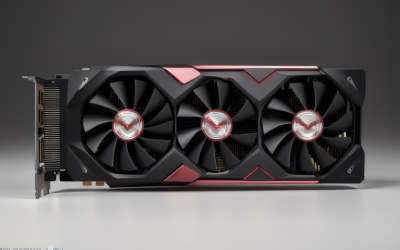
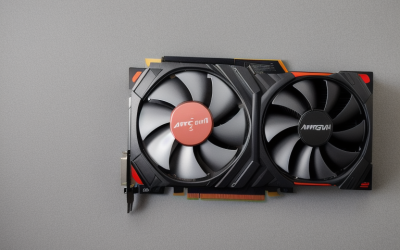
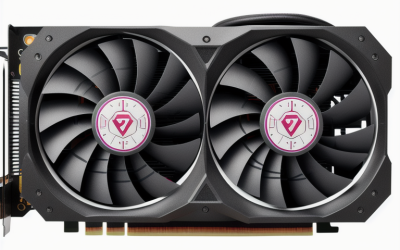
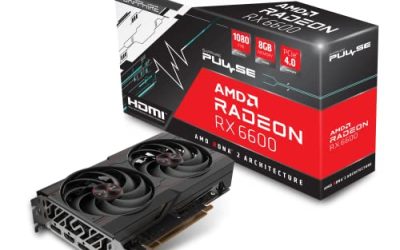
The RX 7600 XT sits in AMD’s RDNA 3 lineup as a step up from the standard RX 7600. Its main selling point is doubling the video memory to 16 GB, paired with a 128-bit memory bus and a modest board power. It is designed around a PCIe 4.0 connection that uses an x8 link, which matters if you plan to install it in an older system. Cooling designs vary from compact dual-fan cards to larger triple-fan models.
The narrow bus is the key trade-off. The card has plenty of memory capacity but less memory bandwidth than the higher Radeon tiers, so it does not scale to high resolutions as well as the number alone might suggest. Think of it as a card with a large garage and a narrow driveway: it holds a lot of data, but it cannot move it as fast as pricier cards. That is fine at 1080p, and workable at 1440p with sensible settings.
Who Should Consider It
1080p Gamers Who Want High Settings
At 1080p, 16 GB of memory means large texture packs and recent releases are unlikely to run out of memory. The card is best suited to high-refresh 1080p monitors in most popular games, and you can raise texture quality without fear of stutter. Competitive titles tend to run very well, while the newest demanding games may need a few settings trimmed.
Budget 1440p Players
1440p is possible, especially with FSR upscaling turned on. You may need to choose medium to high settings instead of maximum in demanding games, but the large memory pool avoids some of the texture problems cheaper cards face. If 1440p is your main target, compare the next tier up, because the jump in capability is often worth the extra cost.
Creators and Mixed Use
The memory capacity helps with some video editing, 3D and AI hobby tasks where large buffers matter. It is not a workstation card, and software support varies, so check that your applications work with Radeon before relying on it for work. For streaming, the hardware encoder is usable, and quality depends on the settings and software.
Small Form Factor Builds
Because the card draws less power than higher-end models, it can fit compact cases and smaller power supplies. Check the physical length and thickness of the exact card, since designs vary. A short dual-fan model may suit a small case better than a large triple-fan version.
Specification Snapshot and What It Means
| Feature | What it means for you |
|---|---|
| 16 GB video memory | Strong headroom for textures and future games at 1080p and 1440p |
| 128-bit memory bus | Limits bandwidth at higher resolutions |
| RDNA 3 architecture | Supports FSR, modern encoders and ray tracing features |
| PCIe 4.0 x8 connection | Works in older boards, but a PCIe 3.0 slot may cost some performance |
| Moderate board power | Easier on the power supply and case airflow |
| Ray tracing support | Available, but heavy at higher resolutions |
Before You Buy Checklist
- Confirm your monitor resolution and refresh rate, and set realistic targets.
- Check the card’s length, thickness and fan design against your case.
- Compare the listed power requirement with your power supply and connectors.
- Verify your motherboard has a PCIe slot and consider the x8 link on older boards.
- Look at the cooling and noise notes in the listing.
- Make sure the processor is fast enough to avoid a bottleneck.
- Check the warranty length and support details.
- Decide whether 1440p is a priority, in which case compare higher models.
Compatibility and Power Notes
The RX 7600 XT uses modest board power, but a quality supply is still important. Look at the manufacturer’s recommended wattage and the listed power connector, which may be a single eight-pin or a combination depending on the design. If you are upgrading an older prebuilt PC, verify that its supply has the necessary cable, because some compact supplies lack spare connectors.
Since the card uses an x8 PCIe link, older systems with PCIe 3.0 may see reduced performance in some games, particularly when the card runs low on memory. With 16 GB that is less likely to matter, but it is worth knowing. A modern processor and fast system memory make better use of the card, and a clean driver install from AMD helps with stability. In 2026 the card remains a sensible entry point for a 1080p build.
Common Mistakes
People often buy it expecting 4K and are disappointed, since the bus and compute are tuned for lower resolutions. Another mistake is assuming 16 GB makes it equal to higher-tier cards, when the memory is only one piece. Buyers also forget to measure their case, and some triple-fan models are surprisingly long. Finally, pairing it with a weak processor leads to lower frame rates than expected, wasting the card’s potential.
Related guides
- What Does Manage Gpu Performance Counters Mean On Nvidia Hardware
- Low Profile Nvidia Graphics Cards For Small Form Factor Pcs
- Nvidia App Error Your System Configuration Is Not Supported
Frequently Asked Questions
Is the Radeon RX 7600 XT good for 1440p?
It can handle 1440p in many games with settings adjusted or FSR enabled. For consistently high settings at that resolution, a higher Radeon tier is more comfortable. The 16 GB of memory helps with textures but does not remove bandwidth limits.
Does 16 GB make the RX 7600 XT future-proof?
It helps with memory-heavy games, but raw performance still limits it. Memory headroom lets you keep high textures longer, yet newer games will eventually ask for more compute. Treat it as a good value for 1080p, not a guarantee.
What power supply does the RX 7600 XT need?
Requirements depend on the specific card design, so read the manufacturer’s recommendation. Choose a supply with comfortable headroom and the correct connector. A reputable supply is safer than a cheap one with the same wattage.
Will it work in a PCIe 3.0 motherboard?
Yes, it is backward compatible. Because it uses an x8 link, you may see slightly lower performance in some games compared with a PCIe 4.0 slot. The effect is usually modest at 1080p.


Write Your Review
No reviews yet. Be the first to share your experience!