
DLSS stands for Deep Learning Super Sampling, an NVIDIA technology that renders a game at a lower internal resolution and then uses an AI model running on the GPU’s Tensor cores to reconstruct a sharper, higher-resolution image. The result is higher frame rates with image quality that, in good implementations, comes close to native rendering.
The name has grown beyond its original meaning. Modern DLSS is a family of features that includes upscaling, frame generation and ray reconstruction. This guide explains the core idea in plain English, what the quality modes mean, how upscaling differs from frame generation, which cards support what, and the tradeoffs to keep in mind.
The Core Idea Behind DLSS
Drawing every pixel of a 4K frame is expensive. A 4K image has four times as many pixels as a 1080p image, and the graphics card must shade each one, every frame. DLSS reduces that workload by rendering fewer pixels, for example at 1440p, and then reconstructing the final 4K frame.
The reconstruction is not a simple stretch. The neural network receives the low-resolution frame, motion vectors that describe how objects moved, depth information and data from earlier frames. It uses all of this to fill in detail that a basic upscaler would blur. Because the network is trained on very large sets of high-quality images, it learns what sharp edges, fine lines and textures should look like.
The same idea explains the name: “super sampling” refers to building a higher-resolution image, and “deep learning” refers to the trained model that does the work.
DLSS Quality Modes Explained
Games typically offer several DLSS modes. Each sets a different internal render resolution relative to the output resolution. The scale factors below are the commonly cited figures per axis, and individual games can tweak them.
| Mode | Typical internal scale | Best used when |
|---|---|---|
| DLAA | Native resolution, no upscaling | You have spare performance and want the best anti-aliasing |
| Quality | About two-thirds of output | You want a small speed gain with minimal visual difference |
| Balanced | About 58 percent of output | You want a middle ground between speed and sharpness |
| Performance | About half of output | You need a large speed gain, often at 4K |
| Ultra Performance | About one-third of output | You are pushing very high resolutions on a limited card |
Lower internal resolution means more speed but more reliance on reconstruction, so artifacts become easier to spot. At a 4K output, Performance mode often looks acceptable because the internal image is still around 1080p. At a 1080p output, the same mode starts from a very small image and is more likely to look soft.
Upscaling Versus Frame Generation
People often lump DLSS features together, but they solve different problems.
Super resolution (upscaling)
This is the original DLSS feature. It reduces the number of pixels rendered, which raises the real frame rate because the GPU finishes each frame sooner. Since each displayed frame is a genuinely rendered frame, responsiveness improves along with smoothness.
Frame generation
Frame generation creates additional frames between the ones the game renders. Displayed frame rate rises, but those extra frames are not new game states, so input responsiveness follows the underlying rendered frame rate, plus a small added delay. It works best when the base frame rate is already comfortable, and it is less helpful for fast competitive play.
Ray reconstruction
Ray reconstruction replaces hand-tuned noise filters in ray-traced games with an AI model. Its goal is cleaner lighting, reflections and shadows when ray tracing is turned up high.
Multi frame generation
The newest version of frame generation can create more than one extra frame per rendered frame. It is limited to the latest generation of cards, and the same responsiveness considerations apply.
Which Graphics Cards Support DLSS
DLSS requires an NVIDIA RTX graphics card, because it relies on Tensor cores. Support varies by feature, and the details can change with driver updates, so check the manufacturer’s current documentation.
- Super resolution and DLAA: available on RTX cards starting from the original RTX 20 series.
- Ray reconstruction: available on RTX cards, with ray-traced games that implement it.
- Frame generation: introduced with the RTX 40 series and not available on earlier generations.
- Multi frame generation: limited to the RTX 50 series.
GTX cards and non-NVIDIA GPUs do not run DLSS. Those users can look at other upscalers, such as the ones offered by AMD and Intel, which work on a wider range of hardware.
Tradeoffs and Limitations
DLSS is useful, but it is not magic. Several limits are worth understanding before relying on it.
- Game support is required: the developer has to integrate DLSS. You cannot force it onto a game that does not offer it.
- Artifacts can appear: ghosting behind fast-moving objects, shimmering on thin lines and softness in very low internal resolutions are possible, and quality depends on the game’s implementation and DLSS version.
- Latency with frame generation: added frames can raise the delay between input and action. NVIDIA pairs frame generation with a latency-reduction feature to offset part of this.
- Not a replacement for a capable card: upscaling helps hit a target frame rate, but a very weak GPU will still struggle.
Readers sensitive to image quality can compare modes in the game itself and choose the lowest mode that still looks clean on their monitor.
How to Turn It On and Choose a Setting
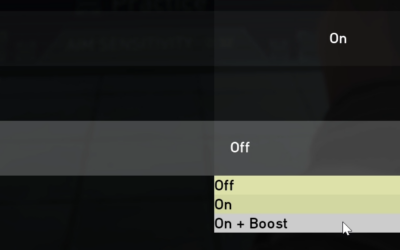
DLSS is enabled inside the game’s graphics settings, usually under an upscaling or anti-aliasing option. A reasonable workflow is simple and reversible:
- Update your graphics driver and the game to their current versions.
- Set the in-game resolution to your monitor’s native resolution.
- Select DLSS Quality first and look at the image in a familiar scene.
- If you need more frame rate, step down to Balanced or Performance and compare.
- Add frame generation only if your base frame rate is already smooth.
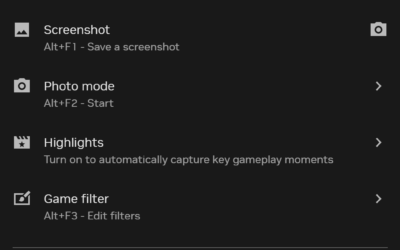
The NVIDIA app can also update DLSS components and apply certain overrides for supported games. Features available there change with app updates, so check the manufacturer’s current documentation.
How DLSS Has Changed Over the Years
The technology began with the RTX 20 series in 2018, and the first version drew mixed reactions because image quality varied by game and each title needed its own training. The second major version, released in 2020, switched to a general model that works across games, and quality improved noticeably. Since then, updates have added new features rather than just refinements.
Frame generation arrived with the RTX 40 series, giving cards a way to raise displayed frame rate when the GPU alone could not. Later updates brought ray reconstruction to improve ray-traced lighting, and the latest generation added multi frame generation along with a newer upscaling model based on a transformer design. That newer model aims for better stability and fine detail, and NVIDIA has made it available to a wide range of RTX cards through updates.
This history matters for two reasons. First, “DLSS” in a game menu may mean different versions depending on when the game was updated, so two games can look different at the same mode. Second, many features arrive through driver and game updates, so a card’s capabilities can grow after purchase. Always check the manufacturer’s current documentation for what your card supports.
DLSS Compared With Other Upscalers
DLSS is not the only way to render at a lower resolution and reconstruct the image. AMD’s FidelityFX Super Resolution and Intel’s XeSS follow the same broad idea, and some games include simple spatial scaling options. The main practical difference is hardware. DLSS runs on RTX Tensor cores, while competing options can work on a wider range of graphics cards.
Image quality comparisons vary by game and version, and opinions differ, so the best approach is to try each option the game offers and judge on your own display. Remember that the monitor’s resolution and the viewing distance also affect how obvious reconstruction artifacts are.
Related guides
- What Does Manage Gpu Performance Counters Mean On Nvidia Hardware
- Low Profile Nvidia Graphics Cards For Small Form Factor Pcs
- Nvidia App Error Your System Configuration Is Not Supported
Frequently Asked Questions
What does DLSS stand for?
DLSS stands for Deep Learning Super Sampling. It describes the use of a trained neural network to build a higher-resolution image from a lower-resolution render.
Does DLSS lower image quality?
It can, depending on the mode and the game. Quality mode is generally close to native rendering, while lower-quality modes rely more on reconstruction and are more likely to show softness or artifacts.
Is DLSS the same as frame generation?
No. Upscaling renders fewer pixels per frame, while frame generation creates extra frames between rendered ones. They can be used together, but they affect performance and responsiveness differently.
Do I need an RTX card to use DLSS?
Yes. DLSS needs the Tensor cores found in NVIDIA RTX GPUs, and some features are limited to newer generations. Older GTX cards cannot run it.



Write Your Review
No reviews yet. Be the first to share your experience!